actiPLANS
actiPLANS manages employee leave, PTO requests, approvals, balances and team availability.
What actiPLANS is
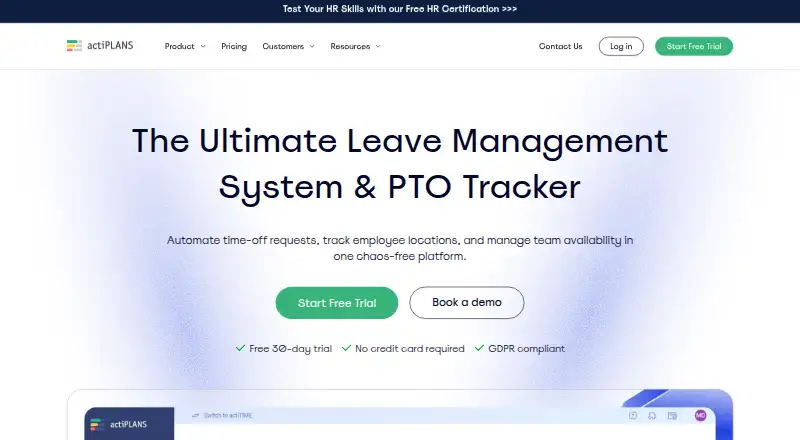
actiPLANS manages employee leave, PTO requests, approvals, balances and team availability. Employees can submit requests online or through mobile apps, while managers can approve or decline requests individually or in bulk. Automated accrual rules support balance history, caps and yearly resets. Reports cover leave time, balances, work location and balance history, with CSV and PDF export. Teams can schedule employee work locations and report time spent across locations. actiPLANS integrates with actiTIME and provides iCal feeds compatible with Outlook, Google Calendar and other iCal calendars. The maker provides iOS and Android apps for employees to manage requests and check schedules. A free plan covers 1–3 users with limited functionality, and a free 30-day trial requires no credit card. Paid plans are billed yearly: $1.50 per user per month for 1–40 users and $1.20 per user per month for 41–200 users. A fixed-cost unlimited-user plan is listed without a price.
Good
- Employees can submit requests through mobile apps.
- Managers can approve or decline requests in bulk.
- Automated accrual rules include caps and yearly resets.
- Reports export to CSV and PDF.
- Free trial requires no credit card.
Watch out
- Free plan is limited to 1–3 users.
- Free plan has limited functionality.
- Unlimited-user plan has no listed price.
- Payroll integrations are listed as unavailable.
Who it suits
actiPLANS suits HR and people teams, managers, finance and payroll, executives, operations and project managers handling employee leave and availability.
Verdict
actiPLANS covers leave requests, accruals, reports and location scheduling, with a limited free tier and a 30-day trial. Review yearly billing and user limits to find the relevant plan.
Plans and prices
From actiPLANS's own pricing page, checked 14 Oct 2026.
| Plan | Price | What it gives you |
|---|---|---|
| Free | Free | 1-3 users · limited functionality |
| 41-200 users | $1.20 a month | 41-200 users · $1.2 per user/mo billed yearly |
| Paid (41–200 users) | $1.20 a month | 41–200 users · $1.2 per user/mo · billed yearly |
| 1-40 users | $1.50 a month | 1-40 users · $1.5 per user/mo billed yearly |
| Paid (1–40 users) | $1.50 a month | 1–40 users · $1.5 per user/mo · billed yearly |
| 200+ users | — | 200+ users · unlimited users · Fixed cost for unlimited users billed yearly |
| Unlimited users | — | 200+ users · fixed cost for unlimited users · billed yearly |
The facts
Each one read from actiPLANS's own pages, with the date it was checked.
What it does
- Accruals
- The product supports automated PTO accrual rules, balance history, accrual caps, and yearly resets.checked 2 Oct 2026
- API authentication
- The documented API uses HTTPS Basic Authentication with a username and password and supports GET, POST, PATCH, PUT and DELETE methods.checked 14 Oct 2026
- Backup limitation
- The agreement says periodic backups are made but disclaims warranty and liability for backup safety, consistency and integrity.checked 14 Oct 2026
- Compliance
- The homepage describes actiPLANS as GDPR compliant.checked 2 Oct 2026
- Data regions
- Online data centers are stated to be in the United States and Germany, with a customer choice of AWS region.checked 14 Oct 2026
- Documentation
- The online guide covers setup, leave management, locations, PTO calculations, reports, permissions, calendars, integrations, two-factor authentication and mobile use.checked 14 Oct 2026
- Event scheduling
- Company events and team calendars can be maintained inside the product.checked 14 Oct 2026
- Integrations
- Native integrations listed by the maker are actiTIME and iCal-compatible calendars including Google Calendar and Outlook.checked 14 Oct 2026
- Intended users
- The maker describes the product for HR and people teams, managers, finance and payroll, executives, operations, and project managers.checked 2 Oct 2026
- Leave types
- Administrators can create unlimited custom leave types such as vacation and sick leave.checked 14 Oct 2026
- Leave workflows
- Employees can submit leave requests online or through the mobile app, and managers can approve or decline requests, including in bulk.checked 2 Oct 2026
- Licence
- actiTIME retains all intellectual-property rights and grants customers limited, nonexclusive access, so the software is proprietary rather than open source.checked 14 Oct 2026
- Limit: employee tracking
- A Capterra reviewer says functionality for employee tracking was limited and required another tool.checked 14 Oct 2026
- Limit: sign-in convenience
- A Capterra reviewer complained that sign-in required an emailed code instead of keeping the session active.checked 14 Oct 2026
- Limit: work patterns
- A Capterra reviewer reports that the product did not support a 9/80 schedule and only allowed fixed hours per working day.checked 14 Oct 2026
- Locations
- Teams can schedule employee work locations and report time spent across locations.checked 2 Oct 2026
- Location tracking
- Work locations such as office, home or onsite can be scheduled and reported.checked 14 Oct 2026
Where it runs
- Android availability
- Google Play lists 1K+ downloads and requires an actiPLANS account plus an internet connection.checked 14 Oct 2026
- Android rating availability
- AppBrain reports no user rating for the Android app and about 3.1 thousand total downloads.checked 14 Oct 2026
- Approval workflows
- Leave requests can be assigned to approvers or configured for automatic approval.checked 14 Oct 2026
- Limit: Android app depth
- An AppBrain user review criticizes the Android app as extremely basic and lacking core functionality for managers.checked 14 Oct 2026
The company
- Company founded
- LinkedIn lists the company as founded in 2004.checked 14 Oct 2026
- Company headquarters
- LinkedIn lists headquarters at Toronto, Ontario, Canada.checked 14 Oct 2026
- Company size
- LinkedIn lists actiTIME as having 11–50 employees.checked 14 Oct 2026
The full review of actiPLANS
Overview
actiPLANS combines employee leave management with work-location scheduling and reporting. It suits teams that want employees to request time off themselves while managers control approvals and balances. Its scope is practical, but teams needing leave data to flow directly into payroll should look elsewhere.
Key features
Requests, approvals and accruals
Employees can submit leave requests online or in the mobile app; managers can approve or decline them individually or in bulk. Self-service reduces routine handoffs to HR, and bulk decisions help when managers have several requests to process. Automated accrual rules, balance histories, caps and yearly resets support recurring PTO policies. Custom rules add flexibility, though payroll teams will need another route for payroll integration: actiPLANS does not offer one.
Reports and locations
Reports cover leave time, balances, locations and balance history, and export to CSV or PDF. Teams can schedule employee work locations and report time spent at each, making the product useful when availability across sites matters alongside leave. iCal feeds work with Outlook, Google Calendar and other compatible calendars; integration with actiTIME is also supported.
Security and data
The maker says customer data is stored in AWS data centers, backed up daily, and protected by a firewall and encrypted account connections. European customers' data is hosted in Germany, while non-European customers' data is hosted in the United States. The homepage describes the service as GDPR compliant.
Pricing
actiPLANS has a free tier, paid annual plans and a 30-day trial with no credit card required. The free plan costs nothing and is limited to 1–3 users and limited functionality, so it is best for a small team checking whether the basic fit is right, not a larger organization evaluating full-scale use.
- Paid (1–40 users): $1.50 a month, billed yearly; $1.5 per user/mo. This is the relevant tier for smaller teams that need paid functionality.
- Paid (41–200 users): $1.20 a month, billed yearly; $1.2 per user/mo. The lower per-user rate is aimed at larger teams in this range.
- Unlimited users: custom pricing, billed yearly, with a fixed cost for unlimited users. This is the option for organizations above 200 users that prefer a fixed fee to a per-user limit.
The paid plans' user bands matter when estimating cost, and the lower advertised rate applies to the 41–200-user tier. Teams should compare their headcount against those thresholds before choosing a plan.
Platforms
actiPLANS runs on the web and has Android and iOS apps. Employees can use the mobile apps to manage requests and check schedules, which supports access away from a desk.
Who it's for
The product is intended for HR and people teams, managers, finance and payroll, executives, operations and project managers. It is strongest for organizations that need structured leave approvals, accrual tracking and visibility into where employees work. The lack of payroll integrations makes it a weaker fit for teams that require a direct connection between leave management and payroll processing.
Pros and cons
- Pro: Employees can submit requests themselves, while managers can process approvals in bulk; that combination suits teams with recurring request volume.
- Pro: Accrual caps, yearly resets and balance history give teams tools for administering PTO policies over time.
- Pro: Location scheduling, related reports and calendar feeds extend the service beyond leave balances to team availability.
- Con: There are no payroll integrations, so teams cannot rely on actiPLANS alone for a connected leave-to-payroll workflow.
- Con: The free tier is capped at 1–3 users and has limited functionality, restricting its usefulness beyond a small evaluation.
Alternatives
Leave Management Software is the broader category for comparing tools in this area.
- Day Off is another freemium option with a free plan for up to 10 users, a calendar view, customizable leave types and one-step approval; consider it if those free-tier limits and features better match a small team.
- Calamari is a paid option with a Time Off plan at $2.50 a month, billed yearly, a 10-seat minimum subscription and unlimited absences; choose it if a paid service with that seat minimum and absence allowance suits your team.
- Vacation Tracker offers yearly Core and Complete plans; its Core plan is $1.83 a month and has a $550 minimum. Consider it if its plan structure and minimum commitment fit your budget.
- Staff Leave has a free plan with unlimited users, mobile holiday booking, request decisions, live calendar export feeds and user and leave imports; consider it if those free-plan capabilities matter more than actiPLANS' stated scope.
- DaysPlan is another option for leave tracking.
- BookYourPTO is another freemium option.
- WhosOff is another paid option.
- Zoho People has a free plan for five users; consider it if that user cap is a better match.
Verdict
Choose actiPLANS if your team needs employee self-service for leave, configurable accrual tracking and work-location visibility in one service, with mobile access and exportable reports. Its main drawback is the lack of payroll integrations; teams that need leave data connected directly to payroll should choose another solution.
Alternatives to actiPLANS
- 1

Horilla
Free planOpen sourceAndroidiOSWebAPI8.7From $7 a month - 2
Keka
Free planOpen sourceAndroidiOSWebAPI8.6$3.99 one-time - 3

Zoho People
Free planAndroidiOSWebAPI8.3From $1.25 a month - 4

Shiftbase
Free planAndroidiOSWebAPI8.1From €0.50 a month - 5
TNC Track
Free planAndroidiOSWebAPI8.1Free plan - 6

OtisIO
Free planAndroidiOSWebAPI8.0Free plan