
Workflowy
Workflowy is a note-taking app organized as one expandable document of nested lists.
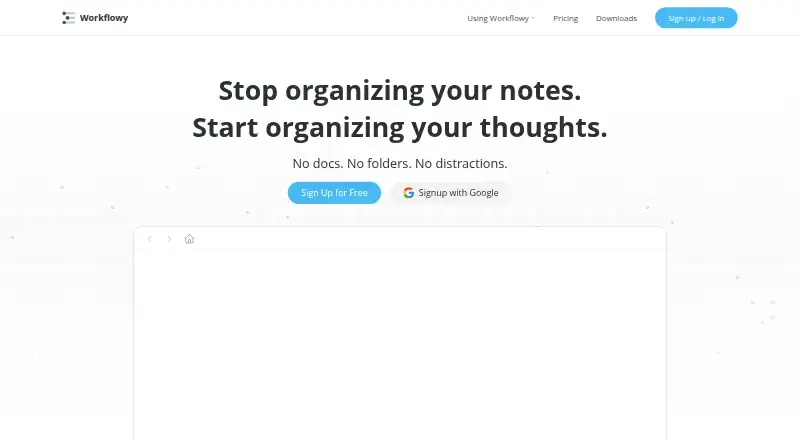
What Workflowy is
Workflowy is a note-taking app organized as one expandable document of nested lists. Users can zoom into an individual bullet, search the document in real time, and change bullets into checkboxes, headings, boards, or tables. Tags, dates, backlinks, mirrors, and templates help connect and reuse information. Workflowy says it saves automatically and syncs across devices. Its API can read and write Workflowy data for apps, scripts, or automations, and users can enable multi-factor authentication with an authenticator code and recovery codes. The free Basic plan includes 100 nodes per month and 100 MB of file uploads; after reaching the node limit, users can still add nodes but will see a prompt to subscribe. Pro costs $6.99 per month billed annually or $8.99 per month billed monthly, with unlimited nodes and uploads. The annual-billing option lists a seven-day free trial. Workflowy is available on the web, Windows, macOS, Linux, iOS, Android, and as a Chrome extension.
Good
- Bullets can become checkboxes, headings, boards, or tables
- Real-time document search and zoom into bullets
- Automatically saves and syncs across devices
- API can read and write Workflowy data
Watch out
- Basic limits users to 100 nodes per month
- Basic file uploads are limited to 100 MB
- Pro costs $6.99 per month billed annually
- Monthly Pro billing costs $8.99 per month
Who it suits
Workflowy suits people who want to collect and organize notes in nested lists, with ways to connect and reuse content. It also suits users who want their notes available across listed desktop and mobile platforms.
Verdict
Workflowy centers organization on a flexible document with nested lists and several ways to reshape or link content. The free plan has node and upload limits; Pro removes those listed limits for a monthly fee.
Plans and prices
From Workflowy's own pricing page, checked 30 Sep 2026.
| Plan | Price | What it gives you |
|---|---|---|
| Basic | Free | 100 nodes per month · 100mb file uploads · all features · Free /forever |
| Pro | $6.99 a month | Unlimited nodes · Unlimited uploads · billed annually |
| Pro (annual billing) | $6.99 a month | Unlimited nodes · unlimited uploads · all features · 7 Day Free Trial · $6.99 /month (billed annually) |
| Workflowy Teams | $6.99 a month | Unlimited node creation and file uploads for all members · one-on-one team setup · auto-backup to Dropbox · $6.99 Per user / month · Paid yearly |
| Pro (monthly billing) | $8.99 a month | Unlimited nodes · unlimited uploads · all features · 7 Day Free Trial · $8.99 /month |
The facts
Each one read from Workflowy's own pages, with the date it was checked.
What it does
- API scope
- The Workflowy API can read and write Workflowy data from an app, script, or automation.checked 30 Sep 2026
- Content types
- Bullets can be changed into checkboxes, headings, boards, or tables.checked 30 Sep 2026
- Data handling
- The privacy policy says user-generated content remains the user's property and that content may be shared with LLM providers for certain AI features with explicit opt-in consent.checked 30 Sep 2026
- Education
- Eligible faculty can receive Pro for life and invite students who get Pro while enrolled through that faculty member.checked 30 Sep 2026
- Hosting
- The privacy policy says some information that may contain personal data is stored by AllCloud at AWS in northern Virginia, United States.checked 30 Sep 2026
- Integrations
- Listed integrations include Readwise, Kindle Highlights, Google Calendar, Web Clipper, and Zapier, with an API for custom integrations.checked 30 Sep 2026
- Note sharing
- Yeschecked 20 Sep 2026
- Organization
- Users can nest items to organize content, zoom into a bullet to focus, and search the document in real time.checked 30 Sep 2026
- Purpose
- Workflowy describes itself as a note-taking app built around a single, infinite document and list.checked 30 Sep 2026
- Reuse and connections
- Tags, dates, backlinks, mirrors, and templates help connect and reuse content across the document.checked 30 Sep 2026
- Security
- Users can enable multi-factor authentication with a six-digit code from an authenticator app and receive recovery codes.checked 30 Sep 2026
- Storage limit
- 0.1checked 20 Sep 2026
- Support
- Workflowy directs users with questions to [email protected].checked 30 Sep 2026
- Sync
- Workflowy says it saves automatically and syncs across devices.checked 30 Sep 2026
The company
- Founded
- 2010checked 23 Sep 2026
- Headquarters
- Centennial, Colorado, United Stateschecked 23 Sep 2026
Money
- Free plan
- Yeschecked 20 Sep 2026
- Free-plan limit
- When users reach the node limit, they can still add new nodes but will see a popup inviting them to subscribe.checked 30 Sep 2026
Where it runs
- Supported platforms
- web,windows,macos,linux,ios,android,chrome_extensionchecked 20 Sep 2026
The full review of Workflowy
Workflowy is a note-taking app for people who want to keep ideas, tasks, and reference material in one expandable outline. It suits users who value flexible structure and cross-device access more than a conventional collection of notebooks. The free plan is a useful way to start, but its monthly node allowance makes Pro the practical choice for sustained growth.
Overview
Workflowy puts your material into one document rather than separating it into notebooks. Nest items under broader topics, zoom into a bullet to work on one branch, and search the document in real time. That structure can keep related notes close together, though it may be a poor fit if you prefer a more segmented system.
It saves automatically and syncs across devices. The API can read and write Workflowy data for use by apps, scripts, and automations; integrations include Readwise, Kindle Highlights, Google Calendar, Web Clipper, Zapier, and Workflowy Desktop MCP.
Key features
Shape and connect an outline
Bullets can become checkboxes, headings, boards, or tables, so an outline can accommodate different kinds of content. Tags and dates help organize items, while backlinks, mirrors, and templates support connections and reuse. This flexibility is valuable when one document needs to serve several purposes, but the central outline remains the organizing model.
API and account controls
The API offers a route for external apps, scripts, and automations to read and write data. Users can also enable multi-factor authentication with an authenticator-app code and receive recovery codes. Workflowy's privacy policy says user-generated content remains the user's property; it also says content may be shared with LLM providers for certain AI features, with explicit opt-in consent.
Pricing
Basic is free forever and includes all features, 100 nodes per month, and 100mb of file uploads. Reaching the node limit does not prevent adding nodes, but it does bring up a prompt to subscribe. That makes Basic suitable for trying the workflow or keeping a modest outline, not for unrestricted growth.
Pro costs $6.99/mo (annual), billed annually, and includes unlimited nodes and uploads, all features, and a 7-day free trial. Pro with monthly billing costs $8.99/mo and includes unlimited nodes and uploads, all features, and the same 7-day trial. Annual billing costs less per month but commits the user to yearly billing; monthly billing costs more for the flexibility of a monthly term.
Workflowy Teams costs $6.99 Per user / month · Paid yearly. It gives all members unlimited node creation and file uploads, one-on-one team setup, and auto-backup to Dropbox. Per-user yearly pricing makes it the relevant option for teams needing shared capacity and setup support, rather than an individual looking only to remove personal limits.
Eligible faculty can receive Pro for life and invite students who get Pro while enrolled through that faculty member.
Platforms
Workflowy supports web, Windows, macOS, Linux, iOS, Android, and a Chrome extension. Its API also supports integrations and automation workflows.
Who it's for
Workflowy is best for people who naturally organize work as nested ideas and want to move between a broad outline and a focused branch. Its flexible item types and API add room to adapt that structure. Readers who need separate notebook-style spaces, or who do not want a monthly node cap on a free plan, should consider other options.
Pros and cons
- Pro: One nested document can hold varied material, with checkboxes, headings, boards, and tables available for different uses.
- Pro: Zooming into bullets and real-time search make a large outline easier to navigate.
- Pro: The API, integrations, and sync support connections beyond the document itself.
- Con: Basic is limited to 100 nodes per month and 100mb of uploads, which can constrain regular use.
- Con: Unlimited nodes and uploads require a paid plan; annual Pro is cheaper per month but billed annually.
- Con: The all-in-one document approach may not suit people who want their notes divided into separate spaces.
Alternatives
Legend is worth considering if you want a freemium option with unlimited documents and items on its free plan; its free tier has 10 Panes and one plugin sync account. Logseq suits readers looking for free personal use, with Sync beta access offered through a $5 a month recurring donation. Dynalist is another freemium outliner; its free plan includes unlimited items and documents, five bookmarks, and community support.
Bulletlist is a free alternative with every feature available and no caps or locked tiers. outl is a free, MIT-licensed option with no paid tier. Checkvist offers a free plan with unlimited hierarchical lists and sharing and collaboration.
Cloud Outliner is an option for readers focused on macOS and iOS. Gingko Writer is a paid alternative with a free trial and desktop and web support.
Browse Outlining Software, Outliner Software, and Note-taking apps for more options.
Verdict
Choose Workflowy if your notes and tasks fit naturally into one deep, adaptable outline and you want to zoom between its branches. Its strongest case is the combination of nested structure, flexible item types, and cross-device sync. Look elsewhere if you need free, uncapped growth: the 100-node monthly Basic allowance is limited, and removing it requires a paid plan.
Getting started
- Open the Workflowy website or use it on Windows, macOS, Linux, iOS, or Android.
- Start with the free Basic plan or choose Pro.
- Use the seven-day trial listed for annual-billing Pro if that plan suits you.
- Nest list items, search the document, or change bullets into other formats.
- Enable multi-factor authentication with an authenticator app and keep the recovery codes.
Limits worth knowing
Basic includes 100 nodes per month and 100 MB of file uploads. After reaching the node limit, users can still add nodes but see a prompt to subscribe. Pro provides unlimited nodes and uploads.
Questions
Is Workflowy free?
Yes. Basic is free forever and includes 100 nodes per month and 100 MB of file uploads.
How much does Pro cost?
Pro costs $6.99 per month billed annually or $8.99 per month billed monthly. Both list unlimited nodes and uploads.
Is there a free trial?
A seven-day free trial is listed for the annual-billing Pro option.
Which platforms does Workflowy support?
Workflowy supports web, Windows, macOS, Linux, iOS, and Android.
Does Workflowy have an API?
Yes. The API can read and write Workflowy data from an app, script, or automation.
Which services does Workflowy integrate with?
Listed integrations include Readwise, Kindle Highlights, Google Calendar, Web Clipper, Zapier, and Workflowy Desktop MCP.
Alternatives to Workflowy
- 1

Notion
Free planAndroidiOSWebmacOS9.1From $10 a month - 2

Goodnotes
Free planAndroidiOSWebmacOS9.0From $11.99 a year - 3
Turtl
Free planOpen sourceAndroidAPIExtensionLinux9.0From $3 a month - 4

Obsidian
Free planAndroidiOSExtensionLinux8.9From $50 a year - 5

Supernotes
Free planAndroidiOSWebAPI8.9From £6 a month - 6
Notesnook
Free planAndroidiOSWebLinux8.8From $1.99 a month