
Bulletlist
Bulletlist is an infinitely nested outliner in which any bullet can open as its own page.
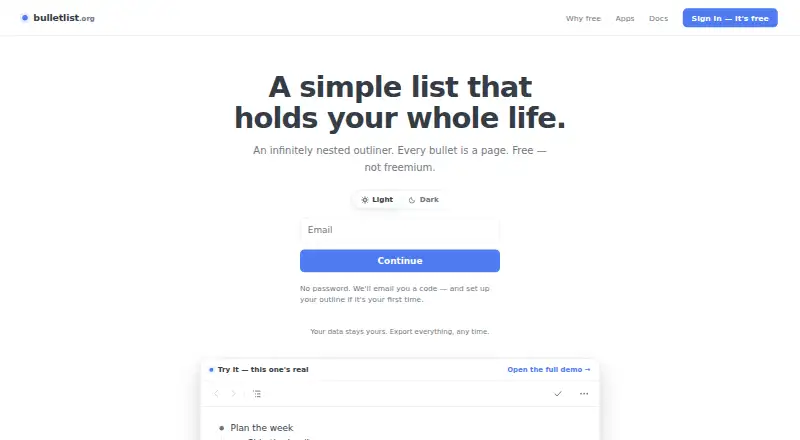
What Bulletlist is
Bulletlist is an infinitely nested outliner in which any bullet can open as its own page. Bullets can contain multiline comments or full Markdown documents, and the app includes nine note templates, including Zettelkasten, PARA, and Getting Things Done. Users can paste nested lists from Workflowy, Notion, Google Docs, or Markdown, or import OPML files. Outlines can be exported as OPML or plain text. Bulletlist works offline, saves edits to the device first, and merges changes made on separate devices. The web app can be installed from a browser, while native apps are available for iPhone, iPad, and Android; a Mac desktop app is also listed. Keyboard controls include ⌘K to find a bullet by name. Every feature is free, with no caps or locked tiers. Sign-in uses a code sent by email rather than a password. The maker says outline content is not used for advertising, sold, or used to train anything; Google Analytics measures app use without seeing bullets, notes, or search queries. Google Play states data is encrypted in transit.
Good
- Any bullet can open as its own page.
- Works offline and merges edits across devices.
- Imports OPML and several pasted list formats.
- All features are free without caps.
Watch out
- Sign-in requires access to an email code.
- Google Play states encryption in transit, not other encryption details.
Who it suits
Bulletlist suits people who organize notes and ideas in nested outlines, including users who want Markdown, offline editing, or OPML exchange. It is available on web, Mac, iPhone, iPad, and Android.
Verdict
Bulletlist offers a free, cross-device outliner with offline editing, templates, and import and export options. Its email-code sign-in and stated encryption detail are worth noting when considering account and data needs.
Plans and prices
From Bulletlist's own pricing page, checked 30 Sep 2026.
| Plan | Price | What it gives you |
|---|---|---|
| Free | Free | No caps · no locked tiers · Every feature is free for everyone. |
The facts
Each one read from Bulletlist's own pages, with the date it was checked.
What it does
- Account access
- Users sign in with an emailed code and do not need a password.checked 30 Sep 2026
- Data use
- The maker says outline content is not used for advertising, sold or used to train anything; Google Analytics measures app usage without seeing bullets, notes or search queries.checked 30 Sep 2026
- Encryption
- Google Play states that data is encrypted in transit.checked 30 Sep 2026
- Export
- Users can export the whole outline as OPML or plain text.checked 30 Sep 2026
- Import
- Users can paste nested lists from Workflowy, Notion, Google Docs or Markdown, and import OPML files.checked 30 Sep 2026
- Keyboard controls
- The app supports keyboard shortcuts, including ⌘K to jump to a bullet by name.checked 30 Sep 2026
- Notes and documents
- Bullets can include multiline comments or full Markdown documents.checked 30 Sep 2026
- Offline and sync
- The app works offline, saves edits to the device first, and merges changes made on separate devices.checked 30 Sep 2026
- Support
- The docs direct users to [email protected].checked 30 Sep 2026
- Templates
- The app includes nine note-taking templates, including Zettelkasten, PARA and Getting Things Done.checked 30 Sep 2026
- Web and mobile
- The web app can be installed from a browser; native apps are available for iPhone, iPad and Android.checked 30 Sep 2026
- What it does
- Bulletlist is an infinitely nested outliner where any bullet can be opened as its own page.checked 30 Sep 2026
The company
- Headquarters
- Singaporechecked 28 Sep 2026
The full review of Bulletlist
Bulletlist suits people who want one outline to hold everything from quick lists to substantial Markdown notes. Its nested-page model and broad import/export support make it especially practical for moving between outlining systems. The main trade-off is that its entirely free offering favors simplicity over paid-team controls or specialized workflows.
Overview
Bulletlist is an infinitely nested outliner in which any bullet can open as its own page. That structure lets a top-level idea expand into detailed notes without breaking the hierarchy. Bullets can contain multiline comments or full Markdown documents, so the same workspace can handle short reminders, organized research and longer writing.
It is a useful destination for existing outlines as well as new ones. Nested lists can be pasted from Workflowy, Notion, Google Docs or Markdown, and OPML files can be imported. The complete outline can be exported as OPML or plain text, which makes the service easier to leave or combine with other tools. For a broader category comparison, see Outlining Software.
Key features
Deep structure and fast navigation
Opening any bullet as a page gives large projects room to grow while preserving parent-child context. Keyboard shortcuts, including ⌘K for jumping to a bullet by name, favor users who work primarily from the keyboard and need to move through deep outlines quickly.
Templates and Markdown
Nine note-taking templates provide ready-made starting points for methods such as Zettelkasten, PARA and Getting Things Done. They are most useful for readers who want a proven structure immediately; users with a highly bespoke system may prefer starting from a blank outline. Markdown support also makes longer, formatted notes more natural than a plain checklist.
Portability and continuity
Bulletlist works offline, saves edits to the device first and merges changes made on separate devices. That is a sensible arrangement for travel or unreliable connections, while merge behavior means users should still pay attention when editing the same material in multiple places. The web app can be installed from a browser, alongside native apps for iPhone, iPad and Android.
Account and data handling
Sign-in uses an emailed code rather than a password, reducing another credential to manage but making access dependent on email delivery. The maker says outline content is not used for advertising, sold or used to train anything. Google Analytics measures app usage without seeing bullets, notes or search queries. Google Play states that data is encrypted in transit.
Pricing
Bulletlist has one plan: Free at free, with every feature included, no caps and no locked tiers. There is no free trial because the product is already free. This is an unusually clear fit for individuals, students and anyone who wants unrestricted outlining without renewal decisions or per-seat charges. It offers no paid tier for readers seeking a separately priced service level or plan-based account controls.
Platforms
Bulletlist runs on Android, iOS, macOS and the web. Native mobile apps cover iPhone, iPad and Android, while the browser-based web app can be installed. That combination suits people who move between phone, tablet, Mac and browser rather than staying on one operating system.
Who it's for
Choose Bulletlist if your work is naturally hierarchical and may expand from bullets into full documents. It is particularly well suited to note-takers adopting Zettelkasten, PARA or Getting Things Done, and to users migrating outlines through Markdown or OPML. Its offline editing and cross-device merging help mobile users. Look elsewhere if you need a paid plan with differentiated service levels or a workflow built around features beyond outlining and Markdown notes.
Pros and cons
Pros
- Unlimited free access: Every feature is included with no caps or locked tiers, removing cost barriers for large personal outlines.
- Strong portability: Imports cover Markdown, OPML, Workflowy, Notion and Google Docs, while exports are OPML and plain text.
- Flexible depth: Any bullet can become a page and hold multiline comments or a complete Markdown document.
- Works across devices: Offline-first edits and merging support switching between web, Mac, iOS and Android.
Cons
- Passwordless access depends on email: Every sign-in requires an emailed code, which may be inconvenient when email access is unavailable.
- Limited platform breadth: There are no listed Linux or Windows native apps, so those users rely on the web app.
- No paid tier: Readers looking for premium support or plan-specific controls have no upgrade path.
Alternatives
Workflowy is the better pick if you want a freemium service with a free tier capped at 100 nodes per month, 100 MB of file uploads and broad Android, iOS, macOS, Windows, Linux, API and extension coverage.
Dynalist suits users who want unlimited items and documents on its free plan, with a paid Pro option at $9.99 a month.
Legend is worth considering for a freemium workspace offering unlimited documents and items, 10 panes and one plugin sync account on its free plan.
Logseq is a free personal-use alternative with an optional 5.00 USD monthly recurring Sync Backer donation for beta sync access.
outl is a free, MIT-licensed option with no paid tier and support for self-hosting.
Tana is a freemium alternative whose free plan includes five meetings per month, one calendar and 50 AI queries.
CarbonFin Outliner fits Apple-focused users who want a 4.99 USD one-time iPhone and iPad app alongside its free online companion.
Checkvist is a freemium choice centered on unlimited hierarchical lists, sharing and collaboration on its free plan.
Verdict
Bulletlist is an easy recommendation for individuals who want a capable, unrestricted outliner with deep nesting, Markdown, offline editing and dependable import/export routes at no cost. Choose it for a flexible personal knowledge or task structure that travels across devices. Look elsewhere if you need native Windows or Linux apps, a paid support tier or a product whose primary focus extends beyond hierarchical notes.
Alternatives to Bulletlist
- 1

Dynalist
Free planAndroidiOSWebAPI8.1From $95.88 a year - 2

outl
Free planOpen sourceAndroidiOSAPILinux7.9Free plan - 3

Workflowy
Free planAndroidiOSWebAPI7.8From $6.99 a month - 4
Cloud Outliner
Free planiOSmacOS7.7$4.99 one-time - 5

Logseq
Free planAndroidiOSWebLinux7.7From $5 a month - 6
CarbonFin Outliner
Free planiOSWebmacOS7.6$4.99 one-time