
Logseq
Logseq is a free, open-source platform for knowledge management and collaboration, with tools for notes, task management, and PDF annotation.
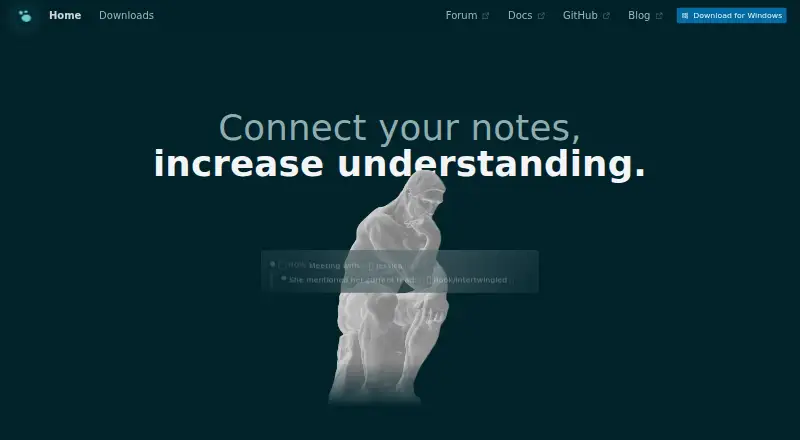
What Logseq is
Logseq is a free, open-source platform for knowledge management and collaboration, with tools for notes, task management, and PDF annotation. It supports Markdown and Org-mode files, and links information through block references, backlinks, linked references, and queries. The product says data stays locally on users’ devices and that the app works fully on-device; offline access is listed. Logseq supports note sharing and real-time collaboration, and lists Zotero as an integration. A plugin and theme ecosystem adds options, with the homepage listing more than 150 plugins and at least 30 themes. Apps are available for web, Windows, macOS, Linux, iOS, and Android. Logseq Sync provides encrypted file syncing, but its public beta does not allow multiple people to use the same graph at once, and the maker warns data loss can occur. The database version is in beta, while the new mobile app and real-time collaboration features are in alpha, also with a data-loss warning. Personal use is free forever; Sync Backer and Sync Sponsor are monthly recurring donations of $5 a month and $15 a month.
Good
- Supports Markdown and Org-mode files.
- Works offline across six listed platform types.
- Connects notes with backlinks, references, and queries.
- Includes PDF annotation and task management.
- Sync offers encrypted file syncing.
Watch out
- Sync beta warns that data loss can occur.
- Multiple people cannot use one graph in Sync beta.
- Database version is in beta.
- New mobile app and collaboration features are in alpha.
Who it suits
Logseq may suit students, academics, writers, project managers, and developers who want to connect notes and manage tasks. Its local-first approach and support for Markdown and Org-mode also suit people who want to keep data on their own devices.
Verdict
Logseq brings connected notes, task management, and PDF annotation together while emphasizing local data ownership. Its beta and alpha features carry explicit data-loss caveats, so users should account for those limits before relying on them.
Plans and prices
From Logseq's own pricing page, checked 30 Sep 2026.
| Plan | Price | What it gives you |
|---|---|---|
| Free | Free | Free forever for personal use |
| Logseq Sync Backer | $5 a month | Sync beta access · monthly recurring donation |
| Logseq Sync Sponsor | $15 a month | Sync beta access · Whiteboards available to Sponsors · monthly recurring donation |
The facts
Each one read from Logseq's own pages, with the date it was checked.
What it does
- Audience
- The homepage presents Logseq for students, academics, writers, project managers, and developers.checked 30 Sep 2026
- Core workflows
- Logseq provides tools for knowledge management, collaboration, PDF annotation, and task management.checked 30 Sep 2026
- Database version
- The DB version is in beta, while its new mobile app and RTC features are in alpha, and the maker warns that data loss is possible.checked 30 Sep 2026
- Extensibility
- Logseq has a plugin and theme ecosystem, with the homepage stating more than 150 plugins and 30 or more themes.checked 30 Sep 2026
- File formats
- Logseq supports Markdown and Org-mode files.checked 30 Sep 2026
- Integrations
- Logseq provides a logseq:// protocol that lets third-party applications open graphs, pages, blocks, and quick-capture links.checked 30 Sep 2026
- Linking
- Logseq supports block references, backlinks, linked references, and queries for connecting and resurfacing information.checked 30 Sep 2026
- Local data
- The product states that users own their data locally forever and that it works fully on the device.checked 30 Sep 2026
- Mobile
- Logseq mobile apps are available for iOS and Android.checked 30 Sep 2026
- Note sharing
- Yeschecked 20 Sep 2026
- Offline access
- Yeschecked 20 Sep 2026
- Purpose
- Logseq is a privacy-first, open-source platform for knowledge management and collaboration.checked 30 Sep 2026
- Real-time collaboration
- Yeschecked 20 Sep 2026
- Support
- The Logseq marketplace repository says the team usually responds to malicious-plugin reports within a business day.checked 30 Sep 2026
- Sync limitation
- The public-beta Sync service does not support multiple people using the same graph at once, and the maker warns that data loss can occur.checked 30 Sep 2026
- Sync security
- Logseq Sync provides encrypted file syncing for notes across devices.checked 30 Sep 2026
Money
- Free plan
- Yeschecked 20 Sep 2026
Where it runs
- Supported platforms
- web,windows,macos,linux,ios,androidchecked 20 Sep 2026
The full review of Logseq
Overview
Logseq is a local-first, open-source workspace for connected notes, tasks, and PDF annotation. It suits people who want to organize research or projects in plain-text files and keep their working material on their own devices. Its linking tools are compelling, but its newer database, mobile, and collaboration features require caution because they remain in beta or alpha and may risk data loss.
Notes use Markdown or Org-mode, with block references, backlinks, linked references, and queries to connect information and bring it back into view. Logseq also supports offline access, note sharing, and collaboration. The combination gives it more reach than a basic notebook, though the collaboration promise is constrained by the current state of Sync.
Key features
Connected notes and workflows
Block references and backlinks let users link at the level of individual passages as well as notes; linked references and queries help reveal related material. That structure can suit students and academics managing research, or writers and developers building a growing body of working notes. Task management and PDF annotation extend the same workspace to planning and document work, while Zotero is the named integration.
Local files and customization
Logseq says users own their local data and that it works fully on-device. Alongside offline access, support for Markdown and Org-mode gives users text-based file formats rather than a product-specific format. Its plugin and theme ecosystem—more than 150 plugins and at least 30 themes, according to the homepage—offers room to adapt the workspace, though users should still weigh plugin choices carefully; the marketplace repository says the team usually responds to malicious-plugin reports within a business day.
Sync and collaboration caveats
Logseq Sync encrypts note files as it syncs them across devices, but the public-beta service does not support multiple people using the same graph at once. The maker warns that data loss can occur. The database version is also in beta, and the new mobile app and real-time collaboration features are in alpha, with a further data-loss warning. These caveats make experimental use more appropriate than depending on those features as the sole home for important material.
Pricing
Logseq's personal plan is free forever for personal use. It includes the core product at no cost, making it the sensible starting point for individual note-taking and knowledge management. The paid options are monthly recurring donations that add Sync beta access, not a stated upgrade to a stable shared-graph service.
| Plan | Price | What it includes | Best suited to |
|---|---|---|---|
| Free | free | Free forever for personal use | Individuals who want Logseq's core workflows without paying for Sync beta access. |
| Logseq Sync Backer | $5 a month | Monthly recurring donation; Sync beta access | Users willing to support the project and try encrypted syncing across devices despite its beta caveats. |
| Logseq Sync Sponsor | $15 a month | Monthly recurring donation; Sync beta access and Whiteboards | Users who want the Sponsor-only Whiteboards feature and accept the same Sync beta limits. |
Sync does not enable multiple people to use one graph simultaneously, and the maker warns of possible data loss. Those limits matter more than the added sync convenience for anyone considering it for shared or irreplaceable work.
Platforms
Logseq is available on Android, iOS, Linux, macOS, Windows, and the web. Mobile apps exist for iOS and Android, while offline access supports working without a connection. The alpha status of the new mobile app is an important qualification for users who need a dependable mobile workflow.
Who it's for
Students, academics, and writers can benefit from connected notes and PDF annotation; project managers can pair their knowledge base with task management; developers can keep linked working notes in Markdown or Org-mode. Its local-data approach is particularly relevant to people who want ownership of files on their own devices. It is a weaker fit for teams that need several people editing the same graph through Sync, or for anyone unwilling to risk beta and alpha software with important data.
Pros and cons
Pros
- Local data and offline access: the product says it works fully on-device and users retain their data locally, suiting people who value control over their files.
- Links that work across notes and blocks: references, backlinks, and queries help connect and resurface information instead of leaving notes isolated.
- More than a note archive: task management and PDF annotation broaden its usefulness for study and project work.
- Plain-text format support: Markdown and Org-mode give users two established text formats for their notes.
- Free personal use: the free plan allows individual users to start without a subscription.
Cons
- Sync is still beta: encrypted file syncing is useful across devices, but the service warns of possible data loss.
- No shared-graph use through Sync: multiple people cannot use the same graph at once, limiting its value for collaborative teams.
- Newer features are experimental: the database version is beta, while the new mobile app and real-time collaboration are alpha; the data-loss warning is a serious consideration for important work.
Alternatives
Obsidian is worth considering if its freemium model and platform coverage, including browser extension support, better suit your setup; its Sync Standard plan is $5 a month billed annually per user for one synced vault, 1 GB total storage, and a 5 MB maximum file size.
SiYuan may suit users looking for a freemium, open-source option with a free trial and support across web and self-hosted platforms.
Capacities is another freemium choice; its free Basic plan allows 5 GB of media uploads total, then 100 MB per month afterward.
Supernotes offers a freemium alternative with a Starter plan capped at 100 cards and an Unlimited plan at £6 a month, billed £72 annually.
TheBrain is a freemium alternative with a free app that includes unlimited thoughts, links, and brains, plus private sync up to 1,000 thoughts and 100 MB of synced attachments.
Anytype is another freemium option for users comparing alternatives.
RemNote may fit users whose workflow centers on annotated PDFs and study cards; its free plan includes 3 annotated PDFs and 5 image occlusion cards, among other caps.
NotesGraph is a free alternative.
For browsing by category, see Personal Knowledge Management Software, Outlining Software, Outliner Software, and Note-taking apps.
Verdict
Choose Logseq if you want a free, local-first knowledge workspace that connects notes, tasks, and PDF annotation through detailed linking tools. Its strongest reason to choose it is the combination of local data ownership, offline access, and extensible plain-text notes. Look elsewhere if your work depends on stable mobile or database features, or on multiple people sharing one graph: the relevant features are still experimental, Sync has a shared-use limitation, and data loss is possible.
Alternatives to Logseq
- 1

Notion
Free planAndroidiOSWebmacOS9.1From $10 a month - 2

Goodnotes
Free planAndroidiOSWebmacOS9.0From $11.99 a year - 3
Turtl
Free planOpen sourceAndroidAPIExtensionLinux9.0From $3 a month - 4

Obsidian
Free planAndroidiOSExtensionLinux8.9From $50 a year - 5

Supernotes
Free planAndroidiOSWebAPI8.9From £6 a month - 6
Notesnook
Free planAndroidiOSWebLinux8.8From $1.99 a month