
Capacities
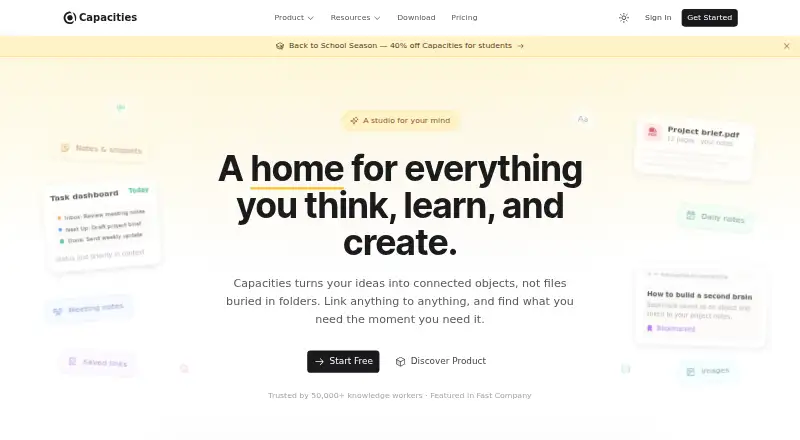
Capacities is a note-taking and knowledge-management app with offline access and note sharing.
What Capacities is
Capacities is a note-taking and knowledge-management app with offline access and note sharing. It is available on the web, Windows, macOS, Linux, iOS, and Android. The free Basic plan includes 5 GB of media uploads total, followed by 100 MB of uploads per month. Pro costs $9.99 per month and adds task management, an AI assistant, calendar integrations, smart queries, task actions, and unlimited media uploads subject to fair use. Believer costs $12.49 per month and includes Pro features plus beta access to major new features. A separate Plus AI Power-Up costs $8.33 per month when billed annually and offers a larger monthly AI budget and AI top-ups. Listed integrations include Google and Microsoft calendars, Readwise, messaging services, task managers, Kindle, Raycast, and Web Highlights. Real-time collaboration is not available. Capacities is based in Freiburg im Breisgau, Germany.
Good
- Works across web, desktop, and mobile platforms
- Offline access and note sharing are available
- Free plan includes 5 GB of media uploads
- Pro adds task management and an AI assistant
Watch out
- No real-time collaboration
- Free uploads are limited after the initial 5 GB
- Pro costs $9.99 per month
Who it suits
Capacities suits people who want notes accessible across mobile, desktop, and web, including when offline. Its integrations and paid task and calendar features may suit users bringing notes together with planning tools.
Verdict
Capacities combines notes, offline access, sharing, and integrations across a broad range of platforms. Check the media-upload allowance and collaboration limitation against your needs before choosing a plan.
Plans and prices
From Capacities's own pricing page, checked 20 Sep 2026.
| Plan | Price | What it gives you |
|---|---|---|
| Capacities Basic | Free | 5 GB media uploads total · 100 MB media uploads per month afterwards |
| Capacities Pro | $9.99 a month | Task management · AI assistant · Calendar integrations · Smart queries · Task actions · Unlimited media uploads subject to fair use · billed monthly |
| Capacities Believer | $12.49 a month | Beta access to major new features · Everything in Pro · from |
| Plus AI Power-Up | $8.33 a month | Larger monthly AI budget · AI top-ups · billed annually |
The facts
Each one read from Capacities's own pages, with the date it was checked.
Money
- Free plan
- Yeschecked 20 Sep 2026
The company
- Headquarters
- Augustinerplatz 2, 79098 Freiburg im Breisgau, Germanychecked 28 Sep 2026
What it does
- Integrations
- Google Calendar,Microsoft Calendar,Readwise,WhatsApp,Telegram,Email,Todoist,TickTick,Google Tasks,Microsoft To-Do,Things,Apple Reminders,Kindle,Raycast,Web Highlightschecked 20 Sep 2026
- Note sharing
- Yeschecked 20 Sep 2026
- Offline access
- Yeschecked 20 Sep 2026
- Real-time collaboration
- Nochecked 20 Sep 2026
- Storage limit
- 5checked 20 Sep 2026
Where it runs
- Supported platforms
- web,windows,macos,linux,ios,androidchecked 20 Sep 2026
The full review of Capacities
Capacities is a cross-platform note and knowledge-management app that connects offline notes with calendars, tasks, reading services and messaging tools. It is best suited to individuals building a connected personal system rather than teams editing the same document live. The free tier is useful for starting out, while the integrated task, calendar and AI features make the paid plans the more capable choice.
Overview
Capacities combines note-taking with a broad set of integrations and works on web, desktop and mobile devices. Offline access is important for commuters, travelers and anyone who cannot depend on a constant connection, while note sharing covers straightforward distribution to other people.
The limitation is collaboration: Capacities has no real-time collaboration. Sharing a note is suitable for sending information or handing off a document, but it is not the right model for colleagues who must edit together and see changes immediately.
Key features
The integration list is unusually wide for a note app. Capacities connects with Google Calendar and Microsoft Calendar, Readwise, WhatsApp, Telegram, email, Todoist, TickTick, Google Tasks, Microsoft To-Do, Things, Apple Reminders, Kindle, Raycast and Web Highlights. That makes it a credible central place for notes gathered from reading, communication and task systems, especially when your existing workflow already uses several of those services.
Most of that breadth has practical value on Pro rather than Basic. Calendar integrations, task management, smart queries and task actions are included with Pro, as is the AI assistant. Users who only want a simple offline notebook can stay on the free plan, but anyone expecting Capacities to coordinate tasks and calendars should budget for the subscription.
Pricing
Capacities Basic costs nothing. It provides 5 GB of media uploads in total, then permits 100 MB of media uploads per month. That initial allowance is generous for text-focused use, but the ongoing cap can become restrictive for users who regularly add images, audio or other media after exhausting the 5 GB.
Capacities Pro costs $9.99 a month, billed monthly. It adds task management, an AI assistant, calendar integrations, smart queries, task actions and unlimited media uploads subject to fair use. This is the plan for individuals who want Capacities to function as an integrated information and task workspace; “unlimited” still carries the fair-use qualification, so it should not be treated as an unrestricted media archive.
Capacities Believer costs $12.49 a month, billed from, and includes everything in Pro plus beta access to major new features. The extra cost is justified mainly for users who actively want early access; Pro offers the same core capabilities for everyone else.
The Plus AI Power-Up costs $8.33 a month, billed annually. It increases the monthly AI budget and adds AI top-ups. It is an additional AI-focused purchase for people who use the assistant heavily, rather than a replacement for Pro's broader productivity features.
Platforms
Capacities is available on Android, iOS, Linux, macOS, Windows and the web. That coverage suits households and individuals who switch between desktop and mobile operating systems, while offline access reduces dependence on browser connectivity.
Who it's for
Choose Capacities if you want a personal knowledge base tied to calendars, reminders, task managers, reading tools and messaging services, and you value access across nearly any mainstream desktop or mobile platform. Pro is the sensible starting point for users whose workflow depends on task and calendar connections or who need more media capacity.
It is a weaker fit for teams requiring simultaneous editing, for media-heavy users who cannot work within Basic's 100 MB monthly post-quota allowance, and for people who want those connected productivity features without a recurring payment.
Pros and cons
- Pro: Offline access across web, desktop and mobile keeps notes usable when connectivity is unreliable.
- Pro: Integrations cover major calendar, task, reading, messaging and utility services, reducing the need to keep related information isolated.
- Pro: The free plan includes 5 GB of media uploads before its monthly allowance begins, giving text-first users a substantial way to start.
- Con: There is no real-time collaboration, so shared notes cannot serve as a live team workspace.
- Con: Task management, calendar integrations, smart queries, task actions and the AI assistant require Pro, limiting the free tier's role in an integrated workflow.
- Con: Basic drops to 100 MB of media uploads per month after its 5 GB total, which can constrain regular media capture.
Alternatives
Notability is the better choice for users who want a freemium note app with a free trial and a free Starter plan limited to five notes, while retaining editing tools, PDFs, documents and templates.
Notion suits individuals seeking pages, blocks, databases and basic collaboration in its free plan, particularly when live teamwork matters more than Capacities' offline and integration emphasis.
Supernotes is worth considering for a card-based approach, with a free Starter allowance of 100 cards and an Unlimited plan priced at £6 a month when billed annually.
Zoho Notebook offers a free Essential plan with 500 MB cloud storage, 20 note versions and defined file and notecard size limits for users who prefer a simpler quota-based setup.
Craft is an alternative for users comfortable with a free plan capped at 1,500 blocks, 1 GB storage, 25 MB media uploads, seven days of version history and 15 AI assistant credits.
Goodnotes fits users who prefer notebook-style limits, with a free tier covering three notebooks, three text documents, three whiteboards, three folders and 100 MB storage.
HyNote is an alternative note-taking option with a free plan, audio recording and transcription, templates and a 120-minute-per-session limit.
Mem Agent is another freemium option for users interested in an AI-centered notes workflow.
Verdict
Capacities is a strong recommendation for an individual who wants offline notes connected to calendars, tasks, reading and communication services across every major platform. Choose Pro when those integrations, task controls, AI and higher media capacity are central to your workflow. Look elsewhere if real-time collaboration is essential or if you want the full connected feature set without a monthly subscription.
Alternatives to Capacities
- 1

Notion
Free planAndroidiOSWebmacOS9.1From $10 a month - 2

Goodnotes
Free planAndroidiOSWebmacOS9.0From $11.99 a year - 3
Turtl
Free planOpen sourceAndroidAPIExtensionLinux9.0From $3 a month - 4

Obsidian
Free planAndroidiOSExtensionLinux8.9From $50 a year - 5

Supernotes
Free planAndroidiOSWebAPI8.9From £6 a month - 6
Notesnook
Free planAndroidiOSWebLinux8.8From $1.99 a month