Telair Click to Call CTI
TELAIR Click to Call CTI turns webpage phone numbers into clickable links that start calls.
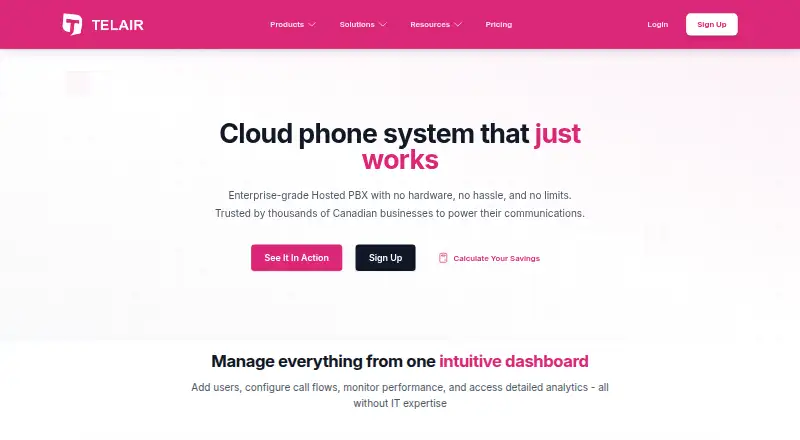
What Telair Click to Call CTI is
TELAIR Click to Call CTI turns webpage phone numbers into clickable links that start calls. After a user answers the call on a registered SIP device or through TELAIR Connect, the extension dials the selected number. During active calls it can match callers or contacts and display information in a web CRM, where users can also add notes for incoming and outgoing calls. Listed CRM options include Salesforce, Zoho, Zendesk, Freshdesk, SugarCRM, Pipedrive, X2CRM, and Vtiger. TELAIR provides extension downloads for Chrome-based browsers and Microsoft Edge. Setup requires an address supplied by TELAIR support and the user's Connect username and password. The installation guide associates the extension with Triton Series systems and Plus Tier subscriptions. Connect is available in a browser and as desktop apps for Windows, Mac, and Linux, plus iOS and Android apps. Hosted PBX Standard is $13.00 per month billed annually; Plus is $27.00 per month billed annually.
Good
- Turns webpage numbers into click-to-dial links.
- Shows matching CRM details during calls.
- Supports eight listed CRM systems.
- Users can add call notes in their CRM.
Watch out
- Setup requires credentials and an address from support.
- The guide ties it to Triton Series and Plus Tier.
- No free plan is listed.
- Browser downloads are listed for Chrome-based browsers and Edge.
Who it suits
This extension suits teams that use a supported CRM and want webpage numbers to start calls through registered SIP devices or TELAIR Connect. It is tied to Triton Series systems and Plus Tier subscriptions.
Verdict
Click to Call CTI connects webpage dialing with caller lookup and CRM notes. Confirm your system and subscription eligibility, and account for the required setup details.
Plans and prices
From Telair Click to Call CTI's own pricing page, checked 30 Sep 2026.
| Plan | Price | What it gives you |
|---|---|---|
| Standard Plans | $13 a month | All core PBX features · Unlimited Canada & US calling · Basic call queues & analytics · Mobile & desktop apps · billed annually |
| Plus Plans | $27 a month | Everything in Standard · Advanced call center features · AI transcription & summarization · CRM integrations & API access · billed annually |
The facts
Each one read from Telair Click to Call CTI's own pages, with the date it was checked.
What it does
- Analytics retention
- Hosted PBX historical analytics are available for up to two years.checked 30 Sep 2026
- Caller lookup
- During calls, it can find callers or contacts and show matching information in a web CRM.checked 30 Sep 2026
- Calling behavior
- After the user answers the device call initiated by clicking a number, the extension auto-dials that number.checked 30 Sep 2026
- Calling features
- Hosted PBX features include Canada and US phone numbers, unlimited Canada and US calling, voicemail to email, multi-level auto attendant, call recording, hunt groups, call parking, and time-based routing.checked 30 Sep 2026
- Call notes
- Users can add notes for incoming and outgoing calls directly in their CRM.checked 30 Sep 2026
- Canadian data
- TELAIR says it is Canadian-owned and operated, has data centers across Canada, and keeps customer data in Canada.checked 30 Sep 2026
- Click to Call CTI
- The Click to Call extension turns phone numbers on webpages into clickable links for dialing and can show CRM contact information during active calls.checked 30 Sep 2026
- CRM compatibility
- The CTI extension lists Salesforce, Zoho, Zendesk, Freshdesk, SugarCRM, Pipedrive, X2CRM, and Vtiger as compatible CRMs.checked 30 Sep 2026
- CRM support
- The page lists Salesforce, Zoho, Zendesk, Freshdesk, SugarCRM, Pipedrive, X2CRM, and Vtiger as compatible.checked 30 Sep 2026
- CTI subscription eligibility
- The Click to Call installation guide says the extension relates to Triton Series systems and Plus Tier subscriptions.checked 30 Sep 2026
- Other integrations
- The Hosted PBX page lists Salesforce, HubSpot, Zoho, Pipedrive, Microsoft Teams direct routing, Microsoft Entra ID provisioning and single sign-on, and a REST API.checked 30 Sep 2026
- Product
- TELAIR Hosted PBX is a cloud phone system with a dashboard for managing users, call flows, performance, and analytics.checked 30 Sep 2026
- Product relationship
- The extension can be used with Connect, which TELAIR describes as providing voice and video calls, messaging, and conferencing.checked 30 Sep 2026
- Purpose
- Click to Call CTI turns phone numbers on web pages into clickable links that start calls.checked 30 Sep 2026
- Reliability
- The Hosted PBX page states a 99.99% uptime SLA and describes automatic failover and geo-redundant data centers.checked 30 Sep 2026
- Security
- TELAIR describes Connect as supporting secure one-to-one and group chat.checked 30 Sep 2026
- Setup
- Setup requires an address provided by TELAIR support and the user's Connect username and password.checked 30 Sep 2026
Where it runs
- Browser support
- TELAIR provides extension download links for Chrome-based browsers and Microsoft Edge.checked 30 Sep 2026
- Desktop and mobile apps
- Connect is available through a web browser, Windows, Mac, and Linux desktop versions, and iOS and Android mobile apps.checked 30 Sep 2026
- Devices
- The extension works with any registered SIP device and the desktop or mobile version of Connect.checked 30 Sep 2026
- Mobile apps
- Cloud Softphone is available for iOS 13.0 or later and Android 6.0 or later; the mobile app requires a QR code activation from support.checked 30 Sep 2026
The company
- Company tenure
- TELAIR's Hosted PBX page states it has more than 15 years of experience.checked 30 Sep 2026
- Headquarters
- Toronto, Ontario, Canadachecked 28 Sep 2026
Money
- Plan availability
- TELAIR's installation guide says the extension relates to its Triton Series System and Plus Tier Subscriptions.checked 30 Sep 2026
The full review of Telair Click to Call CTI
Telair Click to Call CTI connects web-based phone numbers to a call through a registered SIP device or TELAIR Connect, with CRM lookup and call notes alongside. It suits organizations already using eligible TELAIR phone systems and a supported CRM. Its value depends on that fit: this is an extension tied to TELAIR’s Triton Series and Plus Tier subscriptions, not a standalone dialer.
Overview
The extension links web pages and phone calls: click a number, answer the call on your device, and it then dials the selected number. During active calls, it can surface matching caller or contact information from a compatible web CRM, and users can add notes to the CRM for incoming and outgoing calls. That combination can reduce switching between a phone and customer records for teams that already work in a supported CRM.
Compatibility is the key qualification. The extension works with registered SIP devices and TELAIR Connect, and its installation guide associates it with Triton Series systems and Plus Tier subscriptions. Buyers should confirm their system and subscription eligibility with TELAIR before choosing it.
Key features
Web dialing and CRM context
Click-to-dial starts the call from a webpage, but the user must first answer the device call; only then does the extension auto-dial the number. During calls, caller lookup can show matching CRM information, and users can record notes directly in the CRM. Supported CRMs are Salesforce, Zoho, Zendesk, Freshdesk, SugarCRM, Pipedrive, X2CRM, and Vtiger. This is a focused workflow for teams that need call context in those systems, rather than a broad standalone contact-management tool.
Phone system and calling
The CTI extension is part of a broader Hosted PBX offering. Hosted PBX features include Canada and US numbers and unlimited Canada and US calling, along with voicemail to email, multi-level auto attendant, call recording, hunt groups, call parking, and time-based routing. Connect also supports voice and video calls, messaging, and conferencing. Those capabilities may matter to a buyer evaluating the phone system as a whole, but they should not be mistaken for features of the extension alone.
Pricing
TELAIR lists paid Standard and Plus plans, both billed annually. Standard Plans cost $13 a month and include core PBX features, unlimited Canada and US calling, basic call queues and analytics, and mobile and desktop apps. It is the lower-cost fit for organizations that need core calling and basic queue and reporting functions; it gives up the advanced call-center capabilities, AI transcription and summarization, CRM integrations, and API access included in Plus.
Plus Plans cost $27 a month, billed annually, and include everything in Standard plus advanced call center features, AI transcription and summarization, CRM integrations, and API access. That is the relevant tier for teams seeking the CRM workflow central to Click to Call CTI. The installation guide ties the extension to Plus Tier subscriptions, so Standard pricing should not be taken as confirmation of CTI access. There is no free plan; confirm eligibility and any applicable subscription terms with TELAIR.
Platforms
The extension has Chrome-based browser and Microsoft Edge download links. TELAIR Connect is available in a web browser, on Windows, Mac, and Linux desktops, and as iOS and Android apps. The Cloud Softphone app supports iOS 13.0 or later and Android 6.0 or later, and requires QR-code activation from support. The range gives teams several ways to answer calls, though mobile activation involves a support step.
Who it's for
Click to Call CTI is best suited to businesses on TELAIR’s Triton Series and Plus Tier that handle customer calls through a supported CRM and want webpage dialing, caller context, and call notes in one workflow. Organizations choosing a phone system may also value Hosted PBX features such as call routing, recording, and historical analytics available for up to two years. It is a poor fit for someone seeking a standalone extension, an explicitly free option, or a setup independent of TELAIR’s phone system.
Pros and cons
- Pro: Web dialing, CRM caller lookup, and call notes bring three parts of a customer-call workflow together for users of the eight compatible CRMs.
- Pro: Calls can be answered through registered SIP devices or Connect desktop and mobile apps, giving teams more than one device path.
- Con: The extension is tied to Triton Series and Plus Tier eligibility, limiting its usefulness outside TELAIR’s ecosystem.
- Con: The call still requires answering the device before the extension dials the clicked number, so it is not a one-step, unattended dial.
- Con: Mobile Cloud Softphone setup requires QR-code activation from support, adding an onboarding dependency.
Alternatives
Consider KalliopeCTI if a free mode and Windows, macOS, or Ubuntu support matter more than TELAIR’s phone-system tie-in. Choose Jet Interactive for call-tracking numbers on a month-to-month basis, with calls charged at 6¢/min. PhoneIQ is another paid option, with a free trial and an annually billed Office Standard plan at $11 a month.
TAPIMaster is an alternative to compare. XPhone Connect is an alternative to compare. ICTContact is an alternative to compare. Enghouse CCaaS is an alternative to compare. Fastcall is an alternative to compare.
Browse more options in Computer Telephony Integration Software.
Verdict
Choose Telair Click to Call CTI if your organization uses an eligible Triton Series system, can subscribe to Plus, and wants web dialing integrated with CRM lookup and call notes. Its strongest case is the direct connection between a webpage number, a live call, and supported CRM records. Look elsewhere if you need a standalone or free CTI tool, or do not want your choice of dialer tied to TELAIR’s subscription and system eligibility.
Getting started
- Open the TELAIR Hosted PBX website and contact support for the required address
- Install the extension in a Chrome-based browser or Microsoft Edge
- Enter the supplied address with your Connect username and password
- Use a registered SIP device or the Connect desktop or mobile app
- Click a webpage phone number, answer the initiated device call, and let the extension dial it
Limits worth knowing
Standard Plans include basic call queues and analytics; advanced call center features, AI transcription and summarization, CRM integrations, and API access are listed with Plus Plans. The CTI installation guide associates the extension with Triton Series systems and Plus Tier subscriptions.
Questions
How much does TELAIR Hosted PBX cost?
Standard Plans cost $13 a month billed annually. Plus Plans cost $27 a month billed annually.
Which CRMs work with the CTI extension?
The listed compatible systems are Salesforce, Zoho, Zendesk, Freshdesk, SugarCRM, Pipedrive, X2CRM, and Vtiger.
Which browsers can install the extension?
TELAIR provides download links for Chrome-based browsers and Microsoft Edge.
What devices can handle the calls?
The extension works with registered SIP devices and TELAIR Connect. Connect is available through web, Windows, Mac, Linux, iOS, and Android versions.
Is a free plan available?
No. TELAIR lists paid Standard and Plus plans.
Where is customer data kept?
TELAIR says it is Canadian-owned and operated, uses data centers across Canada, and keeps customer data in Canada.
Alternatives to Telair Click to Call CTI
- 1

Jet Interactive
AndroidiOSWebAPI7.4From A$10 a month - 2

PhoneIQ
AndroidiOSWebmacOS7.1From $11 a month - 3

Avaya Experience Platform
WebAPISelf-hosted7.0From $48 a month - 4
Fastcall
AndroidiOSWebAPI6.8From $30 a month - 5
KalliopeCTI
Free planAndroidiOSLinuxmacOS6.8Free plan - 6
ICTContact
WebAPILinuxSelf-hosted6.6$399 one-time