KalliopeCTI
KalliopeCTI links telephone and IT systems for business workflows, with desktop, mobile, and attendant-console functions.
What KalliopeCTI is
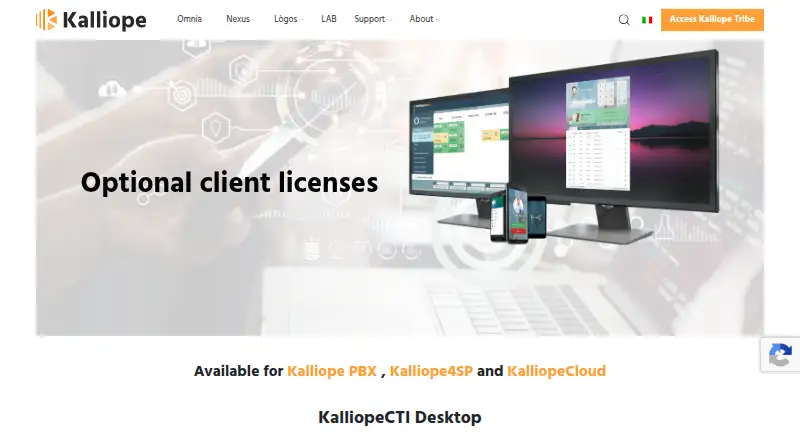
KalliopeCTI links telephone and IT systems for business workflows, with desktop, mobile, and attendant-console functions. Its desktop client offers click-to-call, call-triggered actions, address book and call detail record access, phone remote control, softphone mode, and instant messaging. Outlook contact integration is available in Pro and Phone modes. On Android and iOS, users can place calls through company lines so recipients see the office number, and receive real-time extension-call notifications. The Windows attendant console provides incoming-call classification, call selection, keyboard shortcuts, and drag-and-drop forwarding, as well as CTI mode for Snom or Yealink phones. The free KCTI 4 mode supports Windows, macOS, and Ubuntu. Pro and Phone modes require a license activated on KalliopePBX V4 for each workstation; Phone includes Pro mode. The software is described as available for Kalliope PBX, Kalliope4SP, and KalliopeCloud. Support resources include downloads, a Wiki, and technical support.
Good
- Free KCTI 4 mode is available.
- Mobile apps call through company lines.
- Desktop client includes click-to-call and instant messaging.
- Supports Kalliope PBX, Kalliope4SP, and KalliopeCloud.
Watch out
- Pro and Phone modes require workstation licenses.
- Outlook contact integration requires Pro or Phone mode.
- Current download page lists Windows, Ubuntu 18.04, and Mac installers.
Who it suits
KalliopeCTI suits organizations using a listed Kalliope phone system that want desktop calling tools, mobile access through company lines, or an attendant console. Pro and Phone features require workstation licenses.
Verdict
KalliopeCTI offers a broad set of calling and attendant tools for supported Kalliope systems, with a free desktop mode and separately licensed modes. Check platform and license requirements before choosing the features you need.
Plans and prices
From KalliopeCTI's own pricing page, checked 3 Oct 2026.
| Plan | Price | What it gives you |
|---|---|---|
| KCTI 4 Free | Free | free mode · Windows, macOS, Ubuntu · free download |
| KCTI 4 Phone | Priced on request | License required per workstation · includes Pro mode and KCTI Mobile license · adds softphone mode · One-off license fee; contact a local installer for details |
| KCTI 4 Pro | Priced on request | License required per workstation · includes KCTI Mobile license · Outlook contact sync and phone remote control · One-off license fee; contact a local installer for details |
The facts
Each one read from KalliopeCTI's own pages, with the date it was checked.
What it does
- Attendant console
- The Windows attendant console supports real-time incoming-call classification, call selection, keyboard shortcuts, drag-and-drop forwarding, and Snom or Yealink phone CTI mode.checked 3 Oct 2026
- Availability limit
- The current download page lists KalliopeCTI 4.5.23 installers for Windows, Ubuntu 18.04 64-bit, and Mac, plus a legacy Windows build for PBX firmware through 3.12.1.checked 3 Oct 2026
- Compatibility
- KalliopeCTI is described as available for Kalliope PBX, Kalliope4SP, and KalliopeCloud, while the KCTI 4 wiki describes it as an accessory application for KalliopePBX V4.checked 3 Oct 2026
- Contact privacy
- Device contacts are used within the app and are not sent to KalliopePBX or shared with other users, except as needed to place PBX calls.checked 3 Oct 2026
- Desktop features
- The desktop client offers click-to-call, call-triggered automatic actions, address book and CDR access, Outlook contact integration, phone remote control, softphone mode, and instant messaging.checked 3 Oct 2026
- Integrations
- Desktop Outlook contact synchronization is available in Pro and Phone modes, while the attendant console supports Snom and Yealink phones.checked 3 Oct 2026
- License requirement
- Pro and Phone modes require a license activated on KalliopePBX V4 for each workstation; Phone also includes Pro mode.checked 3 Oct 2026
- Mobile calling
- The Android and iOS app lets users make calls through company lines so recipients see the office number, and it provides real-time extension call notifications.checked 3 Oct 2026
- Purpose
- KalliopeCTI connects telephone and IT systems to help optimize business processes.checked 3 Oct 2026
- Security
- KalliopeCTI Mobile communicates with KalliopePBX over an encrypted connection for telephony, notifications, and chat.checked 3 Oct 2026
- Support
- Kalliope lists downloads, a Wiki, and technical support among its support resources.checked 3 Oct 2026
The company
- Founded
- 2006checked 28 Sep 2026
- Headquarters
- Pisa, Italychecked 28 Sep 2026
Where it runs
- Platform details
- The wiki lists Windows 10 or later, macOS Ventura, Monterey and Big Sur, and Ubuntu 20.04 or 22.04 system support for KCTI 4.checked 3 Oct 2026
The full review of KalliopeCTI
KalliopeCTI is a set of desktop, mobile and attendant-console tools for connecting Kalliope telephony with everyday business workflows. It is best suited to organizations already using Kalliope PBX, Kalliope4SP or KalliopeCloud. The free desktop mode offers a practical entry point, while Outlook synchronization, phone remote control and softphone use require per-workstation licensing.
Overview
This is a telephony companion for Kalliope systems, not a standalone calling service or a broad CTI layer for unrelated phone platforms. Its appeal is the way it brings call handling into desktop work and lets mobile staff use company lines. That focus is useful for Kalliope customers, but makes it a poor fit for organizations seeking phone-system flexibility.
Key features
The desktop client combines click-to-call, call-triggered automatic actions, an address book, CDR access, instant messaging and remote control of a phone. Those tools can reduce switching between business applications and telephony tasks. Outlook contact synchronization is reserved for Pro and Phone modes, and Phone adds softphone mode, so the free mode does not provide the fullest desktop integration.
The Android and iOS app places calls through company lines, showing recipients the office number, and delivers real-time notifications about extension calls. Telephony, notifications and chat use an encrypted connection to KalliopePBX. Device contacts stay within the app and are not sent to the PBX or shared with other users, except as needed to place PBX calls. This makes mobile calling more closely tied to the company phone system without turning the app into a general-purpose mobile dialer.
The Windows attendant console is aimed at reception and call-dispatch work. It supports real-time classification and selection of incoming calls, keyboard shortcuts, drag-and-drop forwarding, and CTI mode for Snom or Yealink phones. That is a meaningful set of handling controls for an attendant, but this console's stated platform support is Windows.
Pricing
KCTI 4 Free: free. The free mode is available for Windows, macOS and Ubuntu as a free download, making it the sensible way to start with desktop CTI. It gives up Outlook contact sync and phone remote control, which are among the functions assigned to paid modes.
KCTI 4 Pro: custom pricing, billed as a one-off license fee through a local installer. It includes the KalliopeCTI Mobile license, Outlook contact synchronization and phone remote control. Each workstation needs a license activated on KalliopePBX V4. Pro suits teams that want those desktop integrations and mobile access without the softphone mode.
KCTI 4 Phone: custom pricing, billed as a one-off license fee through a local installer. It includes Pro mode and the KalliopeCTI Mobile license, and adds softphone mode. It also requires a license per workstation activated on KalliopePBX V4. Choose it when desktop softphone capability justifies the extra step beyond Pro; otherwise, Pro covers the stated sync and remote-control additions.
The published terms describe one-off licensing rather than a recurring subscription, with workstation licensing the key cost constraint for Pro and Phone. No seat bundle or trial is part of these plan terms.
Platforms
KalliopeCTI's stated platform range spans Android, iOS, Linux, macOS and Windows, but the components are not interchangeable across them: the mobile app handles company-line calling, while the attendant console is for Windows. KCTI 4 system support is Windows 10 or later, macOS Ventura, Monterey or Big Sur, and Ubuntu 20.04 or 22.04. The current download page offers version 4.5.23 installers for Windows, Ubuntu 18.04 64-bit and Mac, plus a legacy Windows build for PBX firmware through 3.12.1. Check the operating system and PBX version against the needed component before rollout.
Who it's for
KalliopeCTI makes the most sense for businesses already operating a supported Kalliope system that want desktop calling, mobile access to company lines, or a dedicated Windows console for incoming-call handling. It is less suitable for teams on other phone systems, or those that need a single unrestricted client across every platform: the modes have distinct features, and paid desktop modes require a license per workstation.
Pros and cons
- Pro: The free desktop mode includes click-to-call and a broad set of call-related tools, so Kalliope users can start without a license fee.
- Pro: Mobile calls use company lines, and the app protects telephony, notification and chat traffic with an encrypted connection to KalliopePBX.
- Pro: The attendant console's call classification, keyboard shortcuts and drag-and-drop forwarding address practical reception workflows.
- Con: Pro and Phone modes require per-workstation licenses activated on KalliopePBX V4, adding a deployment and cost requirement for teams that want deeper integration.
- Con: Outlook synchronization and phone remote control are paid-mode features, while softphone mode is limited to Phone.
- Con: The attendant console is Windows-only, and desktop system support is tied to specific Windows, macOS and Ubuntu releases.
Alternatives
For a broader comparison, see Computer Telephony Integration Software. Consider Telair Click to Call CTI if you need a paid option with unlimited Canada and US calling plus basic queues and analytics; its Standard Plans cost $13 a month billed annually.
Jet Interactive is worth comparing when call tracking numbers and usage-based calling matter: its pay-per-number plan is A$10 a month per tracking number, with calls charged at 6¢/min, month to month and AUD ex GST. PhoneIQ may suit teams looking for IVR, queues and automatic call recording alongside desktop and mobile apps; PhoneIQ Office Standard is $11 a month billed annually, and a free trial is offered.
TAPIMaster is another Windows option, with a free small-business client/server plan capped at four employees or one workstation and a maximum of four clients. ICTContact is an alternative for web, Linux or self-hosted deployments, with an Enterprise Edition at $399 a month for five agents and a Service Provider plan at $1,500 a month for 20 agents.
Enghouse CCaaS is an alternative for deployments that need to scale from 10 to 10,000 seats, with 90-day recording storage and standard or advanced capabilities. Fastcall is a paid alternative requiring an active Salesforce subscription; its Essential plan is $30 a month billed monthly, per user, with a 10-user minimum and usage charges. Tenfold is another paid alternative.
Verdict
Choose KalliopeCTI if your organization already relies on Kalliope telephony and wants calling tools that connect desktop work, company-line mobile calls and attendant handling. Its strongest case is the useful free desktop starting point backed by richer licensed modes. Look elsewhere if you need phone-system independence, or if per-workstation licensing and platform-specific components do not suit your rollout.
Getting started
- Open the Kalliope applications page.
- Choose the KCTI 4 Free download for Windows, macOS, or Ubuntu.
- Install the client for your operating system.
- For Pro or Phone features, contact a local installer about a per-workstation license activated on KalliopePBX V4.
Limits worth knowing
KCTI 4 Free is the free mode. Outlook contact synchronization and phone remote control are in Pro and Phone modes, while softphone mode is available in Phone mode; both paid modes require a per-workstation license.
Questions
Is KalliopeCTI free?
Yes. KCTI 4 Free is listed as free.
Which platforms does it support?
KCTI 4 Free supports Windows, macOS, and Ubuntu. The mobile app is available for Android and iOS.
What do the Pro and Phone modes add?
Pro includes KCTI Mobile licensing, Outlook contact synchronization, and phone remote control. Phone includes Pro mode and adds softphone mode.
How are Pro and Phone licensed?
Each requires a one-off license fee for each workstation, activated on KalliopePBX V4. Contact a local installer for details.
Which phone systems are supported?
KalliopeCTI is described as available for Kalliope PBX, Kalliope4SP, and KalliopeCloud.
How does the mobile app handle contacts and communication?
It communicates with KalliopePBX over an encrypted connection for telephony, notifications, and chat. Device contacts stay within the app and are not sent to KalliopePBX or shared with other users, except as needed to place PBX calls.
Alternatives to KalliopeCTI
- 1

Jet Interactive
AndroidiOSWebAPI7.4From A$10 a month - 2

PhoneIQ
AndroidiOSWebmacOS7.1From $11 a month - 3
Telair Click to Call CTI
AndroidiOSWebAPI7.1From $13 a month - 4

Avaya Experience Platform
WebAPISelf-hosted7.0From $48 a month - 5
Fastcall
AndroidiOSWebAPI6.8From $30 a month - 6
ICTContact
WebAPILinuxSelf-hosted6.6$399 one-time