SupportScreen
SupportScreen provides full-screen co-browsing for customer support, with optional remote control of a customer’s screen.
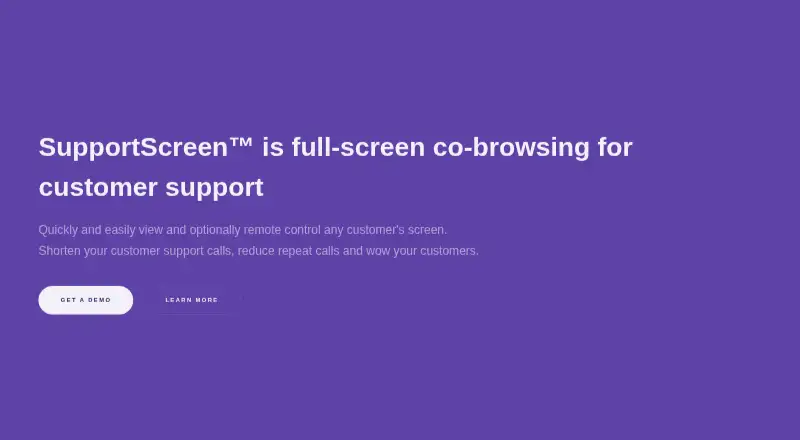
What SupportScreen is
SupportScreen provides full-screen co-browsing for customer support, with optional remote control of a customer’s screen. Customers can usually grant viewing through a browser without downloading software; remote control requires a small additional download and no administrative privileges. Customers using Windows, macOS, Linux or ChromeOS can join, while agents use the service in a modern browser without a download. Agents can add annotations and give customers commands to copy and paste even when remote control is not enabled. The service is white label and supports support-desk single sign-on and two-way data integration with voice and chat support. Teams can use post-assistance surveys and reports covering session duration, setup time and customer satisfaction, with results grouped by agent or team. The maker says data is encrypted at rest and hop-to-hop, video is never stored, and customers can stop remote viewing at any time. Fine-grained access controls and audit logging are listed as enterprise features. SupportScreen is paid, with pricing on request, and is described as a product from CrankWheel. Its headquarters are in Reykjavik, Iceland.
Good
- Customers can usually join through a browser.
- Agents can annotate without remote control.
- Customers can stop remote viewing at any time.
- Reports include session duration and customer satisfaction.
Watch out
- Remote control requires an additional download.
- Pricing is available on request.
- Video is never stored.
- Fine-grained access controls are enterprise features.
Who it suits
It suits support teams helping customers who may lack installed support software, technical experience, a support contract or a high level of trust. It is relevant when agents need live visual guidance across customer desktop platforms.
Verdict
SupportScreen centers on live visual assistance, with co-browsing, annotations and optional remote control. Teams should weigh the download needed for remote control and request pricing before making a decision.
The facts
Each one read from SupportScreen's own pages, with the date it was checked.
What it does
- Access and audit
- The maker lists fine-grained access control, audit logging, and an SLA as enterprise features.checked 8 Oct 2026
- Access controls
- The site lists fine-grained access control and audit logging as enterprise features.checked 7 Oct 2026
- Branding and integration
- The service is white label and supports support-desk SSO and two-way data integration with voice and chat support.checked 7 Oct 2026
- Customer access
- Customers using Windows, macOS, Linux, or ChromeOS can join, and the maker says more than 85% need only to allow screen sharing in their browser.checked 8 Oct 2026
- Customer feedback
- A post-assistance survey can track customer satisfaction by individual agent.checked 8 Oct 2026
- Customer privacy
- Customers can end remote viewing at any point, and the maker says nothing is left on the customer's computer after use.checked 8 Oct 2026
- Designed for
- The product is designed for support teams assisting customers who may lack pre-installed support software, technical experience, a support contract, or an established level of trust.checked 8 Oct 2026
- Desktop support
- Customers using Windows, macOS, Linux or ChromeOS can join.checked 7 Oct 2026
- Guidance
- Agents can use annotations and provide ready-to-go commands for customers to copy and paste without remote control.checked 8 Oct 2026
- Guidance tools
- Agents can show annotations and create commands for customers to copy and paste, even without remote control.checked 7 Oct 2026
- Integration
- The maker describes white-label support, single sign-on from the support desk, and two-way data integration with voice and chat support.checked 8 Oct 2026
- Intended users
- The product is designed for support teams assisting customers who may lack pre-installed support software, technical experience, a support contract or a high level of trust.checked 7 Oct 2026
- Product
- SupportScreen provides full-screen co-browsing for customer support, allowing agents to view and optionally remote-control a customer's screen.checked 8 Oct 2026
- Purpose
- SupportScreen provides full-screen co-browsing for customer support, with optional remote control of a customer's screen.checked 7 Oct 2026
- Remote control
- Remote control is optional and requires a small additional download that does not require administrative privileges.checked 8 Oct 2026
- Reporting
- Reports can be viewed in aggregate and by agent or team, and include session duration, setup time, and customer satisfaction.checked 8 Oct 2026
- Security
- The maker says data is encrypted at rest and hop-to-hop, video is never stored, and the service is hosted on AWS and compliant with GDPR and CCPA.checked 8 Oct 2026
Where it runs
- Agent platform
- Agents use a modern web browser without downloading software.checked 8 Oct 2026
The company
- Headquarters
- CrankWheel ehf. lists its address as Kringlan 1, Reykjavik 103, Iceland.checked 8 Oct 2026
- Maker
- SupportScreen is a product from CrankWheel ehf.checked 8 Oct 2026
Alternatives to SupportScreen
- 1

Zoho Assist
Free planAndroidiOSWebLinux8.1From $10 a month - 2

Blitzz Visual Remote Assistance
AndroidiOSWebAPI7.8From $19 a month - 3

Cobrowse.io
AndroidiOSWebAPI7.6From $18 a month - 4

LiveCall
Free planAndroidiOSWebAPI7.5Free plan - 5

Median
Free planWebAPISelf-hosted7.3Free plan - 6
SightCall Remote Visual Support
AndroidiOSWebAPI7.1