
Steam Input
Steam Input is a controller configuration system built into the Steam client.
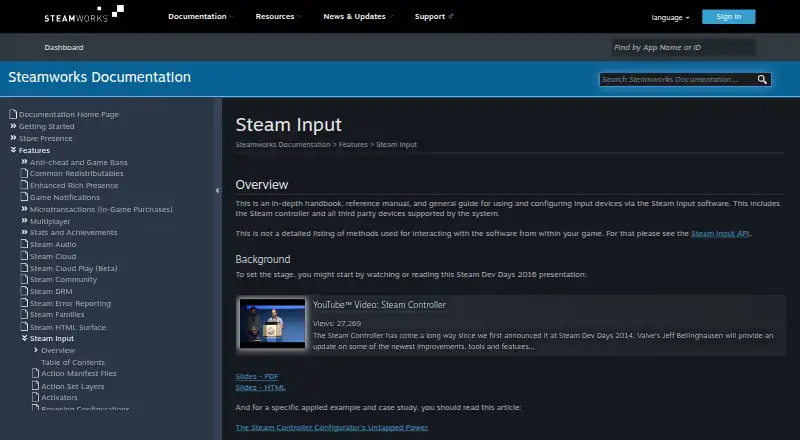
What Steam Input is
Steam Input is a controller configuration system built into the Steam client. It lets players adjust supported controllers and assign physical inputs to game actions or to keyboard, mouse, and gamepad inputs. Supported controller families include Steam, PlayStation, Xbox, Nintendo Switch Pro, PlayStation 3, and DirectInput gamepads. Players can make multiple configurations for a game, share them online, and access settings through the desktop client or Big Picture mode. In Native mode, games using the Steam Input API receive named actions and can check which physical controls are assigned, allowing them to show suitable on-screen control glyphs. For games without API support, Legacy mode maps inputs to other inputs. This can cause glitches in games that expect mouse and gamepad activity to stay separate, and displayed control glyphs may not match the configured inputs. Developers can use the action-based API to define game actions and action sets. Steam Input is free; Steamworks is a free suite of developer tools for games or software on Steam.
Good
- Built into the Steam client.
- Supports several major controller families.
- Players can create and share game configurations.
- API supports named actions and physical binding queries.
- Free to use.
Watch out
- Legacy mode can cause input glitches in some games.
- Legacy mode glyphs may not match configured inputs.
- Steam Input API is not required for Legacy mode.
Who it suits
Steam Input suits players configuring supported controllers and developers adding controller support to games. It offers both API-based integration and input mapping for games without that integration.
Verdict
Steam Input gives players options for configuring supported controllers and gives developers an action-based API. Legacy mapping may cause glitches or mismatched glyphs in some games.
The facts
Each one read from Steam Input's own pages, with the date it was checked.
What it does
- API
- The Steam Input API is an action-based API that supports Xbox, PlayStation, Nintendo Switch Pro, and Steam Controllers.checked 30 Sep 2026
- Built-in configurator
- The Steam Input Configurator is built into the Steam client and translates input from a device according to the player's settings before passing it to a game or application.checked 30 Sep 2026
- Community configurations
- Players can publish controller configurations publicly, and developers can designate configurations as official for their games.checked 30 Sep 2026
- Configuration guidance
- Steam no longer recommends Steam Workshop for managing official configurations in new titles and recommends bundling Action Manifest Files with game depots.checked 30 Sep 2026
- Configuration modes
- Input source modes include mouse, joystick, scroll wheel, touch menu, mouse region, and radial menu modes.checked 30 Sep 2026
- Controller support
- The configurator supports major controllers including Steam, PlayStation, Xbox, Nintendo Switch Pro, PlayStation 3, and DirectInput gamepads.checked 30 Sep 2026
- Customization
- Steam Input's developer guidance says games should allow players to customize controls and mix mouse, keyboard, and gamepad input simultaneously.checked 30 Sep 2026
- Developer integration
- The Steam Input API lets developers communicate directly with the Steam Input Configurator in Native mode; the API is not required for Legacy mode.checked 30 Sep 2026
- Game actions
- Developers can define in-game actions and action sets so players bind controller inputs to game actions instead of keys or buttons.checked 30 Sep 2026
- Input types
- Recognized physical input examples include buttons, joysticks, D-pads, triggers, trackballs, trackpads, and gyroscopes.checked 30 Sep 2026
- Intended users
- The documentation describes Steam Input guidance for players configuring controllers and developers adding controller support to games.checked 30 Sep 2026
- Legacy bindings
- For games without native Steam Input API support, players can bind controller inputs to keyboard, mouse, or gamepad inputs.checked 30 Sep 2026
- Legacy mode
- Legacy mode maps physical inputs to other inputs for games that have not implemented the Steam Input API.checked 30 Sep 2026
- Legacy mode limitation
- Legacy configurations can cause glitches in games that assume gamepad and mouse controls will not be active at the same time, and their on-screen controller glyphs may not match the configured inputs.checked 30 Sep 2026
- Native mode
- In Native mode, games receive named actions from the configurator and can query which physical controls are bound to those actions to display suitable on-screen glyphs.checked 30 Sep 2026
- Player setup
- Players can access controller settings through the Steam desktop client or Big Picture mode.checked 30 Sep 2026
- Purpose
- Steam Input is the umbrella term for the software, hardware, and configuration utilities Steam uses to interface with games.checked 30 Sep 2026
- Support
- The Steamworks documentation links to Steam Support for contacting support.checked 30 Sep 2026
Where it runs
- Custom mappings
- Players can create multiple customized controller configurations for a game and share them online.checked 30 Sep 2026
- Supported devices
- Steam Input covers the Steam Controller and third-party devices supported by the system.checked 30 Sep 2026
The company
- Founded
- 1996checked 23 Sep 2026
- Headquarters
- Bellevue, Washington, USAchecked 23 Sep 2026
- Maker location
- Valve says it makes its products collaboratively in Bellevue, Washington.checked 30 Sep 2026
Money
- Free tools suite
- Steamworks is described as a free suite of tools available to developers for games or software on Steam.checked 30 Sep 2026
The full review of Steam Input
Overview
Steam Input is a controller configurator built into the Steam client, for players who want to tailor supported controllers and for developers building controller support into games. Its strongest case is the choice between native, action-based integration and legacy remapping; legacy mappings can produce glitches or misleading button prompts.
Key features
Native actions and legacy remapping
With the Steam Input API, developers define actions and action sets, and players bind controller inputs to those actions rather than to fixed keys or buttons. Games can query the physical controls assigned to an action and show matching glyphs, making native integration the better route when a game needs consistent prompts across different layouts. The API supports Steam, Xbox, PlayStation, and Nintendo Switch Pro controllers.
For games without API support, Legacy mode translates physical inputs into keyboard, mouse, or gamepad inputs. That extends remapping to older or unintegrated games, but it is less reliable: games that assume mouse and gamepad input will not happen simultaneously can glitch, and their on-screen controller glyphs may not match the player's configuration.
Configuration and sharing
Players can create multiple per-game configurations, switch profiles, and share layouts publicly. The configurator recognizes controls such as buttons, joysticks, D-pads, triggers, trackballs, trackpads, and gyroscopes, with source modes including mouse, joystick, scroll wheel, touch menu, mouse region, and radial menu. Support for the Steam Controller and compatible third-party devices includes Steam, PlayStation, Xbox, Nintendo Switch Pro, PlayStation 3, and DirectInput gamepads.
Developers can mark configurations as official. For new titles, Steam recommends packaging Action Manifest Files with game depots rather than using Steam Workshop to manage official configurations. Its guidance also encourages games to let players customize controls and combine mouse, keyboard, and gamepad input, which matters for games designed around mixed input.
Pricing
Steam Input is free. The configurator is part of the Steam client, and developers can use Steamworks, a free suite of tools for games or software on Steam. There are no paid Steam Input tiers to weigh against the free offering.
Platforms
The configurator is built into the Steam client, with support for Windows, macOS, and Linux. Players access its controller settings through the desktop client or Big Picture mode. Its usefulness also depends on the game: native action handling requires API integration, while Legacy mode works without it but carries the compatibility trade-offs above.
Who it's for
Steam Input is a strong fit for Steam players who want to adapt supported controllers to a game's controls, use shared layouts, or keep several configurations for one title. Developers targeting Steam can use the API for action-based bindings and device-aware glyphs; developers who do not integrate it can still leave players a legacy remapping path. It is a weaker choice when a game must always display accurate prompts but offers only legacy support.
Pros and cons
- Pros: The built-in configurator covers a broad range of controller families and input types, with per-game layouts that players can customize and share.
- Pros: Native actions let games respond to named in-game actions and identify assigned controls, supporting more suitable button prompts.
- Pros: Legacy mapping offers keyboard, mouse, or gamepad remapping even when a game has no Steam Input API integration.
- Cons: Legacy mappings can trigger glitches in games that expect mouse and gamepad input to remain separate.
- Cons: Legacy-mode games may display glyphs that do not correspond to the configured controls.
Alternatives
For another free controller-mapping option on Linux or Windows, consider AntiMicroX. ControllerBuddy is also free and open source for Linux and Windows. JoyShockMapper is a free option for Windows, with Linux builds possible from source. Windows users considering a free alternative can also compare Joystick Gremlin or DS4Windows; DS4Windows requires Windows 10 or newer, .NET 8.0 Desktop Runtime, Visual C++ Redistributable, and ViGEmBus.
OmniControl has a free Windows plan for controller reading, mapping, and tuning with no time limit or account requirement. PadLink offers a free plan for one active controller and supports Android, iOS, macOS, and Windows. Mac users looking for another free option can consider InputConfig.
Verdict
Choose Steam Input if you play on Steam and want broad controller remapping, shareable layouts, and a free built-in configurator. Developers should favor its native API when reliable action bindings and matching glyphs matter; players relying on legacy mappings should be prepared for occasional input conflicts and inaccurate prompts.
Alternatives to Steam Input
- 1

Epic Online Services
Free planAndroidiOSWebAPI7.6Free plan - 2

Easy Anti-Cheat
Free planAndroidiOSWebAPI7.5Free plan - 3

AGINUZ Anti-Cheat Infrastructure
Free planLinuxmacOSWindows7.3From $50 a month - 4
RoSentry
Free planWebAPI7.3From $19 a month - 5
EA app
WebmacOSWindows7.2From $39.99 a year - 6
GuardingPear Anti-Cheat
AndroidiOSWebAPI7.2$34.99 one-time