RFP Response Builder
RFP Response Builder is Office-integrated software for producing RFP responses, proposals, and statements of work, with support for contracts and sales lette…
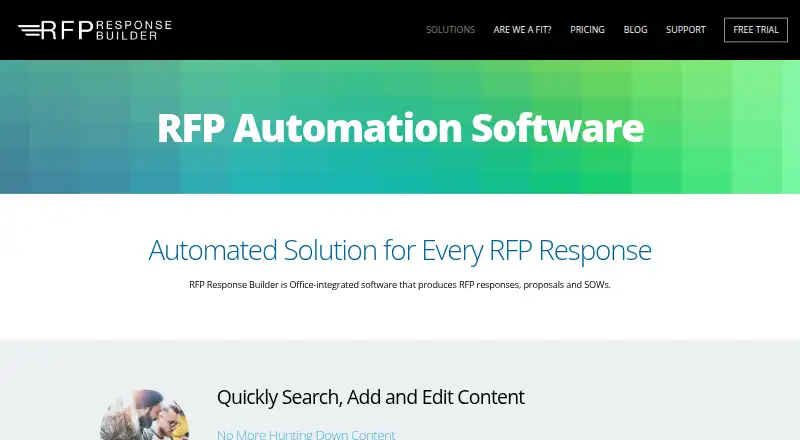
What RFP Response Builder is
RFP Response Builder is Office-integrated software for producing RFP responses, proposals, and statements of work, with support for contracts and sales letters as well. It is built into Microsoft Word and Excel. A searchable content library lets users insert reusable material into responses and create or revise library entries. Teams can assign sections to people with due dates, follow tasks on a dashboard, and receive email notifications; updates are auto-saved. Its Content Outline breaks a large RFP into sub-documents and assembles them into a final response. Project files can be kept on a network drive, SharePoint, or CorsPro-hosted cloud storage, while locally stored content remains available offline as desktop data synchronizes with the cloud. DocuSign integration supports sending Word, Excel, and PDF files for e-signature. A 14-day trial requires a Windows desktop setup, or a Mac running Windows through Parallels or Boot Camp, plus Microsoft Office for Windows. It does not require a credit card. The Business plan is $39 a month per user, with a five-user minimum; integration services are not included.
Good
- Built into Microsoft Word and Excel
- Searchable, editable content library
- Section assignments include due dates and task tracking
- Content Outline assembles sub-documents into a response
- Offline access to locally stored content
Watch out
- No free plan
- Business plan requires at least five users
- Business plan costs $39 per user monthly
- Trial requires Microsoft Office for Windows
Who it suits
It suits businesses that regularly prepare RFP responses, proposals, or statements of work, particularly those spending more than five hours a month on them. Its workflow features may fit teams that need to assign sections and track progress.
Verdict
RFP Response Builder combines reusable content, team task tracking, and document assembly in Word and Excel. Check the five-user minimum and Windows-based trial setup before choosing it.
Plans and prices
From RFP Response Builder's own pricing page, checked 20 Sep 2026.
| Plan | Price | What it gives you |
|---|---|---|
| Free Trial | — | 14 days |
| Business Plan | — | 5 users minimum |
| Business | $39 a month | minimum 5 users · full feature set and support · unlimited templates and proposals · integration services not included · per user |
| Enterprise | Priced on request | custom coding · custom integrations including Salesforce · custom database fields · sales forecasting · premium support · premium onboarding |
The facts
Each one read from RFP Response Builder's own pages, with the date it was checked.
Where it runs
- Approval workflows
- Yeschecked 20 Sep 2026
What it does
- Cloud provider
- CorsPro-hosted project files and synchronization use Amazon Web Services.checked 1 Oct 2026
- Content library
- Users can search a content library inside Microsoft Word, insert content into responses and add or edit library content.checked 1 Oct 2026
- Document assembly
- The Content Outline splits large RFPs into sub-documents and auto-assembles them into a final response document.checked 1 Oct 2026
- Document types
- The software supports RFP responses, proposals, statements of work, contracts and sales letters.checked 1 Oct 2026
- E-signatures
- The DocuSign integration lets users send Word, Excel and PDF documents for e-signature.checked 1 Oct 2026
- Integrations
- The maker identifies Microsoft 365, SharePoint, Amazon Web Services and DocuSign as technologies and integrations used by its solutions.checked 1 Oct 2026
- Notable fit criterion
- The maker says the product is right for businesses spending more than five hours a month responding to RFPs, sales proposals and statements of work.checked 1 Oct 2026
- Office integration
- The software is built into Microsoft Word and Excel.checked 1 Oct 2026
- Offline access
- Content is stored locally so users can access the content library offline while desktop data synchronizes with the cloud.checked 1 Oct 2026
- Primary purpose
- RFP Response Builder is Office-integrated software for producing RFP responses, proposals and statements of work.checked 1 Oct 2026
- Storage options
- Project files can be stored on a network drive, in SharePoint or in CorsPro-hosted cloud storage.checked 1 Oct 2026
- Support
- CorsPro says its support team responds within two hours or less during business hours of 9:00 AM to 5:00 PM EST.checked 1 Oct 2026
- Target users
- The maker says organizations of all sizes and industries use the software, including website development, information technology, marketing and advertising, investment management, and construction and architecture.checked 1 Oct 2026
- Workflow management
- RFP sections can be assigned to team members with due dates, auto-saved updates, email notifications and dashboard task tracking.checked 1 Oct 2026
The company
- Founded
- 2020checked 28 Sep 2026
Money
- Free plan
- Nochecked 20 Sep 2026
- Trial requirements
- The 14-day free trial requires desktop installation on Windows, or on a Mac using Parallels or Boot Camp, with Microsoft Office for Windows installed.checked 1 Oct 2026
- Trial terms
- The free trial requires no credit card and includes the same features as the Business Plan license.checked 1 Oct 2026
The full review of RFP Response Builder
RFP Response Builder is an Office-based tool for teams preparing RFP responses, proposals and statements of work. It is most compelling for organizations that handle enough submissions to benefit from shared answers and coordinated drafting. Its practical appeal is tying content reuse, task tracking and document assembly to Word and Excel, though a five-user minimum and a Windows-dependent trial make it harder to evaluate or adopt for small teams.
Overview
The software brings shared response content, section assignments and document assembly into an Office workflow. It also supports contracts and sales letters, approval workflows and an RFP template library. That breadth makes it useful beyond formal RFPs, but it lacks a supplier portal and response scoring, so it is not a complete bid-management environment for teams that depend on those capabilities.
Key features
Reusable content and document assembly
Contributors can search the content library from Microsoft Word, insert material into a response, and add or revise library entries. Keeping reuse inside the drafting environment can reduce the friction of finding approved material. The Content Outline breaks a large RFP into sub-documents and assembles them into a final response, a meaningful advantage when several people are responsible for different sections.
Team coordination
Sections can be assigned to team members with due dates; updates save automatically, email notifications keep contributors informed, and a dashboard tracks tasks. Approval workflows add another layer of review. This is a stronger fit for coordinated submissions than for a solo responder who gains little from assignments and dashboard oversight.
Storage, offline access and signatures
Project files can live on a network drive, in SharePoint or in CorsPro-hosted cloud storage, with hosted files and synchronization using Amazon Web Services. Content is stored locally for offline library access while desktop data synchronizes with the cloud. DocuSign integration lets users send Word, Excel and PDF documents for signature. Microsoft 365, SharePoint, AWS and DocuSign are among the technologies the maker identifies for its solutions.
Pricing
The 14-day free trial costs nothing, requires no credit card and includes the Business Plan feature set. It requires desktop installation on Windows, or on a Mac using Parallels or Boot Camp, plus Microsoft Office for Windows. That setup is a real qualification hurdle for Mac-first teams seeking a quick evaluation.
The Business Plan has custom pricing and a five-user minimum. The Business plan costs $39 a month, billed per user, with a minimum of five users. It includes the full feature set and support, plus unlimited templates and proposals; integration services are excluded. The minimum therefore makes the entry commitment at least five paid users, even if a team has fewer active responders.
Enterprise has custom pricing and adds custom coding, integrations such as Salesforce, custom database fields, sales forecasting, premium support and premium onboarding. It suits organizations that need tailored integrations or implementation help; smaller teams can avoid paying for those additions with Business. The trial runs for 14 days, and support responds within two hours or less during business hours, 9:00 AM to 5:00 PM EST.
Platforms
The product is available for macOS, web and Windows, but the trial has a narrower desktop requirement: Windows, or a Mac running Windows through Parallels or Boot Camp, with Microsoft Office for Windows installed. That distinction matters to Mac users who expect to assess it entirely in a native macOS setup.
Who it's for
The maker says organizations across industries use the software, including website development, IT, marketing and advertising, investment management, construction and architecture. Its clearest fit is a business spending more than five hours a month on RFPs, sales proposals and statements of work. Teams that regularly divide long submissions among contributors can make better use of its library and task structure; occasional responders and teams with fewer than five users may find the minimum difficult to justify.
Pros and cons
- Pros: Word-based content search and insertion keep reusable answers close to the drafting work.
- Pros: Section assignments, due dates, notifications and task tracking support coordinated response work.
- Pros: Automatic assembly of sub-documents helps bring large submissions into one final response.
- Pros: Multiple storage options and offline content access accommodate different project setups.
- Cons: The five-user minimum is a poor fit for solo users or very small response teams.
- Cons: The Windows and Office-for-Windows trial prerequisite complicates evaluation for Mac-only users.
- Cons: No supplier portal or response scoring limits its fit for teams needing those bid-management tools.
Alternatives
For a free entry point with a defined usage cap, 1up offers a free plan with one admin, 50 knowledge uploads and 50 answers per month. Presel is another freemium option: its seven-day Pro trial needs no credit card and then returns users to a free toolkit.
Choose Tribble if source-cited drafts, confidence context, SME routing and an audit trail are central to your response workflow. Tenderbolt uses custom pricing tailored to team size and RFP volume. Winify AI is another paid option with a free plan and trial.
Responsive may suit buyers considering an annual platform subscription starting at $10,000 a year. RocketDocs may suit teams looking at a custom-fit deployment starting at $18,500 a year. AIRFP is an alternative for buyers considering a self-hosted or web product.
Browse more options in RFP Response Software, RFP Software and Bid Management Software.
Verdict
RFP Response Builder is a strong choice for teams that regularly produce substantial proposals and want shared content, ownership tracking and final assembly inside an Office-centered process. The five-user minimum is its clearest buying constraint, and the Windows-based trial setup is an added obstacle for Mac-first evaluation. Choose it when coordinated response work is routine; look elsewhere if your team is small, submissions are infrequent, or you need supplier-portal or scoring capabilities.
Alternatives to RFP Response Builder
- 1

BidNet Direct
Free planWeb7.5From $599 a year - 2

AutoRFP.ai
WebAPIExtension6.7From $899 a month - 3

Loopio
WebAPIExtensionmacOS6.6 - 4

RFP360.AI
Free planWebAPI6.6From $199 a month - 5
Upland Qvidian
WebAPIExtensionmacOS6.6 - 6

Daliio
Free planWeb6.5From $249 a month