Rancher Desktop
Rancher Desktop is a free, open-source desktop application for managing containers and Kubernetes on a local machine.
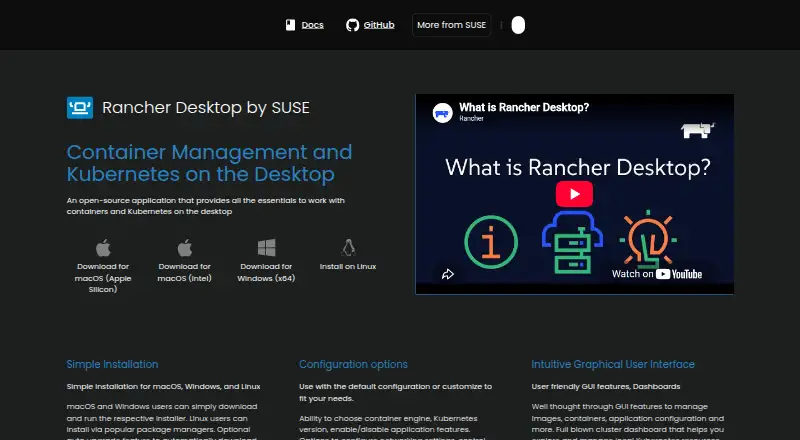
What Rancher Desktop is
Rancher Desktop is a free, open-source desktop application for managing containers and Kubernetes on a local machine. Choose Moby/dockerd with the Docker CLI or containerd with nerdctl to build, push, pull, and run container images. Its built-in Kubernetes is provided by k3s, and Preferences let you select a Kubernetes version or reset Kubernetes and the container runtime. The graphical interface covers images, containers, application settings, and local Kubernetes resources. You can also configure networking, virtual-machine resources, and access to container repositories and registries. The installation includes Helm, kubectl, nerdctl, Moby, and Docker Compose; Trivy-powered image scanning reports vulnerabilities and configuration issues. Rancher Desktop supports Docker Desktop Extensions through its catalog or the rdctl command. It uses a virtual machine on macOS and Linux, and WSL 2 on Windows. Windows requires WSL and virtualization; without the privileged service, exposed container applications are limited to 127.0.0.1. It is intended for local workloads, not managing Kubernetes clusters.
Good
- Free and open source.
- Choose between containerd and Moby/dockerd.
- Select a Kubernetes version in Preferences.
- Includes Helm, kubectl, and Docker Compose.
- Trivy reports image vulnerabilities and configuration issues.
Watch out
- Windows requires WSL and virtualization capabilities.
- Without the Windows privileged service, exposure is limited to 127.0.0.1.
- Documented macOS requirements include macOS 13 or higher.
- No multi-node clusters.
Who it suits
It suits developers who want local container and Kubernetes tools with a choice of container runtime. Windows users need WSL and virtualization capabilities, while macOS users need macOS 13 or higher and a persistent internet connection.
Verdict
Rancher Desktop brings local containers, Kubernetes, and supporting tools into one graphical application. Check the operating-system requirements and Windows networking limitation before choosing it.
Plans and prices
From Rancher Desktop's own pricing page, checked 30 Sep 2026.
| Plan | Price | What it gives you |
|---|---|---|
| Rancher Desktop | Free | Open-source desktop application |
The facts
Each one read from Rancher Desktop's own pages, with the date it was checked.
What it does
- 2.0 preview
- The maker describes Rancher Desktop 2.0 as an early tech preview that is rough and not meant for production; its daemon exposes a Kubernetes API.checked 30 Sep 2026
- Anonymous statistics
- Anonymous interaction statistics collection can be turned on or off, and the documentation says information about workloads run is not collected.checked 30 Sep 2026
- Community support
- The project directs users to its Rancher Desktop Slack channel and GitHub Issues for community support.checked 30 Sep 2026
- Configuration
- Preferences include selecting the container engine and Kubernetes version, configuring networking and virtual-machine resources, and controlling access to container repositories and registries.checked 30 Sep 2026
- Container engines
- Users can choose Moby/dockerd with the Docker CLI or containerd with nerdctl to build, push, pull, and run containers.checked 30 Sep 2026
- Container workflows
- It can build, push, and pull container images and run containers using either Docker CLI or nerdctl, depending on the selected container engine.checked 30 Sep 2026
- Credential storage
- On Linux, Rancher Desktop uses pass by default to securely store credentials supplied through docker login and nerdctl login.checked 30 Sep 2026
- Extensions
- Rancher Desktop supports Docker Desktop Extensions, which users can find and install through its UI catalog or the rdctl command.checked 30 Sep 2026
- Image scanning
- The image scanning feature uses Trivy to report vulnerabilities and configuration issues.checked 30 Sep 2026
- Integrations
- The product page says it integrates with popular IDEs and other tools in the cloud native ecosystem.checked 30 Sep 2026
- Intended users
- The documentation describes Rancher Desktop as a local Kubernetes and container management platform, distinct from Rancher, which manages Kubernetes clusters.checked 30 Sep 2026
- Kubernetes
- Built-in Kubernetes is provided by k3s, and users can choose its version and reset Kubernetes or the container runtime.checked 30 Sep 2026
- Purpose
- Rancher Desktop is an open-source desktop application for local container management and Kubernetes.checked 30 Sep 2026
- Requirements
- The documented macOS requirements include macOS 13 or higher, a persistent internet connection, and an Apple Silicon or Intel processor with VT-x.checked 30 Sep 2026
- Security and privacy
- Optional anonymous statistics collection can be enabled, and the documentation says workload information is not collected.checked 30 Sep 2026
- Support
- Community support is available through the Rancher Desktop Slack channel and GitHub Issues.checked 30 Sep 2026
- Tooling
- The installation includes utilities such as Helm, kubectl, nerdctl, Moby, and Docker Compose.checked 30 Sep 2026
- User interface
- The graphical interface includes tools to manage images, containers, application settings, and local Kubernetes resources.checked 30 Sep 2026
- Utilities
- Installation provides supporting utilities including Helm, kubectl, nerdctl, Moby, and Docker Compose.checked 30 Sep 2026
The company
- Maker
- The Rancher Desktop site identifies the project as part of SUSE's Rancher Engineering group.checked 30 Sep 2026
Where it runs
- Platform architecture
- On macOS and Linux it uses a virtual machine to run containerd or Docker and Kubernetes; on Windows it uses Windows Subsystem for Linux 2.checked 30 Sep 2026
- Windows limitation
- On Windows, skipping installation of the privileged service limits exposed container applications and services to 127.0.0.1.checked 30 Sep 2026
- Windows requirement
- On Windows, Rancher Desktop requires WSL and virtualization capabilities; without its privileged service, container applications can be exposed only on 127.0.0.1.checked 30 Sep 2026
The full review of Rancher Desktop
Overview
Rancher Desktop is a free, open-source desktop tool for building and running containers alongside local Kubernetes. It suits developers who want both workflows in one application and are comfortable choosing between two container engines. Its main appeal is that the graphical controls come with familiar command-line tools; Windows users should weigh the networking limitation before installing.
Key features
Container and Kubernetes workflows
Choose Moby/dockerd for the Docker CLI or containerd for nerdctl, then build, push, pull, and run container images. That choice lets teams use a preferred workflow, but means users need to understand which engine their commands target. Kubernetes runs locally through k3s, and its version is selectable in Preferences. You can reset Kubernetes or the runtime when you need a clean local setup.
The interface manages images, containers, settings, and local Kubernetes resources. Preferences also cover networking, virtual-machine resources, and access to repositories and registries. Helm, kubectl, nerdctl, Moby, and Docker Compose are included, and the product integrates with popular IDEs and other cloud-native tools. This breadth makes Rancher Desktop useful as a local development environment, not a control plane for remote clusters: that is the role of Rancher.
Scanning, extensions, and privacy
Trivy-based image scanning reports vulnerabilities and configuration issues, giving developers a way to check images as part of local work. Docker Desktop Extensions are supported through an in-app catalog or the rdctl command. Anonymous interaction statistics can be switched on or off; workload information is not collected. Linux stores credentials from docker login and nerdctl login with pass by default.
Windows networking
Windows requires WSL and virtualization capabilities. Without installing the privileged service, container applications and services can be exposed only on 127.0.0.1, a meaningful constraint for workflows that need access from other devices or network interfaces.
Pricing
Rancher Desktop costs nothing. The open-source application includes its desktop interface, local Kubernetes, either containerd or dockerd, selectable Kubernetes versions, local registry support, and an add-on catalog. There is no free trial because the product is free. Multi-node clusters are not supported, so users who need a local multi-node environment should look elsewhere.
Community support runs through the Rancher Desktop Slack channel and GitHub Issues. Rancher Desktop 2.0 is an early technology preview, described as rough and not intended for production; its daemon exposes a Kubernetes API. Treat it as a preview rather than a production-ready upgrade.
Platforms
Rancher Desktop supports macOS, Windows, and Linux. On macOS and Linux, a virtual machine runs the container engine and Kubernetes; Windows uses WSL 2. macOS requires version 13 or higher, a persistent internet connection, and an Apple Silicon or Intel processor with VT-x. Linux uses pass by default for credentials supplied through Docker or nerdctl login.
Who it's for
Choose Rancher Desktop if you develop locally with containers and Kubernetes and want a GUI, command-line utilities, and a choice of Docker-compatible or containerd workflows in one free application. It is less suitable if you need multi-node clusters, manage remote Kubernetes fleets, or require Windows services to be exposed beyond 127.0.0.1 without the privileged service.
Pros and cons
- Pros: Two container-engine options support Docker CLI or nerdctl workflows.
- Pros: k3s, selectable Kubernetes versions, bundled utilities, scanning, and extensions cover a wide range of local development tasks.
- Pros: Free and open source, with optional anonymous statistics and no collection of workload information.
- Cons: Multi-node clusters are not supported.
- Cons: Windows requires WSL and virtualization, and skipping the privileged service restricts exposure to localhost.
- Cons: Community support is through Slack and GitHub Issues.
Alternatives
Colima is a free, MIT-licensed option for container runtimes on macOS and Linux if you do not need Rancher Desktop's Windows support or bundled Kubernetes interface.
Kubeterm offers a free desktop plan for macOS, Windows, and Linux with no account, trial period, or feature gates; consider it if those terms suit your desktop-tool needs better.
Kunobi has a free plan for up to three clusters at once with community support and no sign-up, making it an option when that cluster cap fits your needs.
srelens is a free, open-source MIT-licensed option with Linux, macOS, Windows, web, and self-hosted platforms.
vCluster Platform offers a free plan with unlimited virtual clusters up to 64 CPUs or 32 GPUs and a maximum of one HA vCluster; consider it if those virtual-cluster limits fit your use case.
Kubus is another free option.
Talos Linux has a free, open-source plan with community support, plus an enterprise plan at $1,000 a year.
ctlptl is a free Apache-2.0-licensed option with no paid plans or usage limits stated.
Browse Local Kubernetes Tools, Container Development Environments, or Container Runtime Software for more options.
Verdict
Rancher Desktop is a strong fit for developers who want free local containers and k3s Kubernetes with both GUI and command-line workflows. Its engine choice and included tooling are the clearest reasons to choose it; the lack of multi-node clusters and Windows exposure limit are the clearest reasons to look elsewhere.
Getting started
- Visit https://rancherdesktop.io/.
- Install Rancher Desktop on macOS, Windows or Linux.
- On Windows, ensure WSL and virtualization capabilities are available.
- Choose Moby/dockerd with the Docker CLI or containerd with nerdctl.
- Set a Kubernetes version and configure networking, virtual-machine resources and registry access in Preferences.
Limits worth knowing
Rancher Desktop is free. Windows requires WSL and virtualization capabilities; without the privileged service, container applications can be exposed only on 127.0.0.1. The documented macOS requirements include macOS 13 or higher, a persistent internet connection and an Apple Silicon or Intel processor with VT-x.
Questions
Does Rancher Desktop cost anything?
The Rancher Desktop plan costs nothing. It is an open-source desktop application.
Which operating systems does it support?
It supports macOS, Windows and Linux. On macOS and Linux it uses a virtual machine; on Windows it uses WSL 2.
Which container engines can I choose?
You can choose containerd with nerdctl or Moby/dockerd with the Docker CLI to build, push, pull and run containers.
Can I choose the Kubernetes version?
Yes. Built-in Kubernetes is provided by k3s, and its version can be selected in Preferences.
Is Rancher Desktop for managing Kubernetes clusters?
It is described as a local Kubernetes and container management platform, distinct from Rancher, which manages Kubernetes clusters. Multi-node clusters are not supported.
What happens if I skip the privileged service on Windows?
Container applications can be exposed only on 127.0.0.1. Windows also requires WSL and virtualization capabilities.
Alternatives to Rancher Desktop
- 1

Garden
Free planOpen sourceWebAPILinuxmacOS8.3From $50 a month - 2

DevPod
Free planOpen sourceLinuxmacOSSelf-hostedWindows7.4Free plan - 3

Docker Desktop
Free planWebLinuxmacOSWindows7.2From $9 a month - 4

OrbStack
Free planAPImacOS7.2From $8 a month - 5

Testcontainers Desktop
Free planWebAPILinuxmacOS7.2Free plan - 6
Kool
Free planWebLinuxmacOSWindows7.1From $49 a month