
OneUptime
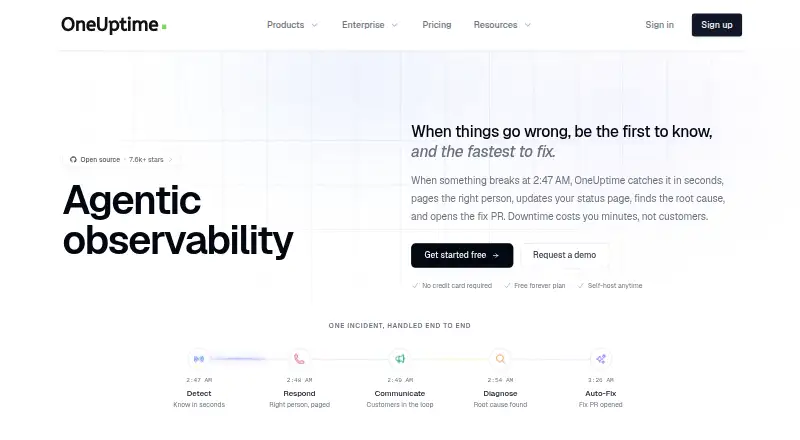
OneUptime combines monitoring, observability, and incident response on one platform.
What OneUptime is
OneUptime combines monitoring, observability, and incident response on one platform. Incident tools include incident management, on-call rotations, alerts, and status pages; observability includes logs, metrics, traces, error tracking, and application performance monitoring. Monitoring checks can run as often as every 10 seconds, and synthetic tests simulate user flows. OneUptime says its AI can investigate incidents, suggest resolutions, and create fix pull requests for review. Its pricing page lists 5,000+ integrations, including examples such as Slack, Teams, and Jira. The core platform is open source under Apache 2.0 and can be inspected, modified, or self-hosted. Self-hosted installations can run on Kubernetes or Docker Compose, including in air-gapped environments. The Trust Center lists SOC 2 Type II attestation, ISO/IEC 27001 certification, and GDPR compliance; reports are available under NDA on request. HIPAA compliance is available for covered entities with a Business Associate Agreement. The Free plan includes one status page, 100 subscribers, unlimited manual monitors, and email support with a five-business-day support SLA. It has no uptime SLA, and active monitors cost $1 a month each.
Good
- Combines monitoring, observability, and incident response.
- Checks can run every 10 seconds.
- Free plan includes one status page and 100 subscribers.
- Open-source core can be self-hosted.
- Lists 5,000+ integrations.
Watch out
- Free plan has no uptime SLA.
- Active monitors cost $1 a month each.
- Free-plan email support has a five-business-day SLA.
Who it suits
OneUptime suits teams that need service monitoring, observability, and incident response together. Its open-source and self-hosted options may suit teams with air-gapped or regulated deployment needs.
Verdict
OneUptime combines operational monitoring and incident response, with both hosted and self-hosted options. The free tier has stated limits, while paid pricing starts at $22/user/mo.
Plans and prices
From OneUptime's own pricing page, checked 7 Oct 2026.
| Plan | Price | What it gives you |
|---|---|---|
| Free | Free | 1 status page · 100 subscribers · unlimited manual monitors · active monitors $1/month · 5 business day email support · no uptime SLA (best effort) · Free |
| AI LLM Token Usage | $0.02, paid once | Incident analysis · root cause suggestions · automated runbook generation · log analysis and anomaly detection · Per 1,000 tokens |
| WhatsApp Notifications | $0.10, paid once | WhatsApp alerts · Per message sent |
| Phone Call Notifications | $0.10 a month | Voice call alerts; pricing may vary for high-risk regions · Per minute per call |
| SMS Notifications | $0.10, paid once | SMS alerts; pricing may vary for high-risk regions · Per SMS sent |
| Telemetry: Logs, Traces and Metrics | $0.10 a month | Logs, traces and metrics ingestion · custom retention · native OpenTelemetry support · Per GB ingested; 15 day retention |
| Active Monitoring | $1 a month | Monitoring from multiple locations · checks every minute · 90 day log storage · discounts available above 100 monitors · Per monitor per month |
| Growth | $22 a month | Unlimited status pages and subscribers · 5,000+ integrations · API access · 500 workflow runs/month · 1 business day email support · 99.9% uptime target · Monthly or Yearly |
| Scale | $99 a month | SSO · unlimited teams · advanced access control · 2,000 workflow runs/month · email and chat support with 6 hour support SLA · 99.9% uptime target · Monthly or Yearly |
| Enterprise | Priced on request | Custom features · dedicated engineer · 1 hour phone support · custom data residency and retention · private cloud or SaaS · Custom /yr; annual invoicing |
The facts
Each one read from OneUptime's own pages, with the date it was checked.
What it does
- AI
- OneUptime says its AI investigates incidents, suggests resolutions, and can create fix pull requests for review.checked 7 Oct 2026
- HIPAA
- The Trust Center says HIPAA compliance is available with a Business Associate Agreement for covered entities.checked 7 Oct 2026
- Incident response
- The platform provides incident management, on-call rotations, alerts, and status pages.checked 7 Oct 2026
- Integrations
- The pricing page lists 5,000+ integrations, and the homepage names Slack, Teams, and Jira as examples.checked 7 Oct 2026
- Intended users
- The About page says the open-source platform is for teams of all sizes, while self-hosted deployment covers regulated environments and production use cases.checked 7 Oct 2026
- Monitoring
- Monitoring supports checks as often as every 10 seconds and synthetic tests that simulate user flows.checked 7 Oct 2026
- Observability
- OneUptime includes logs, metrics, traces, error tracking, and application performance monitoring.checked 7 Oct 2026
- Open source
- The About page says the core platform is open source under Apache 2.0 and can be inspected, modified, and self-hosted.checked 7 Oct 2026
- Product
- OneUptime combines monitoring, observability, and incident response on one platform.checked 7 Oct 2026
- Security
- The Trust Center lists SOC 2 Type II as attested, ISO/IEC 27001 as certified, and GDPR as compliant, with reports available under NDA on request.checked 7 Oct 2026
- Self-hosting
- The self-hosted edition can run on Kubernetes or Docker Compose, including in air-gapped environments.checked 7 Oct 2026
- Support
- The Free plan includes email support with a 5 business day support SLA, while Scale lists email and chat support with a 6 hour support SLA.checked 7 Oct 2026
Money
- Free plan limits
- The Free plan includes one status page and 100 subscribers, with no uptime SLA and active monitors charged at $1 per month each.checked 7 Oct 2026
The full review of OneUptime
OneUptime is a broad operations platform that joins monitoring, observability, and incident response. It is best suited to teams that want service checks, telemetry, on-call coordination, and status communication in one system, particularly those needing self-hosting. The trade-off is a free tier with meaningful caps and usage charges, followed by metered components and per-user paid plans.
Overview
OneUptime covers the full path from detecting a service problem to coordinating a response and reviewing what happened afterward. Incident management, escalation policies, on-call scheduling, stakeholder updates, post-incident reviews, and status pages sit alongside monitoring and observability rather than in separate products. That unified scope is useful for operations teams consolidating a fragmented toolset; it is less compelling when only a single monitoring function is required.
The core platform is open source under Apache 2.0. Teams can inspect and modify it, then deploy the self-hosted edition on Kubernetes or Docker Compose, including air-gapped environments. Hosted deployment is still available for organizations that prefer a managed service. The Trust Center reports SOC 2 Type II attestation, ISO/IEC 27001 certification, and GDPR compliance, with reports available under NDA. HIPAA compliance is available for covered entities signing a Business Associate Agreement.
Key features
Monitoring checks can run as often as every 10 seconds, and synthetic tests simulate user flows instead of checking only an endpoint. Observability includes logs, metrics, traces, error tracking, and application performance monitoring, giving teams several ways to connect an alert with its likely cause.
OneUptime says its AI investigates incidents, proposes resolutions, analyzes logs for anomalies, generates runbooks, and can create fix pull requests for review. That can shorten the route from diagnosis to a proposed change, while the review step keeps generated code from becoming an automatic deployment decision.
The pricing page lists more than 5,000 integrations; Slack, Teams, and Jira are named examples. This breadth should help teams connect existing collaboration and issue workflows without abandoning them.
Pricing
The Free plan costs nothing and includes one status page, 100 subscribers, unlimited manual monitors, and email support with a five-business-day SLA. It has no uptime SLA, operates on a best-effort basis, and charges $1 per active monitor each month. It is suitable for a small service or an evaluation, but active monitoring can make a growing free deployment less free than its headline price suggests.
Growth costs $22 a month, billed monthly or yearly, and is the entry point for paid use. It adds unlimited status pages and subscribers, 5,000+ integrations, API access, 500 workflow runs per month, a one-business-day email SLA, and a 99.9% uptime target. Scale costs $99 a month, also monthly or yearly, and adds SSO, unlimited teams, advanced access control, 2,000 workflow runs per month, and email and chat support with a six-hour SLA; its uptime target is also 99.9%.
Enterprise uses custom annual pricing and annual invoicing. It includes custom features, a dedicated engineer, one-hour phone support, custom data residency and retention, and a private cloud or SaaS deployment. It is the appropriate route for organizations that need tailored controls rather than a standard plan.
Several services are metered separately. AI LLM usage is $0.02 USD per 1,000 tokens; WhatsApp and SMS notifications are $0.10 per message, with high-risk-region variation for SMS; phone notifications are $0.10 per minute per call, also subject to high-risk-region variation. Logs, traces, and metrics cost $0.10 USD per GB ingested with 15-day retention, custom retention, and native OpenTelemetry support. Active monitoring costs $1 per monitor per month, with checks every minute, monitoring from multiple locations, 90-day log storage, and discounts above 100 monitors. A 14-day trial is available.
Platforms
OneUptime is offered through its web interface and API, with Linux support and self-hosted deployment. Kubernetes and Docker Compose support, including air-gapped operation, gives infrastructure teams more control over placement and data handling than a hosted-only service.
Who it's for
Choose OneUptime when one team needs monitoring, telemetry, incident response, on-call scheduling, and status communication in one platform, or when open-source inspection and self-hosting are requirements. Regulated organizations can use the self-hosted model and pursue HIPAA coverage through a Business Associate Agreement. Small teams should budget for active-monitor charges and decide whether the Free plan’s single status page, 100 subscribers, best-effort service, and five-business-day support are sufficient.
Pros and cons
Pros
- Broad operational coverage: Monitoring, logs, metrics, traces, APM, incident management, on-call, escalation, and post-incident reviews share one platform.
- Flexible deployment: Apache 2.0 open-source code and Kubernetes, Docker Compose, and air-gapped self-hosting suit teams with control or compliance requirements.
- Deep connectivity: More than 5,000 integrations, including Slack, Teams, and Jira, support existing workflows.
- Fast checks and synthetic flows: Ten-second checks and user-flow simulations can expose failures that basic endpoint polling misses.
Cons
- Free-plan constraints: One status page, 100 subscribers, no uptime SLA, and $1 monthly active-monitor charges limit its usefulness as a long-term free tier.
- Usage can stack up: Telemetry, notifications, AI tokens, phone calls, and active monitors are billed by consumption in addition to plan pricing.
- Paid tiers separate key controls: SSO, unlimited teams, and advanced access control begin at Scale rather than Growth.
Alternatives
For synthetic-monitoring specialists, compare Synthetic Monitoring. Teams focused on continuous code-performance analysis can use Continuous Profiling Tools instead. For narrower on-call coordination, see On-Call Management Software; for incident workflows, see IT Incident Management Software. Infrastructure teams concentrating on containers should review Container Monitoring.
Dotcom-Monitor is a freemium web, Windows, Linux, iOS, and Android option with a free tier for up to 25 targets, five-minute frequency, two locations, and email alerts. Choose it when that narrower monitoring scope and simple free allowance fit better.
Dynatrace Kubernetes Monitoring is a paid Kubernetes-focused service with a free trial and pod-hour billing, making it a better fit for teams centered specifically on Kubernetes monitoring.
Grafana Cloud Application Observability offers a free tier of 2,232 host hours and a usage-priced Pro plan; choose it when Grafana-oriented application observability is the priority.
New Relic Kubernetes Monitoring combines a free tier with an annual Pro commitment, making it an alternative for teams already aligned with New Relic’s platform and data-ingest model.
HostTracker is a simpler freemium monitoring service with two free monitors and 30-minute checks. Checkly targets uptime, browser, and API checks with a free Hobby plan. GoPinger offers basic monitor, alert, retention, and status-page allowances on its free plan. ManageEngine Applications Manager provides a free allowance for up to five apps or servers and paid annual subscriptions.
Verdict
OneUptime is a strong choice for teams that want a single, open-source-capable platform spanning observability and incident response, especially when self-hosting or air-gapped deployment matters. Look elsewhere if you need only a focused monitor, want a genuinely uncapped free tier, or prefer predictable pricing without separate telemetry and notification meters.
Alternatives to OneUptime
- 1
Grafana Cloud Application Observability
Free planAndroidiOSWebAPI8.4From $0.03 a month - 2
Coroot
Free planOpen sourceWebAPILinuxSelf-hosted8.2From $1 a month - 3

Middleware
Free planAndroidiOSWebAPI8.2$0.30 usage-based - 4
Alibaba Cloud ARMS RUM
AndroidiOSWebAPI7.5$0.02 usage-based - 5
Metoro Kubernetes Profiling
Free planWebAPILinuxSelf-hosted7.5From $20 a month - 6
Grafana Alerting
Free planWebLinuxmacOSWindows6.8$0.03 usage-based