
HostTracker
HostTracker monitors websites, servers, and APIs from outside a customer's network.
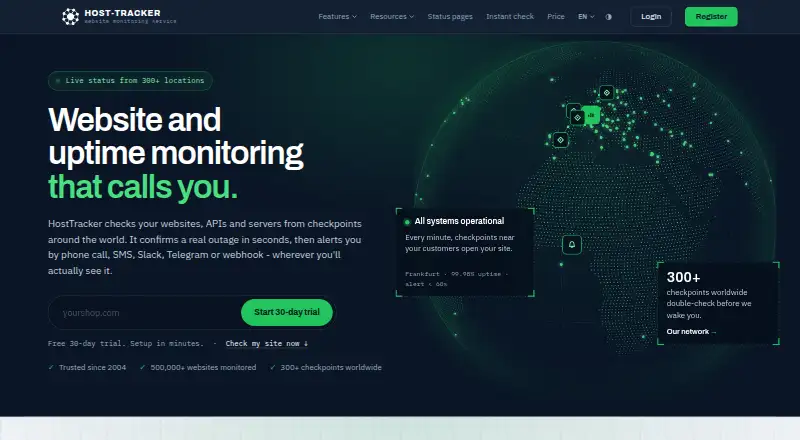
What HostTracker is
HostTracker monitors websites, servers, and APIs from outside a customer's network. It offers 14 types of checks, including HTTPS uptime, ping, TCP ports, API responses, browser transactions, page speed, database queries, SNMP, domain and SSL expiry, and Google Web Risk. HostTracker says its checks use more than 300 worldwide checkpoints across around 460 agent machines, with failed checks rechecked elsewhere before alerts. Users can set how many confirmations a monitor needs before it is marked down. Alerts are available through channels such as email, SMS, voice calls, webhooks, Slack, Microsoft Teams, PagerDuty, Telegram, Discord, and web push. Each plan includes public status pages with incidents, maintenance windows, email subscribers, and an embeddable uptime badge. Developer tools include a REST API, SDKs for JavaScript, Python, .NET, and Go, a command-line tool, a Terraform provider, and an MCP server. The free plan monitors two sites with checks every 30 minutes. A 30-day trial includes up to 100 monitors, with fair-use limits for SMS and API access.
Good
- Checks websites, servers, and APIs externally
- Includes status pages on every plan
- Rechecks failing sites from other checkpoints
- Offers 15 alert channels
- Provides multiple developer integrations
Watch out
- Free plan covers two sites
- Free checks run every 30 minutes
- Trial has fair-use limits on SMS and API access
Who it suits
HostTracker is aimed at web agencies, hosting resellers, and webmasters managing multiple domains. Its API and developer tools may also suit teams integrating monitoring into their workflows.
Verdict
HostTracker combines external monitoring, alerting, and status pages with developer integrations. The free plan is limited to two sites and 30-minute checks; paid plans start at $5/mo.
Plans and prices
From HostTracker's own pricing page, checked 3 Oct 2026.
| Plan | Price | What it gives you |
|---|---|---|
| 30-Days Free Trial | Free | 100 monitors · 10 contacts · checks every 1 min · no credit card required · $0/month; 30 days |
| Free | Free | 2 monitors · 2 contacts · checks every 30 min · $0/month |
| Personal | $5 a month | 5 monitors · 5 contacts · checks every 10 min · $5/month |
| Solo | $9 a month | 1 monitors · 10 contacts · checks every 1 min · $9/month |
| Personal | $49 a year | 5 monitors · 5 contacts · checks every 10 min · $49/year (first year $39) |
| Solo | $99 a year | 1 monitors · 10 contacts · checks every 1 min · $99/year |
| Enterprise500 | $149 a month | 500 monitors · 500 contacts · checks every 1 min · $149/month |
| Enterprise1000 | $249 a month | 1000 monitors · 1000 contacts · checks every 30 sec · $249/month |
| Enterprise500 | $1,499 a year | 500 monitors · 500 contacts · checks every 1 min · $1499/year |
| Enterprise1000 | $1,899 a year | 1000 monitors · 1000 contacts · checks every 30 sec · $1899/year |
The facts
Each one read from HostTracker's own pages, with the date it was checked.
What it does
- Alerts
- The company lists 15 alert channels, including email, SMS, voice call, webhooks, Slack, Microsoft Teams, PagerDuty, Telegram, Discord and web push.checked 3 Oct 2026
- Developer integrations
- HostTracker lists a REST API with 182 operations, SDKs for JavaScript, Python, .NET and Go, a command-line tool, a Terraform provider and an MCP server.checked 3 Oct 2026
- False alarm handling
- HostTracker says it rechecks failing sites from other checkpoints and lets users set the number of confirmations required before a monitor is declared down.checked 3 Oct 2026
- History
- HostTracker says it has been monitoring websites since 2004.checked 3 Oct 2026
- Intended users
- HostTracker says it is built for web agencies, hosting resellers and webmasters responsible for multiple domains.checked 3 Oct 2026
- Monitoring coverage
- It lists 14 monitor types, including HTTPS uptime, ping, TCP port, API, browser transactions, page speed, database queries, SNMP, domain and SSL expiry, and Google Web Risk.checked 3 Oct 2026
- Monitoring network
- HostTracker says its checks run through over 300 worldwide checkpoints on around 460 distributed agent machines, with failed checks rechecked from other locations before alerting.checked 3 Oct 2026
- Security monitoring
- Its feature page says monitors can track SSL certificate expiry and trust-chain issues, domain expiry, DNS blacklist listings, and malware or phishing flags through Google Web Risk.checked 3 Oct 2026
- Service
- HostTracker describes itself as an external website monitoring service that checks websites, servers and APIs from outside a customer's network.checked 3 Oct 2026
- Status pages
- Every plan includes public status pages with incidents, maintenance windows, email subscribers and an embeddable uptime badge.checked 3 Oct 2026
- Support
- The about page says the HostTracker team owns customer support and identifies technical support as part of founder Artem Prysyazhnuk's role.checked 3 Oct 2026
The company
- Founded
- 2004checked 23 Sep 2026
Money
- Notable free-plan limit
- The permanent free plan monitors two sites every 30 minutes.checked 3 Oct 2026
- Trial terms
- The 30-day trial includes up to 100 sites, has no credit-card requirement, and applies fair-use limits to SMS and API access.checked 3 Oct 2026
The full review of HostTracker
Overview
HostTracker monitors websites, servers and APIs from outside a customer’s network. It is best suited to agencies, hosting resellers and webmasters overseeing multiple domains. Its broad monitoring and integration toolkit is useful for varied environments, but the permanent free tier is too constrained for anything beyond light monitoring.
Key features
Fourteen monitor types span HTTPS uptime, ping, TCP ports, APIs, browser transactions, page speed, database queries and SNMP, alongside checks for domain and SSL expiry and Google Web Risk flags. That range can bring availability, performance and security checks together; a small site needing only an uptime ping may have little use for the extra scope.
Checks run through more than 300 worldwide checkpoints on around 460 distributed agent machines. Failed checks are rechecked from other locations, and users can set how many confirmations are needed before a monitor is declared down. This helps guard against false alarms, though teams should weigh additional confirmations against the need for rapid incident alerts.
Fifteen alert channels include email, SMS, voice calls, webhooks, Slack, Microsoft Teams, PagerDuty, Telegram, Discord and web push. Every plan also includes public status pages with incidents, maintenance windows, email subscribers and an embeddable uptime badge, a useful customer-facing feature even on the free tier.
Developer access includes a REST API with 182 operations, SDKs for JavaScript, Python, .NET and Go, plus a command-line tool, Terraform provider and MCP server. SSL certificate expiry and trust-chain issues, domain expiry, DNS blacklist listings, and malware or phishing flags through Google Web Risk add security-oriented checks beyond basic uptime.
Pricing
The permanent Free plan costs nothing (billed $0/month) and allows 2 monitors, 2 contacts and checks every 30 min. That is a no-cost way to watch a couple of sites, but the slow interval and small contact allowance limit its usefulness for operational coverage.
The 30-day free trial costs nothing (billed $0/month) and includes 100 monitors, 10 contacts and checks every 1 min, with no credit card required. Fair-use limits apply to SMS and API access. It is a substantial evaluation window, but the trial is temporary.
Personal costs $5 a month (billed $5/month) for 5 monitors, 5 contacts and checks every 10 min. It is the least expensive paid option, but the monitor cap and interval suit only a small portfolio. Solo costs $9 a month (billed $9/month) and provides 1 monitor, 10 contacts and checks every 1 min; its faster checks and larger contact pool come at the odd tradeoff of a single monitor, making it a narrow fit.
Enterprise500 costs $149 a month (billed $149/month) for 500 monitors, 500 contacts and checks every 1 min. Enterprise1000 costs $249 a month (billed $249/month) for 1,000 monitors, 1,000 contacts and checks every 30 sec. These larger plans suit organizations needing broad coverage and many recipients; the jump in price over Personal is substantial. The team owns customer support, with technical support part of founder Artem Prysyazhnuk’s role.
Platforms
HostTracker is available on the web and through an API. The API and developer tooling make it a fit for teams that want to connect monitoring to their own workflows; there is no mobile platform among the stated options.
Who it's for
HostTracker makes the most sense for web agencies, hosting resellers and webmasters responsible for multiple domains, especially those who need several kinds of checks, alert routing and customer-facing status pages. It is less compelling for a single site with modest uptime needs, given the free tier’s two-monitor ceiling and 30-minute checks, or for anyone seeking a paid plan that pairs multiple monitors with one-minute checks at the lowest price.
Pros and cons
- Pros: Broad monitoring covers websites, infrastructure, APIs, performance and selected security risks, reducing the need to split those checks across tools.
- Pros: Cross-location rechecks and configurable confirmation thresholds help limit false alarms.
- Pros: Status pages are included on every plan, with incident and maintenance notices, subscribers and an embeddable badge.
- Cons: Free monitoring is capped at two sites and checks only every 30 minutes, a weak fit for timely incident detection.
- Cons: Personal’s five-monitor cap and ten-minute interval restrict its usefulness for growing portfolios.
- Cons: Solo costs more than Personal while allowing just one monitor, so its one-minute checks do not suit multi-site coverage.
Alternatives
Website Monitoring Software and Synthetic Monitoring are useful category roundups for comparing monitoring approaches; consult API Monitoring Tools when API checks are the priority.
- UptimeRobot is worth considering for hobby or nonprofit projects: its free plan offers 50 monitors, five-minute checks and Android and iOS platforms, compared with HostTracker’s two monitors and 30-minute free checks.
- Dotcom-Monitor offers up to 25 targets, checks as often as every five minutes and two monitoring locations on its free plan, plus web, desktop and mobile platforms. It is a stronger free-tier fit when more targets and platform coverage matter than HostTracker’s broader monitor mix.
- SolidPing has a free plan with 100 monitors, 10 check executions per minute, five team members and one private-location agent. Consider it when monitor volume and team seats are the priority.
- Uptimia may suit a small website seeking a defined paid package: Basic costs $9 a month billed annually and includes 10 uptime checks, one-minute testing, one advanced check, one server and one status page.
- Tallwatch provides 10 free monitors, 60-second checks from three regions, up to three team members and a custom-domain status page, with email and Slack alerts. Its free plan is a better fit when faster checks and multiple regions matter.
- Cronitor offers a free-forever Hacker plan with five monitors, email and Slack alerts, a status page, 50 subscribers and a five-minute fastest check frequency. It is a reasonable alternative for a smaller alerting and status-page setup.
- Pulsetic has a free plan with 10 monitors, five-minute checks, three regions and three months of uptime history and logs. It is worth comparing when historical uptime records and multiple regions are useful.
- Hyperping offers 20 monitors, a five-minute interval, one seat, one server monitoring agent and a basic status page on its free plan. Consider it when more free monitors and a specified seat are preferable to HostTracker’s free-tier limits.
Verdict
Choose HostTracker if you manage multiple domains and want external checks, varied alert routes, developer integrations and status pages in one service. Its monitoring breadth and false-alarm controls are the strongest reasons to choose it. Look elsewhere if you need meaningful free coverage or an inexpensive paid plan that combines several monitors with frequent checks.
Alternatives to HostTracker
- 1
Grafana Cloud Application Observability
Free planAndroidiOSWebAPI8.4From $0.03 a month - 2

Dotcom-Monitor
Free planAndroidiOSWebAPI8.3From $13.33 a month - 3
New Relic Synthetics
Free planAndroidiOSWebAPI7.9From $10 a month - 4

Pingdom
AndroidiOSWebAPI7.8From $16.50 a month - 5

OnlineOrNot
Free planWebAPILinuxmacOS7.6From $15 a month - 6

Uptrends
AndroidiOSWebAPI7.4From $42 a month