Microsoft Project
Microsoft Project is presented through Planner, an online work management experience that brings tasks, to-do lists, plans, and projects together.
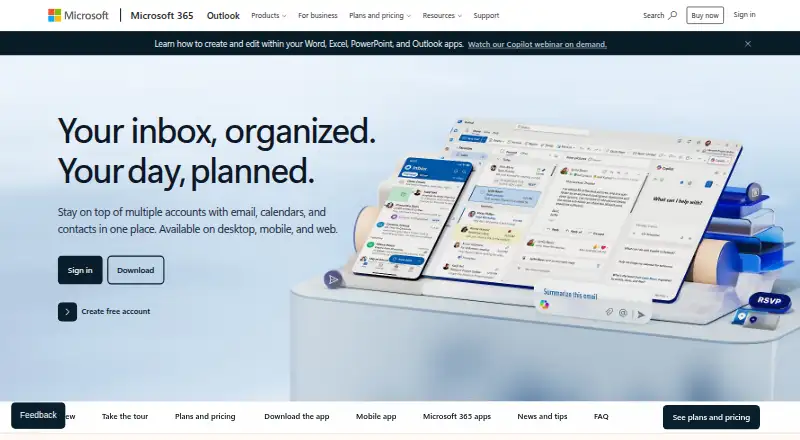
What Microsoft Project is
Microsoft Project is presented through Planner, an online work management experience that brings tasks, to-do lists, plans, and projects together. Its core views include Grid, Board, Schedule, and Charts; Planner Plan 1 adds Timeline, People, and Goals. Plan 1 also includes premium templates, backlogs and sprints, dependencies, milestones, and project goals. Planner and Project Plan 3 adds portfolios, baselines, critical path, advanced dependencies, resource requests, and the Project desktop app; Plan 5 adds advanced portfolio and enterprise resource management. Planner in Microsoft 365 is listed as free, billed as included in Microsoft 365, with basic templates, task management, core views, and Teams integration. The page names Loop, Outlook, Teams, Copilot, and Power Automate integrations, alongside time tracking, guest access, workflow automation, and APIs. A one-month free trial requires a credit card and converts to a paid subscription unless canceled. Planner Agent AI capabilities require a Microsoft 365 Copilot license. The page also says Project Online is being retired on September 30, 2026.
Good
- Core views include Grid, Board, Schedule, and Charts
- Plan 1 adds dependencies, milestones, and sprints
- Supports guest access and time tracking
- Named integrations include Outlook, Teams, and Loop
Watch out
- One-month trial requires a credit card
- Trial converts to paid unless canceled
- AI capabilities require a Copilot license
- Project Online retirement is scheduled for September 30, 2026
Who it suits
Planner suits teams coordinating tasks and projects across departments such as marketing, sales, software development, IT, human resources, project management, and operations. Its plan options address both basic task management and more advanced project or portfolio planning.
Verdict
Planner provides task and project management views with more advanced planning features available in higher plans. Check the license and trial terms, and note the stated Project Online retirement date.
Plans and prices
From Microsoft Project's own pricing page, checked 20 Sep 2026.
| Plan | Price | What it gives you |
|---|---|---|
| Microsoft Planner | Priced on request | Task creation and management with files, checklists, and labels · My Day, My Tasks, and Assigned to Me · Basic and custom templates · Grid, Board, Schedule, and Chart views · Microsoft 365 app integrations |
| Planner and Project Plan 5 | Priced on request | Includes Planner and Project Plan 3 features · Advanced portfolio management · Enterprise resource management and allocation |
| Planner and Project Plan 5 | — | Includes Planner and Project Plan 3 features · Advanced portfolio management · Enterprise resource management and allocation |
| Planner in Microsoft 365 | Free | Basic plan templates · Grid, Board, Schedule, and Charts views · Microsoft Teams integration · Included in Microsoft 365 |
| Planner Plan 1 | $10 | Premium templates · Task dependencies · Timeline (Gantt) · Backlogs and sprints · Project goals · $10.00 user/month, paid yearly |
| Planner and Project Plan 3 | $30 | Everything in Planner Plan 1 · Advanced dependencies · Task history · Project desktop · Portfolios and baselines · $30.00 user/month, paid yearly |
The facts
Each one read from Microsoft Project's own pages, with the date it was checked.
What it does
- Advanced project features
- Planner and Project Plan 3 includes portfolios, baselines, critical path, advanced dependencies, and the Project desktop app.checked 12 Oct 2026
- Automation and APIs
- The plan comparison lists Power Automate workflow automation and APIs to customize experiences.checked 12 Oct 2026
- Guest access
- Yeschecked 23 Sep 2026
- Integrations
- The page lists Microsoft Loop, Outlook, Teams, Copilot, and Power Automate integrations.checked 12 Oct 2026
- Intended users
- Microsoft describes Planner as useful for teams across departments, including marketing, sales, software development, IT, human resources, project management, and operations.checked 12 Oct 2026
- License limits
- Access to Planner Agent and its AI capabilities requires a Microsoft 365 Copilot license.checked 12 Oct 2026
- Purpose
- Planner brings tasks, to-do lists, plans, and projects together in one online work management experience.checked 12 Oct 2026
- Retirement notice
- The product page states that Project Online is being retired on September 30, 2026.checked 12 Oct 2026
- Security and compliance
- The plan comparison lists Microsoft 365 Groups access control and tools to manage risks and regulatory compliance requirements.checked 12 Oct 2026
- Support
- The included Planner offering lists Microsoft 365 customer support, and Microsoft provides Planner help and learning articles.checked 12 Oct 2026
- Time tracking
- Yeschecked 23 Sep 2026
- Views
- Planner offers Grid, Board, Schedule, and Charts views, with Timeline, People, and Goals views available with Planner Plan 1.checked 12 Oct 2026
The company
- Founded
- 1975checked 4 Oct 2026
- Headquarters
- Redmond, Washington, USAchecked 4 Oct 2026
Money
- Free plan
- Nochecked 23 Sep 2026
- Project planning
- Planner Plan 1 includes premium templates, backlogs and sprints, task dependencies, milestones, and project goals.checked 12 Oct 2026
- Trial
- Microsoft states that the free trial lasts one month, requires a credit card, and converts to a paid subscription unless canceled.checked 12 Oct 2026
The full review of Microsoft Project
Overview
Microsoft Project is presented as Planner, a Microsoft online work-management product for organizing tasks and projects. It best suits teams that want routine task coordination to sit alongside more structured project planning. The choice hinges on how far beyond basic task management a team needs to go.
Key features
The Microsoft Planner offering covers task creation and management with files, checklists, labels, templates, and personal task views such as My Day, My Tasks, and Assigned to Me. Grid, Board, Schedule, and Charts views offer different ways to arrange and review work. That is a useful foundation for teams sharing routine assignments, but it is not the full planning toolkit.
Planner Plan 1 adds Timeline (Gantt), task dependencies, backlogs and sprints, milestones, project goals, reports, and the Timeline, People, and Goals views. These additions suit teams coordinating delivery order and project checkpoints; they are unnecessary overhead for groups that only need a shared task list.
Planner and Project Plan 3 builds on Plan 1 with advanced dependencies, resource request capabilities, portfolios, baselines, critical path, and the Project desktop app. Plan 5 includes Plan 3 features and adds advanced portfolio management and enterprise resource management and allocation. Those higher-level controls are relevant to broader planning and resourcing, but the added scope is difficult to justify for a small team with straightforward work.
Microsoft lists integrations with Loop, Outlook, Teams, Copilot, and Power Automate. The plan comparison also includes Power Automate workflow automation, APIs for customizing experiences, Microsoft 365 Groups access control, and tools for managing risk and regulatory compliance requirements. Time tracking and guest access are supported. Planner Agent and its AI capabilities require a Microsoft 365 Copilot license, so those features are not simply part of the baseline offering. Microsoft provides Planner help and learning articles, while the included Planner offering comes with Microsoft 365 customer support.
Pricing
Planner in Microsoft 365 costs nothing, billed Included in Microsoft 365. It includes basic plan templates, Grid, Board, Schedule, and Charts views, and Teams integration. This is the entry point for Microsoft 365 users who need basic planning, but it does not include the extra planning features associated with Plan 1 or the more advanced controls in Plans 3 and 5.
Microsoft Planner adds task management with files, checklists, and labels; My Day, My Tasks, and Assigned to Me; basic and custom templates; the four core views; and Microsoft 365 app integrations. Planner Plan 1 adds task dependencies, Timeline (Gantt), backlogs and sprints, and reports. Both plans have custom pricing. Plan 1 is the more appropriate step up for teams that need sequencing and reporting rather than only shared task views.
Planner and Project Plan 3 includes Plan 1 features, advanced dependencies, resource request capabilities, and Project Online and its desktop client. Planner and Project Plan 5 includes Plan 3 features, advanced portfolio management, and enterprise resource management and allocation. Both have custom pricing, so organizations should confirm terms before choosing between their additional planning and resource controls.
Microsoft offers a one-month free trial that requires a credit card and converts to a paid subscription unless canceled. Project Online is being retired on September 30, 2026, a material consideration for teams evaluating that service as part of Plan 3.
Platforms
Planner is available on the web and Windows, with API access also listed. The published platform range may suit teams working in those environments, though it does not cover every desktop operating system as a native platform.
Who it's for
Microsoft describes Planner as useful across marketing, sales, software development, IT, human resources, project management, and operations. The range of plans makes it particularly relevant to Microsoft-focused teams that want to start with shared work and add formal planning capabilities as their needs grow. It is less compelling for buyers who need a clearly priced paid tier or whose work does not require the advanced planning features.
Pros and cons
- Pros: Core views and task-management tools support everyday team coordination without requiring the advanced planning tiers.
- Pros: Plan 1 adds dependencies, a Gantt-style Timeline, backlogs and sprints, milestones, goals, and reports for teams managing project sequence and delivery checkpoints.
- Pros: Plans 3 and 5 extend planning into portfolios and resource management, and Plan 3 includes the Project desktop app.
- Cons: The paid plans use custom pricing, making costs harder to assess before contacting Microsoft.
- Cons: Planner Agent AI capabilities require a separate Microsoft 365 Copilot license.
- Cons: The one-month trial requires payment details and becomes paid unless canceled; Project Online's stated retirement date also calls for care when considering that service.
Alternatives
For a broader look at adjacent categories, explore Workplace Management Software, Gantt Chart Software, AI Project Management Software, Work Management Software, and Project Management Software. Data Preparation Software is a separate category for readers whose main need is preparing data rather than coordinating projects.
qsv is a free option on Linux, macOS, web, and Windows, with a free tier that imports spreadsheets up to 1MB and provides free recipes, one CKAN instance, and qsv slice from Flow. EasyMorph offers a free desktop tier with restrictions, including 20 actions per project and 20 loop iterations per project. For open-source alternatives, OpenRefine is free under a BSD 3-clause license, while csvkit is MIT-licensed with no paid tiers stated. DataCleaner has an open-source community edition under LGPL; CSV Engine has a free web tier with five credits per month and three active templates; Frictionless Framework is open-source MIT software installed with pip; and Open Data Editor is a free, open-source desktop app. These are data-focused choices rather than direct substitutes for project planning.
Verdict
Microsoft Project, in its Planner presentation, is a sensible choice for teams already using Microsoft tools that want shared task management and a route to dependencies, timelines, and portfolio planning. Its strongest reason to choose is the progression from basic views to substantial project controls. Look elsewhere if predictable paid pricing is a priority, or if you need AI capabilities without a Copilot license.
Getting started
- Open the Microsoft Planner website
- Choose the Planner in Microsoft 365 offering or a listed paid plan
- Use the web, Windows, or API platform
- Start the one-month free trial with a credit card
- Cancel before the trial ends to avoid conversion to a paid subscription
Limits worth knowing
Planner in Microsoft 365 is limited to basic plan templates, Grid, Board, Schedule, and Charts views, and Teams integration. Access to Planner Agent and its AI capabilities requires a Microsoft 365 Copilot license.
Questions
Is there a free version of Microsoft Project through Planner?
Yes. Planner in Microsoft 365 is listed as free when billed as included in Microsoft 365.
How long is the free trial?
Microsoft states that the trial lasts one month, requires a credit card, and converts to a paid subscription unless canceled.
Which platforms does Planner support?
The listed platforms are API, web, and Windows.
Does Planner support integrations?
Yes. Listed integrations include Microsoft Loop, Outlook, Teams, Copilot, and Power Automate.
What does Planner Plan 3 add?
Planner and Project Plan 3 includes portfolios, baselines, critical path, advanced dependencies, resource requests, and the Project desktop app.
Alternatives to Microsoft Project
- 1
Microsoft Planner
Free planAndroidiOSWebAPI7.9Free plan - 2
EasyMorph
Free planWebAPISelf-hostedWindows7.7From $600 a year - 3
DataCleaner
Free planOpen sourceAPILinuxmacOSSelf-hosted7.4Free plan - 4

AWS Glue DataBrew
WebAPI7.2 - 5
qsv
Free planWebLinuxmacOSWindows6.9From $99.99 a month - 6

Alteryx Designer
WebAPImacOSWindows6.8From $250 a month