EasyMorph
EasyMorph is a visual drag-and-drop data tool and data engineering platform for automating data work.
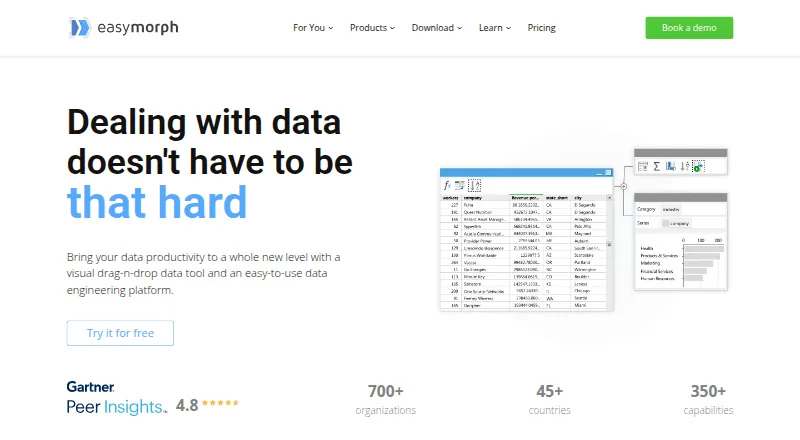
What EasyMorph is
EasyMorph is a visual drag-and-drop data tool and data engineering platform for automating data work. It supports trigger-based, scheduled, and exploratory data transformation, as well as data-oriented task management. EasyMorph Desktop is available only for 64-bit Windows. EasyMorph Hub is installed on-premises, including on a cloud-based virtual machine, to run workflows built in Desktop. The service says it connects to more than 50 enterprise software tools, with listed integrations such as Excel, Airtable, Google Drive, Power BI, Zapier, Tableau, databases, and Slack. The maker says even the free Desktop edition has no monthly workflow-run or data-volume limits and includes all integrations, but each project is restricted to 20 actions and 20 loop iterations, and REST APIs are HTTP GET-only. The free edition does not expire and can be used in a commercial organization, but technical support is limited to the community forum. Pricing lists Desktop Pro at $75/user/mo billed annually, and the maker offers a 30-day trial.
Good
- Visual workflows support scheduled and trigger-based automation
- Connects to more than 50 enterprise tools
- Free edition has no monthly run or data-volume limits
- Hub can be installed on-premises
Watch out
- Desktop is available only for 64-bit Windows
- Free projects are limited to 20 actions
- Free edition has no technical support beyond the forum
Who it suits
It suits data engineers and non-technical users such as finance analysts or marketing managers who need visual data workflows. Windows users who want a free edition for commercial use may also find it relevant.
Verdict
EasyMorph pairs visual workflow design with desktop execution and an on-premises Hub option. The free edition allows commercial use, but its project limits and support restrictions matter.
Plans and prices
From EasyMorph's own pricing page, checked 14 Oct 2026.
| Plan | Price | What it gives you |
|---|---|---|
| EasyMorph Desktop Free | Free | 20 actions/project · 20 loop iterations/project · HTTP GET only · community forum support · forever |
| EasyMorph Desktop Pro | $900 a year | Unlimited actions and loop iterations · Workflow parameters · Visual database query builder · Data profiling and Analysis View · Desktop scheduler · billed annually; also shown as $75/mo |
| EasyMorph Desktop Pro — 3 months | $300 a month | Professional desktop workflow design and execution · the pricing page lists this as an alternative to annual billing |
| Basic Hub | $3,600 a year | 1 space · 32 GB server RAM · unlimited Hub users · annually |
| Starter Hub | $7,200 a year | 1 space · 32 GB server RAM · custom API GET/POST · annually |
| Team Hub | $12,000 a year | unlimited spaces · 64 GB server RAM · role-based security · built-in SFTP · annually |
| Enterprise Hub | $24,000 a year | unlimited spaces · 128 GB server RAM · enterprise authentication · external audit database option · annually |
| Command-Line Worker | $1,800 a year | Per machine · Windows utility for running workflows from the command line · $1,800 / yr |
| EasyMorph Desktop / Free | Free | Up to 20 actions per project · Up to 20 iterations per project · HTTP GET only for web APIs · no technical support · forever |
| EasyMorph Desktop / Pro | $75 a month | Unlimited actions and iterations · fully unlimited Professional edition · billed annually as $900/yr, or $300 for 3 months |
| EasyMorph Desktop Professional | $75 a month | unlimited actions and loop iterations · unlimited data · email support · annually as $900/yr, or $300 for 3 months |
| Starter Gateway | $600 a year | 1,000 requests per 30-day quota · requires valid Hub license · $600/yr |
| EasyMorph Gateway Starter | $600 a year | 1,000 webhook requests per rolling 30 days · annually |
| EasyMorph Gateway Small | $1,500 a year | 5,000 webhook requests per rolling 30 days · annually |
| Unlimited Explorer add-on for Team Hub | $4,500 a year | Explorer enabled in every space · annually |
| Unlimited Explorer add-on for Enterprise Hub | $9,000 a year | Explorer enabled in every space · annually |
The facts
Each one read from EasyMorph's own pages, with the date it was checked.
What it does
- API and OData
- EasyMorph Hub can expose REST and OData endpoints, with API-key, HTTP Basic or NTLM authentication, versioning and zero-downtime updates.checked 14 Oct 2026
- Audience
- The maker identifies non-technical users such as finance analysts and marketing managers, as well as data engineers, as audiences for its data automation tools.checked 28 Sep 2026
- Automation
- Workflows can schedule or automate email, file manipulation, web requests, file transfers, external programs, batch commands and PowerShell commands.checked 14 Oct 2026
- Data visibility
- Analysis View profiles, analyzes and validates columns or complete tables at every workflow step, including full outputs for very large results.checked 14 Oct 2026
- Desktop workflow design
- EasyMorph Desktop lets users build workflows by dragging actions onto tables and supports loops, branching and parameters.checked 14 Oct 2026
- Documentation depth
- The official help center covers actions, expressions, parameters, connectors, command-line execution, Hub, Gateway, Python use and auto-generated documentation.checked 14 Oct 2026
- Gateway security
- Gateway uses end-to-end asymmetric encryption, serverless high availability and API-key authentication in URL parameters or headers.checked 14 Oct 2026
- Hub deployment
- EasyMorph Hub is installed on-premises, including on a cloud-based VM, and runs workflows designed in Desktop.checked 28 Sep 2026
- Integrations
- EasyMorph advertises more than 50 integrations, including Excel, Airtable, Google Drive, Power BI, Tableau, SQL databases, Slack, SFTP, S3, Azure Blob, Salesforce, Snowflake, Jira and Zendesk.checked 14 Oct 2026
- Licence terms
- The EULA grants nonexclusive, copyrighted proprietary software rights for Desktop Free, Desktop Professional and Server; it does not present EasyMorph as open source.checked 14 Oct 2026
- Limit: community size
- A Gartner review lists EasyMorph's small user community and limited active marketing as a drawback.checked 14 Oct 2026
- Limit: interface scaling
- A G2 reviewer reports no option to scale data rows or fonts.checked 14 Oct 2026
- Limit: language and Excel export
- Capterra reviews mention missing multilingual transformation support, no French translation and Excel export operating sheet by sheet.checked 14 Oct 2026
- Limit: operating systems
- A G2 reviewer says the lack of Linux and macOS support requires Windows or a Windows virtual machine.checked 14 Oct 2026
The company
- Company
- EasyMorph Inc is privately owned, headquartered in Toronto, Canada, and was founded in 2014.checked 28 Sep 2026
- Company identity
- EasyMorph Inc is a privately owned software company headquartered in Toronto, Canada, founded by Dmitry Gudkov in 2014.checked 14 Oct 2026
- Company scale
- The maker reports more than 700 organizations, 200,000 downloads, customers in over 45 countries and more than 100,000 workflows run daily.checked 14 Oct 2026
- Founded
- 2014checked 23 Sep 2026
- Headquarters
- Toronto, Canadachecked 23 Sep 2026
- Independent company profile
- Gartner lists EasyMorph as a private company founded in 2014 with headquarters in Toronto and 11–50 employees.checked 14 Oct 2026
Where it runs
- Desktop platform
- EasyMorph Desktop is available only as a 64-bit Windows version.checked 28 Sep 2026
- GetApp feature feedback
- GetApp user ratings include 5.0/5 for data analysis, import/export, data quality, transformation and job scheduling, while metadata management and monitoring are rated 3.0/5.checked 14 Oct 2026
Money
- Free edition
- The Desktop free edition does not expire and may be used in a commercial organization.checked 28 Sep 2026
- Free plan
- Yeschecked 20 Sep 2026
The full review of EasyMorph
Overview
EasyMorph brings visual data transformation and task automation into a workflow platform built around Desktop design and Hub execution. Its mix of exploratory, scheduled, and trigger-based work makes it relevant to teams that need to move from ad hoc preparation to repeatable data operations.
Readers comparing Data Preparation Software, ETL Software, or Workflow automation tools should consider it when they want data work and automation in the same visual workflow.
Key features
Visual workflow design and automation
EasyMorph supports exploratory transformations alongside scheduled and trigger-based workflows, with data-oriented task management. That lets analysts move repeatable work out of manual routines, while data engineers can use the same visual approach for operational tasks. The trade-off is that the free Desktop edition caps each project at 20 actions and 20 loop iterations, so more involved workflows need a paid license.
Desktop, Hub, and connections
EasyMorph Desktop is a 64-bit Windows application; teams designing workflows therefore need Windows machines. Hub runs those Desktop-designed workflows and is installed on-premises, including on a cloud VM. That gives organizations control over deployment, but Hub is a separate paid product rather than a way to avoid the desktop requirement. EasyMorph connects to more than 50 enterprise tools, including Excel, Airtable, Google Drive, Power BI, Zapier, Tableau, databases, and Slack.
The maker describes Hub as fully self-hosted and private. Gateway advertises end-to-end encryption and near real-time latency, but the Starter Gateway plan has a quota of 1,000 requests per 30 days and requires a valid Hub license.
Pricing
The free Desktop edition lasts indefinitely, permits commercial use, includes all integrations, and has no monthly workflow-run or data-volume limits. Its 20-action and 20-iteration project caps, HTTP GET-only REST API access, and lack of technical support make it a useful way to start, but a poor fit for larger projects or teams that need vendor assistance; support is through the community forum.
Desktop Pro costs $75/user/mo billed annually as $900 a year, or $300 a month for the three-month option. It removes action and iteration limits and adds workflow parameters, a visual database query builder, data profiling and Analysis View, and a desktop scheduler. It suits users who have outgrown the free project caps and want these design and execution tools. A 30-day Desktop trial is available.
Hub plans are aimed at teams running workflows centrally: Basic Hub costs $3,600 / yr ($300/mo equivalent) for one space, 32 GB maximum RAM, and unlimited Hub users; Starter Hub costs $7,200 / yr ($600/mo equivalent) with the same space and RAM allowance plus a custom API server limited to GET and POST; Team Hub costs $12,000 / yr ($1,000/mo equivalent) for unlimited spaces, 64 GB maximum RAM, and unlimited users; Enterprise Hub costs $24,000 / yr ($2,000/mo equivalent) for unlimited spaces, 128 GB maximum RAM, and unlimited users. The larger tiers make sense when multiple spaces or more memory are needed; the lower tiers keep those allowances constrained.
The Command-Line Worker costs $1,800 / yr per machine for a Windows utility that runs workflows from the command line. Starter Gateway costs $600 / yr for 1,000 requests per 30-day quota and requires a valid Hub license. Hub also has a free 30-day trial license key. These add-ons suit specific execution or connection needs, not teams seeking a standalone Hub substitute.
Platforms
EasyMorph covers Windows desktop design, web and API access, and self-hosted deployment. The Windows-only 64-bit Desktop is the main constraint for authors; Hub can be installed on-premises or on a cloud VM for execution. The maker’s site footer displays “SOC 2 Type 1.”
Who it's for
Finance analysts, marketing managers, and data engineers are all within EasyMorph’s intended audience. It is strongest for teams that value visual transformation, recurring data workflows, and an on-premises execution option. It is less suitable when workflow authors need macOS or Linux Desktop support, or when a small free project must exceed the built-in action and iteration caps.
Pros and cons
- Pro: The free edition allows commercial use and has no monthly run or data-volume limits, making it practical for trying recurring work without a usage quota.
- Pro: More than 50 integrations and a self-hosted Hub give teams a broad set of connections and control over where workflows run.
- Con: Desktop is 64-bit Windows only, which rules out native workflow design on other desktop platforms.
- Con: Free projects are limited to 20 actions and 20 iterations, REST API use is GET-only, and technical support is not included.
- Con: Hub is a substantial separate annual commitment, with spaces and maximum RAM varying by tier.
Alternatives
For a lightweight free option, qsv offers spreadsheet imports up to 1 MB and free recipes, but its stated free plan is much narrower in scope than EasyMorph’s uncapped run and data volume allowance. Choose OpenRefine instead if free, open-source desktop software is the priority. DataCleaner is another free, open-source option for Linux, macOS, and Windows; Frictionless Framework is free MIT-licensed software installed with pip.
Zoho DataPrep may suit a reader who wants a freemium API or web option and can work within its free plan’s 20,000 rows per month, one user, manual imports and exports, and one-month audit retention. Amazon SageMaker Autopilot instead uses pay-as-you-go pricing and offers API and web platforms. Tableau and SAS Visual Statistics are also alternatives.
Verdict
Choose EasyMorph if your team wants visual data automation, can design on Windows, and values running workflows through an on-premises Hub. Its strongest case is the combination of an enduring commercial-use free edition without run or data-volume quotas and a self-hosted execution path. Look elsewhere if Windows Desktop is a blocker, free projects need more than 20 actions or iterations, or the Hub tiers exceed your budget.
Getting started
- Visit the EasyMorph website
- Install the 64-bit Windows Desktop application or deploy Hub on-premises or on a cloud VM
- Start with the free edition or activate the 30-day Desktop or Hub trial
- Connect services such as Excel, Airtable, Google Drive, Power BI, Zapier, Tableau, databases, or Slack
- Design workflows in Desktop
- Configure trigger-based or scheduled runs
Limits worth knowing
The free Desktop edition limits each project to 20 actions and 20 loop iterations, and REST APIs to HTTP GET. It has no technical support beyond the community forum.
Questions
Is EasyMorph free?
Yes. Desktop Free costs 0.00 USD, does not expire, may be used commercially, and includes all integrations.
What does Desktop Pro cost?
Desktop Pro is $75 a month when billed annually, shown as $900 a year. A three-month option is listed at $300 a month.
Which operating systems and deployments are supported?
Desktop is available only for 64-bit Windows. Hub is installed on-premises, including on a cloud-based virtual machine; the platform also lists API and web access.
How many integrations does EasyMorph provide?
EasyMorph says it connects to over 50 enterprise software tools, including Excel, Airtable, Google Drive, Power BI, Zapier, Tableau, databases, and Slack.
Is there a trial?
Yes. EasyMorph offers a 30-day Desktop trial and a free 30-day Hub trial license key.
Who makes EasyMorph?
EasyMorph Inc is a privately owned company headquartered in Toronto, Canada, founded in 2014.
Alternatives to EasyMorph
- 1
Microsoft Planner
Free planAndroidiOSWebAPI7.9Free plan - 2
DataCleaner
Free planOpen sourceAPILinuxmacOSSelf-hosted7.4Free plan - 3

AWS Glue DataBrew
WebAPI7.2 - 4
Microsoft Project
Free planWebAPIWindows7.2Free plan - 5
qsv
Free planWebLinuxmacOSWindows6.9From $99.99 a month - 6

Alteryx Designer
WebAPImacOSWindows6.8From $250 a month