
Amazon SageMaker Autopilot
Amazon SageMaker Autopilot builds, trains, and tunes machine learning models from customer data, with visibility into the process and control over training c…
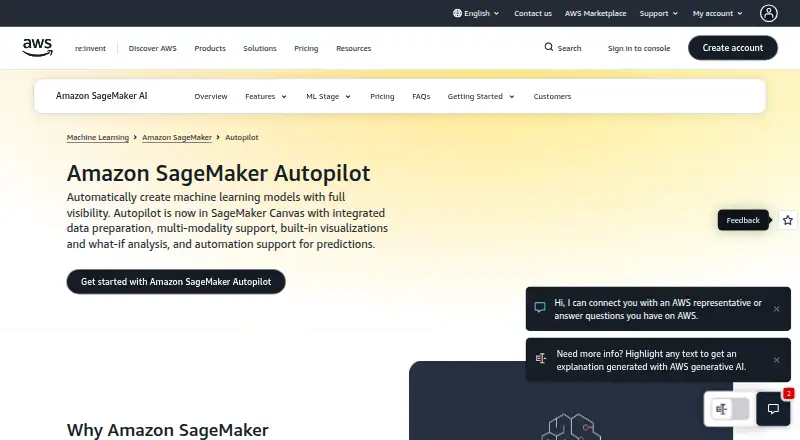
What Amazon SageMaker Autopilot is
Amazon SageMaker Autopilot builds, trains, and tunes machine learning models from customer data, with visibility into the process and control over training choices. It is now in SageMaker Canvas. Autopilot infers whether a dataset suits binary or multiclass classification, regression, or time series forecasting, then ranks generated models in a leaderboard with measures such as accuracy and precision. Its data preparation can fill missing values, provide statistical insights about dataset columns, and extract information from non-numeric columns. Users can combine their own transformations with more than 300 preconfigured transformations, and adjust data splits and training options. Autopilot can generate a SageMaker Studio Notebook for a model so users can inspect, refine, and recreate it; models can also be deployed to production with one click through SageMaker Canvas. SageMaker Studio lists Autopilot alongside Pipelines, Experiments, Debugger, Model Monitor, Clarify, and JumpStart. AWS describes applications including price and churn prediction, risk assessment, and forecasting. SageMaker AI charges for usage, with no minimum fees or upfront commitments for on-demand pricing. The Free Tier includes 160 Canvas session hours per month during its first two months, but there is no free plan for Autopilot itself.
Good
- Automatically builds, trains, and tunes models from data.
- Supports classification, regression, and time series forecasting.
- Compares generated models in a metrics leaderboard.
- Offers more than 300 preconfigured data transformations.
- Can generate an inspectable SageMaker Studio Notebook.
Watch out
- There is no free plan for Autopilot.
- The SageMaker AI Free Tier lasts only for its first two months.
Who it suits
It suits users who want automated model building and comparison while retaining visibility into data preparation and training choices. It can serve prediction tasks such as price or churn prediction, risk assessment, and time series forecasting.
Verdict
Choose Autopilot if you want automated model creation with model comparisons, configurable preparation, and notebook visibility. Look elsewhere if you need a free plan or a stated Autopilot-specific rate before choosing.
Plans and prices
From Amazon SageMaker Autopilot's own pricing page, checked 21 Sep 2026.
| Plan | Price | What it gives you |
|---|---|---|
| On-demand | Priced on request | Pay only for resources used · No minimum fees · No upfront commitments |
| Savings Plans | Priced on request | Flexible usage-based pricing · Requires a commitment to consistent usage |
| Amazon SageMaker AI pay-as-you-go | Free | Autopilot-specific rate not stated · SageMaker AI Free Tier includes 160 hours/month of Canvas session time for the first 2 months · Pay only for what you use; on-demand pricing has no minimum fees or upfront commitments. |
| SageMaker AI Free Tier | Free | 250 hours ml.t3.medium notebooks · 50 training hours · 125 real-time inference hours · 160 Canvas hours/month · 150,000 serverless-inference seconds · First 2 months after creating the first SageMaker AI resource |
| On-demand SageMaker AI | — | Underlying compute, storage, processing and feature usage billed separately · Usage-based; no minimum fees or upfront commitments |
The facts
Each one read from Amazon SageMaker Autopilot's own pages, with the date it was checked.
What it does
- API
- The public Autopilot REST API includes CreateAutoMLJob, CreateAutoMLJobV2, DescribeAutoMLJob, DescribeAutoMLJobV2 and ListAutoMLJobs operations.checked 19 Oct 2026
- Automatic model selection
- Autopilot infers problem types such as binary classification, multiclass classification, regression and time-series forecasting, then evaluates many candidate algorithms.checked 19 Oct 2026
- Canvas migration
- Since November 30, 2023, the Autopilot user interface has been migrating into SageMaker Canvas, while Studio Classic users can continue using the older interface.checked 19 Oct 2026
- Compliance
- AWS provides compliance information and resources for customers to understand AWS services’ compliance status.checked 30 Sep 2026
- Customization
- Users can apply their own transformations alongside more than 300 preconfigured data transformations and customize data splits and training options.checked 30 Sep 2026
- Data preparation
- It can fill missing data, provide statistical insights about dataset columns, and extract information from non-numeric columns.checked 30 Sep 2026
- Data preprocessing
- Autopilot handles missing values, normalizes data, selects features and prepares training data automatically.checked 19 Oct 2026
- Deployment
- After training, users can deploy Autopilot models to real-time endpoints or run batch inference jobs.checked 19 Oct 2026
- Documentation depth
- AWS publishes separate user guides, API references, deployment instructions, algorithm-support pages and quota documentation for Autopilot.checked 19 Oct 2026
- Explainability
- Autopilot generates feature-importance and model-performance reports, including confusion matrices and ROC or precision-recall visualizations where supported.checked 19 Oct 2026
- Feature engineering
- The product offers more than 300 preconfigured data transformations and allows custom preprocessing and feature-engineering steps.checked 19 Oct 2026
- Generated notebooks
- Autopilot can generate a SageMaker Studio Notebook for a created model so users can inspect, refine, and recreate it.checked 30 Sep 2026
- Input quota
- The default input-dataset quota is 100 GB and can be increased to hundreds of gigabytes; a single Parquet file is limited to 2 GB.checked 19 Oct 2026
- Integrations
- Reviewer evidence describes integrations with Amazon S3, IAM, CloudWatch and ECR, while AWS documents Studio and Canvas integration.checked 19 Oct 2026
- Kubeflow integration
- AWS provides open-source SageMaker components for Kubeflow Pipelines to use SageMaker for labeling, training and inference steps.checked 19 Oct 2026
- Leaderboard
- Experiments produce a ranked model leaderboard with metrics such as accuracy and precision for choosing a deployment candidate.checked 19 Oct 2026
- Limit: complexity and interface
- G2 reviewers report that SageMaker can feel overcomplicated, with a cluttered interface and pipeline tooling that is less friendly than alternatives.checked 19 Oct 2026
- Limit: image handling
- G2 reviewers describe difficulties passing image data to some models and note that image-focused data support can be limited.checked 19 Oct 2026
- Limit: scheduling and metrics
- A TrustRadius reviewer reports that SageMaker lacks easy scheduling for training jobs and straightforward tracking of metrics logged during training.checked 19 Oct 2026
The company
- Founded
- 2006checked 28 Sep 2026
- Headquarters
- Seattle, Washington, United Stateschecked 28 Sep 2026
Money
- Free tier
- SageMaker AI’s Free Tier runs for the first two months from the first month a customer creates a SageMaker AI resource and includes 160 hours/month of Canvas session time.checked 30 Sep 2026
- Limit: cost
- Gartner reviewer feedback repeatedly identifies SageMaker's price points and expense as a drawback.checked 19 Oct 2026
- Limit: runaway costs
- A Capterra reviewer warns that leaving domains or resources active can incur charges quickly.checked 19 Oct 2026
The full review of Amazon SageMaker Autopilot
Overview
Amazon SageMaker Autopilot automates the creation of machine-learning models within SageMaker Canvas, while leaving room to inspect and shape the process. It is a strong fit for teams building in AWS that want candidate models and a visible workflow rather than a single opaque result. Its usage-based pricing and cloud deployment make it a weaker choice for buyers looking for a free, standalone tool.
Key features
Autopilot builds, trains, and tunes models from supplied data, inferring whether the task suits binary or multiclass classification, regression, or time-series forecasting. Its leaderboard ranks generated models and reports metrics such as accuracy and precision, giving teams a practical way to compare candidates. The ranking helps focus evaluation, but users still need to decide which metrics matter for their task.
Preparation and control
Preparation options include filling missing values, viewing statistical insights about dataset columns, and extracting information from non-numeric columns. Users can apply their own transformations alongside more than 300 preconfigured data transformations, and adjust data splits and training options. That combination offers useful control without requiring every preparation step to be built from scratch.
Inspecting and deploying models
Autopilot can generate a SageMaker Studio Notebook for a model, which users can inspect, refine, and use to recreate it. This is valuable for practitioners who want a trail they can examine after automated model generation. Models can also be deployed to production with one click through SageMaker Canvas, streamlining the final step for teams already working in that environment.
Autopilot is part of SageMaker Canvas and appears in the broader SageMaker Studio ecosystem alongside Pipelines, Experiments, Debugger, Model Monitor, Clarify, and JumpStart. Its use cases include price and churn prediction, risk assessment, and time-series forecasting. AWS describes its cloud security approach as combining infrastructure security with customer controls, and provides compliance resources to help customers understand service compliance status.
Pricing
Amazon SageMaker AI pay-as-you-go costs free for the free tier. The service otherwise charges by usage; on-demand pricing has no minimum fees or upfront commitments.
The SageMaker AI Free Tier lasts for the first two months from the first month a customer creates a SageMaker AI resource and includes 160 hours/month of Canvas session time. That is a useful way to start exploring Canvas, but it is time-limited and does not provide a permanent free plan. A free trial is available, but no separate trial length or renewal terms are stated. Custom pricing is the alternative to usage-based billing only where arranged; no Autopilot-specific rate is given.
Platforms
Autopilot is available through web and API access, with cloud deployment. Its one-click production deployment through Canvas and generated SageMaker Studio Notebook point to an AWS-centered workflow rather than local or self-hosted use.
Who it's for
Choose Autopilot if your team wants automated model creation but needs to compare candidates, configure preparation and training, and inspect a generated notebook. It is particularly apt for AWS users who can make use of Canvas and the surrounding SageMaker tools. Look elsewhere if a lasting free tier, a stated Autopilot-specific price, or deployment outside the cloud is essential.
Pros and cons
Pros
- Model comparison is built in: A ranked leaderboard with performance metrics helps teams evaluate multiple generated candidates.
- Preparation is adjustable: Users can combine custom transformations with more than 300 preconfigured options and tune data splits and training settings.
- Automation remains inspectable: A generated SageMaker Studio Notebook can be reviewed, refined, and used to recreate a model.
- Canvas deployment is direct: One-click production deployment reduces friction for teams already using SageMaker Canvas.
Cons
- No permanent free plan: The included Canvas session time is limited to the first two months and 160 hours/month.
- Autopilot pricing is hard to budget precisely: The service is usage-priced, but no Autopilot-specific rate is stated.
- Cloud deployment narrows the fit: It is not the right choice for teams that require a local or self-hosted deployment.
Alternatives
If the priority is feature-store infrastructure rather than automated model creation, compare Feature Store Software. For oversight of models after deployment, see Machine Learning Model Monitoring Software; for a broader data-platform need, consider Data Lakehouse Platforms. Teams focused on image annotation can browse AI Image Annotation Tools, while buyers comparing automated model-building products should start with AutoML Software. For labeling workflows, Data Labeling Software is the more relevant category.
For a free, open-source feature store, Canal is available across API, Linux, macOS, and self-hosted environments. Hopsworks Feature Store offers a free plan for one project with Feature Store, Model Registry, community support, and no credit card requirement; its Enterprise plan uses custom pricing. Feast is a free open-source feature store, while OpenMLDB is a free open-source machine-learning database with standalone and cluster versions. Chronon offers an Apache 2.0 open-source plan with no usage limits stated. Metarank and Feathr are free options, and Chalk is a paid alternative.
Verdict
Amazon SageMaker Autopilot is best for AWS-based teams that want model generation to be automated without surrendering comparisons, preparation controls, or notebook visibility. Its combination of a ranked model set, adjustable data preparation, and a path to Canvas deployment is the reason to choose it. The main reason to look elsewhere is the lack of a permanent free plan and an Autopilot-specific rate, especially if predictable costs or non-cloud deployment are requirements.
Getting started
- Open the Amazon SageMaker Autopilot website.
- Use the API or web platform.
- Create a SageMaker AI resource to access the Free Tier Canvas session hours.
- Use Autopilot in SageMaker Canvas to build and compare models.
- Inspect or refine a generated model in its SageMaker Studio Notebook, or deploy through SageMaker Canvas.
Limits worth knowing
Autopilot has no free plan.
Questions
Is there a free plan?
No free plan is listed for Autopilot. SageMaker AI's Free Tier includes 160 monthly Canvas session hours for the first two months after a customer creates a resource.
Which platforms does it support?
The listed platforms are API and web. It is available in SageMaker Canvas and is listed in SageMaker Studio.
What kinds of prediction can it build models for?
It infers whether data suits binary classification, multiclass classification, regression, or time series forecasting.
Can users inspect or customize the modeling process?
Yes. Users can adjust data splits and training options, add transformations, and inspect, refine, or recreate a model from a generated SageMaker Studio Notebook.
What is SageMaker AI's billing basis?
SageMaker AI charges for usage. Its on-demand option has no minimum fees or upfront commitments.
Alternatives to Amazon SageMaker Autopilot
- 1
BigML
Free planWebAPImacOSSelf-hosted7.7From $10,000 a year - 2
AutoKeras
Free planOpen sourceAPILinuxmacOSSelf-hosted7.3Free plan - 3
MLJAR AutoML
Free planWebLinuxmacOSSelf-hosted7.1From $20 a month - 4

Obviously AI
Free planWebAPI7.1Free plan - 5
FEDOT
Free planAPILinuxmacOSSelf-hosted6.8Free plan - 6
JADBio
Free planWebAPISelf-hosted6.7Free plan