MLJAR AutoML
MLJAR AutoML automates supervised machine learning for tabular data, covering binary classification, multiclass classification, and regression.
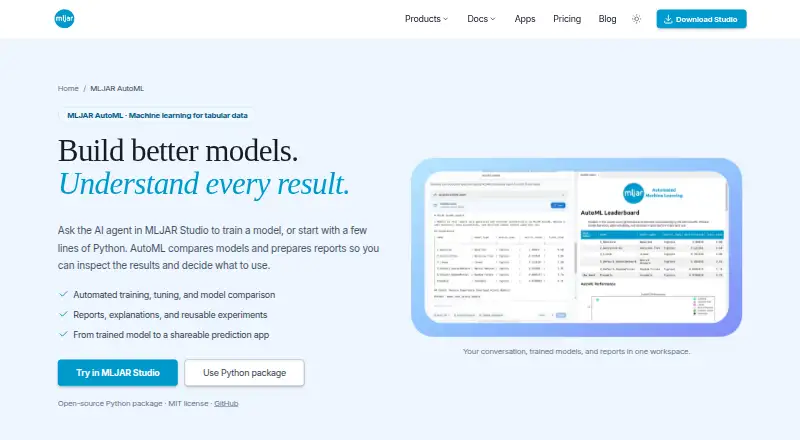
What MLJAR AutoML is
MLJAR AutoML automates supervised machine learning for tabular data, covering binary classification, multiclass classification, and regression. Users can work through MLJAR Studio notebooks or use the open-source Python package in scripts and notebooks. Four training modes—Explain, Perform, Compete, and Optuna—provide configurable defaults for algorithms, validation, metrics, time budget, and explanations. Depending on mode and settings, workflows can preprocess data, select and tune models, engineer and select features, and create ensembles. Experiments can include model comparisons, validation results, training times, explanations, and reusable saved artifacts, with structured summaries in Markdown and JSON. Fairness-aware training evaluates models against a chosen metric and threshold and can attempt sample reweighting, but it does not guarantee a fair model. The Python package integrates with Mercury for prediction apps supporting individual predictions and batch CSV predictions. Apps can be previewed locally, published through MLJAR Platform, or self-hosted with Docker. The package is open source under the MIT license and costs nothing. Reporting and explanations vary by task, mode, algorithms, and settings.
Good
- Open-source Python package under MIT license
- Automates model selection and tuning
- Supports classification and regression tasks
- Can create Mercury apps for batch CSV predictions
Watch out
- Designed for supervised tabular tasks
- Does not support forecasting workflows
- Does not support time-series modeling
- Fairness-aware training does not guarantee fairness
Who it suits
MLJAR AutoML suits people building supervised models from tabular data who want notebook or Python workflows. It is not aimed at forecasting or time-series modeling, and users should account for variation in reports and explanations.
Verdict
MLJAR AutoML offers configurable workflows for supervised tabular modeling and multiple ways to inspect experiments. Confirm that its task scope and mode-dependent reports match your project before relying on a particular explanation or fairness outcome.
Plans and prices
From MLJAR AutoML's own pricing page, checked 9 Oct 2026.
| Plan | Price | What it gives you |
|---|---|---|
| Free | Free | 50 prompts / month · 10 published conversations · 1 public Mercury web app |
| mljar-supervised Python package | Free | Open-source · MIT license |
| Pro | $20 a month | 500 prompts / month · 50 published conversations · 3 public Mercury web apps · 1 private Mercury web app |
| Business | $60 a month | 2,000 prompts / month · 200 published conversations · 10 public Mercury web apps · 3 private Mercury web apps |
| Perpetual license | $199, paid once | 1 year of updates · local LLMs with Ollama · bring your own provider keys · one payment · yours forever |
The facts
Each one read from MLJAR AutoML's own pages, with the date it was checked.
What it does
- Automated workflow
- AutoML can preprocess data, select and tune models, engineer and select features, and create ensembles when enabled by the selected mode and configuration.checked 9 Oct 2026
- Deployment
- Generated Mercury apps can be previewed locally, published through MLJAR Platform, or self-hosted with Docker.checked 9 Oct 2026
- Fairness
- Fairness-aware training evaluates models against a chosen metric and threshold and can try mitigation through sample reweighting, but does not guarantee a fair model.checked 9 Oct 2026
- Integrations
- The Python package integrates with Mercury to generate prediction apps that support single predictions and batch CSV predictions.checked 9 Oct 2026
- Models and reports
- Experiments include model comparisons, validation results, training times, explanations, and reusable saved artifacts, with structured summaries available in Markdown and JSON.checked 9 Oct 2026
- Notable limits
- MLJAR AutoML is designed for supervised tabular tasks, and the available reports and explanations depend on the task, mode, algorithms, and explanation settings.checked 9 Oct 2026
- Purpose
- MLJAR AutoML automates supervised machine learning for tabular data, including binary classification, multiclass classification, and regression.checked 9 Oct 2026
- Security and privacy
- The privacy policy says MLJAR uses SSL/TLS encrypted connections, access controls, and authentication mechanisms, and advises users not to submit sensitive or regulated data to AI features unless authorized.checked 9 Oct 2026
- Support
- MLJAR’s About page invites users to contact the team with questions and says they are happy to help.checked 9 Oct 2026
- Training modes
- The four modes are Explain, Perform, Compete, and Optuna, with defaults that users can configure for algorithms, validation, metrics, time budget, and explanations.checked 9 Oct 2026
- Ways to use
- Users can run AutoML through MLJAR Studio notebooks or use the open-source Python package in scripts and notebooks.checked 9 Oct 2026
The company
- Company
- MLJAR identifies Aleksandra Płońska as Founder and Executive Director and Piotr Płoński as Founder and CTO.checked 9 Oct 2026
- Headquarters
- Łapy, Polandchecked 28 Sep 2026
The full review of MLJAR AutoML
MLJAR AutoML is an open-source tool for automated supervised learning on tabular data, including classification and regression. It is best suited to analysts and Python users who want to automate parts of a modeling workflow while retaining control over training settings. Its appeal is configurable workflows and reusable experiment reports; look elsewhere for forecasting or time-series modeling.
Overview
Use MLJAR Studio notebooks or the Python package in scripts and notebooks. Depending on mode and configuration, it can preprocess data, select and tune models, engineer and select features, and build ensembles. This can reduce routine setup, but users still need to make informed choices about validation, metrics, algorithms, and time budgets.
Experiments can include model comparisons, validation results, training times, explanations, and saved artifacts, with summaries in Markdown and JSON. Reports and explanations vary with the task, mode, algorithms, and explanation settings, so the output is not uniform across every run.
Key features
Four training modes
Explain, Perform, Compete, and Optuna provide different ways to configure training. Users can set algorithms, validation, metrics, time budgets, and explanations. That flexibility suits projects with specific evaluation needs, though it puts responsibility for those choices on the user rather than hiding them behind a single fixed workflow.
Fairness and deployment
Fairness-aware training evaluates models against a chosen metric and threshold and can try sample reweighting to mitigate disparities. It is a useful check, not a guarantee of a fair result. The Python package also integrates with Mercury to generate apps for single predictions or batch CSV predictions. Apps can be previewed locally, published through MLJAR Platform, or self-hosted with Docker, giving teams deployment options beyond the modeling notebook.
Privacy and support
MLJAR says it uses SSL/TLS encryption, access controls, and authentication mechanisms. It advises against submitting sensitive or regulated data to AI features unless authorized, a relevant caution for projects with strict data-handling requirements. The team invites questions through its contact channel.
Pricing
The mljar-supervised Python package is free under an MIT license. It is the clearest fit for users who want the open-source package for scripts and notebooks; the package plan does not include the separate Mercury app quotas described by the other plans.
Mercury's Free plan is free and includes 50 prompts per month, 10 published conversations, and 1 public Mercury web app. It is suited to small-scale evaluation, but its monthly prompt allowance and single public app constrain ongoing or broader use. Pro costs $20 a month for 500 prompts per month, 50 published conversations, 3 public apps, and 1 private app. Business costs $60 a month for 2,000 prompts per month, 200 published conversations, 10 public apps, and 3 private apps; it fits teams needing more capacity and private app slots.
The $199, paid once Perpetual license is a one-payment option that remains yours forever and includes 1 year of updates, local LLMs with Ollama, and the ability to bring your own provider keys. These plan quotas and app allowances concern Mercury; they should not be confused with the open-source package's modeling capabilities.
Platforms
MLJAR AutoML supports Linux, macOS, Windows, web, and self-hosted use. API access is supported, and deployment mode is batch. Its task scope is supervised tabular modeling: it does not support forecasting or time-series modeling.
Who it's for
Choose MLJAR AutoML if you work with tabular classification or regression and want automated preprocessing, model selection, tuning, and reporting without surrendering control of key settings. It is less suitable when your project depends on forecasting, time-series methods, or a guaranteed fairness outcome.
Pros and cons
- Pros: Four modes and configurable algorithms, validation, metrics, time budgets, and explanations let users adapt training to a project.
- Pros: Markdown and JSON summaries, comparisons, validation results, and saved artifacts support review and reuse of experiment outputs.
- Pros: Mercury can turn models into single-prediction or batch CSV apps, with local preview, platform publication, and Docker self-hosting options.
- Cons: It is limited to supervised tabular tasks, so forecasting and time-series projects need another tool.
- Cons: Reports and explanations depend on run settings, while fairness checks do not guarantee a fair model; users must interpret the outputs and choices.
Alternatives
Browse AutoML Software for more automated modeling options, or Predictive Analytics Software for a broader category.
- AutoGluon is another free, open-source Python library; consider it when Apache 2.0 licensing or its Linux, macOS, Windows, and self-hosted platform mix suits your project better.
- KNIME Analytics Platform is free and open source for Linux, macOS, and Windows; choose it if you want that platform rather than MLJAR's Python package and notebook routes.
- Weka offers free stable and development versions; it may suit users who prefer its desktop-oriented platform options and version choices.
- BigML offers a free plan with unlimited tasks and storage, but a 16 MB maximum dataset size per task, 2 parallel tasks, and 1 user; consider it for hosted use within those limits.
- Orange Data Mining is free software under GNU GPL 3.0 or later for Linux, macOS, and Windows; consider it if that licensing and platform combination fits your workflow.
- Prophet is open-source forecasting software with R and Python implementations; choose it when forecasting is the priority, which MLJAR AutoML does not support.
- Aible offers a free plan with 10 basic questions per month, excluding advanced questions, and Aible-hosted data; consider it if that hosted question-based approach fits better.
- ZebraDesigner is an alternative.
Verdict
MLJAR AutoML is a strong fit for Python users and analysts who need configurable supervised tabular workflows, experiment comparisons, and reusable artifacts. Its open-source package is the main reason to choose it; its narrow task scope and mode-dependent reporting are the reasons to look elsewhere when you need forecasting, time-series modeling, or consistent explanation and fairness outcomes.
Getting started
- Open the MLJAR AutoML website.
- Choose MLJAR Studio notebooks or the open-source Python package.
- Run a supervised tabular classification or regression workflow.
- Select Explain, Perform, Compete, or Optuna and configure the available settings.
- Optionally use the Python package with Mercury to create a prediction app.
Questions
How much does MLJAR AutoML cost?
The mljar-supervised Python package is free. Mercury also lists Free at no cost, Pro at $20 a month, Business at $60 a month, and a Perpetual license at $199, paid once.
Is there a free plan or trial?
The package is free and open source under the MIT license. The listed free trial is no.
Which platforms does it support?
Listed platforms are Linux, macOS, self-hosted, web, and Windows.
Can I deploy prediction apps?
Mercury apps can be previewed locally, published through MLJAR Platform, or self-hosted with Docker.
Does it support forecasting or time-series modeling?
No. Forecasting workflows and time-series modeling are listed as unsupported.
What can fairness-aware training do?
It evaluates models against a selected metric and threshold and can attempt mitigation through sample reweighting. It does not guarantee a fair model.
Alternatives to MLJAR AutoML
- 1
BigML
Free planWebAPImacOSSelf-hosted7.7From $10,000 a year - 2
AutoKeras
Free planOpen sourceAPILinuxmacOSSelf-hosted7.3Free plan - 3

Obviously AI
Free planWebAPI7.1Free plan - 4

Amazon SageMaker Autopilot
Free planWebAPI6.9Free plan - 5
FEDOT
Free planAPILinuxmacOSSelf-hosted6.8Free plan - 6
JADBio
Free planWebAPISelf-hosted6.7Free plan