
Jobber
Jobber is an operations platform for home and commercial service businesses, covering work from quotes and scheduling through invoices and payments.
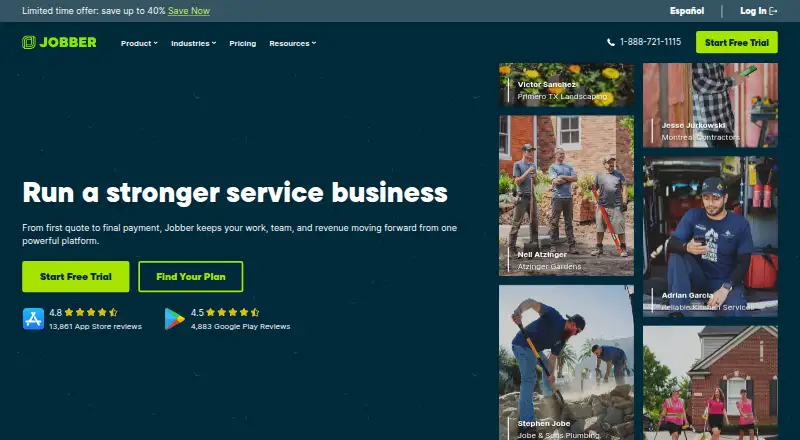
What Jobber is
Jobber is an operations platform for home and commercial service businesses, covering work from quotes and scheduling through invoices and payments. Its field-work tools include real-time scheduling, routing, job details, notes, photos, attachments, and checklists. Customer features include a client manager and hub, online booking, automated notifications, and two-way text messaging. Businesses can create customizable quotes, accept online card payments, and use ACH payments in the US; automatic payments for recurring work are available in the US and Canada. Jobber runs on the web and has iOS and Android apps. Listed integrations include QuickBooks Online, Xero, Home Depot, Zapier, and Gusto; Zapier connects Jobber with 7,000+ apps. Plans are priced per month when billed annually: Core is $29 a month, Connect is $99 a month, Grow is $149 a month, and Plus is $399 a month. Core, Connect, and Grow each include one user; Plus includes five. The 14-day trial provides Grow plan features and does not require a credit card. Jobber is made by Jobber, founded in 2011 and headquartered in Edmonton, Alberta, Canada.
Good
- Web, iOS, and Android access.
- Includes routing and real-time scheduling.
- Supports online booking and two-way text messaging.
- 14-day trial includes Grow features without a credit card.
- Integrates with QuickBooks Online, Xero, and Zapier.
Watch out
- No free plan.
- Offline mode is not available.
- Core, Connect, and Grow each allow one user.
- ACH payments are listed for the US.
Who it suits
Jobber suits home and commercial service businesses coordinating quotes, schedules, field work, customer communication, invoicing, and payments. The plans described include one user on Core, Connect, and Grow, and five on Plus.
Verdict
Jobber combines field scheduling, customer tools, quotes, and payments for service businesses. Compare the annual-billing plan prices and user limits with your team's needs; the trial lasts 14 days and requires no credit card.
Plans and prices
From Jobber's own pricing page, checked 8 Oct 2026.
| Plan | Price | What it gives you |
|---|---|---|
| Core | $29 a month | 1 user; online booking and scheduling · quotes · invoicing and online payments · website · reporting · 100+ app connections · Billed annually; $49/mo with no commitment or $39/mo with a 1-year commitment |
| Connect | $99 a month | 1 user; automated reminders and payments · checklists · quote and invoice follow-ups · QuickBooks Online sync · time and expense tracking · Billed annually; $139/mo with no commitment or $119/mo with a 1-year commitment |
| Grow | $149 a month | 1 user; rich quotes and optional line items · automatic time tracking · job costing · two-way SMS · workflow automations · Billed annually; $199/mo with no commitment or $169/mo with a 1-year commitment |
| Plus | $399 a month | 5 users; unlimited job photos and videos · crew scheduling · expense capture · custom reports · Pipeline · Marketing Suite · AI Receptionist · Premium Support · Billed annually; $499/mo with no commitment or $439/mo with a 1-year commitment |
The facts
Each one read from Jobber's own pages, with the date it was checked.
What it does
- Customer portal
- Yeschecked 22 Sep 2026
- Customer tools
- The platform includes a client manager, client hub, online booking, automated client notifications, and two-way text messaging.checked 8 Oct 2026
- Integrations
- Jobber lists QuickBooks Online, Xero, Home Depot, Zapier, and Gusto integrations, and says Zapier connects Jobber with 7,000+ apps.checked 8 Oct 2026
- Integrations access
- Only admin users can access the App Marketplace.checked 8 Oct 2026
- Invoicing and payments
- Yeschecked 22 Sep 2026
- Offline mode
- Nochecked 22 Sep 2026
- Payment security
- Jobber says Recurly handles subscription payments and Stripe handles customer payments through Jobber.checked 8 Oct 2026
- Purpose
- Jobber is an all-in-one software platform for home and commercial service businesses, supporting operations from quotes and scheduling to invoices and payments.checked 8 Oct 2026
- Quotes and payments
- Jobber supports customizable quotes, invoicing, online card payments, ACH payments in the US, and automatic payments for recurring work in the US and Canada.checked 8 Oct 2026
- Recurring jobs
- Yeschecked 22 Sep 2026
- Route optimization
- Yeschecked 22 Sep 2026
- Scheduling and field work
- Features include real-time scheduling, routing, job details, notes, photos, attachments, and checklists.checked 8 Oct 2026
- Security
- Jobber says data is encrypted in transit with TLS, stored by AWS, and its security is externally tested at least annually.checked 8 Oct 2026
- Support
- Jobber lists unlimited live chat, phone, and email support; its Plus plan includes dedicated onboarding and Premium Support.checked 8 Oct 2026
- Technician limit
- 1checked 22 Sep 2026
- Web access
- Jobber is web-based and can be used through browsers including Chrome, Firefox, Safari, and Edge.checked 8 Oct 2026
Money
- Free plan
- Nochecked 22 Sep 2026
- Trial
- The 14-day trial provides full access to Grow plan features and does not require a credit card.checked 8 Oct 2026
The company
- Headquarters
- Edmonton, Alberta, Canadachecked 23 Sep 2026
Where it runs
- Mobile apps
- Jobber offers iOS and Android mobile apps for running day-to-day operations from anywhere.checked 8 Oct 2026
- Mobile platforms
- bothchecked 22 Sep 2026
The full review of Jobber
Jobber is a paid field-service platform for home and commercial service companies, linking office administration with mobile work. It suits owner-operators and growing crews that want quoting, scheduling, customer communication, invoicing, and payment collection in one workflow. Its strongest value is breadth, while one-user limits on three plans and no offline mode narrow the fit for some teams.
Overview
Jobber brings quotes, scheduling, field records, invoices, and payments into a single system. Real-time scheduling and routing help coordinate visits, and route optimization is useful when technicians make several stops in a day. Recurring-job support fits maintenance and repeat-service businesses. The service is online-first: it runs in browsers and on iOS and Android, but it cannot operate offline.
Jobber is made by Jobber, headquartered in Edmonton, Alberta, Canada, and founded in 2011. The platform covers both customer-facing and back-office work, so businesses can avoid stitching together separate booking, dispatch, and billing tools. That consolidation is less compelling for teams that need several staff members on a low-cost plan or must work without connectivity.
Key features
Field staff can access job details, notes, photos, attachments, and checklists alongside scheduling and routing. This gives crews a consistent job record and makes instructions and documentation easier to carry from the office to the field. Recurring jobs handle repeat visits without rebuilding the workflow each time.
Customer tools include a client manager, client hub, online booking, automated notifications, and two-way text messaging. These features connect appointment coordination with ongoing customer conversations rather than leaving communication in separate channels. Customizable quotes lead into invoicing and online card payments; ACH payments are supported in the United States, and automatic payments for recurring work are available in the United States and Canada.
Integrations include QuickBooks Online, Xero, Home Depot, Zapier, and Gusto. Zapier connects Jobber with more than 7,000 apps, although only administrator accounts can access the App Marketplace. Jobber says data is encrypted in transit with TLS, stored by AWS, and externally security-tested at least annually. Recurly processes subscription payments, while Stripe handles customer payments through Jobber.
Pricing
Jobber is paid software with no free plan. A 14-day trial provides full Grow-plan access without requiring a credit card, making it a useful way to assess advanced workflows before committing.
<| Plan | Annual-billing price | What it adds |
|---|---|---|
| Core | $29 a month, billed annually | 1 user; online booking and scheduling, quotes, invoicing and online payments, website, reporting, and 100+ app connections. It costs $49 a month with no commitment or $39 a month with a 1-year commitment. |
| Connect | $99 a month, billed annually | 1 user; automated reminders and payments, checklists, quote and invoice follow-ups, QuickBooks Online sync, and time and expense tracking. The alternatives are $139 a month with no commitment or $119 a month with a 1-year commitment. |
| Grow | $149 a month, billed annually | 1 user; rich quotes with optional line items, automatic time tracking, job costing, two-way SMS, and workflow automations. Non-commitment pricing is $199 a month, or $169 a month with a 1-year commitment. |
| Plus | $399 a month, billed annually | 5 users; unlimited job photos and videos, crew scheduling, expense capture, custom reports, Pipeline, Marketing Suite, AI Receptionist, dedicated onboarding, and Premium Support. It is $499 a month with no commitment or $439 a month with a 1-year commitment. |
Core is aimed at a solo operator needing the fundamentals. Connect earns its higher price through reminders, follow-ups, accounting sync, and time and expense tracking. Grow is the better fit for businesses requiring job costing, richer estimates, SMS, and automation. Plus is the first plan with multiple included users, but five seats and its much higher price make it a team investment rather than a natural upgrade for every small company. All first three plans are limited to one user, and the trial uses Grow features rather than Core or Connect limits.
Platforms
Jobber is available on the web through Chrome, Firefox, Safari, and Edge, with mobile apps for both Android and iOS. An API is also supported. The lack of offline operation is an important limitation for technicians working in areas with unreliable service.
Who it's for
Jobber fits home-service and commercial-service businesses that need scheduling, routing, recurring work, customer messaging, quotes, invoices, and payments in one online system. Core suits a solo business with straightforward jobs; Connect and Grow suit solo users whose administration and follow-up needs are more involved. Plus is designed for a small crew that needs up to five users, crew scheduling, richer reporting, and premium assistance.
It is a weaker choice for organizations needing multiple users on an entry plan, technicians who routinely work offline, or companies seeking a free tier.
Pros and cons
- Pro: Scheduling, routing, job records, customer communication, quoting, invoicing, and payments span one workflow.
- Pro: Recurring jobs, automatic recurring payments, and online booking support repeat-service operations.
- Pro: QuickBooks Online, Xero, Zapier, and other integrations extend accounting and automation options.
- Con: Core, Connect, and Grow each include only one user, restricting collaboration until Plus.
- Con: Offline mode is not available, which can disrupt field work without a reliable connection.
- Con: Advanced quotes, job costing, SMS, and automations require the considerably more expensive Grow plan.
Alternatives
Choose ServiceM8 instead if a free tier matters: its Free plan supports one user and 30 jobs per month, with a 10-cent-per-SMS charge. Tradify is an option for users who want a $47 per user/month Lite plan covering job management, scheduling, quoting, and invoicing. FieldPulse uses seat-based pricing tailored to team needs, making it worth considering when a custom quote is preferable.
Zuper offers a Zuper Connect license at $299 a month in the United States and Canada. Fergus provides quoting, job cards, GPS tracking, timesheets, calendars, and recurring jobs in Essentials. ServiceBox starts at $75 a month for qualifying two-user operations. ServiceTrade includes unlimited office users and Android and iOS technician apps in Select. Bella FSM charges $10 a month for each additional user or add-on feature.
For more specialized comparisons, see Electrical Contractor Software, Job Costing Software, Handyman Software, Pressure Washing Software, Appliance Repair Software, and HVAC Software.
Verdict
Choose Jobber if you run a service business and want a broad online workflow from booking and dispatch through customer communication, invoicing, and payment collection. The main reason to choose it is the depth of operations in one platform, backed by mobile apps and integrations. Look elsewhere if you need offline field access, several users at entry-level pricing, or a free plan.
Alternatives to Jobber
- 1
LawnBook
Free planAndroidiOSWebmacOS8.0From $9.99 a month - 2
MowProHQ
Free planAndroidiOSWeb7.4From $19 a month - 3
Plannit
Free planAndroidiOSWebmacOS7.4From $59 a month - 4
Yardbook
Free planAndroidiOSWebLinux7.4From $34.99 a month - 5
Grass Go
Free planAndroidiOSWeb7.3From $5 a month - 6

Lawn Buddy
Free planAndroidiOSWeb7.3From $12 a month