
FieldPulse
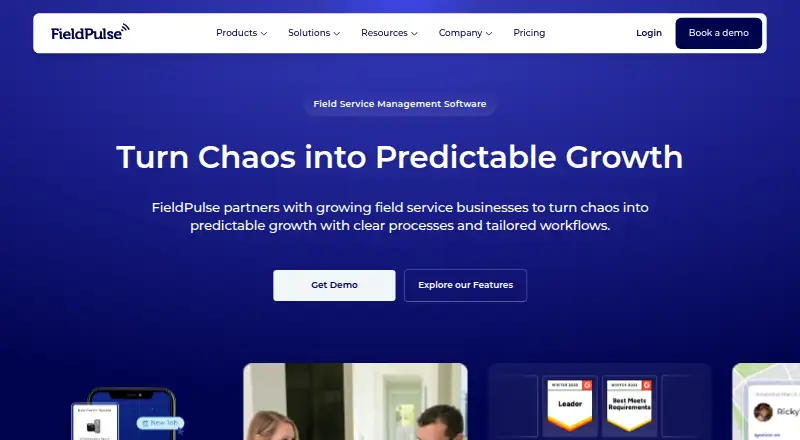
FieldPulse is field service management software for residential and commercial service businesses.
What FieldPulse is
FieldPulse is field service management software for residential and commercial service businesses. It combines customer records, work orders, scheduling, dispatching, recurring jobs, estimates, invoices, payments, project management, reporting, and business-operation views in one platform. Customizable workflows, templates, and automations help trade service professionals organize different processes. Route optimization and a customer portal are included, while the mobile app provides scheduling, estimates, job tracking, and customer management on Android and iOS. The app supports offline work for technicians away from a connection. FieldPulse also describes Operator AI as a 24/7 dispatcher that answers calls and books jobs directly into the system. Optional premium products include Engage, Operator AI, Chat AI, Pricebook, Payments, Financing, Fleet Tracking, and Custom Forms. Documented accounting integrations connect QuickBooks Desktop, QuickBooks Online, and Xero; Zapier and a developer API are also available, and technology partners can use the open API. FieldPulse says it offers US-based support for setup, migration, and training. The maker, FieldPulse, was founded in 2015 and is headquartered in Dallas, Texas. Pricing is by request, with seat-based pricing tailored to team needs.
Good
- Android, iOS, and web access
- Offline mobile work supported
- Handles estimates, invoices, and payments
- Recurring jobs and route optimization
- Customer portal included
- QuickBooks, Xero, Zapier, and API integrations
Watch out
- Pricing requires a custom quote
- Seat-based pricing is tailored to team needs
- Several products are optional premium offerings
Who it suits
FieldPulse suits residential and commercial service professionals who need scheduling, dispatch, customer management, billing, payments, and reporting. It is also suitable for teams wanting mobile offline work, route optimization, customer access, configurable workflows, and accounting integrations.
Verdict
Choose FieldPulse if your service business needs one system for jobs, customers, scheduling, billing, payments, and field mobility. Consider alternatives if you need published pricing or want all premium products included without an additional arrangement.
Plans and prices
From FieldPulse's own pricing page, checked 8 Oct 2026.
| Plan | Price | What it gives you |
|---|---|---|
| Custom quote | Priced on request | Seat-based pricing · tailored to team needs |
The facts
Each one read from FieldPulse's own pages, with the date it was checked.
What it does
- API
- FieldPulse says technology partners can integrate through its open API.checked 8 Oct 2026
- Core features
- The platform includes work order and job management, scheduling and dispatching, customer management and communication, estimates and invoices, payments, project management, and reporting.checked 8 Oct 2026
- Customer portal
- Yeschecked 21 Sep 2026
- Custom workflows
- FieldPulse offers customizable workflows, templates, and automations for residential and commercial service professionals.checked 8 Oct 2026
- Integrations
- FieldPulse’s help center documents accounting integrations for QuickBooks Desktop, QuickBooks Online, and Xero, as well as Zapier and a developer API.checked 8 Oct 2026
- Intended customers
- FieldPulse is built for residential and commercial service professionals, including trade service businesses.checked 8 Oct 2026
- Invoicing and payments
- Yeschecked 21 Sep 2026
- Offline mode
- Yeschecked 21 Sep 2026
- Operator AI
- Operator AI is described as a 24/7 AI dispatcher that answers calls and books jobs directly into FieldPulse.checked 8 Oct 2026
- Premium products
- FieldPulse describes Engage, Operator AI, Chat AI, Pricebook, Payments, Financing, Fleet Tracking, and Custom Forms as optional premium products.checked 8 Oct 2026
- Pricing model
- Pricing is seat-based and customized to the team’s needs; the pricing page directs prospective customers to request a quote.checked 8 Oct 2026
- Product
- FieldPulse is field service management software for service businesses to manage customer data, schedule jobs, create estimates and invoices, track payments, and view business operations.checked 8 Oct 2026
- Recurring jobs
- Yeschecked 21 Sep 2026
- Route optimization
- Yeschecked 21 Sep 2026
- Support
- FieldPulse says it provides US-based support and helps customers with setup, migration, and training.checked 8 Oct 2026
The company
- Founded
- The company says it was established in 2015.checked 8 Oct 2026
- Headquarters
- Dallas, Texas, United Stateschecked 28 Sep 2026
Where it runs
- Mobile app
- The mobile app provides access to scheduling, estimates, job tracking, and customer management, and supports offline work.checked 8 Oct 2026
- Mobile platforms
- bothchecked 21 Sep 2026
The full review of FieldPulse
FieldPulse is field service management software for residential and commercial trade businesses that need one place for customer records, jobs, scheduling, estimates, invoices, payments, and operational reporting. It is best suited to teams coordinating office staff and mobile technicians, especially when work may continue without connectivity. The main trade-off is that pricing is seat-based and custom quoted, so buyers cannot judge the investment from a public rate card.
Overview
FieldPulse brings the administrative and field sides of service work into a single system. Work orders, job management, dispatching, customer communication, estimating, invoicing, payment tracking, project management, and reporting cover the routine path from a new request through completion and collection.
That breadth is useful for a growing contractor replacing disconnected tools. A very small operator may find the wider operational scope unnecessary, particularly if only scheduling and basic invoicing are required. FieldPulse has operated since 2015 and is headquartered in Dallas, Texas.
Key features
Scheduling and dispatching organize assignments, while route optimization can help coordinate travel between jobs. Recurring-job support is relevant to maintenance contracts and repeat visits rather than one-off work alone. A customer portal gives clients a direct way to access service-related information, complementing the platform's customer records and communication tools.
Estimates, invoices, payments, and payment tracking connect quoting to collection. Project management and reporting add oversight for businesses that need more than a simple daily dispatch board. Customizable workflows, templates, and automations allow residential and commercial service professionals to adapt processes to their own procedures instead of forcing every team into one fixed sequence.
The mobile app provides scheduling, estimates, job tracking, and customer management for technicians and other field staff. Offline support is a practical advantage in locations with unreliable connectivity: work can continue in the app and be synchronized when access returns. Operator AI is presented as a 24/7 dispatcher that answers calls and books jobs directly into FieldPulse, but it is part of the optional premium range rather than an indication that every account includes it.
Other optional premium products include Engage, Chat AI, Pricebook, Payments, Financing, Fleet Tracking, and Custom Forms. That modular approach lets a business add specialized capabilities, although the final configuration and cost require a direct arrangement. Accounting integrations documented for QuickBooks Desktop, QuickBooks Online, and Xero, plus Zapier and an open developer API, give technology partners and operations teams ways to connect FieldPulse with other systems.
Pricing
FieldPulse uses seat-based pricing tailored to team needs. Its Custom quote plan has custom pricing rather than a published amount, so the right fit depends on the number of users and the selected arrangement. In practice, this favors businesses willing to discuss requirements with the vendor and makes straightforward budget comparison harder.
Core invoicing and payments are supported, while Payments, Financing, and other products such as Operator AI are described as optional premium products. Buyers should therefore confirm which capabilities are included in their quote and which require an additional arrangement. FieldPulse also says it provides US-based support with setup, migration, and training assistance, a useful consideration for teams moving established customer and job data.
Platforms
FieldPulse runs on the web and has mobile applications for both Android and iOS. The mobile apps cover scheduling, estimates, job tracking, and customer management, with offline work supported for field situations where a live connection is unavailable.
Who it's for
FieldPulse is aimed at residential and commercial service professionals, including trade businesses that dispatch technicians and manage repeat customer work. It is a strong candidate for organizations wanting shared workflows across office and field operations, customer-facing access, billing, and reporting. It is less compelling for buyers who require a publicly posted price before engaging sales or who want every advanced product bundled into a standard plan.
Pros and cons
Pros
- Broad service workflow: Jobs, dispatching, customers, estimates, invoices, payments, projects, and reporting can be managed in one platform.
- Field resilience: Android and iOS apps support offline work as well as mobile scheduling and job tracking.
- Useful operational extensions: Route optimization, recurring jobs, a customer portal, automations, and templates address coordination beyond basic invoicing.
- Integration options: QuickBooks, Xero, Zapier, and an open API can connect FieldPulse with accounting and other business systems.
Cons
- Cost is not transparent: Seat-based custom quotes prevent an upfront price comparison.
- Premium add-ons: Operator AI and products such as Fleet Tracking, Financing, and Custom Forms may require separate arrangements.
- Potentially broad for the smallest teams: Operators needing only basic scheduling and billing may not benefit from the full operational scope.
Alternatives
Choose ServiceM8 instead if a freemium option matters: its Free plan costs nothing, supports one user and 30 jobs per month, and includes a free trial, although SMS is charged at 10c and usage is capped.
Tradify is a better fit for teams wanting a published entry price and core job tools; its Lite plan is $47 a month, billed at $47 USD per user/month, with job management, scheduling, Google Calendar sync, quoting, and invoicing.
Select Zuper when a $299 a month Zuper Connect plan and Android, iOS, web, and API access match your operation. Fergus suits buyers seeking trade-focused essentials such as quoting, job cards, GPS tracking, timesheets, calendars, and recurring jobs. Jobber offers a published Core price of $29 a month when billed annually, with online booking and scheduling among its included tools. ServiceBox is an alternative with a $75 a month Starter option for qualifying two-user operations and a $210 a month Standard plan including the first six users. ServiceTrade provides a Select plan with unlimited office users, technician mobile apps, dispatching, and job tracking. Bella FSM may suit teams preferring add-on pricing, including $10 a month for an additional user or an add-on feature.
For category-specific comparisons, see Electrical Contractor Software, Pest Control Software, Plumbing Software, HVAC Software, Appliance Repair Software, and Field Service Management Software.
Verdict
FieldPulse is a strong choice for residential or commercial service businesses that want coordinated office and field operations, offline-capable mobile work, and a wide path from scheduling to payment. Choose it when customizable workflows, integrations, and optional operational products justify a tailored account. Look elsewhere if transparent published pricing or an all-inclusive premium bundle is essential.
Getting started
- Visit the FieldPulse website
- Request a custom quote based on team needs
- Select the web platform or install the Android or iOS mobile app
- Configure workflows, templates, and automations
- Connect supported accounting, Zapier, or API integrations
- Use FieldPulse support for setup, migration, and training
Limits worth knowing
Pricing is provided by custom quote and uses seat-based tailoring. Engage, Operator AI, Chat AI, Pricebook, Payments, Financing, Fleet Tracking, and Custom Forms are described as optional premium products.
Questions
How much does FieldPulse cost?
Pricing is on request, with seat-based pricing tailored to team needs.
Which platforms does FieldPulse support?
FieldPulse is available on the web, Android, and iOS.
Does FieldPulse work offline?
Yes. Its mobile app supports offline work.
What accounting integrations are documented?
The help center documents QuickBooks Desktop, QuickBooks Online, and Xero integrations. Zapier and a developer API are also documented.
Who makes FieldPulse?
FieldPulse makes the product. The company was founded in 2015 and is headquartered in Dallas, Texas.