Grass Go
Grass Go is an operations app for lawn care and landscaping businesses managing recurring weekly work, properties, and per-visit billing.
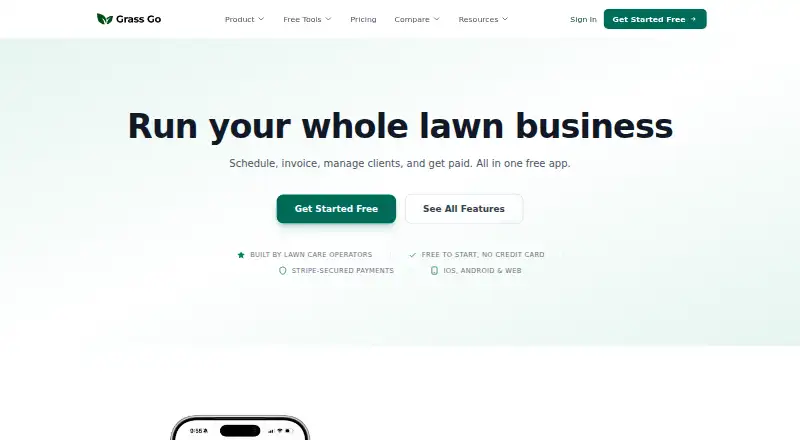
What Grass Go is
Grass Go is an operations app for lawn care and landscaping businesses managing recurring weekly work, properties, and per-visit billing. Its schedule engine provides a recurring timeline, future planning, auto-rescheduling, and billing from the schedule. A route builder orders stops into a drive route, while map view shows properties and can navigate to job sites.
Users can make estimates with line items and photos, get AI-assisted drafting, and turn approved estimates into invoices or service plans. Invoices can be sent by email, SMS, or print; saved cards can be charged automatically after service through Stripe. A beta AI assistant can organize information from CSVs, photos, and screenshots, draft estimates, and take voice input, with users reviewing proposed changes before they apply. An optional phone system offers calls, two-way texting, call history and recording, and a beta AI receptionist. Grass Go is available on Android, iOS, and the web. Its free plan includes core app features, with a 0.7% Grass Go fee plus Stripe processing on online card payments; offline payments are free. A business website plan costs $5 a month, and a business phone system plan costs $24.99 a month.
Good
- Schedules recurring work and can auto-reschedule.
- Route builder orders stops for a drive route.
- Estimates can include line items and photos.
- Invoices can be sent by email, SMS, or print.
- Free plan includes core app features.
Watch out
- Online card payments include a 0.7% Grass Go fee plus Stripe processing.
- Business website plan costs $5 a month.
- Business phone system plan costs $24.99 a month.
- AI assistant and receptionist are in beta.
Who it suits
Grass Go suits lawn care and landscaping operators managing repeat services, routes, estimates, and per-visit billing. Its web, iOS, and Android availability may suit teams choosing among those access options.
Verdict
Grass Go brings recurring scheduling, routing, estimates, and billing into one operations app for landscaping businesses. Review the transaction fee and paid add-ons alongside the free core plan when deciding which features to use.
Plans and prices
From Grass Go's own pricing page, checked 5 Oct 2026.
| Plan | Price | What it gives you |
|---|---|---|
| Grass Go | Free | Core app features included · 0.7% Grass Go fee plus Stripe processing on online card payments · Offline payments are free · Free; no credit card required |
| Business Website | $5 a month | Free to build and preview · Published site hosted on a Grass Go address · Unlimited edits and republishing · $5/ month |
| Business Phone System | $24.99 a month | 100 call minutes and 100 SMS included · AI receptionist (beta) included · Two-way texting from your business name requires carrier verification · $24.99/ month |
The facts
Each one read from Grass Go's own pages, with the date it was checked.
What it does
- AI assistant
- The beta AI assistant can import and organize data from CSVs, photos, and screenshots, draft estimates, and accept voice input; users review changes before they apply.checked 5 Oct 2026
- Data use
- Grass Go says it does not sell or rent personal information for third-party marketing purposes and account deletion removes business data, subject to stated legal and operational retention exceptions.checked 5 Oct 2026
- Estimates
- Users can create estimates with line items and photos, use AI-assisted drafting, and convert approved estimates into invoices or service plans.checked 5 Oct 2026
- Integrations
- The privacy policy names Firebase, Stripe, Twilio, Google Maps/Places, Google Gemini, Vapi, and Lob as service providers supporting app features.checked 5 Oct 2026
- Intended user
- Grass Go says it is designed for lawn care and landscaping operators managing recurring services, properties, and per-visit billing.checked 5 Oct 2026
- Payments
- Invoices can be sent by email, SMS, or print, and saved cards can be charged automatically after service through Stripe.checked 5 Oct 2026
- Payment security
- The privacy policy says sensitive card and bank credentials are stored directly by Stripe and are not stored on Grass Go servers.checked 5 Oct 2026
- Phone system
- The optional phone system provides calling, two-way texting, call recording and history, and an AI receptionist in beta.checked 5 Oct 2026
- Purpose
- Grass Go is an operations app for lawn care and landscaping businesses built around recurring weekly work.checked 5 Oct 2026
- Routes and maps
- The route builder orders stops into a drive route, while map view shows properties and can navigate to job sites.checked 5 Oct 2026
- Scheduling
- Its schedule engine provides a recurring timeline, auto-rescheduling, future planning, and billing from the schedule.checked 5 Oct 2026
- Security measures
- Grass Go says it uses TLS/SSL in transit, Firebase Security Rules, server-side validation through Cloud Functions, and password re-authentication before account deletion.checked 5 Oct 2026
- Support
- The contact page invites product questions, help requests, and feature requests by form or phone at (309) 318-9207.checked 5 Oct 2026
The company
- Maker
- The About page identifies Nate Clark, owner of Belle and Brothers Lawn Service in Macomb, Illinois, as Grass Go’s founder.checked 5 Oct 2026
The full review of Grass Go
Grass Go is an operations platform for lawn-care and landscaping companies whose work repeats by property and visit. It suits solo operators and small crews that want scheduling, routing, estimating, messaging, and payment collection connected in one workflow. The free core is unusually capable, but card-payment charges and separately priced extras should shape the buying decision.
Overview
Grass Go is organized around recurring weekly service rather than broad, all-purpose field service. Its schedule can project future work, reschedule jobs automatically, and generate billing from scheduled service. That structure is a strong match for maintenance routes and per-visit billing; businesses dominated by one-off projects may find less benefit in the recurring center of the app.
Estimates support line items and photos, and approved estimates can become invoices or service plans. Property records, maps, route planning, client messaging, and payment collection extend the same process from winning work to getting paid.
Key features
Scheduling, routes, and property work
The recurring timeline and auto-rescheduling reduce manual upkeep when weekly visits move around. Future planning gives operators a forward view of workload, while billing from the schedule links operational completion to charges. The route builder orders stops into a driving sequence, and map view displays properties and can navigate to job sites. These tools are most valuable when a crew handles many repeat stops; they are less consequential for occasional jobs.
Estimates and payments
Line items and photos make estimates more concrete for customers. AI-assisted drafting can accelerate preparation, and converting an approved estimate into an invoice or service plan avoids re-entering the sale. Invoices can be sent by email, SMS, or print. Saved cards can be charged automatically after service through Stripe, while offline payments remain free on the free plan.
AI, phone, and data controls
The beta AI assistant can import and organize CSV, photo, and screenshot data, draft estimates, and accept voice input. It presents changes for review before applying them, an important safeguard when imported records affect billing. The optional phone system adds calling, two-way texting, call history and recording, plus a beta AI receptionist. Two-way texting from the business name requires carrier verification.
Grass Go says card and bank credentials are stored by Stripe rather than on its servers. It cites TLS/SSL in transit, Firebase Security Rules, server-side validation, and password re-authentication before account deletion. It also says it does not sell or rent personal information for third-party marketing and that deleting an account removes business data subject to legal and operational retention.
Pricing
Grass Go — free
The core plan costs nothing, requires no credit card, and includes core app features. Online card payments add a 0.7% Grass Go fee plus Stripe processing; offline payments are free. This is the practical entry point for solo operators who can accept those transaction costs and do not need the paid website or phone add-ons.
Business Website — $5 per month
At $5 a month, the site is free to build and preview, then publishes on a Grass Go address with unlimited edits and republishing. It fits an operator who wants a simple web presence without moving to a separate hosting service, while the free core remains sufficient for operations.
Business Phone System — $24.99 per month
This add-on costs $24.99 a month and includes 100 call minutes, 100 SMS, and the beta AI receptionist. Carrier verification is required for two-way texting from the business name. Choose it when a dedicated business number and reception workflow justify a recurring add-on; otherwise the core messaging tools avoid that cost.
Platforms
Grass Go runs on Android, iOS, and the web, supporting office administration and mobile work in the field. Mobile access is especially relevant for crews checking maps, schedules, and job details away from a desk.
Who it's for
Choose Grass Go for a lawn-care or landscaping operation built around recurring properties, weekly routes, and per-visit billing. It is a particularly sensible fit for a solo owner or small team starting on the free plan and adding a website or phone system only when needed. Businesses needing extensive one-off project management, or unwilling to pay a fee on online card transactions, should look elsewhere.
Pros and cons
Pros
- Recurring-first workflow: scheduling, auto-rescheduling, future planning, and schedule-based billing suit weekly maintenance work.
- Connected sales-to-payment flow: estimates can become invoices or service plans, and invoices support email, SMS, and print delivery.
- Useful route context: ordered driving routes and navigable property maps help organize multi-stop days.
- Accessible starting price: core features are free with no card required.
- Reviewable AI assistance: imported data and drafted estimates are checked before changes are applied.
Cons
- Online-payment cost: the free plan adds a 0.7% Grass Go fee on top of Stripe processing.
- Paid communications extras: the phone system costs $24.99 per month, includes only 100 minutes and 100 SMS, and requires carrier verification for branded texting.
- Beta dependencies: the AI assistant and AI receptionist are beta features, so they should not be the sole reason to buy.
Alternatives
Yardbook is the better pick when a free trial, desktop operating-system support, or a free Starter plan covering customer management, scheduling, estimates, invoices, routing, expenses, reports, and lot measurement matters.
Plannit suits teams that want a free trial and a Free plan for two users with customers, scheduling, work orders, quotes, and invoicing.
LawnBook is worth choosing for an Apple-focused operation that can stay within 15 clients and wants free estimates, invoicing, scheduling, expenses, time, and mileage tracking.
MowProHQ is an alternative for up to two team members seeking a free customer portal and website editor, while its NMI card rate is 4% plus $0.30.
Lawn Buddy fits a single user wanting a free-forever Lite plan, accepting a 4.8% plus $.30 card-payment charge.
LawnPro is a choice for a Solo account capped at 25 customers or a paid Startup plan with three employees and unlimited customers.
SoloOp is a free, no-subscription alternative for lawn operators who prefer its simpler positioning.
TurfHop is aimed at teams willing to start at $49 per month for two users, unlimited employees, and Orbit AI credits.
For broader category browsing, see Landscaping Software.
Verdict
Grass Go is a strong recommendation for recurring lawn and landscaping businesses that want a free operations core tying routes and schedules to estimates, invoices, and per-visit payments. Its main reason to choose it is that focused recurring-work flow; its main reason to look elsewhere is the added cost of online card payments and paid communications features.
Alternatives to Grass Go
- 1
LawnBook
Free planAndroidiOSWebmacOS8.0From $9.99 a month - 2

Jobber
AndroidiOSWebAPI7.4From $29 a month - 3
MowProHQ
Free planAndroidiOSWeb7.4From $19 a month - 4
Plannit
Free planAndroidiOSWebmacOS7.4From $59 a month - 5
Yardbook
Free planAndroidiOSWebLinux7.4From $34.99 a month - 6

Lawn Buddy
Free planAndroidiOSWeb7.3From $12 a month