
Insightful
Insightful provides workforce analytics for organizations seeking visibility into productivity, remote work, and work habits.
What Insightful is
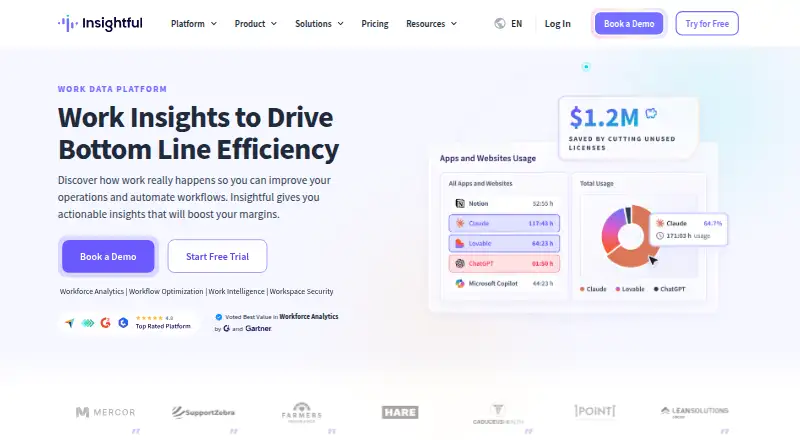
Insightful provides workforce analytics for organizations seeking visibility into productivity, remote work, and work habits. It tracks app and website usage, screenshots, activity logs, and active and idle time. Features include real-time monitoring, automatic attendance tracking, manual time entry, productivity tracking, reports, and productivity labels. Deployment options include cloud, private cloud, and on-premise; on-premise requires licenses for at least 250 employees. The company lists more than 50 integrations, including Jira, Trello, Asana, ClickUp, GitHub, GitLab, and BigQuery, and custom integrations are available through its public API. Security measures described include encryption in transit and at rest, role-based access, SSO, two-factor authentication, and audit logs. For active accounts, screenshots and screen recordings are stored for up to two months, activity logs for up to three months, and other data for up to 24 months. A seven-day trial provides feature access except automatic time mapping and allows an unlimited number of employees. There is no free plan. Mobile apps are not available.
Good
- Tracks app and website usage and activity time
- Offers cloud, private cloud, and on-premise deployment
- Lists more than 50 integrations
- Seven-day trial allows unlimited employees
- Includes attendance and productivity tracking
Watch out
- No free plan
- On-premise requires at least 250 employee licenses
- Seven-day trial excludes automatic time mapping
- No mobile apps
Who it suits
Insightful suits organizations that need to monitor work activity, attendance, and productivity across teams. It may fit teams seeking cloud, private cloud, or on-premise deployment, though on-premise requires at least 250 employee licenses.
Verdict
Insightful combines activity tracking, attendance, productivity reports, and a broad integration list. Its trial is limited to seven days, and its entry plan is $8/user/mo billed annually.
Plans and prices
From Insightful's own pricing page, checked 23 Sep 2026.
| Plan | Price | What it gives you |
|---|---|---|
| Combo Plan (Analytics + Optimization) | $16 a month | Work location insights · Customer service integrations · Payroll · Dedicated account manager · Phone support · billed annually |
| Data Warehouse Integrations (add-on) | $0.50 a month | Custom API Access · BigQuery · Snowflake Integration · $0.50 / seat / mo |
| Increased Frequency Screenshots (add-on) | $3 a month | Up to 120 screenshots per hour · Privacy Control · $3 / seat / mo |
| Workspace Security Plan (add-on) | $4 a month | Insider Threat Detection · Activity Logs · $4 / seat / mo |
| On-Demand Screenshots (add-on) | $4 a month | Instant Snapshots · Privacy Control · $4 / seat / mo |
| Screen Recording (add-on) | $4 a month | Capture and Playback Screen Recordings · Privacy Control · $4 / seat / mo |
| Combo Plan | $16 | Workforce Analytics + Workflow Optimization · Work Location Insights · Payroll · Dedicated Account Manager · Phone Support · Per seat / month, billed annually |
| Workforce Analytics | $96 a year | Real-Time Overview · Capacity Analysis · App and Website Usage · Screenshots · Online Support · $96.00 per seat per year (= $8.00 per seat/month, billed annually) |
| Workflow Optimization | $144 a year | Workflow Mapping · Workflow Tracking · Workflow Measurement · Project Management Integrations · Customized Onboarding · $144.00 per seat per year (= $12.00 per seat/month, billed annually) |
| Enterprise | Priced on request | Tailored deployment · Custom solutions · Dedicated partnership · At least 250 employee licenses for on-premise deployment · Custom |
The facts
Each one read from Insightful's own pages, with the date it was checked.
What it does
- Activity tracking
- The product tracks app and website usage, screenshots, and activity logs including active and idle time.checked 2 Oct 2026
- API
- Custom integrations are available through Insightful’s public API.checked 2 Oct 2026
- Deployment
- Cloud, private cloud, and on-premise deployments are offered; on-premise requires licenses for at least 250 employees.checked 2 Oct 2026
- Encryption and access
- Insightful says data is encrypted in transit using HTTPS (SSL/TLS 1.2) and at rest using AES256, with role-based access, SSO, two-factor authentication, and audit logs.checked 2 Oct 2026
- Integrations
- Insightful says it offers more than 50 integrations, including project management, HelpDesk, employee directory, and business intelligence tools.checked 2 Oct 2026
- Named integrations
- The integrations page names Jira, Trello, Asana, ClickUp, GitHub, GitLab, and BigQuery among its integrations.checked 2 Oct 2026
- Purpose
- Insightful provides workforce analytics software for improving productivity and remote work and supporting healthier work habits.checked 2 Oct 2026
- Retention
- For active accounts, screenshots and screen recordings are stored for up to two months, activity logs for up to three months, and other data for up to 24 months.checked 2 Oct 2026
- Security
- The security page describes SOC 2, ISO 27001, HIPAA, CSA, GDPR, and CCPA compliance or adherence commitments.checked 2 Oct 2026
- Support
- The company provides live chat with support specialists, a Help Center, and a support email address.checked 2 Oct 2026
- Time and productivity
- Features include real-time monitoring, automatic attendance tracking, manual time entries, productivity tracking, reports, and productivity labeling.checked 2 Oct 2026
The company
- Founded
- 2015checked 28 Sep 2026
- Headquarters
- New York, New York, United Stateschecked 28 Sep 2026
Where it runs
- Platforms
- The employee monitoring page says the app installs on Windows, macOS, and Linux.checked 2 Oct 2026
Money
- Trial limit
- The seven-day trial includes full feature access except automatic time mapping, and allows an unlimited number of employees.checked 2 Oct 2026
The full review of Insightful
Insightful is workforce-analytics software for organizations that need a detailed view of attendance, digital activity, and productivity across teams. It is most suitable for distributed or operations-heavy workplaces willing to use monitoring data, while privacy-sensitive employers should consider its screenshot and activity controls carefully.
Its broad deployment and integration options make it adaptable, but meaningful workflow analysis and advanced capture controls raise the subscription cost beyond the entry tier.
Overview
Founded in 2015 and headquartered in New York, Insightful combines workforce analytics with remote-work oversight. It records app and website use, screenshots, and activity logs that distinguish active from idle time. Managers can combine that information with attendance, manual time entries, productivity labels, and reports to examine how work is distributed and where capacity may be constrained.
That visibility is useful for staffing, attendance administration, and productivity conversations, but it is not a neutral time clock: screenshots and detailed activity records can conflict with workplaces that avoid continuous monitoring or require stronger employee-consent practices.
Key features
Real-time monitoring and automatic attendance tracking provide an ongoing operational picture, while manual entries accommodate work that occurs outside tracked applications. Billable-time tracking and timesheet approvals support organizations that need a review step before time is finalized. Productivity tracking, labels, and reporting add context beyond raw hours.
Workforce Analytics includes a real-time overview, capacity analysis, app and website usage, and screenshots. Workflow Optimization adds workflow mapping, tracking, measurement, project-management integrations, and customized onboarding. The separation is important: teams needing process-level analysis must move beyond the least expensive tier.
Insightful advertises more than 50 integrations spanning project management, help desk, employee directories, and business intelligence. Named integrations include Jira, Trello, Asana, ClickUp, GitHub, GitLab, and BigQuery. A public API enables custom integrations, while BigQuery and Snowflake connections are sold as an add-on.
Security measures include stated SOC 2, ISO 27001, HIPAA, CSA, GDPR, and CCPA compliance or adherence commitments. Data is encrypted in transit with HTTPS (SSL/TLS 1.2) and at rest with AES256. Role-based access, SSO, two-factor authentication, and audit logs are appropriate controls for sensitive workforce data.
Cloud, private-cloud, and on-premise deployment are offered. On-premise deployment requires licenses for at least 250 employees, making it a large-organization option rather than a practical route for small teams. Active-account retention lasts up to two months for screenshots and recordings, three months for activity logs, and 24 months for other data. Support includes live chat, a Help Center, and email.
Pricing
Insightful has no free plan. A seven-day trial provides full feature access except automatic time mapping and supports an unlimited number of employees, so it can accommodate a broad pilot but leaves little time for evaluation.
- Workforce Analytics: $8 per user per month, billed annually. It covers real-time overview, capacity analysis, app and website usage, screenshots, and online support. This is the sensible starting point for attendance and activity visibility, but it omits workflow mapping and measurement.
- Workflow Optimization: $12 per user per month, billed annually. Workflow mapping, tracking, measurement, project-management integrations, and customized onboarding suit teams analyzing processes rather than only individual activity.
- Combo Plan (Analytics + Optimization): $16 per user per month, billed annually. It combines both core tiers and adds work-location insights, customer-service integrations, payroll, a dedicated account manager, and phone support.
- Combo Plan: $16 per seat per month, billed annually, with the same combined analytics and optimization coverage, work-location insights, payroll, dedicated account management, and phone support.
- Enterprise: custom pricing, with tailored deployment, custom solutions, and a dedicated partnership. On-premise deployment requires at least 250 employee licenses.
Optional costs can materially change the total: Data Warehouse Integrations is $0.50 per seat per month; Increased Frequency Screenshots is $3 per seat per month; Screen Recording, Workspace Security, and On-Demand Screenshots are each $4 per seat per month. These add-ons let buyers target specific needs, but frequent capture, recordings, and security logging are not included in the base price.
Platforms
Insightful supports web, Windows, macOS, Linux, API, and self-hosted deployments. There is no mobile app, so mobile-first time capture is not its strength.
Who it's for
Choose Insightful for distributed companies, service operations, and managers who need attendance, billable time, application usage, and workflow data in one system. Its deployment flexibility and API are especially useful for organizations with established infrastructure or integration requirements.
Look elsewhere if a free tier, a longer evaluation period, mobile apps, GPS tracking, or payroll integrations are essential. The monitoring model also deserves explicit employee-policy review before rollout.
Pros and cons
- Pros: broad activity, attendance, productivity, and billable-time coverage; more than 50 integrations plus a public API; cloud, private-cloud, and self-hosted choices; strong stated security controls; unlimited employees during the seven-day trial.
- Cons: no free plan; trial excludes automatic time mapping; workflow analysis starts at $12 per user per month; advanced screenshots, recordings, data warehouses, and security features cost extra; no mobile app or GPS tracking; on-premise requires 250 employee licenses.
Alternatives
ActivTrak is the better fit when a freemium option, six months of data history, and configurable work schedules matter. Peoplelytics suits smaller organizations seeking a free plan for up to 35 employees and survey-focused usage. Qualtrics is preferable for individuals needing a free survey tier with one user, three active surveys, and 500 total responses. Worklytics offers a free tier for up to 100 users when calendar-only insights and 30 days of history are sufficient. Perceptyx is an enterprise alternative with consultation-based custom pricing. CurrentWare Data Loss Prevention is the stronger direction for device-control and data-loss-prevention priorities. Gallup Access is aimed at organizations seeking Gallup workplace subscriptions. ChartHop is a better match for people analytics, organizational charts, and HR dashboards.
For category browsing, see Workforce Analytics Software and Employee Time Tracking Software.
Verdict
Insightful is a strong choice for organizations that want configurable workforce monitoring, attendance and productivity reporting, and extensive integration and deployment options. Choose it when those controls justify a paid, seat-based system; look elsewhere if you need free usage, mobile support, GPS, payroll connectivity, or a less surveillance-oriented approach.