
Worklytics
Worklytics provides workplace analytics to help leaders examine productivity, collaboration and AI adoption.
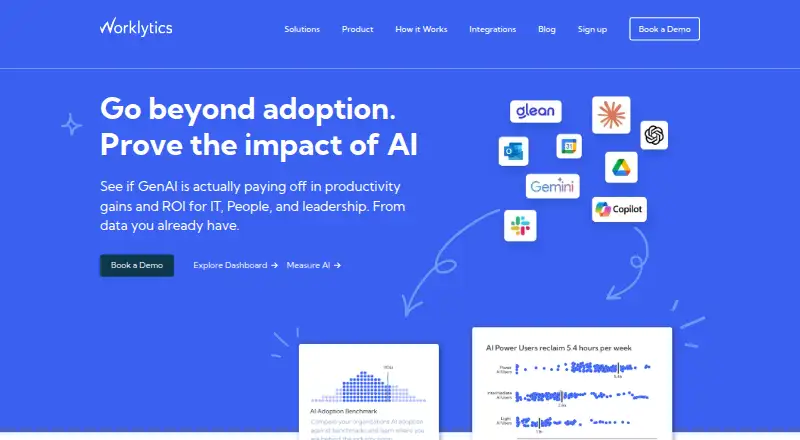
What Worklytics is
Worklytics provides workplace analytics to help leaders examine productivity, collaboration and AI adoption. Its connectors collect work activity data, remove personal identifiers, and process it into aggregated metrics and network graph details. The company says it generates and pushes more than 400 metrics. Pre-built dashboard reports and visualizations are available without technical setup, and listed integrations include Slack, Microsoft Teams, Zoom, Google Calendar, Outlook, GitHub, GitLab, Jira, Asana, Salesforce and AI tools. Worklytics says it does not process or store work or message content; analyses use workflow and collaboration activity and are reported for groups or teams with at least eight people. The Free plan is $0 forever and covers up to 100 users, calendar data only, 30 days of history, dashboard access and basic meeting insights. Business costs $2,500 per month, includes up to 200 users and five integrations, with up to three months of data history. Enterprise has custom pricing and includes predictive analytics, advanced benchmarking, data pipeline access and row-level datasets.
Good
- Generates more than 400 metrics.
- Dashboards need no technical setup.
- Personal identifiers are stripped at ingestion.
- Does not process or store work or message content.
Watch out
- Free plan covers calendar data only.
- Free plan has 30 days of history.
- Business costs $2,500 per month.
Who it suits
It suits organizations seeking group-level insights into collaboration, productivity or AI adoption. The Free plan is limited to calendar data and 100 users, while Business is listed at $2,500 per month.
Verdict
Worklytics offers aggregated workplace activity metrics and pre-built dashboards, with plans ranging from a limited free tier to custom Enterprise terms. Its stated content handling and minimum reporting group size are important considerations for organizations assessing workplace analytics.
Plans and prices
From Worklytics's own pricing page, checked 15 Oct 2026.
| Plan | Price | What it gives you |
|---|---|---|
| Free | Free | up to 100 users · calendar data only (Google Calendar or Outlook) · 30 days history · dashboard · basic meeting insights · no credit card · forever |
| Business | $2,500 a month | up to 200 users · additional users $10/user/month · up to 5 integrations · 3 months data history · org-wide reporting · AI adoption insights · basic benchmarks · 200+ collaboration metrics · starts at $2,500/month |
| Enterprise | Priced on request | unlimited integrations · API/data pipeline · row-level datasets · predictive analytics · advanced benchmarking · SSO (SAML and Okta) · role-based permissions · Worklytics Proxy · dedicated support · custom pricing; contracts typically annual |
The facts
Each one read from Worklytics's own pages, with the date it was checked.
What it does
- AI adoption
- Business and Enterprise plans include AI adoption insights, and the integrations catalog includes ChatGPT, Copilot, Claude, Claude Code, Codex and Atlassian Rovo.checked 15 Oct 2026
- API access
- Raw row-level data and API or warehouse data-pipeline access are Enterprise-only capabilities.checked 15 Oct 2026
- API documentation
- The company links to docs.worklytics.co for product documentation; the public Psoxy repository links to a dedicated Psoxy documentation site.checked 15 Oct 2026
- Authentication controls
- Worklytics supports corporate-directory single sign-on with Google Workspace or Azure Active Directory, OAuth 2.0 integrations and multifactor authentication for production access.checked 15 Oct 2026
- Benchmarks
- Benchmarking compares company people metrics with similar organizations and is available at basic level on Business and advanced level on Enterprise.checked 15 Oct 2026
- Collaboration analytics
- The platform provides activity streams, collaboration network graphs and behavioral metrics such as meeting time, workday length and one-to-ones.checked 15 Oct 2026
- Compliance
- Worklytics says it is audited annually against the AICPA SOC 2 standard and makes its latest SOC 2 Type II report available under NDA.checked 30 Sep 2026
- Content handling
- Worklytics says it does not process or store work or message content and uses exhaust data to analyze workflow and collaboration activity.checked 30 Sep 2026
- Dashboard insights
- Dashboard insights provide pre-built reports and visualizations without technical setup.checked 30 Sep 2026
- Dashboards and reporting
- Worklytics offers live KPIs, insights and dashboards for manager effectiveness, attrition prediction and disengagement detection, with reporting integrations for Tableau, Power BI, Looker and Salesforce.checked 15 Oct 2026
- Data processing
- Its connectors ingest work activity data, anonymize, clean, and aggregate it, then generate metrics and network graph details.checked 30 Sep 2026
- Deployment option
- Worklytics says it can provide Private Cloud deployments for customers with additional isolation requirements.checked 15 Oct 2026
- Documentation and support
- Psoxy documentation is available through docs.worklytics.co and GitHub, while configuration and customization support is offered by Worklytics through sales contact.checked 15 Oct 2026
- Encryption
- Data at rest is encrypted with AES-256 and data in transit uses SSL/HTTPS, according to Worklytics’ security page.checked 15 Oct 2026
- Enterprise analytics
- Enterprise includes predictive analytics and advanced benchmarking, with data pipeline access and individual row-level datasets.checked 30 Sep 2026
- Funding
- Crunchbase lists one seed round with Y Combinator as lead investor and five investors, but the amount and date are obfuscated on the opened page.checked 15 Oct 2026
- Google Workspace Marketplace listing
- The Worklytics listing is marked paid, was updated May 26, 2026, and displays 7 user-review entries without an aggregate star score in the opened page.checked 15 Oct 2026
- Integration development
- The integrations page directs prospective integration builders to [email protected].checked 15 Oct 2026
- Integrations
- Listed integrations include Slack, Microsoft Teams, Zoom, Google Calendar, Outlook, GitHub, GitLab, Jira, Asana, Salesforce, and AI tools.checked 30 Sep 2026
- Integrations breadth
- Worklytics says it connects to more than 50 tools spanning Slack, Microsoft Teams, Zoom, Google Calendar, Outlook, GitHub, GitLab, Jira, Asana, Monday, Linear and AI tools.checked 15 Oct 2026
- Intended users
- The company describes its product as giving organizations insights to improve collaboration, support managers, and create healthier, more productive teams.checked 30 Sep 2026
- Legal name and founders
- Crunchbase lists the legal name as Worklytics, Co and identifies Erik Schultink and Philip Arkcoll as founders, respectively CTO and CEO.checked 15 Oct 2026
The company
- Company profile
- LinkedIn describes Worklytics as a privately held technology, information and internet company with 11–50 employees, headquartered in New York, and founded in 2015.checked 15 Oct 2026
- Headquarters
- 7525 SE 24th St Suite 530, Mercer Island, WA, USA 98040checked 28 Sep 2026
The full review of Worklytics
Worklytics is workplace analytics software for organizations examining collaboration, productivity, and AI adoption across teams. It suits leaders who want patterns from work-tool activity without analyzing message content. The key trade-off is a privacy-focused, aggregated view against a free plan capped at 100 users and a $2,500-per-month Business tier.
Overview
Worklytics connects to workplace tools, removes personal identifiers at ingestion, and cleans and aggregates activity data into metrics and network graph details. It says it generates more than 400 metrics, while pre-built reports and visualizations let teams use dashboard insights without technical setup. The focus is on workflow activity, not the content of messages or other work materials.
Reporting is at group or team level, with a minimum group size of eight. That suits organizations looking for collective collaboration patterns, but makes the product a poor fit for monitoring individuals. Real-time refresh and custom dashboards support ongoing analysis; row-level datasets are reserved for Enterprise.
Key features
- Work-tool integrations: Connectors cover Slack, Microsoft Teams, Zoom, Google Calendar, Outlook, GitHub, GitLab, Jira, Asana, Salesforce, and AI tools. Bringing these activity sources together can give leaders a broader view of work patterns, though Business is capped at five integrations.
- Pre-built dashboards: Ready-made reports and visualizations reduce the technical work needed to interpret metrics. Custom dashboards are also supported for organizations that need to shape their views.
- Privacy and security: Worklytics says it strips personal identifiers at ingestion and does not store or process work or message content. It encrypts data at rest with AES-256 and in transit over SSL, undergoes annual AICPA SOC 2 audits, and schedules third-party black-box penetration testing. These controls support a privacy-conscious evaluation, while the minimum group size of eight is a practical limit on how narrowly results can be reported.
- Advanced analysis: Enterprise adds predictive analytics, advanced benchmarking, and data pipeline access, including API or warehouse pipelines and individual row-level datasets. Those capabilities are aimed at organizations with more involved analytics needs, rather than teams seeking only standard dashboards.
Pricing
Worklytics has a free tier and paid plans, but the jump from the free allowance to Business is substantial. Standard support is included across plans; Enterprise adds data science and custom analysis.
- Free — free, billed forever: Up to 100 users, calendar data only, 30 days of history, dashboard access, and basic meeting insights. It is a low-commitment way to explore meeting patterns, but the calendar-only scope and short history limit broader workflow analysis. The plan comparison gives a 100-user cap, and the employee limit is also 100.
- Business — $2,500 a month, billed monthly: Includes up to 200 users, with additional users at $10 per user / month, up to five integrations, and up to three months of history. This is the more relevant tier for organizations that need several activity sources, but its monthly starting price and integration cap may be difficult to justify for smaller teams.
- Enterprise — custom pricing, typically annual contracts with custom terms: Includes custom user counts, unlimited integrations, API or warehouse data pipelines, row-level datasets, SSO, and priority support, alongside predictive analytics, advanced benchmarking, and data science and custom analysis. It fits organizations that need those capabilities and tailored terms; it is not a transparent fixed-price option.
Platforms
Worklytics supports web access and an API. That pairing suits organizations using dashboards directly or connecting analytics data into other systems.
Who it's for
Worklytics is best suited to organizations whose leaders want to understand team collaboration, support managers, and develop healthier, more productive teams using aggregated activity signals. Its minimum group size and content-handling approach make it more appropriate for organizational analysis than individual surveillance. Smaller teams, or buyers who need broad integration coverage without Enterprise pricing, should weigh the free and Business limits carefully.
Pros and cons
- Pros: More than 400 metrics and pre-built dashboards give teams substantial analytical breadth without requiring technical setup; removing personal identifiers and excluding message content supports a team-level approach; real-time refresh and custom dashboards enable ongoing, tailored reporting.
- Cons: Free is restricted to calendar data and 30 days of history; Business costs $2,500 a month and includes only five integrations; row-level datasets and unlimited integrations require custom-priced Enterprise terms.
Alternatives
Workforce Analytics Software is a useful starting point for comparing options across the category.
- ActivTrak is worth considering if a free plan and free trial matter, or if you need its listed work schedules and six months of data history.
- Peoplelytics may suit teams looking for a web-based alternative with a free tier for up to 35 employees and unlimited surveys and responses.
- Qualtrics is a better fit for an individual seeking a free survey tool, with one user, three active surveys, and 500 total responses.
- Insightful is an option for buyers who want workforce analytics with app and website usage and screenshots, starting at $8 a month billed annually.
- Perceptyx is another paid option for organizations seeking an enterprise-focused platform.
- CurrentWare Data Loss Prevention is a more relevant choice when USB/device control and data loss prevention are the priority; its listed standalone plan is $12 a month billed annually.
- Gallup Access is another paid workplace subscription option.
- ChartHop may fit buyers who want people analytics and dashboards alongside an org chart and employee profiles; its Core plan is $5 a month billed annually.
Verdict
Choose Worklytics if your organization needs broad, aggregated workplace activity analytics and values keeping message content out of the analysis. Its dashboards, integrations, and team-level privacy approach are compelling for that purpose. Look elsewhere if you need inexpensive access to many integrations or individual-level reporting without moving to custom-priced Enterprise.
Alternatives to Worklytics
- 1

PeoplesHR People Analytics
AndroidiOSWebAPI6.8From $60 a month - 2

ChartHop
Web6.7From $3 a month - 3
Humanyze
Web6.7From $189 a month - 4
Anaplan
AndroidiOSWebAPI6.5 - 5
Nathan HRMS
AndroidiOSWebAPI6.5 - 6

Humanforce
AndroidiOSWebAPI6.3