
GWS Backup
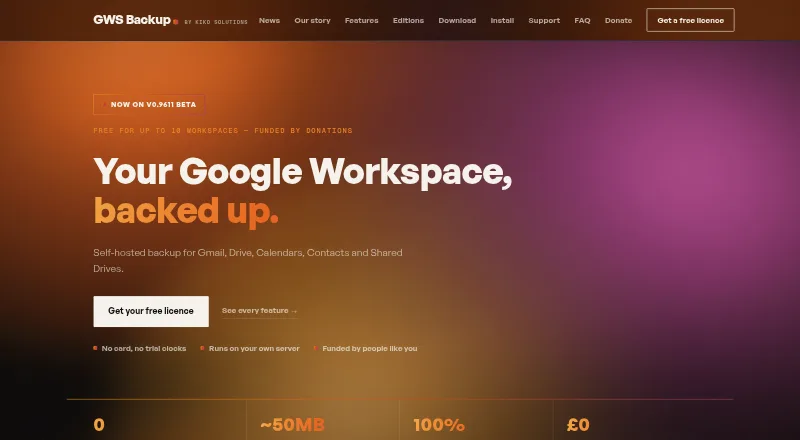
GWS Backup is self-hosted software for backing up Google Workspace Gmail, Drive, Calendars, Contacts and Shared Drives.
What GWS Backup is
GWS Backup is self-hosted software for backing up Google Workspace Gmail, Drive, Calendars, Contacts and Shared Drives. It can store backups in Google Drive, on a local disk or NAS, or in Amazon S3 and Azure Blob storage. After the first full run, it transfers changed files and new mail rather than unchanged data. Restore options cover a workspace, account, folder, email or file, including restoring to another user's account or downloading items.
Items deleted at the source stay in backup for one year before automatic removal; operators can configure version history and vault pruning. A live monitor displays transfers, and an audit trail records actions and backup results. The software supports 2FA and separate administration and restore roles. Its maker says backups remain in customer-controlled storage and do not pass through its infrastructure. Deployment options include native Windows installation, Linux, cPanel and Docker. The free licence costs nothing and permits up to 10 client workspaces, unlimited accounts and one running installation per licence key. Node.js 22.5 or newer and an activated licence key are required.
Good
- Supports five Google Workspace services.
- Offers local, cloud and NAS backup destinations.
- Restores individual items or entire workspaces.
- Free support is available by email.
Watch out
- Requires Node.js 22.5 or newer.
- Requires an activated licence key.
- Free licence allows one running installation.
- Deleted items are automatically removed after one year.
Who it suits
It is designed for MSPs, IT teams and internal administrators managing one or more Google Workspace domains. It may suit organizations that want backups held in storage they control.
Verdict
GWS Backup offers multiple destinations, incremental transfers and several restore scopes for Google Workspace data. Before choosing it, account for the Node.js requirement, licence limit and one-year deleted-item retention.
Plans and prices
From GWS Backup's own pricing page, checked 29 Sep 2026.
| Plan | Price | What it gives you |
|---|---|---|
| GWS Backup Free Licence | Free | Up to 10 client workspaces · unlimited accounts · one running installation per licence key |
The facts
Each one read from GWS Backup's own pages, with the date it was checked.
What it does
- Backup destinations
- Backups can be stored in Google Drive, local disk or NAS, Amazon S3, and Azure Blob storage.checked 29 Sep 2026
- Data handling
- The maker says backups reside in storage controlled by the customer and never touch its infrastructure.checked 29 Sep 2026
- Deployment
- The maker lists native Windows installation, Linux and cPanel deployment, and official Docker support.checked 29 Sep 2026
- Incremental backups
- After the first full run, the software transfers only changed files and new mail, skipping unchanged data.checked 29 Sep 2026
- Intended users
- The product is designed for MSPs, IT teams and internal administrators managing one or more Google Workspace domains.checked 29 Sep 2026
- Licence limit
- A free licence key permits one running installation at a time; larger workspace estates require an enquiry.checked 29 Sep 2026
- Monitoring and audit
- The live monitor shows transfers, and the product records an auditable trail of actions and backup results.checked 29 Sep 2026
- Purpose
- GWS Backup is self-hosted software for backing up Google Workspace Gmail, Drive, Calendars, Contacts and Shared Drives.checked 29 Sep 2026
- Requirements
- GWS Backup requires Node.js 22.5 or newer and an activated licence key.checked 29 Sep 2026
- Restore
- It supports restoring a workspace, account, folder, email or file, including restoring to another user’s account.checked 29 Sep 2026
- Retention
- Items deleted at source are retained in backup for one year before automatic removal.checked 29 Sep 2026
- Security
- The product supports 2FA login security and separate administration and restore-operation roles.checked 29 Sep 2026
- Support
- Support is free and available by email; the maker says a person reads support messages.checked 29 Sep 2026
The company
- Headquarters
- Christchurch, Dorset, United Kingdomchecked 28 Sep 2026
- Maker
- The maker identifies KIKO Solutions Ltd in Christchurch, Dorset, United Kingdom, and names Adam Spicer as founder of KIKO Solutions and maker of GWS Backup.checked 29 Sep 2026
The full review of GWS Backup
GWS Backup is self-hosted software for protecting Google Workspace data, aimed at MSPs, IT teams and administrators overseeing one or more domains. Its free licence covers up to 10 client workspaces and unlimited accounts, but only one running installation per licence key.
It suits teams that want to control their backup storage and recovery process. The Node.js 22.5-or-newer requirement and one-year retention for deleted items are important constraints to weigh before deployment.
Overview
GWS Backup protects Gmail, Google Drive, Shared Drives, Calendars and Contacts. Backups can go to Google Drive, local disk or NAS, Amazon S3, or Azure Blob storage. This bring-your-own-storage model keeps backup data in storage controlled by the customer, rather than on the maker’s infrastructure, but means the organization must provide and manage that destination.
After the first full run, it transfers only changed files and new mail, avoiding repeat transfers of unchanged data. Backup frequency is custom, and point-in-time restore is supported. Items deleted at source remain in the backup for one year before automatic removal; operators can configure version history and vault pruning.
Key features
Recovery and oversight
Administrators can restore a whole workspace, account, folder, email or file, including to another user’s account, or download items. That breadth supports both broad recovery and targeted fixes. A live monitor shows transfers, while an auditable trail records actions and backup results.
Access and deployment
Two-factor login security and separate administration and restore-operation roles help divide access between staff responsible for configuration and those carrying out restores. Deployment options include native Windows installation, Linux and cPanel deployment, and official Docker support. The Node.js 22.5-or-newer requirement and activated licence key add setup prerequisites, so this is less suitable for teams seeking a managed service with no local deployment work.
Support is free by email; KIKO Solutions says a person reads support messages. That is a useful support channel for administrators, though it does not remove the need to operate the software themselves.
Pricing
GWS Backup Free Licence
The free plan costs nothing and includes up to 10 client workspaces, unlimited accounts and one running installation per licence key. There is no free trial; the product itself has a free plan. The account allowance is generous for organizations with many users, while the workspace and installation caps matter to MSPs managing larger estates or running multiple instances. Larger workspace estates require an enquiry.
There are no paid tiers described. The free licence is the clear fit for administrators whose workspace count and deployment needs fit those limits; teams that exceed them should enquire rather than assume a larger licence is included.
Platforms
GWS Backup supports Linux, macOS, Windows and self-hosted deployment. Its deployment options include native Windows installation, Linux and cPanel, and official Docker support. It requires Node.js 22.5 or newer and an activated licence key.
Who it's for
This is a practical fit for MSPs, IT teams and internal administrators managing one or more Google Workspace domains, particularly those who want to choose their own backup destination and need restore options ranging from individual files to an entire workspace. It is a weaker fit for organizations that prefer a provider-managed backup destination, need more than one running installation under a licence key, or cannot accommodate the Node.js prerequisite.
Pros and cons
Pros
- Customer-controlled storage: destinations include Drive, local disk or NAS, S3 and Azure Blob, giving administrators a choice of where backup data resides.
- Wide restore scope: recovery can target workspaces, accounts and individual items, with restoration to another user or download also supported.
- Generous account allowance: the free licence permits unlimited accounts across up to 10 client workspaces.
- Incremental transfers and audit trail: changed files and new mail are transferred after the first run, while actions and results are recorded.
Cons
- Self-hosted operation: customers must deploy the software and provide the storage destination themselves.
- Installation cap: a licence key allows just one running installation, which may constrain larger MSP deployments.
- Technical prerequisite: Node.js 22.5 or newer is required, adding a deployment dependency.
- Deleted-item window: source-deleted items are automatically removed from backup after one year.
Alternatives
Google Workspace Backup Software is a useful next stop for comparing tools in the same category.
Choose IDrive instead if you want a broader platform selection that includes Android, iOS and web, or a 100 GB plan for one user at $0.25 a month billed monthly.
Synology Photos is another free option, but it requires a Synology NAS.
Choose MSP360 Backup instead for personal workstation file and image-based backup with forum-based support on its free plan.
Acronis Cyber Disaster Recovery Cloud is a paid alternative with a free trial and a pay-as-you-go disaster-recovery plan.
Synology Active Backup for SaaS is a free add-on for Synology NAS supporting Microsoft 365 and Google Workspace.
AvePoint Cloud Backup is a paid option with custom pricing.
Spanning Backup offers a single all-inclusive plan with unlimited backup retention and volume pricing.
Cloud Apps Backup offers partner and syndicate plans for Google Workspace and Microsoft 365 backup.
Verdict
GWS Backup is best for administrators and MSPs who want a free, self-hosted way to protect multiple Google Workspace domains while choosing their own storage destination. Its flexible restores and unlimited-account allowance are strong reasons to choose it; the one-installation licence limit, Node.js requirement and one-year deleted-item retention are the main reasons to look elsewhere.
Getting started
- Visit the GWS Backup website
- Install Node.js 22.5 or newer
- Deploy on Windows, Linux, cPanel, or Docker
- Obtain and activate a licence key
- Choose a customer-controlled backup destination
- Configure backup frequency and retention settings
Limits worth knowing
The free GWS Backup licence costs nothing and supports up to 10 client workspaces, unlimited accounts, and one running installation per licence key. Deleted items are retained for one year; version history and vault pruning can be configured.
Questions
Is GWS Backup free?
Yes. The GWS Backup Free Licence costs nothing.
Which Google services are protected?
It backs up Gmail, Google Drive, Shared Drives, Calendars, and Contacts.
Where can backups be stored?
Destinations include Google Drive, local disk or NAS, Amazon S3, and Azure Blob storage.
Which platforms support deployment?
The maker lists Windows, Linux, cPanel, and Docker deployment.
What does the free licence allow?
It allows up to 10 client workspaces, unlimited accounts, and one running installation per licence key.
Is there a trial period?
No free trial is listed; the product has a free licence.
Alternatives to GWS Backup
- 1

IDrive
Free planAndroidiOSWebLinux8.4From $0.25 a month - 2

MSP360 Backup
Free planAndroidiOSWebAPI8.3Free plan - 3

Synology Photos
Free planAndroidiOSWebExtension7.7Free plan - 4

SpinOne
WebAPIExtensionLinux7.6From $3 a month - 5

CubeBackup
WebAPILinuxSelf-hosted7.4From $2 a year - 6
Spanning Backup
AndroidiOSWebAPI7.3