
Connecteam
Connecteam is a workforce management app for deskless employees that combines communications, daily operations and training.
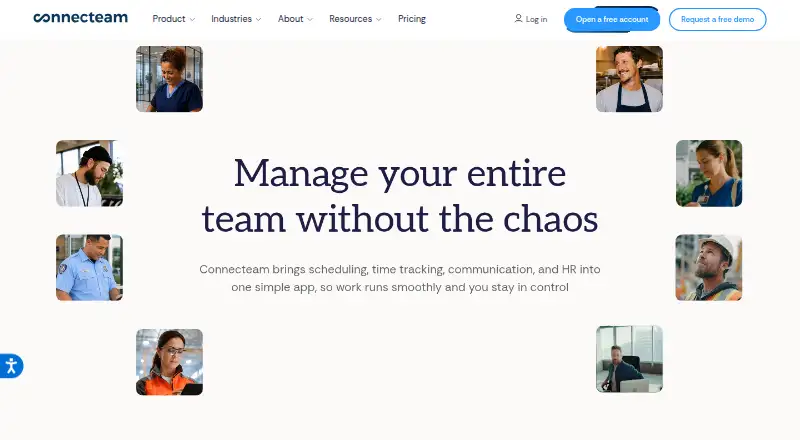
What Connecteam is
Connecteam is a workforce management app for deskless employees that combines communications, daily operations and training. Its Operations Hub includes a time clock, job scheduling, forms and quick tasks. The Communications Hub brings together chat, updates, a directory, surveys, events, a knowledge base and help desk tools. The HR & Skills Hub covers time off, courses, quizzes, documents, recognition, rewards, hiring, onboarding and an org chart. Connecteam is available on Android, iOS and the web, with API connections also offered. Its app is optimized for smartphones and desktop computers, supports Android 6.0 or later and iOS 15.5 or later, and requires an internet connection rather than offline use. Listed integrations include ADP Workforce Now, Gusto, QuickBooks Online, Xero, Bamboo HR, Lightspeed Restaurant K series, Square and Wix. Businesses with fewer than 10 employees can use the free Small Business Plan.
Good
- Combines operations, communications, HR and training tools.
- Free Small Business Plan for businesses under 10 employees.
- Supports Android, iOS and web.
- 14-day trial does not require a credit card.
Watch out
- The app cannot be used offline.
- Android support starts at version 6.0.
- iOS support starts at version 15.5.
Who it suits
Connecteam is designed for businesses with deskless employees that need workforce communication, operations and training tools. The free Small Business Plan is available to businesses with fewer than 10 employees.
Verdict
Connecteam brings daily workforce management and employee communication into one app, with tools spanning scheduling, chat, training and HR. It requires an internet connection and supports specific minimum Android and iOS versions.
Plans and prices
From Connecteam's own pricing page, checked 14 Oct 2026.
| Plan | Price | What it gives you |
|---|---|---|
| Limited | Free | essential features across each hub · free for life; up to 30 users |
| Basic | $35 a month | 30 users included · For the first 30 users |
| Basic | $348 a year | 30 users included · Paid in advance; equivalent to $29/month |
| Advanced | $59 a month | 30 users included · For the first 30 users |
| Advanced | $588 a year | 30 users included · Paid in advance; equivalent to $49/month |
| Expert | $119 a month | 30 users included · For the first 30 users |
| Expert | $1,188 a year | 30 users included · Paid in advance; equivalent to $99/month |
| Enterprise | — | Customized pricing · Single sign-on · Increased API rate limits |
| Enterprise | Priced on request | Customized pricing · Single sign-on · Increased API rate limits |
| Operations Hub Basic | $29 a month | First 30 users · additional users $0.8/month each · Yearly; $29/mo for first 30 users |
| Communications Hub Basic | $29 a month | First 30 users · additional users $0.5/month each · Yearly; $29/mo for first 30 users |
| Communications Basic | $29 a month | unlimited chats · file attachments · company feed · engagement insights · yearly; first 30 users |
| HR & Skills Basic | $29 a month | time-off approvals · course status · celebrations · quizzes · recognition badges · yearly; first 30 users |
| HR & Skills Hub Basic | $29 a month | First 30 users · additional users $0.5/month each · Yearly; $29/mo for first 30 users |
| Operations Basic | $29 a month | GPS clock · unlimited jobs · payroll integration · basic scheduling · unlimited forms/tasks · yearly; first 30 users |
| Communications Advanced | $49 a month | scheduled chats · live polls · anonymous surveys · smart groups · yearly; first 30 users |
| Operations Advanced | $49 a month | custom clock · auto clock-out · 10 geofences · repeating shifts · conditional forms · yearly; first 30 users |
| HR & Skills Advanced | $49 a month | e-sign documents · unlimited courses · unlimited documents · quiz scores · yearly; first 30 users |
| Operations Expert | $99 a month | unlimited geofences · auto-assign shifts · 12 schedules · API · webhooks · yearly; first 30 users |
| Communications Expert | $99 a month | scheduled feed · translation · API · webhooks · yearly; first 30 users |
| HR & Skills Expert | $99 a month | unlimited time-off policies · document review · expiration dates · API · webhooks · yearly; first 30 users |
The facts
Each one read from Connecteam's own pages, with the date it was checked.
What it does
- API availability
- API access requires an Expert plan or higher and is restricted to hubs covered by eligible subscriptions.checked 14 Oct 2026
- API documentation
- Developer documentation provides endpoint schemas, tutorials, changelog material, discussion support, pagination, rate-limit and beta-endpoint guidance.checked 14 Oct 2026
- API scope
- The API exposes account, users, attachments, publishers, jobs, scheduling, time clock, tasks, chat and time-off endpoints, while courses and documents are listed as coming soon.checked 14 Oct 2026
- Communications
- The Communications Hub includes chat, updates, directory, surveys, events, a knowledge base, and help desk.checked 28 Sep 2026
- Communications features
- The Communications hub includes chat, updates, directory, surveys, events, knowledge base and help desk.checked 14 Oct 2026
- Data centers
- Connecteam says its data centers are in Germany (AWS) and the Netherlands (MS Azure).checked 28 Sep 2026
- Developer connections
- Connecteam describes API keys, Zapier API-key authentication, webhooks, and OAuth 2.0 for integrations and data transfer.checked 28 Sep 2026
- Documentation and support
- The help center offers feature articles, videos, webinars, a community, certified-pro assistance and developer documentation.checked 14 Oct 2026
- Funding news
- A March 2, 2022 announcement reported a $120 million Series C led by Stripes and Insight Partners, bringing reported total funding to $160 million.checked 14 Oct 2026
- HR and skills
- The HR & Skills Hub includes time off, courses, quizzes, documents, recognition, rewards, hiring, onboarding, and an org chart.checked 28 Sep 2026
- HR features
- The HR & Skills hub includes time off, courses, quizzes, documents, recognition, rewards, celebrations, hiring, onboarding and an org chart.checked 14 Oct 2026
- Integrations
- Named integrations include Gusto, Zapier, Lightspeed, ADP, Wix Bookings, PrismHR, Shopify POS, Clover and MYOB.checked 14 Oct 2026
- Licence
- Connecteam's terms restrict API use to authorized internal interoperability and prohibit modification, redistribution and reverse engineering, indicating proprietary software.checked 14 Oct 2026
- Limit: learning curve
- Reviewers mention hidden functions, setup customization effort and interfaces that can feel complex.checked 14 Oct 2026
The company
- Company
- Connecteam's newsroom says it was founded in 2016; its privacy policy says it is headquartered in Israel.checked 28 Sep 2026
- Company headquarters and size
- LinkedIn lists New York, New York headquarters and 201–500 employees.checked 14 Oct 2026
- Company legal name
- Crunchbase identifies the legal entity as Connecteam, Inc.checked 14 Oct 2026
- Founded
- Connecteam's newsroom says it was founded in 2016 by Amir Nehemia, Daniel Nuriel and Yonatan Nuriel.checked 14 Oct 2026
- Headquarters
- Israelchecked 23 Sep 2026
Where it runs
- Device requirements
- The regular app supports Android 6.0 or later and iOS 15.5 or later; tablets can install it but are not optimized, while kiosk mode targets tablets.checked 14 Oct 2026
- Limit: device experience
- App-store reviewers report clock-in loading failures, battery drain and Mac or iPad layouts that are poorly optimized.checked 14 Oct 2026
Money
- Free plan
- Yeschecked 21 Sep 2026
- Free plan and trial
- The pricing page says businesses with fewer than 10 employees can use the free Small Business Plan and offers a 14-day free trial without a credit card.checked 28 Sep 2026
- Limit: pricing and billing
- Independent and app-store reviews include complaints about confusing price presentation, unexpected charges and costs rising as teams grow.checked 14 Oct 2026
The full review of Connecteam
Connecteam is workforce management software for deskless teams that need scheduling, communication and staff training in one place. It suits employers who want those jobs under one roof; businesses needing offline access should look elsewhere.
Overview
Connecteam brings together three areas of workforce management: day-to-day operations, employee communication, and HR and skills. That breadth can reduce the need to coordinate work across separate tools, especially for teams whose employees spend more time on the move than at a desk. The trade-off is that companies looking only for a shift planner may find a wider platform than they need.
Founded in 2016, Connecteam is headquartered in Israel. It supports smartphones and desktop computers, but requires an internet connection, which rules it out for teams that must keep using the app during outages or in areas without connectivity.
Key features
Operations and scheduling
The Operations Hub combines a time clock and job scheduling with forms and quick tasks. Scheduling supports automatic scheduling, availability collection, time-off management, open shifts and shift swaps. That set gives managers tools for assembling and adjusting coverage, while forms and tasks bring routine operational work into the same app. The employee limit is 30 for the listed Basic hub plans, with per-employee charges for additional users.
Communication and staff information
The Communications Hub includes chat, updates, a directory, surveys, events, a knowledge base and a help desk. It covers both broadcast updates and employee questions, and gives staff a shared place to find team information. The Basic plan is $29/mo billed yearly for the first 30 users; additional users cost $0.5/month each.
HR, training and integrations
The HR & Skills Hub includes time off, courses, quizzes, documents, recognition, rewards, hiring, onboarding and an org chart. Employers that want learning and people-management features alongside daily operations get broader coverage than a scheduling tool alone. Its Basic plan is $29/mo billed yearly for the first 30 users, with additional users at $0.5/month each.
Connecteam lists integrations with ADP Workforce Now, Gusto, QuickBooks Online, Xero, Bamboo HR, Lightspeed Restaurant K series, Square and Wix. It also describes API keys, Zapier API-key authentication, webhooks and OAuth 2.0 for integrations and data transfer. The company says it complies with GDPR, ISO/IEC 27001, SOC 2 and CCPA; its data centers are in Germany (AWS) and the Netherlands (MS Azure).
Pricing
Connecteam has a free plan for businesses with fewer than 10 employees and offers a 14-day free trial without a credit card. The free Limited plan costs $0.00 per free and provides limited feature access, so it is best treated as a small-team entry point rather than a full substitute for a paid hub.
Each Basic hub plan is $29/mo billed yearly for the first 30 users. The Operations Hub charges $0.8/month for each additional user, while Communications and HR & Skills charge $0.5/month per additional user. These prices make a single hub a clear starting point for a business that knows which tools it needs; choosing multiple hubs expands coverage and cost.
There are also broader plans: Basic is $35 a month, Advanced is $59 a month and Expert is $119 a month, each billed for the first 30 users with 30 users included. Enterprise has custom pricing and includes single sign-on and increased API rate limits. The listed paid plans give employers a choice between hub-specific entry plans and higher tiers, but businesses should account for user count and billing terms when comparing them.
Platforms
Connecteam is available on Android, iOS and the web, with an API also supported. The app supports Android 6.0 or later and iOS 15.5 or later. Its mobile and desktop support suits teams that split work between phones and computers, but the internet requirement limits use in disconnected settings.
Who it's for
Connecteam is a strong fit for employers with deskless staff who need scheduling and timekeeping alongside communication, training or HR tools. It is less compelling for a business seeking only basic shift planning, or for workers who need offline access. Teams comparing scheduling products can also browse employee scheduling software, gym staff scheduling software, time and attendance software, attendance tracking software and employee directory software.
Pros and cons
- Pro: Scheduling includes availability collection, open shifts, time off and shift swaps, giving managers several ways to handle coverage in one hub.
- Pro: Communication, HR and training features extend the app beyond shift planning, which can suit employers consolidating several staff workflows.
- Pro: The free plan covers businesses with fewer than 10 employees, and the 14-day trial does not require a credit card.
- Con: The app cannot be used offline, a material limitation for staff without reliable connectivity.
- Con: Basic hub pricing is billed yearly and includes 30 users; additional-user charges can matter as a team grows.
- Con: Teams that need only a rota may not benefit from the extra HR, training and communication scope.
Alternatives
ClockOn is worth considering for eligible new businesses looking for basic payroll and STP, with a free Starter Package lasting up to 12 months or 27 STP submissions.
Findmyshift offers a free plan for very small teams, though its listed limits are five team members, one manager, one week of historical data and one week of forward planning.
7shifts has a free Comp plan for up to 15 employees at one location; its Essentials plan covers 30 employees and unlimited locations, with custom pricing.
Shiftbase provides a free plan for up to 15 employees, with one department and up to five teams, making it an option for smaller groups comparing free scheduling plans.
Sling offers free scheduling for up to 30 users, including time-off requests, available shifts, news sharing and private messaging.
PagarBook may suit Android, iOS or web users who need free attendance marking; its paid subscription is required for salary, PF/ESI or tracking.
Shiftura has a free forever plan for up to five employees.
Zoho Shifts has a free plan for up to 25 users, with basic scheduling, multiple locations, team messaging, break scheduling and time-off requests.
Verdict
Choose Connecteam if you manage deskless employees and want scheduling, communication and HR or training tools in one app. Its breadth is the main reason to choose it; the internet requirement is the clearest reason to look elsewhere, especially for teams that work in disconnected locations.
Getting started
- Visit https://connecteam.com/.
- Choose the free Small Business Plan if your business has fewer than 10 employees.
- Alternatively, start the 14-day free trial without a credit card.
- Use the web app or install the mobile app on Android 6.0 or later or iOS 15.5 or later.
- Choose a Hub Basic plan for $29 a month when billed yearly, for the first 30 users.
Limits worth knowing
The free Small Business Plan is for businesses with fewer than 10 employees and has limited feature access. Hub Basic plans start at $29 a month billed yearly for the first 30 users; additional users cost 0.8 USD per month for Operations Hub Basic, or 0.5 USD per month for HR & Skills and Communications Hub Basic.
Questions
Is Connecteam free?
Yes. Businesses with fewer than 10 employees can use the free Small Business Plan. The Limited plan is listed at 0.00 USD with limited feature access.
How much do the Hub Basic plans cost?
Operations Hub Basic, HR & Skills Hub Basic and Communications Hub Basic each cost $29 a month billed yearly for the first 30 users. Additional users cost 0.8 USD per month for Operations and 0.5 USD per month for the other two hubs.
Does Connecteam offer a trial?
Yes, it offers a 14-day free trial without a credit card.
Which devices and platforms are supported?
Connecteam is available on Android, iOS and the web, with API connections also listed. It supports Android 6.0 or later and iOS 15.5 or later.
Can the app work offline?
No. Connecteam requires an internet connection and cannot currently be used offline.
Which integrations are listed?
Integrations include ADP Workforce Now, Gusto, QuickBooks Online, Xero, Bamboo HR, Lightspeed Restaurant K series, Square and Wix.
Alternatives to Connecteam
- 1
Business in a Box
Free planAndroidiOSWebLinux8.2From $199 a year - 2
Slack
Free planAndroidiOSWebLinux8.2From $8.75 a month - 3

GoProfiles
Free planAndroidiOSWebAPI8.0From $2 a month - 4

MangoApps
AndroidiOSWebAPI7.9From $9 a month - 5

Maptio
Open sourceWebSelf-hosted7.8From $10 a month - 6

Sift
AndroidiOSWebAPI7.8From $150 a month