Business in a Box
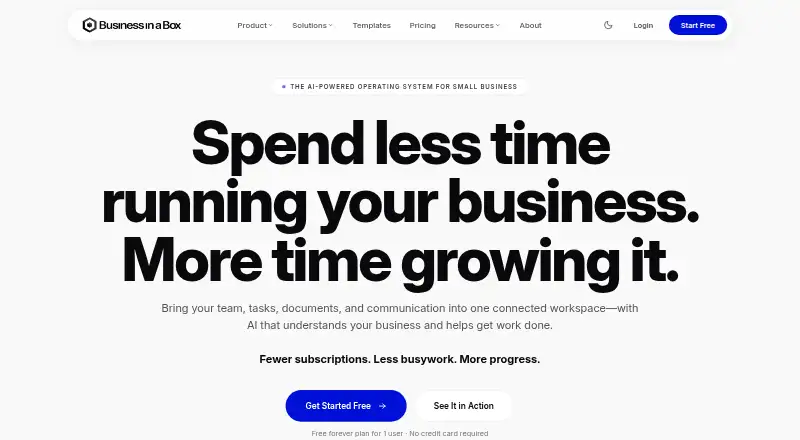
Business in a Box combines work management, documents, communication, people management, and AI tools in one workspace.
What Business in a Box is
Business in a Box combines work management, documents, communication, people management, and AI tools in one workspace. Its work tools cover projects, goals, tasks, calendars, and dashboards, and the company offers more than 3,000 business and legal templates. Connect lists Google Workspace, Microsoft 365, Slack, Zapier, Make, Zoom, Stripe, QuickBooks, and more than 500 other business apps. The maker says integrations use OAuth and credentials are never stored in plain text.
The Free plan is for one user and includes 100 MB of storage, 12 projects, 100 tasks, 100 free templates, and 3,000 AI credits to start. Paid plans add 10,000 AI credits per user each month to an organization-shared allowance; unused credits do not carry over. Solo costs $199 a year, Team $39 a month, and Business $99 a month. Enterprise pricing is by annual quote. Every paid plan has a 14-day money-back guarantee. The platform is available on the web and on Android, iOS, Linux, macOS, and Windows. It was founded in 2002 and is headquartered in Montreal, Canada. The company lists AES-256 encryption at rest, TLS 1.2+ in transit, daily automated backups, cross-region replication, and SOC 2 Type II, ISO 27001, and PCI-DSS compliance.
Good
- Combines project, goal, task, calendar, and dashboard tools.
- Includes more than 3,000 business and legal templates.
- Connect lists Google Workspace, Microsoft 365, Slack, and other apps.
- Apps are available across web, desktop, and mobile platforms.
- Paid plans include a 14-day money-back guarantee.
Watch out
- Free plan allows one user, 100 MB, 12 projects, and 100 tasks.
- Desktop and mobile apps currently require an internet connection.
- Enterprise pricing is by quote.
Who it suits
The Free plan fits an individual who can work within its one-user, storage, project, and task limits. Team and Business plans are positioned for groups of 2–4 and 5 or more, while Enterprise is aimed at organizations with 50+ users or several companies.
Verdict
Pick Business in a Box if you want work management, templates, integrations, and people tools in one workspace, with plans ranging from an individual to larger organizations. Look elsewhere if you need offline desktop or mobile access, or if the Free plan’s user, storage, project, or task limits do not fit.
Plans and prices
From Business in a Box's own pricing page, checked 15 Oct 2026.
| Plan | Price | What it gives you |
|---|---|---|
| Free | Free | 1 user · 3,000 AI credits one time · 100 MB storage · 100 free templates · 12 projects/100 tasks · 10 notes, links and contacts · help-center support · no payment |
| Solo | $199 a year | 10,000 AI credits/month · 20 GB storage · unlimited template downloads · unlimited projects and tasks · email and chat support · charged once a year for 1 person |
| Team | $39 a month | 2–4 users · shared projects and goals · chat and video calls · business email · shared files, documents and calendar · HR profiles · 10,000 AI credits/user/month · for 2 people, billed monthly; $20/month each additional user; $398/year annually |
| Business | $99 a month | 5+ users · reports and analytics · workload management · time and salary cost tracking · departments and advanced permissions · company AI context · priority support · for 5 people, billed monthly; $20/month each additional user; $995/year annually |
| Enterprise | Priced on request | 50+ users · custom roles and SSO/SAML · uptime SLA · private cloud · custom development · dedicated account manager · annual, by quote |
The facts
Each one read from Business in a Box's own pages, with the date it was checked.
What it does
- AI credits
- Paid plans add 10,000 AI credits per user each month to an organization-shared allowance, and unused credits do not carry over.checked 11 Oct 2026
- Analytics
- Business-tier capabilities include real-time dashboards, reports, workload views and time and salary cost tracking.checked 15 Oct 2026
- API and SDKs
- No public API or SDK documentation is provided; the official comparison only advertises future API availability.checked 15 Oct 2026
- BizAI
- BizAI uses business context supplied in the system to help with planning, drafting, summarizing, analysis and next-step suggestions.checked 15 Oct 2026
- Communication
- Team chat, project discussions, client communication, email, audio calls and video calls are built into the workspace.checked 15 Oct 2026
- Compliance
- The maker states that Business in a Box is SOC 2 Type II, ISO 27001 and PCI DSS compliant and supports GDPR and CCPA obligations.checked 15 Oct 2026
- Documentation and support
- The help center covers setup, billing, features, integrations and troubleshooting; paid plans include email and chat support, while Free includes the help center.checked 15 Oct 2026
- Document hub
- Users can create, organize, store, share and collaborate on documents, spreadsheets, files, notes and company knowledge.checked 15 Oct 2026
- Google Play data practices
- Google Play states that the app does not share data with third parties, may collect personal, financial and app-activity data, and encrypts data in transit.checked 15 Oct 2026
- Integrations
- The pricing comparison marks integrations and API access as coming soon for Business and Enterprise plans, with MCP access also marked coming soon.checked 15 Oct 2026
- Integration security
- The maker says integrations use OAuth and credentials are never stored in plain text.checked 11 Oct 2026
- Licence
- The terms describe a proprietary cloud SaaS service, grant only a limited subscription license and prohibit reverse engineering, scraping, redistribution and derivative works.checked 15 Oct 2026
- Limit: document formats
- G2 reviewers report that some Word files are old and that forms do not readily convert to Google Forms or Google Sheets.checked 15 Oct 2026
- Limit: missing business modules
- Trustpilot complaints include requests for stock-taking and accounting functions, dissatisfaction with some updates or refunds, and allegations of unexpected charges.checked 15 Oct 2026
- Limit: pricing and value
- Independent reviews mention that individual pricing can feel high, some users want one-time purchase options, and some consider templates too generic for the price.checked 15 Oct 2026
- Notable limits
- The free plan is limited to one user, 100 MB of storage, 12 projects, and 100 tasks.checked 11 Oct 2026
- Notable news
- A February 10, 2025 release announced an expanded platform adding Business AI, Inbox, HRM, Tasks, Chat, Connect, Contacts and Home modules.checked 15 Oct 2026
- Offline access
- The download page says offline access is coming soon and that the desktop and mobile apps currently require an internet connection.checked 11 Oct 2026
The company
- Company LinkedIn facts
- LinkedIn lists Biztree as privately held, headquartered in Montreal, founded in 2002 and employing 11–50 people.checked 15 Oct 2026
- Company scale
- The maker reports more than 250,000 businesses served in over 190 countries and more than 3,000 templates.checked 15 Oct 2026
- Founded
- 2002checked 28 Sep 2026
- Headquarters
- Montreal, Canadachecked 28 Sep 2026
- Maker history
- Biztree Inc. says Bruno Goulet founded Business in a Box in Montreal in 2002.checked 15 Oct 2026
Where it runs
- Limit: mobile app
- Apple App Store reviewers report offline-status errors, crashes and generic repetitive documents requiring substantial editing; the developer said the app was being revamped.checked 15 Oct 2026
The full review of Business in a Box
Business in a Box is a workspace that brings project and task management together with business documents, communication, people tools, and AI. It suits solo operators and growing teams that want those capabilities alongside a large template library. Its range is appealing, but offline access is not yet available and the free plan is tightly capped.
Overview
Projects, goals, tasks, calendars, and dashboards share a workspace with people management and more than 3,000 business and legal templates. That breadth can reduce the need to move between separate work and document tools. The trade-off is that the free tier has little capacity for sustained use: one user gets 100 MB of storage, 12 projects, and 100 tasks.
Founded in 2002 and headquartered in Montreal, the company connects the product to Google Workspace, Microsoft 365, Slack, Zapier, Make, Zoom, Stripe, QuickBooks, and more than 500 other business apps. OAuth integrations and credentials that are not stored in plain text are useful safeguards. Security measures include AES-256 encryption at rest, TLS 1.2 or higher in transit, daily automated backups, and cross-region replication. The company lists SOC 2 Type II, ISO 27001, and PCI-DSS, and says its privacy practices comply with GDPR and CCPA.
Key features
The work-management tools cover projects, goals, tasks, calendars, and dashboards. Custom fields and location views offer more ways to organize information, while an org chart adds a people-management view. These features make the product relevant to businesses that want operational and employee information in one place, though its employee limit of one is a significant constraint for directory use beyond an individual.
The template library is a practical differentiator for businesses that regularly need business or legal documents. Paid plans include 10,000 AI credits per user each month, pooled into an organization-shared allowance. Credits do not roll over, so unused monthly capacity is lost rather than banked. There is no API access, which may rule it out for organizations that need to build their own integrations.
The company lists email, live chat, phone, and help-center support. Free-plan email responses take 48 hours, while enterprise customers receive a dedicated manager. Every paid plan has a 14-day money-back guarantee.
Pricing
| Plan | Price | What it includes |
|---|---|---|
| Free | free | One user, 100 MB storage, 3,000 AI credits to start, 12 projects, 100 tasks, and 100 free templates |
| Solo | $199 a year | One user, 20 GB storage, 10,000 AI credits a month, and no monthly template download limit |
| Team | $39 a month | 2–4 users, 20 GB per user, and 10,000 AI credits per user a month; monthly plans under 10 users allow 20 template downloads per user every 30 days |
| Business | $99 a month | 5+ users, 20 GB per user, and 10,000 AI credits per user a month; monthly plans under 10 users allow 20 template downloads per user every 30 days |
| Enterprise | Custom pricing | Annual, by quote; 50+ users, custom AI credits and storage, with options including multi-company structure, SSO, uptime SLA, and dedicated account manager |
Free is a useful no-payment starting point, but the one-user cap, 100 MB, and project and task limits make it a poor fit for a team or a growing workload. Solo raises storage to 20 GB and removes the monthly template download limit, but still serves only one user and costs $199 a year. Team and Business are priced per month, with seats and storage scaled for small and larger teams; the template-download cap applies to monthly plans under 10 users. Enterprise is aimed at organizations with 50 or more users or several companies, and its custom terms and options come by quote. There is no free trial.
Platforms
Business in a Box is available on Android, iOS, Linux, macOS, the web, and Windows. The desktop and mobile apps require an internet connection; offline access is described as coming soon. That makes it a less suitable choice for people who need to keep working without connectivity.
Who it's for
Solo is positioned for one person, Team for 2–4 people, Business for teams of 5 or more, and Enterprise for 50+ users or businesses running several companies. The combination of work management and templates is most compelling for people who want both in one workspace. Businesses focused primarily on employee directories should weigh the one-employee limit carefully, and teams needing offline use or API access should look elsewhere.
Pros and cons
- Pros: Projects, goals, tasks, calendars, dashboards, people tools, and more than 3,000 business and legal templates sit together, suiting businesses that want a broad workspace.
- Pros: Connections to more than 500 business apps, plus named integrations such as Google Workspace and Microsoft 365, give teams multiple ways to connect existing tools.
- Pros: Paid plans include 10,000 AI credits per user per month, and enterprise options include SSO and a dedicated account manager.
- Cons: The free plan's one-user, 100 MB, 12-project, and 100-task limits are restrictive for ongoing team work.
- Cons: Solo costs $199 a year for one user, while AI credits expire monthly and are shared across the organization.
- Cons: Offline access is not yet available, and there is no API access.
Alternatives
For a dedicated employee directory, compare employee directory software; for software centered on business plans, see business plan software. Choose Slack instead if your priority is chat and collaboration: its free plan includes 90 days of message history and up to ten apps. Connecteam is another freemium option, with a free Limited plan and a Basic plan at $35 a month.
GoProfiles is a focused alternative with a free plan that includes people-data import, an org chart and directory, an employee map, Bravos, and achievements. Jostle offers a free plan and paid tiers including Bronze, with news, an activity feed, employee recognition, discussions, email digests, and mobile apps. HourSquare has a free Small teams plan for teams of up to 10 employees. Openbook is a freemium option for daily standups, while OrgNice offers a free Basic plan with five projects. MangoApps is a paid alternative with a Communications & Intranet plan from $9 a month for 200 employees.
Verdict
Choose Business in a Box if you want project and people tools, business and legal templates, and integrations in one workspace, and its plan limits match your team size. The breadth is its strongest reason to choose it; the restricted free tier, annual Solo price, lack of offline access, and no API access are clear reasons to look elsewhere.
Getting started
- Visit https://www.business-in-a-box.com/.
- Choose the Free plan or a paid plan suited to your organization size.
- Use the web app or download the app for Android, iOS, Linux, macOS, or Windows.
- Keep an internet connection when using the desktop or mobile apps.
Limits worth knowing
The Free plan is limited to one user, 100 MB of storage, 12 projects, and 100 tasks. It starts with 3,000 AI credits. Paid plans add 10,000 AI credits per user each month to a shared organizational allowance, and unused credits do not carry over.
Questions
Is there a free plan?
Yes. Free costs nothing and includes one user, 100 MB of storage, 12 projects, 100 tasks, 100 free templates, and 3,000 starting AI credits.
What do the paid plans cost?
Solo costs $199 a year. Team costs $39 a month and Business costs $99 a month; both offer monthly or annual billing. Enterprise is billed annually by quote.
Which platforms can I use?
Business in a Box is available on the web and for Android, iOS, Linux, macOS, and Windows. Desktop and mobile apps currently require an internet connection.
Which apps does it integrate with?
Connect lists Google Workspace, Microsoft 365, Slack, Zapier, Make, Zoom, Stripe, QuickBooks, and more than 500 other business apps.
Does it offer a free trial?
No. The listed pricing information says there is no free trial. Every paid plan has a 14-day money-back guarantee.
Who makes Business in a Box?
The company was founded in 2002 and is headquartered in Montreal, Canada.
Alternatives to Business in a Box
- 1

Business Plan Quick Builder
Free planAndroidiOSWebLinux8.0Free plan - 2

LivePlan
AndroidiOSWebmacOS7.6From $15 a month - 3
Planium Pro
AndroidiOSWebAPI7.6From $20 a month - 4
IdeaBuddy
Free planAndroidiOSWeb6.9Free plan - 5
Business Model Fiddle
Free planAndroidiOSWebLinux6.7Free plan - 6
Finline
Free planWeb6.7From ₹6,500 a year