Zoho Shifts
Zoho Shifts is employee scheduling and time-tracking software for organizations that need to coordinate shifts and attendance.
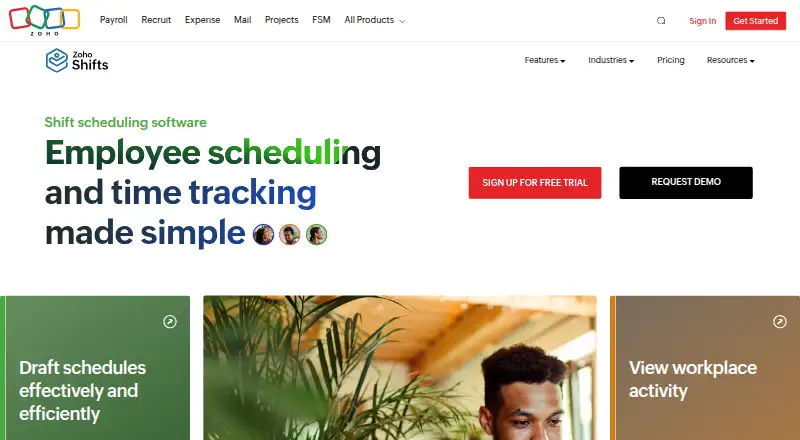
What Zoho Shifts is
Zoho Shifts is employee scheduling and time-tracking software for organizations that need to coordinate shifts and attendance. Managers can build conflict-free schedules and see in real time who is working, on break, or late. The service handles time-off and shift requests, including swaps and open shifts, while auto-scheduling and availability collection support planning. Team communication is built in through direct messages, group chats, and announcement channels. GPS tagging and geofencing can verify check-ins at designated job sites. Employees can use Zoho Shifts on the web or through iOS and Android apps. Schedule calendars can sync one way with Google Calendar, Outlook, and Apple Calendar; this synchronization is not included in the Free plan. Zoho Analytics can transfer shift, employee, time-off, and time-entry data for custom reports, and the REST API exposes employees, shifts, requests, and timesheets. Zoho describes subscriptions as pay-as-you-go, without a contract, and says they can be started or stopped at any time. The Free plan costs nothing for up to 25 users.
Good
- Free plan supports up to 25 users
- Real-time visibility into working, break, and late status
- Handles swaps, open shifts, and time-off requests
- iOS, Android, web, and API access
- GPS tagging and geofencing for job-site check-ins
- Built-in direct, group, and announcement messaging
Watch out
- Calendar synchronization is unavailable on the Free plan
- Free plan is limited to 25 users
- Basic and Standard require at least 10 users
- Free lists basic scheduling; Basic lists advanced scheduling
Who it suits
Zoho Shifts suits SMBs and large organizations managing teams across restaurants, retail, healthcare, education, and other listed industries. It is also useful for teams needing mobile access, location-verified check-ins, messaging, and attendance data integrations.
Verdict
Choose Zoho Shifts if you need scheduling, attendance visibility, requests, communication, and mobile access in one service. Its Free plan covers basic scheduling for up to 25 users, while paid tiers add advanced scheduling, time tracking, and location controls. Look elsewhere if two-way calendar sync or a different plan structure is essential, since calendar sync is one-way and excluded from Free.
Plans and prices
From Zoho Shifts's own pricing page, checked 19 Oct 2026.
| Plan | Price | What it gives you |
|---|---|---|
| Free | Free | up to 25 users · basic scheduling · multiple locations · team messaging · break scheduling · time-off requests · reports · iOS and Android apps · notifications · support · shift templates |
| Basic | $9.99 a month | unlimited users · advanced scheduling · open shifts · job sites · recurring shifts · reminders · shift swap, offer and drop · availability · custom access levels · skills and time-off management · REST API · 10 users |
| Standard | $19.99 a month | time tracking · mobile and kiosk clock-in · timesheets · time-clock reports and rules · break tracking · overtime rules · shift premium · GPS tagging · geofencing · payroll export · worked-hours accrual · 10 users |
The facts
Each one read from Zoho Shifts's own pages, with the date it was checked.
What it does
- Analytics integration
- Zoho Analytics can sync shifts, time entries, time-off requests, employees, schedules, positions, job sites and time-off types.checked 19 Oct 2026
- API
- The public REST API uses JSON endpoints for employees, shifts, time off and timesheets under an organization-specific path.checked 19 Oct 2026
- API authentication
- API access uses OAuth 2.0 with application registration, consent, refresh tokens, multiple client flows and regional data-center endpoints.checked 19 Oct 2026
- API shift operations
- Shift endpoints support listing, creation, retrieval, updating and deletion, with filters for dates, schedules, sites, positions, employees and status.checked 19 Oct 2026
- Attendance
- The service shows who is working, on break or late in real time.checked 19 Oct 2026
- Calendar integration
- Basic and Standard users can synchronize schedules one way with Google, Outlook or Apple calendars.checked 19 Oct 2026
- Communications
- Its built-in messenger supports direct messages, group chats, and announcement channels.checked 4 Oct 2026
- Compliance
- Zoho reports ISO/IEC 27001:2013 certification and GDPR readiness for its broader services.checked 19 Oct 2026
- Documentation
- The help center is organized into getting started, employees, scheduling, time off, tracking, payroll, messaging, reports, employee guides and account administration.checked 19 Oct 2026
- Intended users
- Zoho says Shifts is for SMBs and large businesses across industries, and identifies restaurants, retail, healthcare, professional services, assisted living, universities, and schools as use cases.checked 4 Oct 2026
- License
- Zoho's end-user terms describe the software as proprietary licensed software that cannot be modified, redistributed or reverse engineered.checked 19 Oct 2026
- Limit: feature depth
- Connecteam reports missing field tasks, onboarding and training tools, basic reporting, limited compliance controls, no offline mode and manual payroll exports.checked 19 Oct 2026
- Limit: integration linking
- A GetApp reviewer said Zoho Sheet and Zoho Calendar could not be linked successfully.checked 19 Oct 2026
- Limit: integrations and offline use
- G2 reviewers report limited third-party integrations, limited offline operation and limited report customization.checked 19 Oct 2026
- Location controls
- GPS tagging and geofencing can restrict clock-ins to approved job sites.checked 19 Oct 2026
- Messaging
- Built-in direct messages, group chats and announcement channels support employee communication.checked 19 Oct 2026
- Mobile access
- Zoho Shifts provides mobile apps for iOS and Android, and its product site also lists web access.checked 4 Oct 2026
Money
- Billing
- Zoho describes Shifts as pay-as-you-go with no contract and says subscriptions can be started or stopped at any time.checked 4 Oct 2026
The company
- Company legal name
- Crunchbase identifies the maker as Zoho Corporation Pvt. Ltd., a privately held for-profit company.checked 19 Oct 2026
- Company profile
- LinkedIn lists Zoho as headquartered in Chennai, privately held, with more than 10,001 employees and over 150 million users.checked 19 Oct 2026
- Founded
- 1996checked 28 Sep 2026
- Founded and funding
- Zoho began in 1996 as AdventNet and says it has operated without venture funding or an IPO.checked 19 Oct 2026
Where it runs
- Limit: Android notifications
- Google Play reviewers report missing schedule notifications and recurring schedules that fail to apply across multiple days.checked 19 Oct 2026
- Limit: iOS experience
- Apple reviewers mention weak sorting, inaccurate departure times, delayed alerts, clunky interactions and difficulty requesting time off.checked 19 Oct 2026
The full review of Zoho Shifts
Zoho Shifts is workforce scheduling and time-tracking software for organizations managing employees across shifts and sites. It is best suited to teams that need scheduling, attendance oversight, requests, messaging, and mobile access together. Its main appeal is the breadth of its scheduling workflow; businesses needing two-way calendar synchronization or a very small paid deployment should consider its plan boundaries carefully.
Overview
Zoho Shifts combines conflict-free schedule creation with a live attendance view showing who is working, on break, or late. Managers can process time-off and shift requests, including swaps and open shifts, without separating those tasks from the schedule. Built-in direct messages, group chats, and announcement channels give teams a central communication stream.
GPS tagging and geofencing help verify check-ins at the correct job sites, which is particularly relevant to multi-location operations. Zoho positions the service for SMBs and large businesses in restaurants, retail, healthcare, professional services, assisted living, universities, and schools. Subscriptions are pay-as-you-go, have no contract, and can be started or stopped at any time.
Key features
Scheduling and attendance
Availability collection, time-off management, open-shift handling, shift swaps, and auto-scheduling cover the operational work between creating a rota and keeping it staffed. Real-time attendance status gives managers immediate visibility into lateness and current coverage. These tools are useful for teams with frequent changes; a business wanting only a static timetable may not need this breadth.
Time, location, and reporting
Paid Standard features add time tracking, mobile and kiosk clock-in, timesheets, break tracking, time-clock rules, custom overtime rules, shift premiums, payroll export, and GPS tagging with geofencing. That combination is aimed at organizations that must connect scheduled hours to payroll or verify attendance at specific sites. Zoho Analytics can synchronize shift, employee, time-off-request, and time-entry data for custom reports, while the REST API exposes employees, shifts, time-off requests, and timesheets for integrations.
Calendars and mobile access
Employees can send their schedules to Google Calendar, Outlook, or Apple Calendar, but synchronization is one-way and excluded from Free. That is sufficient for personal visibility, not for keeping schedule changes synchronized in both directions. iOS and Android apps, web access, email notifications, and push notifications support staff who work away from a desk.
Security and support
Zoho states that data in transit uses TLS 1.2 or 1.3 and that sensitive data at rest is encrypted with AES-256, with the exact at-rest coverage varying by service. Free includes chat and email support; the pricing page says live chat is available 24x5.
Pricing
Free
Free costs nothing for up to 25 users. It includes basic scheduling, multiple locations, team messaging, break scheduling, time-off requests, schedule reports, shift templates, iOS and Android apps, email and push notifications, and chat and email support. It is a credible starting point for a small team, but it omits calendar sync and the advanced scheduling and time-recording controls found in paid tiers.
Basic
Basic has custom pricing, is billed monthly or yearly, and requires at least 10 users. It includes everything in Free plus unlimited users, advanced scheduling, open shifts, job sites, recurring shifts, shift swaps, offers and drops, availability preferences, custom access levels, skills management, time-off management, and REST API access. The 10-user minimum makes it less suitable for a very small paid deployment, while the added workflow controls fit growing operations.
Standard
Standard also has custom pricing, monthly or yearly billing, and a 10-user minimum. It adds everything in Basic plus time tracking, mobile and kiosk clock-in, timesheets, time-clock reports and rules, break tracking, custom overtime rules, shift premiums, GPS tagging and geofencing, payroll export, and worked-hours-based time options. Choose it when attendance verification and payroll-oriented records justify moving beyond scheduling.
A 30-day trial is offered. Pay-as-you-go terms allow subscriptions to be started or stopped without a contract.
Platforms
Zoho Shifts runs on web, iOS, and Android, and provides an API for programmatic access. The mobile apps suit employees checking schedules, requests, and attendance away from a computer, while web access serves managers handling larger scheduling tasks.
Who it's for
Choose it for restaurants, retailers, healthcare providers, professional-services firms, assisted-living operators, universities, and schools that coordinate variable shifts or multiple sites. Free is most appropriate for teams of 25 users or fewer needing core scheduling and messaging. Larger organizations, or those needing open-shift workflows, recurring schedules, skills and access controls, time clocks, geofencing, or payroll export, should evaluate Basic or Standard. It is a weaker fit when two-way calendar editing is essential or when a paid plan with fewer than 10 users is required.
Pros and cons
Pros
- Broad shift workflow: scheduling, availability, requests, swaps, open shifts, and auto-scheduling address the full coverage process.
- Live attendance visibility: managers can identify who is working, on break, or late.
- Useful site controls: Standard combines GPS tagging and geofencing with mobile and kiosk clock-in.
- Accessible entry tier: Free supports up to 25 users and includes multiple locations, messaging, reports, and mobile apps.
- Integration paths: one-way calendar feeds, Zoho Analytics synchronization, and a REST API support connected workflows.
Cons
- Calendar sync is one-way: employees cannot use the connected calendar as a two-way scheduling source.
- Free is limited: calendar sync and advanced scheduling and time-tracking capabilities require a paid tier.
- Paid plans require 10 users: Basic and Standard may not suit smaller businesses that need only a few seats.
- Custom pricing: readers cannot compare a published Basic or Standard price before contacting Zoho.
Alternatives
For a broader category comparison, see Employee Scheduling Software. Salon businesses can also review Salon Staff Scheduling Software.
Salonist is the better choice when salon appointment booking is as important as staff shifts; its free Marketplace Listing includes 50 appointments per month, online booking, calendar and scheduling, and staff shift management.
TrimTime suits a very small salon that wants a forever-free tier for up to three staff members and two counters, with online and walk-in bookings, while accepting a 12% platform commission.
EasyGrox is a web-only option with a free booking website, shareable URL, appointment display, traffic visibility, and editable services and profile.
Squadra fits teams wanting a free web plan for up to 10 employees at one location, with phone and tablet clock-in and schedule sharing by link.
Kitomba, Phorest, Salonized, and Boulevard are paid alternatives with their own salon-management plan structures.
Verdict
Zoho Shifts is a strong choice for organizations that want scheduling, attendance status, shift-change workflows, communication, and mobile access in one system, with a Free entry point for up to 25 users. Its decisive advantages are the depth of its scheduling workflow and the Standard tier's time, location, and payroll controls. Look elsewhere if two-way calendar synchronization is non-negotiable, if you need a paid plan for fewer than 10 users, or if custom-priced tiers make budgeting difficult.
Getting started
- Open the Zoho Shifts website
- Start with the Free plan or the 30-day trial
- Choose web access or install the iOS or Android app
- Create schedules and configure availability, time-off, or open-shift workflows
- Add calendar, Zoho Analytics, or REST API connections as needed
Limits worth knowing
The Free plan supports up to 25 users and does not include calendar synchronization. Basic and Standard plans require a minimum of 10 users; their listed billing can be monthly or yearly.
Questions
Is there a free plan?
Yes. The Free plan costs nothing and supports up to 25 users. A 30-day trial is also listed.
Which platforms are supported?
Zoho Shifts is available on Android, iOS, web, and through an API.
Can schedules sync with calendars?
Employees can sync schedules one way with Google Calendar, Outlook, and Apple Calendar. Calendar sync is unavailable on the Free plan.
Does Zoho Shifts provide an API?
Yes. Its REST API provides programmatic access to employees, shifts, time-off requests, and timesheets.
What support comes with Free?
The Free plan lists chat and email support. Zoho says live chat is available 24x5.