
Comet
Comet is Perplexity’s AI browser, with an assistant built into the browsing experience.
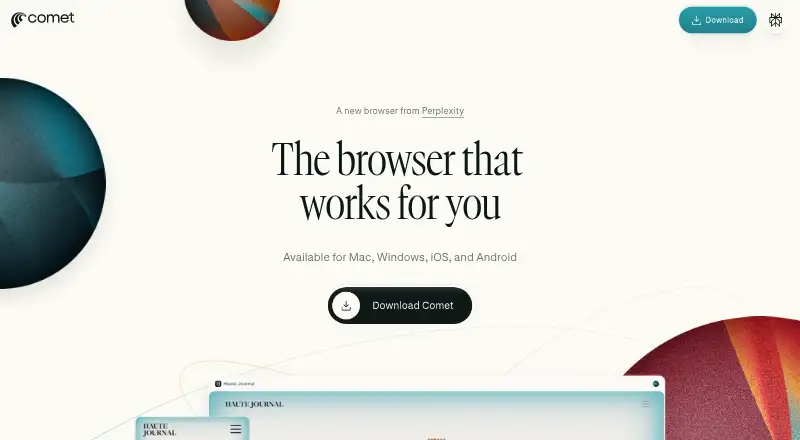
What Comet is
Comet is Perplexity’s AI browser, with an assistant built into the browsing experience. It can answer questions about open tabs, search the web, and interact with websites on a user’s behalf. Examples include summarizing or explaining content, comparing information across tabs, drafting emails, scheduling meetings, and making purchases. Perplexity is the default search engine, and the browser uses Chromium. Comet is free to download for Android, iOS, macOS, and Windows. It supports most Chrome extensions, but extension data does not transfer from Chrome, so extensions must be installed and configured again. Browsing data such as URLs, searches, cookies, open tabs, and site permissions is stored on the device. Website passwords and credit card details are stored in the device’s secure vault, not on Perplexity’s servers. Privacy settings let users delete browsing and search history, cookies, and cached data. Some queries may involve sending page context, including text or email, to Perplexity’s servers. Email or schedule tasks may require opting in to Perplexity Connector access, with permissions changeable or revocable later.
Good
- Free to download across four listed platforms
- Assistant can work with open tabs and websites
- Browsing history and site data can be deleted in privacy settings
- Website credentials are kept in the device’s secure vault
Watch out
- Extension data does not transfer from Chrome
- Some queries may send page context to Perplexity’s servers
- Email and schedule tasks may require Connector opt-in
Who it suits
Comet suits people who want an AI assistant to help with open pages, web searches, and website tasks while browsing. It is available across Android, iOS, macOS, and Windows.
Verdict
Comet combines a Chromium browser with an assistant for page questions and website tasks, and it is free to download. Consider its handling of page context and the need to reinstall Chrome extensions when choosing it.
Plans and prices
From Comet's own pricing page, checked 4 Oct 2026.
| Plan | Price | What it gives you |
|---|---|---|
| Comet | Free | Downloadable for free |
The facts
Each one read from Comet's own pages, with the date it was checked.
Where it runs
- Browser engine
- chromiumchecked 23 Sep 2026
- Cross-device sync
- Yeschecked 23 Sep 2026
- Supported platforms
- bothchecked 23 Sep 2026
What it does
- Built-in ad blocking
- Yeschecked 23 Sep 2026
- Compatibility
- Comet supports most Chrome extensions, but users must install and configure them again because extension data is not transferred from Chrome.checked 4 Oct 2026
- Credentials
- Website credentials such as passwords and credit cards are stored in the device’s secure vault and not on Perplexity’s servers.checked 4 Oct 2026
- Enterprise
- Enterprise deployments support MDM on macOS and Windows and configuration of more than 500 Chromium-based policies.checked 4 Oct 2026
- Extension support
- chrome_storechecked 23 Sep 2026
- Features
- Comet’s examples include summarizing and explaining content, comparing information across tabs, drafting emails, scheduling meetings, and making purchases.checked 4 Oct 2026
- Integrations
- For email or schedule tasks, Comet may ask the user to opt in to Perplexity Connector access to third-party services, and permissions can later be revoked or changed in Perplexity settings.checked 4 Oct 2026
- Local data
- Comet stores browsing data such as URLs, searches, cookies, open tabs, and site permissions locally on the device.checked 4 Oct 2026
- Notable data handling
- Comet may process page context, including text or email, on Perplexity’s servers when needed to complete a user’s query.checked 4 Oct 2026
- Open source
- Nochecked 23 Sep 2026
- Page assistance
- Comet Assistant can answer questions about open tabs, search the web, and interact with websites on the user’s behalf.checked 4 Oct 2026
- Privacy controls
- Users can delete browsing and search history, cookies, and cached data in Comet’s privacy settings.checked 4 Oct 2026
- Product
- Comet is Perplexity’s AI browser with a personal assistant built into the browsing experience.checked 4 Oct 2026
- Safety controls
- Comet says users can stop the agent at any time and should review actions before confirming them.checked 4 Oct 2026
- Search
- Perplexity is Comet’s default search engine.checked 4 Oct 2026
- Support
- For Comet-specific questions, Perplexity lists [email protected] as its contact address.checked 4 Oct 2026
Money
- Free plan
- Yeschecked 23 Sep 2026
The company
- Headquarters
- San Francisco, California, United Stateschecked 28 Sep 2026
The full review of Comet
Comet is Perplexity’s Chromium-based browser, with an assistant that can answer questions about open tabs and act on websites. It suits readers who want AI help alongside everyday browsing; its appeal depends on how much they value page-aware assistance and accept its handling of page context.
Overview
Comet pairs a conventional browser with an assistant for both research and practical tasks. It can summarize or explain content, compare information across tabs, search the web, and interact with websites on the user’s behalf. That makes it more useful than a browser that confines AI to a separate chat window, particularly when a task depends on what is already open.
Perplexity is the default search engine. Comet also includes ad blocking, cross-device sync, and support for most Chrome extensions. The trade-off for switching browsers is that Chrome extensions and their data do not come along: each extension must be installed and configured again.
Key features
Page-aware assistance
Comet Assistant can work with open-tab context, answer questions, and search the web. Its examples extend to drafting emails, scheduling meetings, and making purchases. These capabilities suit users who want help moving from finding information to acting on it, but consequential actions still call for attention: Comet says users can stop the agent at any time and should review actions before confirming them.
Connected services and privacy
Email and schedule tasks may require opting in to Perplexity Connector access to third-party services. Those permissions can later be changed or revoked in Perplexity settings. Comet stores browsing data—including URLs, searches, cookies, open tabs, and site permissions—locally on the device; website passwords and credit cards are kept in the device’s secure vault, not on Perplexity’s servers. Users can delete browsing and search history, cookies, and cached data in Comet’s privacy settings.
Those controls do not mean page context always stays on-device. Comet may process page content, including text or email, on Perplexity’s servers when needed to answer a query. Readers uncomfortable with that possibility should be cautious about using the assistant on sensitive pages.
Extensions and enterprise controls
Chrome extension support eases the move for users with established browser workflows, but reinstalling and reconfiguring extensions adds setup work. Enterprise deployments add MDM support on macOS and Windows and configuration of more than 500 Chromium-based policies, making Comet a more plausible fit for managed environments than its consumer focus alone might suggest.
Pricing
Comet is free to download, with a free plan listed as free. It is the straightforward choice for individuals who want its browser and assistant without a subscription. No paid Comet plan is described here, so there is no higher tier to weigh against the free option.
Platforms
Comet is available on Android, iOS, macOS, and Windows. Its Chromium engine, Chrome extension support, and cross-device sync make it a practical option for users who browse across those platforms, though extensions must be set up again rather than migrated from Chrome.
Who it's for
Comet is best suited to people who regularly compare sources, ask questions about pages they are reading, or want an assistant to help with web-based tasks. It is less suitable for readers who want page content to remain entirely local when using AI, or who depend on a fully transferred Chrome setup.
Pros and cons
- Pros: The assistant can use open-tab context, compare information across tabs, and help with tasks such as drafting emails and scheduling.
- Pros: Free access, ad blocking, cross-device sync, and Chrome extension support cover several everyday browsing needs without a listed subscription cost.
- Pros: Local browsing-data storage, secure-vault credentials, and controls for deleting history and cache give users specific privacy tools.
- Cons: Page context, including text or email, may be processed on Perplexity’s servers to fulfill a query.
- Cons: Chrome extensions need to be reinstalled and configured, and their existing data does not transfer.
- Cons: Website actions require user oversight; users should review them before confirmation.
Alternatives
For another free browser with AI, Norton Neo includes unlimited AI and offers a VPN allowance of 5 GB per month, or unlimited VPN when it is the default browser. Mind Browser is a better fit for readers who prioritize no account and no telemetry; its AI agents require the user’s model or Ollama.
Genspark AI Browser suits readers who want on-device AI, with a free plan offering 169 open-weight models and no internet requirement or usage limits. Tandem Browser is a free, open-source option for readers who prefer that combination.
BrowserOS is another free, open-source choice, with built-in AI agents and support for macOS, Windows, and Linux. Dia is worth considering on macOS if a free browser without AI features is preferable.
Fellou offers a free plan with a 1,000-Sparks new-user bonus, approximately four tasks, and two scheduled tasks. Tabbit is an alternative for macOS and Windows users who want a free basic plan with default-model chats and no scheduled tasks.
Explore more options in AI Browsers, Web browsers, and AI Browser Agents.
Verdict
Choose Comet if you want a free Chromium browser whose assistant can work with the pages and tabs you are already using. That context-aware help is its clearest reason to switch; the reasons to look elsewhere are the possibility of server-side page processing and the work of rebuilding a Chrome extension setup.
Getting started
- Visit https://www.perplexity.ai/comet.
- Download Comet for Android, iOS, macOS, or Windows.
- Install and configure any Chrome extensions you want to use; their data does not transfer from Chrome.
- For email or schedule tasks, opt in to Perplexity Connector access if prompted.
- Review the assistant’s actions before confirming them; stop the agent at any time if needed.
Questions
Is Comet free?
Yes. The Comet plan is listed as free and is downloadable for free.
Which platforms can I use Comet on?
Comet is available for Android, iOS, macOS, and Windows.
Is Comet open source?
No, Comet is not open source.
Does Comet support Chrome extensions?
It supports most Chrome extensions. You must install and configure them again because extension data is not transferred from Chrome.
Where does Comet store browsing data and credentials?
Browsing data such as URLs, searches, cookies, open tabs, and site permissions is stored locally on the device. Website passwords and credit cards are held in the device’s secure vault, not on Perplexity’s servers.
Does Comet connect to email or calendar services?
Email or schedule tasks may prompt you to opt in to Perplexity Connector access to third-party services. Those permissions can later be changed or revoked in Perplexity settings.
Alternatives to Comet
- 1

Brave Browser
Free planOpen sourceAndroidiOSLinuxmacOS9.2Free plan - 2

AVG Secure Browser
Free planAndroidWebExtensionmacOS8.8From $39.99 a year - 3

Kameleo
Free planAndroidiOSWebAPI8.8Free plan - 4

DuckDuckGo Browser
Free planAndroidiOSmacOSWindows8.7Free plan - 5

Opera
Free planAndroidiOSWebExtension8.6From $48 a year - 6

Waterfox
Free planOpen sourceAndroidExtensionLinuxmacOS8.6From $5 a month