Norton Neo
Norton Neo is a browser that brings together Norton security technology, a built-in VPN, ad and tracker blocking, and AI features.
What Norton Neo is
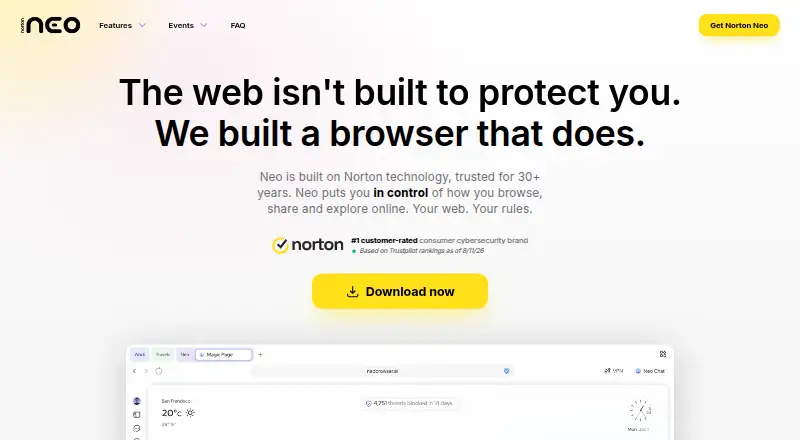
Norton Neo is a browser that brings together Norton security technology, a built-in VPN, ad and tracker blocking, and AI features. Its default ad blocker targets ads, trackers, pop-ups, and common cookie consent banners, while Norton Web Shield checks links and can stop phishing or malicious destinations before they load. The VPN encrypts traffic and can assign a different virtual location to each tab. It includes 5 GB of data per month, with unlimited usage when Neo is the default browser. AI prompts can run on the device through Local AI or use cloud models; Neo says chat history stays on the device by default and is not used to train AI models. Optional encrypted sync carries bookmarks, saved passwords, tabs, and chat history across devices. Neo can connect to Gmail and Google Calendar for email and schedule tasks from the Magic Box. It is free to download and use, with unlimited AI included, and is available on Android, iOS, Linux, macOS, web, and Windows.
Good
- Ad blocker is on by default.
- VPN offers a different virtual location per tab.
- Local AI can run prompts on the machine.
- Optional encrypted sync covers bookmarks, passwords, tabs, and chats.
- Free plan includes unlimited AI.
Watch out
- VPN is limited to 5 GB monthly unless Neo is default.
- Neo collects aggregate, non-identifying telemetry, with an opt-out.
Who it suits
Neo suits people looking for a browser with built-in security, VPN, ad blocking, and AI tools. It may also suit users who want optional cross-device sync or connections to Gmail and Google Calendar.
Verdict
Norton Neo combines browsing, security, VPN, and AI features in a free package. Check the VPN data condition and telemetry policy against your preferences.
Plans and prices
From Norton Neo's own pricing page, checked 29 Sep 2026.
| Plan | Price | What it gives you |
|---|---|---|
| Norton Neo | Free | Free to download and use · Unlimited AI included · VPN: 5 GB per month, or unlimited when Neo is your default browser |
The facts
Each one read from Norton Neo's own pages, with the date it was checked.
What it does
- Ad blocking
- The built-in ad blocker is on by default and blocks ads, trackers, pop-ups, and common cookie consent banners.checked 29 Sep 2026
- AI privacy
- Neo says chat history is stored on the device by default and conversations are not used to train AI models.checked 29 Sep 2026
- Integrations
- Neo says it can connect to Gmail and Google Calendar to summarize email threads, draft replies, and check schedules from the Magic Box.checked 29 Sep 2026
- Local AI
- The download page says Local AI can run prompts entirely on the machine, while cloud models are also available.checked 29 Sep 2026
- Privacy audit
- The site says VerSprite audits its no-logs policy and links to a Technical Privacy Impact Assessment and a Mimic Protocol Security Assessment.checked 29 Sep 2026
- Product
- Norton Neo is a browser that combines Norton security technology, a built-in VPN, ad and tracker blocking, and private AI.checked 29 Sep 2026
- Support
- The download page directs users to email support or join the Neo Discord for help.checked 29 Sep 2026
- Sync
- Optional sync can carry bookmarks, saved passwords, open tabs, and chat history across devices, and synced data is encrypted.checked 29 Sep 2026
- Telemetry
- Neo says it collects aggregate, non-identifying product telemetry for crash fixes and feature improvements, and users can opt out.checked 29 Sep 2026
- Threat protection
- Neo says Norton Web Shield checks links and can block phishing or malicious destinations before they load.checked 29 Sep 2026
- VPN
- The built-in VPN encrypts traffic and allows a different virtual location for each tab.checked 29 Sep 2026
- VPN limit
- VPN includes 5 GB of data per month, or unlimited usage when Neo is set as the default browser.checked 29 Sep 2026
Where it runs
- Browser import
- On first launch, Neo offers to import bookmarks, saved passwords, history, and open tabs from browsers installed on the machine.checked 29 Sep 2026
- Platforms
- Neo is listed for macOS, Windows, Linux, iOS, and Android.checked 29 Sep 2026
The full review of Norton Neo
Overview
Norton Neo is a browser that pairs web protection and a built-in VPN with AI tools. It suits people who want those features together without a subscription, provided they are comfortable making Neo their default browser for unlimited VPN use. Its strongest case is the combination of security and AI at no cost; the key trade-off is the 5 GB monthly VPN allowance unless you set it as your default.
Neo includes page summaries, research mode, and a browser agent, alongside a Magic Box that can connect to Gmail and Google Calendar. For a wider comparison, browse our AI Browsers list.
Key features
AI and connected services
Neo's AI tools make it more than a conventional browser: the research mode and browser agent support AI-assisted browsing, while page summaries can condense what you are reading. The Magic Box can summarize Gmail threads, draft replies, and check Google Calendar schedules. These integrations may be useful for people who already rely on those services, but require connecting them.
Neo describes its AI privacy model as hybrid. Chat history stays on the device by default, and conversations are not used to train AI models. Local AI can run prompts entirely on the machine, while cloud models are also available. That choice is useful for readers who want local processing, though the product also offers a cloud path.
Protection and VPN
The VPN encrypts traffic and lets each tab use a different virtual location, a flexible arrangement for browsing across contexts. Its 5 GB monthly allowance is a meaningful constraint for regular VPN use; setting Neo as the default browser unlocks unlimited usage. Norton Web Shield checks links and can block phishing or malicious destinations before they load. The ad blocker is on by default and blocks ads, trackers, pop-ups, and common cookie consent banners, reducing interruptions without requiring initial setup.
Sync, migration, and privacy controls
On first launch, Neo offers to import bookmarks, saved passwords, history, and open tabs from browsers installed on the machine, which can ease a switch. Optional sync carries bookmarks, saved passwords, open tabs, and chat history across devices, with synced data encrypted. Neo says VerSprite audits its no-logs policy and provides technical privacy and security assessments. It also collects aggregate, non-identifying telemetry for crash fixes and feature improvements, with an opt-out. Readers seeking zero telemetry should account for that collection even though it can be disabled.
Pricing
| Plan | Price | Includes |
|---|---|---|
| Norton Neo | free | Free to download and use, unlimited AI, and VPN with 5 GB per month or unlimited usage when Neo is the default browser. |
The single free plan makes Neo an accessible way to get its AI and browser protections without a recurring charge. The main cap is VPN data: 5 GB monthly unless you make Neo your default browser. That condition will suit readers willing to adopt it as their primary browser more than those who only want occasional VPN use in a secondary browser.
Platforms
Neo supports Windows, macOS, Linux, iOS, and Android. Its broad desktop and mobile coverage makes it a plausible option for people who want one browser across devices, with optional encrypted sync for selected browsing data.
Who it's for
Choose Neo if you want AI browsing features, built-in ad and tracker blocking, link protection, and a VPN in a free browser, especially if you are willing to set it as your default to avoid the VPN cap. It is less compelling if you do not want telemetry, prefer not to connect Google services, or need unlimited VPN without changing your default browser.
Pros and cons
Pros
- Free access to AI features: the plan includes unlimited AI, page summaries, research mode, and a browser agent.
- Useful privacy and protection options: local prompts, on-device-by-default chat history, Web Shield, default-on blocking, and encrypted optional sync cover several common browsing concerns.
- Flexible VPN by tab: separate virtual locations per tab can help when browsing needs differ, and usage is unlimited if Neo is the default browser.
- Cross-platform availability: support for desktop and mobile platforms makes it usable across a range of devices.
Cons
- VPN has a default-browser condition: otherwise, the 5 GB monthly allowance limits sustained use.
- Telemetry is collected unless opted out: it is aggregate and non-identifying, but privacy-focused users must change the setting if they do not want it.
- Some AI assistance depends on connected services: Gmail and Calendar actions require linking those accounts.
Alternatives
Pick Genspark AI Browser if on-device model choice is the priority: its free plan offers 169 open-weight models with no internet required and no usage limits or subscription. Choose Neo instead if you want its built-in VPN and Norton protections alongside AI.
Dia is a macOS-only free browser plan without AI features, so it is an option for readers who want browser basics such as profiles, tab groups, split-view, picture-in-picture, and ad blocking rather than AI assistance.
Polar may suit readers who want a browser agent with a stated free allowance of 3,000 starting credits and 100 daily credits, capped at 1,000; Neo is the clearer fit if free unlimited AI and browser security matter more than a credit-based allowance.
Strawberry Browser is another macOS and Windows alternative.
Tabbit is another macOS and Windows alternative, with free and Standard plans.
Tandem Browser is a free, open-source alternative for Windows, macOS, and Linux.
Fellou is a macOS alternative with a free plan and a paid Plus plan.
Mind Browser is a free option for macOS, Windows, and browser extensions; its AI agents require your own model or Ollama.
Verdict
Norton Neo is a strong fit for readers who want a free, cross-platform browser that combines AI assistance with built-in security and VPN features. Unlimited AI and a capable protection bundle are persuasive at no cost. Look elsewhere if the 5 GB VPN cap without default-browser status or the telemetry opt-out does not suit your privacy and browsing preferences.
Getting started
- Visit the Norton Neo website.
- Download Neo for Windows, macOS, Linux, iOS, or Android, or use the web version.
- Launch the browser and import bookmarks, saved passwords, history, and open tabs if desired.
- Choose local AI prompts or use cloud models.
- Connect Gmail or Google Calendar from the Magic Box if you want to use those integrations.
Limits worth knowing
The VPN includes 5 GB of data per month, or unlimited usage when Neo is set as the default browser. The plan is free and includes unlimited AI.
Questions
Is Norton Neo free?
Yes. It is free to download and use, and its plan includes unlimited AI.
Which platforms can I use it on?
Neo lists Windows, macOS, Linux, iOS, Android, and the web.
How much VPN data is included?
The VPN includes 5 GB per month. Usage is unlimited when Neo is set as the default browser.
Can AI prompts run on my device?
Yes. Local AI can run prompts entirely on the machine, and cloud models are also available.
What happens to AI chat history and conversations?
Neo says chat history is stored on the device by default and conversations are not used to train AI models. Optional sync can carry chat history across devices, and synced data is encrypted.
Can Neo connect to Gmail or Google Calendar?
Yes. It can connect to both for email summaries, reply drafts, and schedule checks from the Magic Box.
Alternatives to Norton Neo
- 1

Genspark AI Browser
Free planAndroidiOSWebExtension8.1From $19.99 a month - 2
BrowserOS
Free planOpen sourceAPIExtensionLinuxmacOS7.6Free plan - 3

Aside
Free planAPImacOSWindows7.5From $200 a year - 4

Dia
Free planmacOS7.3From $20 a month - 5

Comet
Free planAndroidiOSmacOSWindows7.0Free plan - 6
Oh My Browser
Free planOpen sourceAPIExtension7.0Free plan