
Dia
Dia is a macOS web browser with an assistant that can respond to questions and requests about the page you are viewing, other tabs, selected text, or browsin…
What Dia is
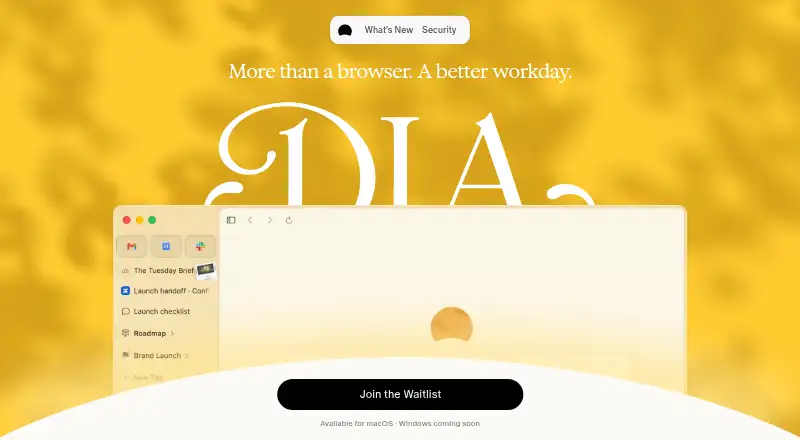
Dia is a macOS web browser with an assistant that can respond to questions and requests about the page you are viewing, other tabs, selected text, or browsing history. Its free plan includes profiles, tab groups, split view, picture-in-picture, ad and tracking blocking, and cross-device sync, but does not include AI features. Better Answers costs $20/month and adds AI answers and contextual chats; Better Days costs $100/month and provides six times the usage of Better Answers plus additional work features. AI usage is measured in Tasks, resets each billing cycle, and pauses at the limit unless you add usage. Extra usage comes in $20 credit blocks; purchased credits can roll over for up to three months. Profiles can keep work, freelance, and personal tabs, logins, and AI contexts separate. Dia also offers Morning Brief, reusable Skills, and connections to tools including Slack, Gmail, Notion, Outlook, GitHub, Google Calendar, and Figma. Dia says it does not sell personal data or use browsing data to build ad profiles, and Sync is end-to-end encrypted.
Good
- Free plan includes profiles, tab groups, and split view.
- Supports Chrome Web Store extensions.
- Includes ad blocking and advanced tracking protection.
- Sync is end-to-end encrypted.
- Better Days offers six times Better Answers usage.
Watch out
- Available for macOS; Windows is coming soon.
- Free plan has no AI features.
- AI usage pauses at the plan limit.
- Monthly AI allowances do not carry over.
Who it suits
Dia suits macOS users who want browser organization, sync, and optional AI assistance. Its separate profiles may help people keeping work, freelance, and personal browsing apart.
Verdict
Dia combines browser organization and privacy controls with optional AI features on paid plans. The free plan covers core browsing tools, while AI usage has monthly limits and costs extra once allowances run out.
Plans and prices
From Dia's own pricing page, checked 28 Sep 2026.
| Plan | Price | What it gives you |
|---|---|---|
| Better Browser | Free | Free browser plan with no AI features. · No AI features · profiles and tab groups · split-view and picture-in-picture · ad and tracking blocker · cross-device sync |
| Better Answers | $20 a month | Includes Better Browser features plus AI answers and contextual chats. · Monthly Task allowance · additional usage available in $20 credit blocks · $20/month |
| Better Days | $100 a month | Includes Better Browser and Better Answers features, with 6x more usage and additional work features. · 6x more tasks and chats than Better Answers · monthly Task allowance · additional usage available in $20 credit blocks · $100/month |
The facts
Each one read from Dia's own pages, with the date it was checked.
What it does
- AI data handling
- Dia says its AI partners are contractually restricted from retaining user data and using it to train their models; users can turn off Dia’s content-data sharing for product improvement in Settings.checked 28 Sep 2026
- Built-in ad blocking
- Yeschecked 23 Sep 2026
- Credit rollover
- Purchased credit blocks roll over until used, for up to three months from purchase.checked 28 Sep 2026
- Data usage
- Dia says user data is never sold or used to build ad profiles.checked 28 Sep 2026
- Enterprise controls
- Dia supports Chromium enterprise policies, Dia-specific MDM policies, and SAML-based SSO with providers including Google, Okta, and Microsoft Entra ID.checked 28 Sep 2026
- Extension support
- chrome_storechecked 23 Sep 2026
- Extra usage credits
- Additional usage is available in $20 credit blocks through auto-reload or one-time top-ups.checked 28 Sep 2026
- Integrations
- The plans page lists Slack, Gmail, Notion, Microsoft Outlook, GitHub, Google Calendar, and Figma; the September 24, 2026 release notes say Dia connects to Figma tools.checked 28 Sep 2026
- Open source
- Nochecked 23 Sep 2026
- Paid from
- 20checked 23 Sep 2026
- Privacy
- Dia says it does not sell personal data or use browsing data to build ad profiles, and Sync is end-to-end encrypted.checked 28 Sep 2026
- Privacy controls
- Users control memory and which tools connect to their workflow.checked 28 Sep 2026
- Product
- Dia is an AI web browser with an assistant for questions and requests about the current page, other tabs, selected text, and browsing history.checked 28 Sep 2026
- Reusable workflows
- Dia lets users turn frequent prompts or requests into reusable Skills.checked 28 Sep 2026
- Security and compliance
- The Browser Company says Dia completed a SOC 2 Type II examination covering security, confidentiality, and privacy for calendar year 2025, with the report issued in 2026.checked 28 Sep 2026
Where it runs
- Browser engine
- chromiumchecked 23 Sep 2026
- Cross-device sync
- Yeschecked 23 Sep 2026
- macOS availability
- Dia is available for macOS.checked 28 Sep 2026
The company
- Company owner
- Dia is designed and built by The Browser Company of New York.checked 28 Sep 2026
- Headquarters
- Brooklyn, New York, United Stateschecked 28 Sep 2026
Money
- Free plan
- Yeschecked 23 Sep 2026
- Free plan features
- Free features include profiles, tab groups, split view, picture-in-picture, blocking, and sync.checked 28 Sep 2026
- Free plan limits
- The free plan includes no AI features.checked 28 Sep 2026
- Free trial
- Every new user gets a 14-day Better Days trial without requiring a credit card.checked 28 Sep 2026
Alternatives to Dia
- 1

Brave Browser
Free planOpen sourceAndroidiOSLinuxmacOS9.2Free plan - 2

AVG Secure Browser
Free planAndroidWebExtensionmacOS8.8From $39.99 a year - 3

Kameleo
Free planAndroidiOSWebAPI8.8Free plan - 4

DuckDuckGo Browser
Free planAndroidiOSmacOSWindows8.7Free plan - 5

Opera
Free planAndroidiOSWebExtension8.6From $48 a year - 6

Waterfox
Free planOpen sourceAndroidExtensionLinuxmacOS8.6From $5 a month