
Kameleo
Kameleo is an anti-detect browser for web scraping, browser automation, and managing multiple accounts.
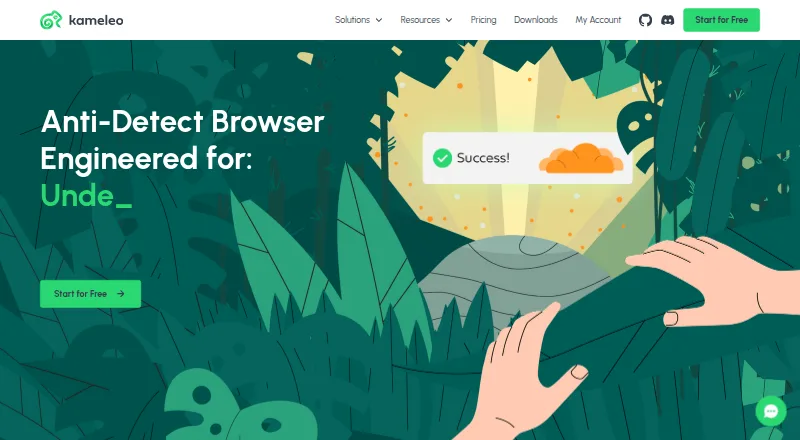
What Kameleo is
Kameleo is an anti-detect browser for web scraping, browser automation, and managing multiple accounts. Its Chroma and Junglefox browsers mask fingerprints for Chrome, Edge, Firefox, and Safari profiles, and desktop users can emulate Android and iOS browser behavior. Automation works with Selenium, Puppeteer, and Playwright scripts, or through a Local API with Python, JavaScript, and C# SDKs. Profiles can use HTTP, HTTPS, SOCKS5, and SSH proxies. Local profiles are unlimited; the Free plan includes 100 cloud profiles, while paid plans include at least 5,000. Paid plans also include unlimited team seats and role-based access for cloud profiles. Kameleo lists Windows, macOS, Linux, web, Android, iOS, API, and extension platforms, with Docker images for Linux and Windows containers. The Free plan is €0 and includes two concurrent browsers, 300 minutes of browser use, two emulated mobile browsers, and three team members. Startup costs €45.00 per year on an annual term, or €59.00 per month billed monthly.
Good
- Masks fingerprints for Chrome, Edge, Firefox, and Safari profiles
- Emulates Android and iOS browser behavior from desktop
- Works with Selenium, Puppeteer, and Playwright
- Unlimited local profiles
- Supports HTTP, HTTPS, SOCKS5, and SSH proxies
Watch out
- Free plan limits browser use to 300 minutes
- Free plan includes only two concurrent browsers
- Paid annual Startup plan is €45.00 per year
Who it suits
Kameleo suits people automating browser tasks, scraping the web, or managing multiple accounts. Its scripting integrations, local API, and cloud-profile team controls may also suit teams with automation workflows.
Verdict
Kameleo combines fingerprint masking, mobile emulation, automation integrations, and profile management across desktop and mobile platforms. The Free plan has usage and concurrency limits, while paid plans add larger cloud-profile allowances and team access.
Plans and prices
From Kameleo's own pricing page, checked 14 Oct 2026.
| Plan | Price | What it gives you |
|---|---|---|
| Free | Free | 2 concurrent browsers · unlimited fresh fingerprints · unlimited local storage · 100 cloud profiles · 2 custom browser kernels · 300 browser minutes · 2 emulated mobile browsers · 3 team members · €0 / month |
| Startup annual | €45 a month | 10 concurrent browsers · unlimited usage · 5,000 cloud profiles · unlimited team members · €45 / month billed annually |
| Startup (annual) | €45 a year | 10 concurrent browsers · Unlimited browser usage time · 10+ emulated mobile browsers · 5,000 cloud profiles · Unlimited team members · Annually |
| Startup | €59 a month | 10 concurrent browsers · unlimited usage · 5,000 cloud profiles · unlimited team members · 10+ emulated mobile browsers · €59 / month |
| Startup (monthly) | €59 a month | 10 concurrent browsers · Unlimited browser usage time · 10+ emulated mobile browsers · 5,000 cloud profiles · Unlimited team members · Monthly |
| Business (annual) | €225 a year | 100 concurrent browsers · Unlimited browser usage time · Unlimited emulated mobile browsers · 5,000 cloud profiles · Unlimited team members · Annually |
| Business annual | €225 a month | 100 concurrent browsers · unlimited emulated mobile browsers · €225 / month billed annually |
| Business | €299 a month | 100 concurrent browsers · unlimited emulated mobile browsers · discounted additional concurrency · €299 / month |
| Business (monthly) | €299 a month | 100 concurrent browsers · Unlimited browser usage time · Unlimited emulated mobile browsers · 5,000 cloud profiles · Unlimited team members · Monthly |
| Enterprise annual | €1,125 a month | 1,000 concurrent browsers · expert strategy call · package customization · €1125 / month billed annually |
| Enterprise (annual) | €1,125 a year | 1,000 concurrent browsers · Unlimited browser usage time · Unlimited emulated mobile browsers · 5,000+ cloud profiles · Customizable package · Annually |
| Enterprise (monthly) | €1,499 a month | 1,000 concurrent browsers · Unlimited browser usage time · Unlimited emulated mobile browsers · 5,000+ cloud profiles · Customizable package · Monthly |
| Enterprise | €1,499 a month | 1,000 concurrent browsers · expert strategy call · discounted additional concurrency · package customization · €1499 / month |
The facts
Each one read from Kameleo's own pages, with the date it was checked.
What it does
- API and SDKs
- The Local API is documented with OpenAPI and has official Python, JavaScript and C# SDK packages.checked 14 Oct 2026
- API limits
- The plans list API throughput of 60, 120, 600, or 1,200 requests per minute, depending on tier; other endpoints are described as unlimited.checked 29 Sep 2026
- Automation integrations
- Official guides cover Selenium, Puppeteer and Playwright integrations.checked 14 Oct 2026
- Canvas spoofing
- Its Intelligent Canvas Spoofing feature targets canvas-fingerprinting detection.checked 14 Oct 2026
- Developer documentation depth
- The quickstart documents fingerprint search, profile creation and startup, supplies Python/JavaScript/C# examples, and links to framework tutorials.checked 14 Oct 2026
- Docker
- Official Docker images are available for Linux and Windows containers.checked 29 Sep 2026
- Extensions
- Chrome/Edge CRX and Firefox XPI extensions can be attached to profiles, including through API-created profiles.checked 14 Oct 2026
- Fingerprint masking
- Its custom Chroma and Junglefox browsers provide browser fingerprint masking for Chrome, Edge, Firefox, and Safari profiles.checked 29 Sep 2026
- Licence
- Kameleo is proprietary: Outis Nemo retains copyright, grants a non-exclusive non-transferable use licence and prohibits reverse engineering and source-code searches.checked 14 Oct 2026
- Limit: collaboration and manual use
- Another independent directory review calls the product expensive for small users, says local-profile collaboration is thinner and considers it overkill for manual workflows.checked 14 Oct 2026
- Limit: pricing and proxy gaps
- An independent 2026 review criticizes the concurrent-browser pricing jump, slow email support, lack of built-in residential/mobile proxies and less granular fingerprint templates.checked 14 Oct 2026
- Limit: refunds and support
- Trustpilot complaints include slow or missing replies, inability to manage saved payment methods, denied refunds and claims that no trial was provided.checked 14 Oct 2026
- Limit: technical defects
- A May 2026 Trustpilot complaint alleges Apple Silicon Mac crashes under proxy load, data loss and support silence; another reports WebRTC leakage and mobile-profile creation problems.checked 14 Oct 2026
- Local endpoint
- The Engine exposes its local REST API at http://localhost:5050 by default.checked 14 Oct 2026
- Mobile emulation
- The product emulates Android and iOS browsers from a desktop, with mobile concurrency varying by subscription tier.checked 14 Oct 2026
- Multikernel
- Multiple browser-kernel versions can run side by side, with Chroma builds promised within five days of stable Chrome releases and Junglefox updates every two months.checked 14 Oct 2026
Where it runs
- Browser engines
- Kameleo supplies two custom engines, Chroma based on Chromium and Junglefox based on Firefox.checked 14 Oct 2026
- Cross-device sync
- Yeschecked 20 Sep 2026
The company
- Company facts
- LinkedIn describes Kameleo as privately held, founded in 2017, headquartered in Budapest and employing 2–10 people.checked 14 Oct 2026
- Company location and history
- Kameleo says it was founded in Budapest in 2017; its privacy policy lists Outis Nemo Ltd.'s registered office in Budapest, Hungary.checked 29 Sep 2026
- Founded
- 2017checked 28 Sep 2026
- Headquarters
- Budapest, Hungarychecked 28 Sep 2026
- Maker legal name
- The service provider is Outis Nemo Ltd, registered at 1126 Budapest, Hollósy Simon utca 3, 2nd floor 2nd door.checked 14 Oct 2026
Money
- Free plan
- Yeschecked 20 Sep 2026
The full review of Kameleo
Kameleo is an anti-detect browser for scraping, automation and managing multiple accounts. It suits teams and technically minded users who need browser profiles across desktop and mobile environments. Its breadth of fingerprint, proxy and automation support is compelling, but the free tier is tightly capped and meaningful team capacity starts with paid plans.
Overview
Kameleo combines custom Chroma and Junglefox browsers for fingerprint masking with desktop-based Android and iOS mobile emulation. Profiles can use HTTP, HTTPS, SOCKS5 or SSH proxies, and automation can run through Selenium, Puppeteer or Playwright, or Kameleo’s Local API with Python, JavaScript and C# SDKs. Official Docker images support Linux and Windows containers.
Local profiles are unlimited, while cloud profiles sync across devices. The Free plan allows 100 cloud profiles; paid plans start at 5,000. That split makes Kameleo more appealing to users who want local profile capacity at no cost or need a substantial shared cloud library on a subscription.
Key features
- Fingerprint masking: Chroma and Junglefox provide profiles for Chrome, Edge, Firefox and Safari. That range is useful for workflows that need distinct browser identities, though the service is a specialized anti-detect tool rather than a general-purpose browser.
- Mobile emulation: Desktop users can emulate Android and iOS browser behavior. Free allows two emulated mobile browsers; Startup allows 10 or more, while Business and Enterprise offer unlimited emulation.
- Automation and API: Selenium, Puppeteer and Playwright support, plus a Local API and language SDKs, suit scripted workflows. API throughput scales by tier from 60 to 1,200 requests per minute; other endpoints are described as unlimited.
- Team profiles: Paid plans include unlimited team seats and role-based access controls for cloud profiles. Free is limited to three team members, so it is better suited to an individual or small trial than a growing operation.
Pricing
The Free plan costs nothing and includes two concurrent browsers, 300 minutes of browser usage, 100 cloud profiles, two emulated mobile browsers and three team members. It is a real way to evaluate the workflow, but the usage clock and concurrency limit make it a poor fit for sustained automation.
Startup costs €45 a year when billed annually, or €59 a month when billed monthly. Both versions include 10 concurrent browsers, unlimited browser usage, 10+ emulated mobile browsers and 5,000 cloud profiles; the annual plan also states unlimited team members. It is the logical step up for smaller teams that need more than the free quotas.
Business costs €225 a year billed annually or €299 a month billed monthly. It raises concurrency to 100 and includes unlimited mobile emulation, unlimited browser usage, 5,000 cloud profiles and unlimited team members. This tier suits larger workloads that can use the extra concurrency; the price jump is difficult to justify for a modest setup.
Enterprise costs €1,125 a year billed annually or €1,499 a month billed monthly. It provides 1,000 concurrent browsers, unlimited mobile emulation and a 60-minute expert call; the annual option lists 5,000+ cloud profiles and a customizable package. Choose it for very high concurrency or a configurable package, not simply for a larger profile allowance. The paid tiers include unlimited team seats.
Platforms
Kameleo supports Android, iOS, Windows, macOS, Linux, web, extensions and API access. The desktop download supports Windows 10+, Windows Server 2016+, macOS 12+ and Docker environments. Mobile emulation is performed from desktop, so support for mobile platforms does not mean the same workflow runs natively on a phone.
Who it's for
Kameleo is best for scraping and browser-automation users who need fingerprint masking, proxy choices, mobile emulation and integrations in one profile workflow. Teams benefit from cloud synchronization, role-based controls and unlimited paid seats. It is less suitable for casual browsing or a small project that cannot use enough of its paid concurrency to warrant the cost.
Pros and cons
- Pros: Broad automation options, including three major script frameworks and SDKs for three languages, reduce the need to build around a single integration.
- Pros: Unlimited local profiles and cross-device cloud sync give users a choice between local capacity and shared profiles.
- Pros: Paid plans remove browser-usage-time caps and provide unlimited team seats, with role-based cloud access.
- Cons: Free is restricted to two concurrent browsers and 300 usage minutes, limiting ongoing work.
- Cons: The jump from 10 concurrent browsers on Startup to 100 on Business comes with a substantial price increase, so smaller workloads may pay for unused scale.
- Cons: Free includes only two emulated mobile browsers and three team members.
Alternatives
For a narrower or differently priced setup, consider these anti-detect browser options; users focused on scripted workflows can also compare browser automation tools or broader web browsers.
- GoLogin is another freemium option with a free plan, a free trial and desktop, web and Android platforms.
- MoreLogin offers a free plan with two profiles and two users, plus a Local API and Selenium/Puppeteer automation.
- 1Browser has a free plan with 10 profiles, limited proxy countries and basic browser speed.
- AntiProfiles provides three free profiles with basic proxy, standard fingerprint controls and one user, but no API on its free plan.
- GeeLark has a free plan with two profiles, 30 bonus minutes and one seat.
- Multilogin offers a free plan with five profiles, one-time premium proxy traffic and one-time mobile minutes, but no free trial.
- BitBrowser has a free plan with 10 profiles and one member, capped at 50 opens per day and 20 profile creations per day.
- Nstbrowser offers 500 free browser profiles, 30 standard profile launches per day and three team members.
Verdict
Choose Kameleo if fingerprint masking, mobile emulation and automation integrations need to work together across a sizeable profile operation. Its strongest case is the combination of flexible automation access and paid team capacity; the main reason to look elsewhere is price, especially if the free plan’s tight usage cap or Startup’s 10-browser ceiling already covers the workload.
Getting started
- Visit the Kameleo website.
- Choose the Free plan or a paid plan.
- Download for Windows 10+, Windows Server 2016+, macOS 12+, or use a Docker environment.
- Create browser profiles and configure a supported proxy if needed.
- Connect automation through Selenium, Puppeteer, Playwright, or the Local API.
Limits worth knowing
The Free plan includes two concurrent browsers, 300 minutes of browser usage, 100 cloud profiles, two emulated mobile browsers, and three team members. Startup is €45 per month on an annual term or €59 per month billed monthly, with 10 concurrent browsers and 5,000 cloud profiles.
Questions
Is Kameleo free?
Yes. The Free plan costs €0 and includes two concurrent browsers, 300 minutes of browser use, 100 cloud profiles, two emulated mobile browsers, and three team members.
How much do the paid plans cost?
Startup is €45 per month on an annual term or €59 per month billed monthly. Business is €225 per year annually or €299 per month; Enterprise is €1,125 per year annually or €1,499 per month.
Which platforms does Kameleo support?
Its listed platforms include Windows, macOS, Linux, web, Android, iOS, API, and extension. The download page lists Windows 10+, Windows Server 2016+, macOS 12+, and Docker environments.
Which automation tools work with Kameleo?
Kameleo supports Selenium, Puppeteer, and Playwright scripts. It also has a Local API with Python, JavaScript, and C# SDKs.
Can teams share profiles?
Paid plans include unlimited team seats and role-based access controls for cloud profiles. The Free plan includes three team members.
How many cloud profiles are included?
The Free plan includes 100 cloud profiles. Paid plans include at least 5,000.
Alternatives to Kameleo
- 1

Brave Browser
Free planOpen sourceAndroidiOSLinuxmacOS9.2Free plan - 2

AVG Secure Browser
Free planAndroidWebExtensionmacOS8.8From $39.99 a year - 3

DuckDuckGo Browser
Free planAndroidiOSmacOSWindows8.7Free plan - 4

Opera
Free planAndroidiOSWebExtension8.6From $48 a year - 5

Waterfox
Free planOpen sourceAndroidExtensionLinuxmacOS8.6From $5 a month - 6
360 Secure Browser
AndroidiOSLinuxmacOS8.4From CN¥58 a year