
Tor Browser
Tor Browser is a free, open-source browser that routes its own web traffic through the Tor network to help hide a user's real IP address and resist tracking,…
What Tor Browser is
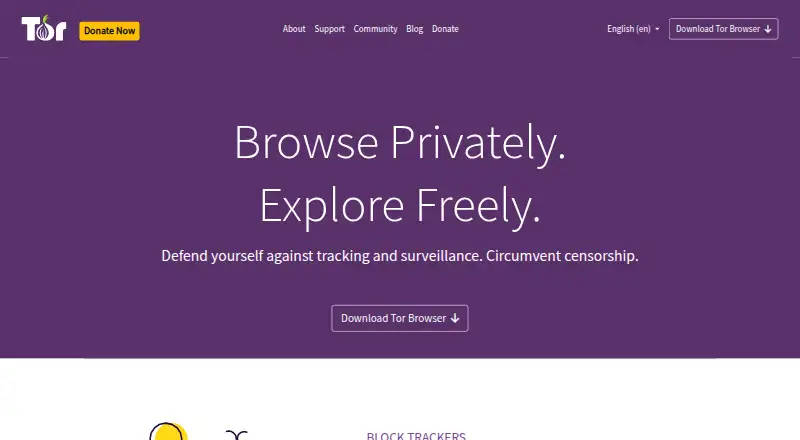
Tor Browser is a free, open-source browser that routes its own web traffic through the Tor network to help hide a user's real IP address and resist tracking, surveillance, and censorship. Based on Mozilla Firefox ESR, it adds privacy and security measures including letterboxing, user-agent spoofing, and first-party isolation to make browser fingerprinting harder. Connections to different websites use different Tor circuits, while the same website address uses the same circuit. HTTPS-Only Mode upgrades connections to HTTPS where possible. Standard, Safer, and Safest security levels restrict browser features by different amounts, and some pages may not work properly as a result. The browser can access onion services, and users in censored regions can set up bridges during setup. It is available for Android, Linux, macOS, and Windows. Only Tor Browser traffic uses the Tor network; other applications on the device are not protected automatically. The Tor Project recommends verifying downloaded files and discourages additional browser add-ons because they can affect privacy, security, or functionality.
Good
- Free and open-source.
- Available for Android, Linux, macOS, and Windows.
- Includes three security levels.
- Can access onion services.
- Bridges can be configured during setup.
Watch out
- Only Tor Browser traffic uses the Tor network.
- Some pages may work improperly at stricter security levels.
- Additional browser add-ons can affect privacy, security, or functionality.
Who it suits
Tor Browser suits people seeking to reduce tracking or access onion services, including users in censored regions who can configure bridges. It is also relevant for people who understand that other apps on their device are not routed through Tor automatically.
Verdict
Tor Browser provides Tor routing and built-in privacy controls in a free, open-source browser. Keep in mind that it does not route other applications' traffic, and security settings may affect how pages work.
Plans and prices
From Tor Browser's own pricing page, checked 19 Oct 2026.
| Plan | Price | What it gives you |
|---|---|---|
| Tor Browser | Free | Windows 10/11 · macOS 10.15+ · modern Linux · Android 5.0+ |
The facts
Each one read from Tor Browser's own pages, with the date it was checked.
What it does
- Add-ons
- Tor Project strongly discourages installing additional browser add-ons because they can affect privacy, security, or functionality, and says it does not support those configurations.checked 3 Oct 2026
- Anonymity limitation
- Tor Project says perfect anonymity cannot be guaranteed and warns that logging into accounts or submitting personal information identifies the user to that site.checked 19 Oct 2026
- Censorship circumvention
- Bridges and pluggable transports can help connect when direct Tor access is blocked.checked 19 Oct 2026
- Developer protocol
- Tor publishes a version 1 control protocol for programs communicating with a local Tor process and recommends using a library instead of implementing the protocol directly.checked 19 Oct 2026
- Documentation
- The official manual covers installation, updates, bridges, fingerprinting, identities, onion services, troubleshooting, known issues and security guidance.checked 19 Oct 2026
- Documentation depth
- Tor's living specifications describe its protocols in enough detail to implement compatible software without reading the Tor source code.checked 19 Oct 2026
- Downloads
- Tor Browser is available for Windows, macOS, Linux, and Android.checked 3 Oct 2026
- Download verification
- Tor Project recommends verifying the download signature, and GetTor can provide the package, signature, signing-key fingerprint, and checksum.checked 3 Oct 2026
- Final-site encryption limitation
- Tor encrypts traffic inside the Tor network, but encryption to the destination depends on whether that site supports HTTPS.checked 19 Oct 2026
- Fingerprinting protection
- Its defenses include letterboxing, user-agent spoofing, and first-party isolation to make browser fingerprinting harder.checked 3 Oct 2026
- Fingerprint resistance
- Tor Browser is designed to make users appear similar by reducing identifying browser and device differences.checked 19 Oct 2026
- History clearing
- The browser normally keeps no browsing history, and session cookies expire when the browser closes or a new identity is requested.checked 19 Oct 2026
- HTTPS
- HTTPS-Only Mode upgrades website connections to HTTPS where possible to help prevent eavesdropping and tampering.checked 3 Oct 2026
- HTTPS-Only mode
- HTTPS-Only mode upgrades supported connections to HTTPS and warns when only unencrypted HTTP is available.checked 19 Oct 2026
- Identity controls
- Tor Browser routes connections to different websites through different Tor circuits, while connections to the same website address use the same circuit.checked 3 Oct 2026
- Licence
- Tor software is free to redistribute under its licence; Tor Browser bundles Firefox ESR under the Mozilla Public License and NoScript under the GNU GPL.checked 19 Oct 2026
- Limit: browsing speed
- TechRadar identifies slower website loading as the main downside because traffic passes through multiple relay nodes.checked 19 Oct 2026
Where it runs
- Browser foundation
- Tor Browser is a heavily modified Mozilla Firefox Extended Support Release build with Tor-specific privacy and security patches.checked 19 Oct 2026
- Chrome OS limitation
- There is no dedicated Chrome OS build, and the Android version running on Chrome OS has not been audited for full privacy behavior.checked 19 Oct 2026
- iOS availability
- Tor Project does not provide the full Tor Browser on iOS; Privacy Guides identifies Onion Browser as the project's endorsed iOS route but says it lacks all Tor Browser protections.checked 19 Oct 2026
The company
- Company facts
- LinkedIn lists the organization as founded in 2006, headquartered in Winchester, New Hampshire, with 11–50 employees.checked 19 Oct 2026
- Company legal name
- The maker is The Tor Project, Inc., a US 501(c)(3) nonprofit.checked 19 Oct 2026
- Founded
- 2006checked 23 Sep 2026
Money
- Free plan
- Yeschecked 21 Sep 2026
The full review of Tor Browser
Tor Browser is best for people who need to conceal their browsing origins or reach sites blocked on their network. Its Tor routing and layered fingerprinting defenses make it a focused privacy choice, though the trade-off is that some sites may not work properly and other apps remain outside its protection.
Overview
Built on Mozilla Firefox ESR with additional privacy and security changes, Tor Browser routes its own web traffic through the Tor network. That can help obscure your IP address and resist tracking, surveillance, and censorship. It is a stronger fit for privacy-sensitive browsing than for someone seeking a general device-wide network shield.
Key features
Tor Browser makes fingerprinting harder through techniques including letterboxing, user-agent spoofing, and first-party isolation. It assigns different Tor circuits to different websites, while keeping connections to the same site on one circuit; this supports separation between sites without changing circuits on every connection.
HTTPS-Only Mode upgrades connections to HTTPS where possible, helping guard against eavesdropping and tampering. Standard, Safer, and Safest security levels restrict browser features to different degrees. The stricter settings can improve security, but may cause pages to work improperly, so they suit users willing to trade some compatibility for protection.
The browser can also open onion services, which hide their locations and IP addresses and encrypt traffic end to end with Tor users. In censored regions, users can set up bridges to connect to Tor. Tor Project recommends verifying downloads; GetTor can provide the package alongside its signature, signing-key fingerprint, and checksum. Additional browser add-ons are discouraged because they can affect privacy, security, or functionality, and those configurations are not supported.
Pricing
Tor Browser is free and open source, with no free trial because there is no paid plan to try. Its single Tor Browser plan costs nothing. The free plan suits anyone seeking its browser-level privacy protections without a subscription; there is no cheaper paid tier to weigh against it.
Platforms
Tor Browser is available for Android, Linux, macOS, and Windows. Its routing applies only to traffic inside Tor Browser; other applications on the device are not automatically protected.
Who it's for
Choose Tor Browser when concealing browsing origins, resisting tracking, or circumventing censorship matters more than seamless compatibility. It is less suitable if you need every app on a device routed through Tor, depend on strict site compatibility, or want to customize the browser with add-ons.
Tor Project provides a user support team and recommends its public forum for help. Its support channels focus on assisting users in censored regions, which is particularly relevant to people relying on bridges to connect.
Pros and cons
- Pro: Tor routing, fingerprinting defenses, and HTTPS-Only Mode give privacy-conscious users several protections in one browser.
- Pro: Bridge setup and onion-service access make it useful for browsing in censored regions and reaching services on Tor.
- Pro: The browser is free and open source across Android, Linux, macOS, and Windows.
- Con: Security levels can make some pages work improperly, so stronger restrictions may cost convenience.
- Con: Tor Browser does not route other apps' traffic, so it is not a device-wide privacy solution.
- Con: Add-ons can undermine privacy, security, or functionality, and Tor Project discourages them and does not support such configurations.
Alternatives
Brave Browser is worth considering if you want a free browser with ad and tracker blocking and support across iOS as well as Android, desktop systems, and Windows; Tor Browser is the more direct fit when Tor routing is the priority.
Waterfox is another free, open-source option if you want a browser without a premium tier. Mullvad Browser is free and open source on Linux, macOS, and Windows if you want a desktop-only alternative.
DuckDuckGo Browser offers a free browser with search and browsing protections, and supports iOS in addition to Android, macOS, and Windows. LibreWolf is a free, community-driven open-source browser for Linux, macOS, and Windows.
SnowHaze has a free iOS browser plan with tracker blocking, ad blocking, fingerprinting protection, and Tor integration. Orion Browser is a freemium option available on iOS and several desktop platforms. Temple Browser is a free option for Android, Windows, and extensions, with all browser features included and no paid tier.
For more choices, browse Privacy browsers or Web browsers.
Verdict
Tor Browser is the right choice for people who need Tor-based privacy in the browser itself, especially when censorship circumvention or onion services matter. Its free, open-source access and built-in defenses are compelling; look elsewhere if you need device-wide traffic routing or reliable compatibility with every page.
Getting started
- Download Tor Browser for Windows, macOS, Linux, or Android from https://www.torproject.org/
- Verify the download signature using the Tor Project guidance
- During setup, configure bridges if connecting from a censored region
- Choose the Standard, Safer, or Safest security level
- Use Tor Browser for web traffic that should route through Tor
Limits worth knowing
Only traffic from Tor Browser goes through Tor; other applications are not protected automatically. Safer and Safest settings restrict browser features and may cause some pages to work improperly.
Questions
Does Tor Browser cost anything?
Tor Browser is free to use and open-source software.
Which platforms support Tor Browser?
Downloads are available for Windows, macOS, Linux, and Android.
Can Tor Browser open onion services?
Yes. It can access onion services, which hide their locations and IP addresses and provide end-to-end encrypted traffic with Tor users.
Does Tor Browser protect other apps?
No. Only Tor Browser’s own traffic is routed over the Tor network automatically.
Should I install browser add-ons?
The Tor Project strongly discourages additional add-ons because they can affect privacy, security, or functionality, and it does not support those configurations.
Alternatives to Tor Browser
- 1

Brave Browser
Free planOpen sourceAndroidiOSLinuxmacOS9.2Free plan - 2

AVG Secure Browser
Free planAndroidWebExtensionmacOS8.8From $39.99 a year - 3

Kameleo
Free planAndroidiOSWebAPI8.8Free plan - 4

DuckDuckGo Browser
Free planAndroidiOSmacOSWindows8.7Free plan - 5

Opera
Free planAndroidiOSWebExtension8.6From $48 a year - 6
Waterfox
Free planOpen sourceAndroidExtensionLinuxmacOS8.6From $5 a month