Waterfox
Waterfox is a free, open source web browser focused on privacy and customization.
What Waterfox is
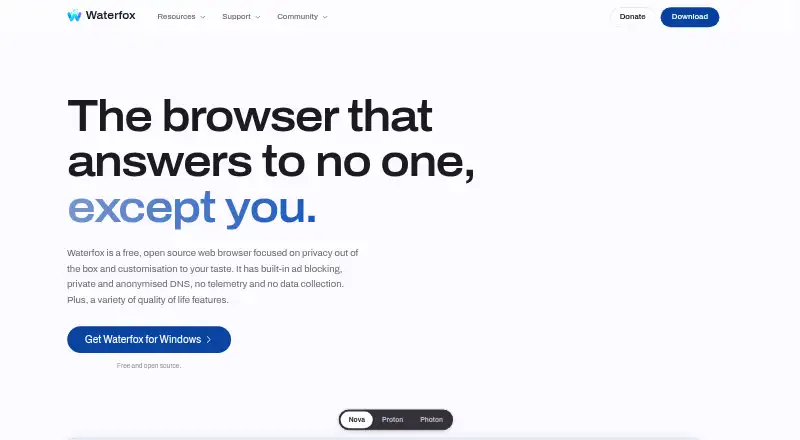
Waterfox is a free, open source web browser focused on privacy and customization. It uses the Gecko engine and is listed for Android, Linux, macOS, and Windows, with browser extensions also available. On desktop, it blocks ads, trackers, pop-ups, and overlays by default; users can adjust filter lists and set site exceptions. Private tabs use a separate container, and Waterfox clears their site data when the last private tab closes. DNS lookups are encrypted and routed through an Oblivious HTTP relay. The default setup uses a Fastly-operated relay and Cloudflare-operated resolver, which users can change or disable. Tree tabs nest pages beneath the page that opened them, with options to collapse or move a branch. Firefox WebExtensions are supported, but Chrome-only extensions do not transfer automatically. Updates incorporate Mozilla security fixes following the Firefox ESR model. Waterfox says telemetry, health reports, and crash reports are disabled at build time. Sync remains off until sign-in with a Mozilla account; synced data is end-to-end encrypted. The browser has no premium tier or required payment.
Good
- Free and open source with no required payment.
- Blocks ads, trackers, pop-ups, and overlays by default.
- Private tabs clear site data when the last one closes.
- Synced data is end-to-end encrypted.
Watch out
- Chrome-only extensions do not transfer automatically.
- Sync is disabled until Mozilla account sign-in.
- Browser is listed for Android, Linux, macOS, and Windows.
Who it suits
Waterfox suits people seeking a free, open source browser with built-in blocking and configurable privacy settings. It may also suit Firefox WebExtensions users, though Chrome-only extensions do not transfer automatically.
Verdict
Waterfox offers privacy controls, tab organization, and extension support without a required payment. Consider its extension compatibility and account requirement for sync before switching.
Plans and prices
From Waterfox's own pricing page, checked 4 Oct 2026.
| Plan | Price | What it gives you |
|---|---|---|
| Waterfox | Free | Free and open source · no premium tier or payment required |
| Waterfox Private Search | $5 a month | Unlimited private searches · web, image, video and news search · 3-day free trial · $5 a month |
The facts
Each one read from Waterfox's own pages, with the date it was checked.
Where it runs
- Browser engine
- geckochecked 21 Sep 2026
- Cross-device sync
- Yeschecked 21 Sep 2026
- Platforms
- Downloads are listed for Windows, macOS, Linux and Android; Windows requires Windows 10 or later, macOS 10.15 or later, and Linux glibc 2.17 or later.checked 4 Oct 2026
- Supported platforms
- bothchecked 21 Sep 2026
What it does
- Built-in ad blocking
- Yeschecked 21 Sep 2026
- Built-in blocking
- The desktop browser blocks ads, trackers, pop-ups and overlays by default, with configurable filter lists and site exceptions.checked 4 Oct 2026
- Compatibility
- Waterfox uses the Gecko engine; Firefox WebExtensions are supported, while Chrome-only extensions do not transfer automatically.checked 4 Oct 2026
- DNS providers
- The default DNS over Oblivious HTTP setup uses a Fastly-operated relay and a Cloudflare-operated resolver; users can change or disable it.checked 4 Oct 2026
- Open source
- Yeschecked 21 Sep 2026
- Privacy
- The privacy policy says Waterfox telemetry, health reports and crash reports are disabled and locked off at build time.checked 4 Oct 2026
- Private DNS
- Waterfox encrypts DNS lookups and routes them through an Oblivious HTTP relay that separates the user's identity from the query.checked 4 Oct 2026
- Private Search
- Waterfox Private Search offers unlimited web, image, video and news searches and can be set as the browser's default search engine.checked 4 Oct 2026
- Private tabs
- Private tabs share a separate container and Waterfox clears its site data when the last private tab closes.checked 4 Oct 2026
- Product
- Waterfox is a free, open source web browser focused on privacy and customisation.checked 4 Oct 2026
- Security updates
- Waterfox incorporates Mozilla security fixes into regular updates following the Firefox ESR model.checked 4 Oct 2026
- Support
- Waterfox provides help articles for browsing, privacy and security, customization, troubleshooting and Android.checked 4 Oct 2026
- Sync integration
- Sync is disabled unless the user signs in with a Mozilla account, and synced data is end-to-end encrypted.checked 4 Oct 2026
- Tab management
- Tree tabs nest pages under the page that opened them and let users collapse or move a branch together.checked 4 Oct 2026
- Tracking protection
- advancedchecked 21 Sep 2026
The company
- Company
- Waterfox says Alex Kontos founded it in 2011 and that BrowserWorks Ltd has operated it under his wholly owned independent ownership since 2023.checked 4 Oct 2026
- Founded
- 2011checked 28 Sep 2026
- Headquarters
- Suite 140, 372 Old Street, London, EC1V 9AU, United Kingdomchecked 28 Sep 2026
Money
- Free plan
- Yeschecked 21 Sep 2026
The full review of Waterfox
Waterfox is a free, open-source browser built on Gecko, with desktop blocking, encrypted DNS and flexible tab organization. It suits people who want to tune privacy protections and use Firefox WebExtensions; those relying on Chrome-only add-ons should look elsewhere.
Its strongest case is combining configurable protections with no charge for the browser. Sync requires a Mozilla account, and Waterfox Private Search is a separate paid service.
Overview
On desktop, Waterfox blocks ads, trackers, pop-ups and overlays by default, with filter lists to configure and site exceptions for pages that need different treatment. That balance is useful for users who want broad blocking without being locked into one configuration. The browser’s policy says telemetry, health reports and crash reports are disabled and locked off at build time.
Waterfox encrypts DNS lookups and routes them through an Oblivious HTTP relay intended to separate a user’s identity from the query. The default uses a Fastly-operated relay and Cloudflare-operated resolver; users can change or disable the setup. Private tabs use a separate container and clear their site data when the last private tab closes.
Key features
Tabs and extensions
Tree tabs nest pages beneath the page that opened them. Users can collapse a branch or move it together, which can make related browsing easier to organize than a flat tab strip. Waterfox supports Firefox WebExtensions through Gecko, but Chrome-only extensions do not transfer automatically; users with a Chrome-specific add-on collection should check compatibility before switching.
Sync and search
Sync is disabled until the user signs in with a Mozilla account. Once enabled, synced data is end-to-end encrypted. This is a useful safeguard for people who want cross-device sync, but the account requirement may not suit those who prefer to browse without signing in.
Waterfox Private Search can be set as the default search engine and offers unlimited web, image, video and news searches. It is a distinct paid product, not a paid tier required to use the browser.
Updates and support
Waterfox incorporates Mozilla security fixes in regular updates following the Firefox ESR model. Help articles cover browsing, privacy and security, customization, troubleshooting and Android.
Pricing
The Waterfox browser is free and open source, with no premium tier or payment required. Its free plan suits anyone seeking the browser’s core offering without a subscription.
Waterfox Private Search costs $5 a month, billed $5 a month, and includes unlimited private searches across web, image, video and news. It has a 3-day free trial. This plan is for users who want Waterfox’s search service; it is not necessary to use the free browser.
Platforms
Waterfox is available on Android, Linux, macOS and Windows, as well as as an extension. The desktop browser’s built-in blocking features are specifically described for desktop, so Android users should not assume the same blocking setup.
Who it's for
Waterfox is a strong fit for privacy-conscious users who want configurable desktop blocking, encrypted DNS and tree-style tabs in a free, open-source browser. It is less suitable for people dependent on Chrome-only extensions or anyone who wants sync without a Mozilla account.
Pros and cons
- Pros: Desktop blocking covers ads, trackers, pop-ups and overlays, with configurable filter lists and site exceptions.
- Pros: Encrypted DNS uses an Oblivious HTTP relay, and the default providers can be changed or disabled.
- Pros: Tree tabs let users group, collapse and move related pages together.
- Pros: The browser is free and open source, with no premium tier.
- Cons: Chrome-only extensions do not transfer automatically, which can complicate a switch for users with essential Chrome add-ons.
- Cons: Sync requires signing in with a Mozilla account, so it is not available to users who want to avoid accounts.
- Cons: The described built-in ad and tracker blocking is for desktop, limiting what can be concluded for Android.
Alternatives
Brave Browser is worth considering if you want a free browser with ad and tracker blocking and need iOS support; its free plan is available across Android, iOS, Linux, macOS and Windows.
Tor Browser is another free, open-source option for Linux, macOS, Windows and Android.
DuckDuckGo Browser offers a free browser with search and browsing protections, and supports Android, iOS, macOS and Windows.
Mullvad Browser is a free, open-source alternative for Linux, macOS and Windows.
LibreWolf is a free, community-driven open-source browser for Linux, macOS and Windows.
IronFox is a free, open-source Android browser for devices running Android 5 or newer, with at least 512 MB of free disk space required.
SnowHaze is a freemium option for Android, iOS and extensions; its free browser plan includes tracker blocking, an ad blocker, fingerprinting protection and Tor integration.
Orion Browser is a freemium alternative available on iOS, macOS, Windows, Linux and as an extension.
For broader browsing choices, see Privacy browsers and Web browsers.
Verdict
Choose Waterfox if you want a free, open-source Gecko browser with tunable desktop blocking, encrypted DNS and useful tab organization. Its main advantage is bringing those controls together without a browser subscription; look elsewhere if Chrome-only extensions are essential or you do not want a Mozilla account for sync.
Getting started
- Open the Waterfox website
- Choose the Android, Linux, macOS, or Windows version
- Install the browser on your device
- Adjust filter lists, site exceptions, or DNS settings if needed
- Sign in with a Mozilla account to enable encrypted Sync
- Optionally start the 3-day Waterfox Private Search trial
Limits worth knowing
Waterfox itself is free with no premium tier or required payment. Sync remains disabled until Mozilla-account sign-in, and Waterfox Private Search is a separate $5-per-month service after its 3-day free trial.
Questions
Is Waterfox free?
Yes. Waterfox is free and open source, with no premium tier or required payment.
Which platforms does it support?
Waterfox supports Android, Linux, macOS, and Windows, and it supports browser extensions.
Does it block ads and trackers?
The desktop browser blocks ads, trackers, pop-ups, and overlays by default, with configurable filter lists and site exceptions.
Can I use Chrome extensions?
Firefox WebExtensions are supported, but Chrome-only extensions do not transfer automatically.
How does Sync work?
Sync is disabled until you sign in with a Mozilla account. Synced data is end-to-end encrypted.
What is Waterfox Private Search?
It provides unlimited private web, image, video, and news searches for $5 a month, with a 3-day free trial.
Alternatives to Waterfox
- 1

Brave Browser
Free planOpen sourceAndroidiOSLinuxmacOS9.2Free plan - 2

AVG Secure Browser
Free planAndroidWebExtensionmacOS8.8From $39.99 a year - 3

Kameleo
Free planAndroidiOSWebAPI8.8Free plan - 4

DuckDuckGo Browser
Free planAndroidiOSmacOSWindows8.7Free plan - 5

Opera
Free planAndroidiOSWebExtension8.6From $48 a year - 6
360 Secure Browser
AndroidiOSLinuxmacOS8.4From CN¥58 a year