
IronFox
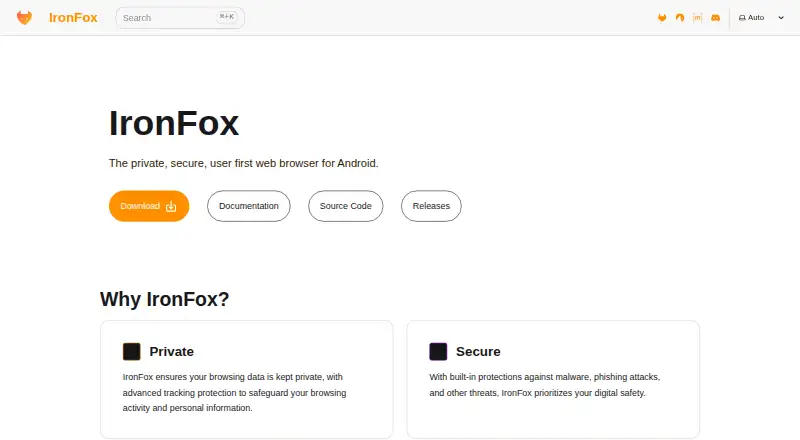
IronFox is a free, open-source browser for Android focused on keeping browsing data private.
What IronFox is
IronFox is a free, open-source browser for Android focused on keeping browsing data private. It blocks trackers and ads, includes protections against malware and phishing, and says it does not collect, store, or sell user data. By default, it clears history, cache, download history, and open tabs when you exit. It also enables DNS over HTTPS using Quad9 by default, HTTPS-Only Mode, proxied Google Safe Browsing, and basic per-site process isolation. IronFox is based on the latest Firefox release and removes proprietary libraries and tracking code, including Adjust and Sentry. It replaces Google Mobile Services with open alternatives such as microG and UnifiedPush, and supports end-to-end encrypted Firefox Sync. It requires Android 5 or newer, a supported ARM or x86_64 architecture, and 512 MB of free disk space. IronFox warns that it cannot defeat sophisticated fingerprinting, that Firefox-based browsers have security deficiencies compared with Chromium on Android, and that disabled DRM support may prevent some protected streaming playback.
Good
- Free and open source for Android.
- Clears selected browsing data on exit by default.
- Enables DNS over HTTPS with Quad9 by default.
- Supports end-to-end encrypted Firefox Sync.
Watch out
- Requires Android 5 or newer and 512 MB free disk space.
- Cannot defeat sophisticated fingerprinting.
- Firefox-based security deficiencies versus Chromium on Android.
- Disabled DRM may block some protected streaming playback.
Who it suits
IronFox may suit Android users seeking privacy controls and open-source software. It may be a poor fit for people who rely on DRM-protected streaming or need protection against sophisticated fingerprinting.
Verdict
IronFox offers several privacy-oriented defaults and is free to use on supported Android devices. Its stated fingerprinting, security, and DRM limitations are worth considering before choosing it.
Plans and prices
From IronFox's own pricing page, checked 8 Oct 2026.
| Plan | Price | What it gives you |
|---|---|---|
| IronFox | Free | Free and open source · Android 5 or newer · 512 MB free disk space required |
The facts
Each one read from IronFox's own pages, with the date it was checked.
What it does
- Ad blocking
- Yeschecked 19 Sep 2026
- Distribution
- The maker provides downloads through Accrescent, its own F-Droid repository, Obtainium, and direct APK downloads.checked 8 Oct 2026
- Downloads
- IronFox is available through Accrescent, its F-Droid repository, Obtainium, and direct downloads.checked 7 Oct 2026
- DRM limitation
- IronFox disables Encrypted Media Extensions, which can prevent playback of some DRM-protected streaming content.checked 7 Oct 2026
- Fingerprinting limit
- The maker says IronFox cannot defeat sophisticated fingerprinting and recommends Tor Browser when a threat model calls for that level of protection.checked 8 Oct 2026
- Fingerprint protection
- advancedchecked 19 Sep 2026
- Firefox Sync
- IronFox supports Firefox Sync, and users can configure a custom sync server.checked 8 Oct 2026
- Google Replacement
- Replaces Google Mobile Services with open alternatives.checked 28 Sep 2026
- Integrations
- IronFox supports UnifiedPush notifications without Google Play Services; users need to install and configure a distributor app.checked 8 Oct 2026
- Known limitation
- IronFox says it cannot defeat sophisticated fingerprinting and recommends Tor Browser for threat models such as whistleblowers, political dissidents, and journalists.checked 7 Oct 2026
- Library Removal
- Removes proprietary libraries from Firefox through deblobbing.checked 28 Sep 2026
- Network privacy
- IronFox enables DNS over HTTPS with Max Protection through Quad9 by default.checked 8 Oct 2026
- Open Alternatives
- Names microG and UnifiedPush as open alternatives.checked 28 Sep 2026
- Open source
- IronFox is free and open source, and says it removes proprietary libraries from Firefox through deblobbing.checked 8 Oct 2026
- Open Source
- IronFox is presented as free and open source.checked 28 Sep 2026
- Privacy controls
- By default, IronFox clears browsing history, cache, download history, and open tabs on exit.checked 7 Oct 2026
- Privacy defaults
- By default, IronFox clears browsing history, cache, download history, and open tabs on exit.checked 8 Oct 2026
- Privacy Focus
- Designed to keep browsing data private.checked 28 Sep 2026
- Product
- IronFox describes itself as a private, secure, user-first web browser for Android.checked 8 Oct 2026
Where it runs
- Browser Experience
- Presents itself as clean, fast, and privacy-respecting.checked 28 Sep 2026
- Device requirements
- IronFox requires Android 5 (API 21) or newer, a supported ARM, ARM64, or x86_64 architecture, and at least 512 MB of free disk space.checked 8 Oct 2026
- Platform security limitation
- The maker notes that Firefox-based browsers, including IronFox, have security deficiencies compared with Chromium, especially on Android.checked 8 Oct 2026
The company
- Founded
- 2024checked 28 Sep 2026
Money
- Free plan
- Yeschecked 19 Sep 2026
Alternatives to IronFox
- 1

Brave Browser
Free planOpen sourceAndroidiOSLinuxmacOS9.2Free plan - 2

AVG Secure Browser
Free planAndroidWebExtensionmacOS8.8From $39.99 a year - 3

Kameleo
Free planAndroidiOSWebAPI8.8Free plan - 4

DuckDuckGo Browser
Free planAndroidiOSmacOSWindows8.7Free plan - 5

Opera
Free planAndroidiOSWebExtension8.6From $48 a year - 6

Waterfox
Free planOpen sourceAndroidExtensionLinuxmacOS8.6From $5 a month