
LibreWolf
LibreWolf is a free, open-source browser based on Firefox that puts privacy, security, and user freedom first.
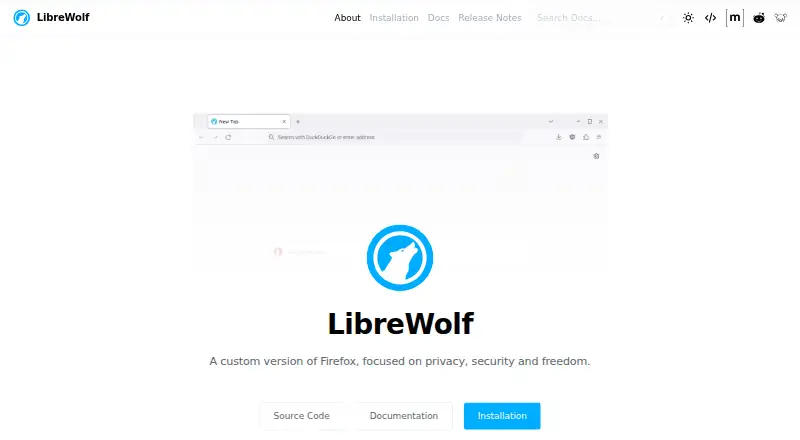
What LibreWolf is
LibreWolf is a free, open-source browser based on Firefox that puts privacy, security, and user freedom first. It is available for Linux, macOS, and Windows. Its default setup includes uBlock Origin with custom filter lists, strict Tracking Protection, Resist Fingerprinting, and disabled WebGL. It removes cookies and website data when you close the browser and enables Total Cookie Protection. HTTPS-only mode and stricter TLS/SSL negotiation rules are also enabled. DuckDuckGo and Searx are among its listed privacy-conscious search providers. LibreWolf disables telemetry, including crash reports, studies, and personalized recommendations; the project says it does not collect data and lacks the infrastructure to do so. Updates usually follow an upstream stable Firefox release within three days, but the browser cannot update itself automatically. DRM playback is off by default and can be enabled in settings. The built-in password manager is disabled, and the project suggests using another option. There is no Android version in development, according to the FAQ, which recommends IronFox instead. LibreWolf is not affiliated with Mozilla.
Good
- Free and open source
- Strict Tracking Protection and uBlock Origin included
- Deletes cookies and site data on close
- Available for Linux, macOS, and Windows
Watch out
- No automatic updates
- Built-in password manager is disabled
- No Android version is in development
Who it suits
LibreWolf suits people on Linux, macOS, or Windows who want a browser configured with privacy-focused defaults. It may also fit users comfortable managing updates and choosing a separate password manager.
Verdict
LibreWolf offers privacy-focused defaults in a free browser for desktop systems. Keep in mind that updates are manual and password management requires another option.
Plans and prices
From LibreWolf's own pricing page, checked 4 Oct 2026.
| Plan | Price | What it gives you |
|---|---|---|
| LibreWolf | Free | Community-driven open-source browser |
The facts
Each one read from LibreWolf's own pages, with the date it was checked.
Where it runs
- Android availability
- The FAQ says nobody is currently working on an Android version and recommends IronFox as an alternative.checked 4 Oct 2026
- Cross-device sync
- Yeschecked 21 Sep 2026
- Supported platforms
- bothchecked 21 Sep 2026
What it does
- Anti-fingerprinting
- Its default settings enable Resist Fingerprinting and disable WebGL.checked 4 Oct 2026
- Built-in ad blocking
- Yeschecked 21 Sep 2026
- Cookie handling
- LibreWolf deletes cookies and website data on close and enables Total Cookie Protection.checked 4 Oct 2026
- Data collection
- The project says it does not collect data and lacks the infrastructure to do so.checked 4 Oct 2026
- DRM
- DRM content playback is disabled by default and can be enabled in settings.checked 4 Oct 2026
- Mozilla relationship
- LibreWolf states that it is not affiliated with Mozilla.checked 4 Oct 2026
- Open source
- Yeschecked 21 Sep 2026
- Password manager
- The built-in password manager is disabled, and the project suggests using other password manager options.checked 4 Oct 2026
- Search
- The project lists DuckDuckGo and Searx among its privacy-conscious search providers.checked 4 Oct 2026
- Security
- The browser enables HTTPS-only mode and stricter TLS/SSL negotiation rules.checked 4 Oct 2026
- Security reporting
- Security issues can be reported by PGP-encrypted email, and the project says it has no bug bounty program.checked 4 Oct 2026
- Support
- Users can ask questions in the Matrix room, Reddit community, or Lemmy community.checked 4 Oct 2026
- Telemetry
- The feature list says LibreWolf disables telemetry, including crash reports, studies, and personalized recommendations.checked 4 Oct 2026
- Tracking protection
- It includes uBlock Origin with custom default filter lists and enables Tracking Protection in strict mode.checked 4 Oct 2026
- Updates
- LibreWolf is based on the latest Firefox version, with updates usually arriving within three days of an upstream stable release, but it has no automatic update capability.checked 4 Oct 2026
- What it does
- LibreWolf is an independent custom version of Firefox focused on privacy, security, and user freedom.checked 4 Oct 2026
Money
- Free plan
- Yeschecked 21 Sep 2026
The full review of LibreWolf
LibreWolf is a community-built Firefox variant for desktop users who want privacy and security controls switched on from the start. It suits people comfortable choosing a separate password manager and maintaining software themselves. The trade-off is a deliberately less convenient browser experience when sites depend on persistent cookies, DRM, or automatic updates.
Overview
LibreWolf is an independent, open-source browser focused on privacy, security, and user freedom, and it is not affiliated with Mozilla. Its project says it collects no data and does not have the infrastructure to do so. Telemetry is disabled, including crash reports, studies, and personalized recommendations, reducing browser-level reporting that privacy-conscious users may not want.
The browser is based on the latest Firefox version. Updates generally arrive within three days of an upstream stable release, but LibreWolf has no automatic update capability. That timing is respectable for a community project, yet users must notice and install updates themselves; it is not the right fit for anyone who expects the browser to keep itself current.
Key features
Blocking and anti-fingerprinting
uBlock Origin is included with custom default filter lists, while Tracking Protection runs in strict mode. Resist Fingerprinting is enabled and WebGL is disabled by default. Together these settings provide a strong starting position against trackers and some fingerprinting techniques without requiring an initial configuration session. Disabling WebGL can affect sites that rely on browser graphics, so users who need those experiences may have to adjust their expectations or settings.
Cookies and security
LibreWolf enables Total Cookie Protection and deletes cookies and website data when the browser closes. This is useful for limiting persistence between sessions, but it can also sign users out of websites and remove saved site preferences. HTTPS-only mode and stricter TLS/SSL negotiation rules add a security-focused baseline for connections.
Search, media, and credentials
The project lists DuckDuckGo and Searx among its privacy-conscious search providers. DRM playback is disabled by default and can be enabled in settings when required. The built-in password manager is disabled, and LibreWolf recommends using another password-management option. That is a meaningful limitation for anyone seeking an all-in-one browser, but it is consistent with the project's narrower privacy design.
Support and reporting
Questions can be raised in the Matrix room, Reddit community, or Lemmy community. Security issues can be reported by PGP-encrypted email, although the project has no bug bounty program.
Pricing
| Plan | Price | Includes |
|---|---|---|
| LibreWolf | free | Community-driven open-source browser |
LibreWolf is free, with no trial period and no paid tier. There are no seat or usage charges to weigh, making it suitable for anyone who wants the full browser without a subscription.
Platforms
Desktop builds are available for Linux, macOS, and Windows. LibreWolf supports cross-device sync, but there is no Android version in active development; the FAQ recommends IronFox for Android users instead.
Who it's for
Choose LibreWolf if strict tracker blocking, reduced telemetry, cookie isolation, anti-fingerprinting, and HTTPS-first browsing matter more than convenience. It is particularly well suited to desktop users who already use a separate password manager and can handle manual updates. Look elsewhere if you need Android support, automatic updating, persistent sign-ins by default, or DRM playback without changing settings.
Pros and cons
Pros
- Strong privacy defaults: uBlock Origin, strict Tracking Protection, Total Cookie Protection, and Resist Fingerprinting are enabled without add-on hunting.
- Low data exposure: telemetry is disabled, and the project says it collects no data.
- Broad desktop coverage: Linux, macOS, and Windows support is paired with cross-device sync.
- Free and open source: the complete browser is available at no cost.
Cons
- No automatic updates: keeping up with security releases is the user's responsibility.
- Password manager disabled: another credential tool is required.
- Session data is short-lived: cookies and website data are removed on close, which can cause repeated sign-ins.
- Compatibility trade-offs: DRM is off initially and WebGL is disabled by default.
- No Android build: mobile users need a different browser.
Alternatives
Brave Browser is the better choice for users who want a free, open-source browser with ad and tracker blocking across Android, iOS, Linux, macOS, and Windows, plus optional paid plans.
Tor Browser is preferable when routing browsing through the Tor-focused browser experience matters more than LibreWolf's Firefox-based desktop setup.
Waterfox suits users seeking another free, open-source browser with no premium tier and broader platform coverage, including Android and extensions.
DuckDuckGo Browser is a practical alternative for people who want DuckDuckGo's private browser and search protections on desktop and mobile, with optional paid service.
Mullvad Browser fits users wanting a free, open-source privacy browser for Linux, macOS, and Windows without a paid tier.
IronFox is the direct alternative for Android users, where LibreWolf has no version.
SnowHaze is an option for iOS and Android-oriented privacy browsing with tracker blocking, ad blocking, fingerprinting protection, and Tor integration.
Cromite offers a free, open-source browser for Android, Windows, and Linux.
For broader category browsing, see Privacy browsers and Web browsers.
Verdict
LibreWolf is a strong recommendation for privacy-focused desktop users who want extensive protections enabled by default and accept manual maintenance. Its free, open-source model and restrained data practices are compelling. Choose another browser if automatic updates, an integrated password manager, Android support, or out-of-the-box DRM compatibility are essential.
Alternatives to LibreWolf
- 1

Brave Browser
Free planOpen sourceAndroidiOSLinuxmacOS9.2Free plan - 2

AVG Secure Browser
Free planAndroidWebExtensionmacOS8.8From $39.99 a year - 3

Kameleo
Free planAndroidiOSWebAPI8.8Free plan - 4

DuckDuckGo Browser
Free planAndroidiOSmacOSWindows8.7Free plan - 5

Opera
Free planAndroidiOSWebExtension8.6From $48 a year - 6

Waterfox
Free planOpen sourceAndroidExtensionLinuxmacOS8.6From $5 a month