Genspark AI Browser
Genspark AI Browser combines an AI browser with local models, automated browsing, and a connected tool store.
What Genspark AI Browser is
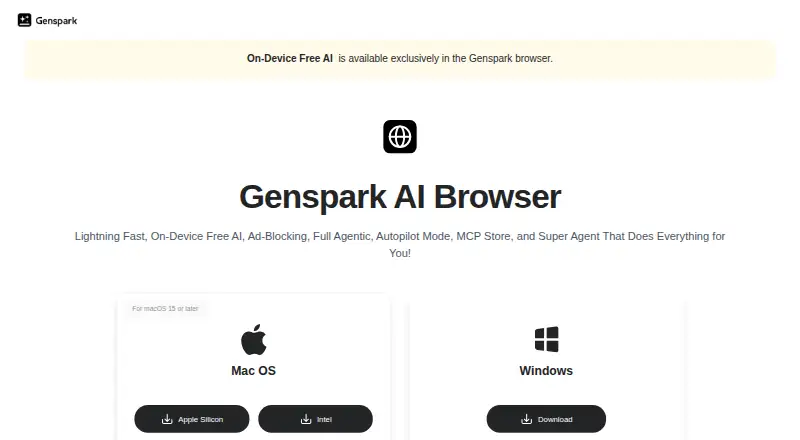
Genspark AI Browser combines an AI browser with local models, automated browsing, and a connected tool store. Its on-device AI runs without an internet connection, keeping data on the device. Autopilot Mode can browse feeds, gather information, access premium databases, and carry out complex web tasks automatically. Super Agent can search for deals, compare products, analyze reviews, summarize YouTube videos, and extract transcripts. The MCP Store connects to Discord, GitHub, Notion, Slack, and more than 700 other tools. The browser also blocks banners, pop-ups, and intrusive ads, while its Chrome extension offers AI chat, webpage analysis, and automation. A separate business browser runs in a private cloud instance and saves task traces, screenshots, DOM state, and reasoning for review and replay. Business administrators can set domain and action controls, isolated sessions, and approval requirements. Genspark lists a free on-device plan with 169 open-weight models and no internet requirement. Team costs $30.00 per month, billed monthly, and includes 12,000 credits per seat monthly. The browser is available as an extension, on macOS and Windows, and on the web.
Good
- On-device models work without internet access.
- Autopilot handles complex web tasks automatically.
- MCP Store connects to more than 700 tools.
- Business tasks retain traces and screenshots for review.
- The free on-device plan lists 169 open-weight models.
Watch out
- Team plan costs $30.00 per month.
- Free accounts revert to 100 daily credits after cancellation.
- Business browser runs in a private cloud instance.
Who it suits
It may suit people who want on-device AI for browsing tasks or teams that need automated workflows and reviewable task records. Business administrators can configure access and action controls.
Verdict
Genspark AI Browser offers both local AI and browser automation, with additional traceability and controls for business use. Check which plan and privacy model match the tasks and account requirements involved.
Plans and prices
From Genspark AI Browser's own pricing page, checked 15 Oct 2026.
| Plan | Price | What it gives you |
|---|---|---|
| Free | Free | 100 credits/day · 1 GB AI Drive · limited models/agents · Speakly 4,000 words/week · Free forever; no credit card required |
| On-Device Free AI | Free | 169 open-weight models · no internet required · no subscriptions, no limits |
| Plus | $19.99 a month | 10,000 credits/month · 50 GB AI Drive · Free Quota · commercial-use rights · unlimited Speakly words · Billed annually at $239.99/year; monthly billing $24.99 |
| Team | $35 a month | Typically 2–150 users · 10,000 credits/seat/month · 60 GB AI Drive/seat · centralized admin/billing · usage analytics · $35/seat/month annually or $40/seat/month monthly |
| Pro | $199.99 a month | 125,000 credits/month · 1 TB AI Drive · 10× Plus Free Quota · higher AI Chat limit · Billed annually at $2,399.99/year; monthly billing $249.99 |
| Enterprise | Priced on request | Unlimited seats · 20,000 credits/seat/month · pooled credits · SAML SSO/SCIM · data residency · RBAC/audit logs · dedicated customer success manager · Custom; typically six figures annually; annual contract |
The facts
Each one read from Genspark AI Browser's own pages, with the date it was checked.
What it does
- Ad blocking
- The browser automatically blocks banners, pop-ups, and intrusive ads.checked 1 Oct 2026
- Agent trace
- Genspark describes a scrubbable trace containing every click, keystroke and source for browser jobs.checked 15 Oct 2026
- API and SDK exposure
- Official documentation describes API-based connectors and MCP connections, while the business site links a Genspark CLI package but provides no public API reference on the opened pages.checked 15 Oct 2026
- Auditability
- Business browser tasks save screenshots, DOM state, and reasoning for replay, rollback, sharing, and compliance review.checked 1 Oct 2026
- Chat integrations
- Genspark can be connected to iMessage, WhatsApp, LINE, Telegram and Slack through a private GenTeam agent.checked 15 Oct 2026
- Chrome extension
- Genspark's Chrome extension provides AI chat, webpage analysis, and browser automation.checked 1 Oct 2026
- Connector breadth
- The connector reference documents 37 standard connection options and additional allowlisted or pilot integrations.checked 15 Oct 2026
- Developer capability
- Genspark Code is described as an autonomous coding agent that builds web, mobile, game, e-commerce and existing-code projects.checked 15 Oct 2026
- Documentation
- The Help Center contains product articles for Super Agent, Code, integrations, Chrome Extension, custom agents, workflows and many other features.checked 15 Oct 2026
- Enterprise data controls
- Enterprise adds SAML SSO, SCIM, automatic domain claiming, data-residency options, extended retention and audit logs.checked 15 Oct 2026
- Enterprise security
- Genspark states that it is SOC 2 Type II and ISO 27001 certified, does not train on customer data, and supports SAML SSO, SCIM, workspace isolation, and regional deployment.checked 1 Oct 2026
- Funding news
- Genspark announced on March 3, 2025 that it had raised $100 million in Series A funding.checked 15 Oct 2026
- GitHub integration
- The mobile product listing says AI Developer supports GitHub workflows for code editing and pull requests.checked 15 Oct 2026
- Immutable audit
- The business page says every session is recorded end-to-end and logs can be exported to a SIEM with policy-based retention.checked 15 Oct 2026
- Integrations
- The Help Center documents connectors using provider APIs, OAuth, API keys, tokens or MCP server URLs.checked 15 Oct 2026
Where it runs
- Bring-your-own browser
- Enterprise users can point the service at a Chromium instance in their own cloud VPC so traffic exits through their infrastructure.checked 15 Oct 2026
- Browser automation
- The business browser can open tabs, fill forms, click through paginators, export files and upload results while recording the actions.checked 15 Oct 2026
- Business browser
- The business AI Browser runs in a private cloud instance and returns a scrubbable trace of clicks, keystrokes, and sources.checked 1 Oct 2026
- Independent browser score
- TechArcade scored Genspark AI Browser 7.4 out of 10 and ranked it fifth among ten AI browsers.checked 15 Oct 2026
The company
- Company founded
- LinkedIn states that Genspark was founded in 2023.checked 15 Oct 2026
- Company headquarters and size
- LinkedIn lists Palo Alto, California headquarters and a 51–200 employee company size.checked 15 Oct 2026
- Company legal name
- Crunchbase lists the legal name as Genspark Inc. and operating status as active.checked 15 Oct 2026
- Headquarters
- Palo Alto, California, United Stateschecked 28 Sep 2026
Money
- Free account limit
- After cancellation, accounts revert to the Free plan with 100 daily credits.checked 1 Oct 2026
The full review of Genspark AI Browser
Overview
Genspark AI Browser combines on-device AI with tools that can act across websites, from research and product comparisons to automated web tasks. It suits people who want AI in their browsing workflow and teams that need a record of automated activity; its strongest distinction is the choice between local processing and more controlled business automation.
That breadth comes with two different privacy models: local AI keeps data on the device, while the business browser runs in a private cloud instance. Choose based on where your work can be processed, and on whether the free local offering or a paid team plan matches your usage.
Key features
Local AI and research
The browser runs AI models on the device without an internet connection, and its On-Device Free AI plan includes 169 open-weight models with no subscription or usage limits. That is a meaningful option for offline or privacy-conscious tasks. The tradeoff is that local AI is only one part of the product: automated browsing and business controls have separate capabilities and plan terms.
Page summaries and an AI research mode support reading and gathering information. Super Agent can find deals, compare products, analyze reviews, summarize YouTube videos, and extract transcripts. These features make Genspark more than a summarizer, though shoppers should still assess results rather than treat automated comparisons as a substitute for their own judgment.
Automation and integrations
Autopilot Mode can browse feeds, gather information, access premium databases, and complete complex web tasks. The built-in MCP Store connects Discord, GitHub, Notion, Slack, and more than 700 other tools. Genspark for Business advertises more than 200 connectors, including Salesforce, HubSpot, Google Workspace, Microsoft 365, Teams, and Box. That reach is useful for workflows spanning apps, but it makes the distinction between individual browsing and administered business use important.
Controls and traceability
The business browser operates in a private cloud instance and saves a scrubbable trace of clicks, keystrokes, and sources. Screenshots, DOM state, and reasoning can be used for replay, rollback, sharing, and compliance review. Administrators can set domain allowlists, credential vaulting, isolated team sessions, action limits, human approval for destructive clicks, and immutable audit logs. Those are substantial safeguards for supervised automation; they are aimed at organizations, not casual individual browsing.
Genspark states that it is SOC 2 Type II and ISO 27001 certified, does not train on customer data, and supports SAML SSO, SCIM, workspace isolation, and regional deployment. The standard browser also blocks banners, pop-ups, and intrusive ads. Its Chrome extension adds AI chat, webpage analysis, and browser automation for people who want these functions alongside Chrome.
Pricing
Free local AI
On-Device Free AI: free. It includes 169 open-weight models, works without internet, and has no subscription or usage limits. It is the clearest fit for someone who primarily wants local AI, but the plan description does not include the paid team quotas or business governance features.
Team
Team: $30 a month, billed monthly and cancellable anytime, for 2–150 users. Each seat receives 12,000 credits per month and 60 GB of AI Drive storage. This suits a small or midsize team that needs shared paid access and per-seat quotas. The seat minimum rules out a single-user subscription, and the monthly credits and storage are finite.
Enterprise
Enterprise: custom pricing. Contracts are typically six figures annually, with unlimited seats on annual contracts, custom credits and storage, dedicated support, and advanced governance. It is for organizations requiring tailored capacity and controls, not a lower-cost way to try the browser. Enterprise includes a customer success manager and 24/7 critical-issue coverage with a four-hour response target; Team includes standard support.
After cancellation, accounts revert to Free with 100 daily credits. That is a substantial change from Team's 12,000 monthly credits per seat, so teams should account for the reduced allowance when ending a subscription.
Platforms
Genspark supports macOS, Windows, and the web, with a Chrome extension also available. The listed supported desktop platforms are macOS and Windows; Android and iOS are not among them.
Who it's for
Genspark is a strong fit for people who want local, offline AI alongside page summaries, research, and browser agents. It is also worth considering for teams automating web work that needs traceable actions, approval controls, or compliance review. It is a weaker fit for a lone user seeking the paid Team tier, or anyone who wants all AI processing to stay on-device: business automation runs in a private cloud instance.
Pros and cons
- Pros: Local AI runs without internet, keeps data on-device, and comes with 169 models and no usage limits on its free plan.
- Pros: Super Agent, Autopilot, and broad integrations cover research and multi-step web tasks rather than only chat.
- Pros: Business traces, configurable approvals, and audit controls give teams ways to review and constrain automation.
- Cons: Team starts at two users and limits each seat to 12,000 monthly credits and 60 GB of storage.
- Cons: Business automation uses a private cloud instance, unlike the device-local AI option.
- Cons: Enterprise is typically six figures annually, putting its governance and support features beyond most individual budgets.
Alternatives
For a broader set of AI browser choices, browse AI Browsers; for tools centered on automated browser actions, see AI Browser Agents.
- Norton Neo is a free alternative with unlimited AI included and VPN usage of 5 GB per month, or unlimited when Neo is the default browser.
- Comet is a downloadable free browser for readers who want a free option across Android, iOS, macOS, and Windows.
- Dia suits macOS users who want profiles, tab groups, split view, picture-in-picture, and ad blocking without AI features on its free plan.
- Polar offers a free browser-agent plan with 3,000 starting credits and 100 daily credits, capped at 1,000, for readers comparing another agent-focused option.
- Strawberry Browser is another freemium option for macOS and Windows users.
- Synapse Browser is the alternative to consider if open source and free-forever terms are priorities.
- Tabbit is another freemium browser for macOS and Windows.
- Tandem Browser is a free, open-source alternative with no subscription.
Verdict
Choose Genspark AI Browser if you want unlimited, device-local AI and value the option to add capable web agents, or if your team needs automation with reviewable traces and administrative controls. Look elsewhere if you need a paid plan for one person, mobile support, or a business workflow that cannot run in a private cloud instance.
Getting started
- Open https://www.genspark.ai/browser
- Choose the macOS, Windows, web, or extension version
- Use On-Device Free AI for local models without internet or subscription
- For team use, select the Team plan at $30 a month
- Connect services through the MCP Store or business connectors
- Configure browser controls and approvals for managed business sessions
Limits worth knowing
On-Device Free AI has no subscriptions or limits and runs locally. The Team plan includes 12,000 credits and 60 GB AI Drive per seat each month; after cancellation, accounts revert to Free with 100 daily credits.
Questions
Is there a free plan?
Yes. On-Device Free AI costs nothing and includes 169 open-weight models without subscriptions or limits.
Which platforms are supported?
It supports macOS, Windows, the web, and an extension.
How much does the Team plan cost?
Team costs $30 a month, billed monthly, and supports 2–150 users.
What does Team include?
Each seat receives 12,000 credits per month and 60 GB of AI Drive, with standard support.
What happens after cancellation?
Accounts revert to the Free plan with 100 daily credits.
Does it offer business integrations and security controls?
Business offerings advertise more than 200 connectors, including Salesforce and Microsoft 365, plus SAML SSO, SCIM, workspace isolation, regional deployment, and configurable browser controls. Genspark states that it is SOC 2 Type II and ISO 27001 certified and does not train on customer data.