
Zoho Bookings
Zoho Bookings is a scheduling platform for appointments and other event types, including one-on-one, group, collective, and resource-based bookings.
What Zoho Bookings is
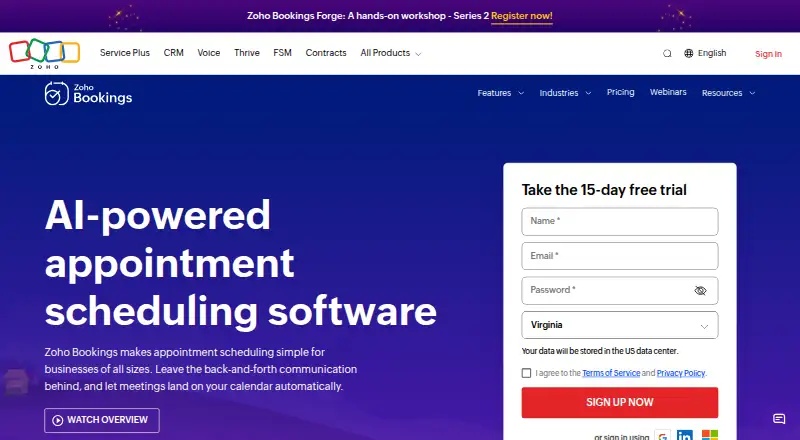
Zoho Bookings is a scheduling platform for appointments and other event types, including one-on-one, group, collective, and resource-based bookings. It provides booking pages, payment collection, round-robin scheduling, and automated reminders. Google and Outlook calendars can sync both ways to help avoid double-bookings. Teams can be organized through member roles and permissions, while workspaces group event types by location or department. Custom workflows can automate email and SMS communication, CRM updates, and invoice creation. Payments can be collected through Stripe, PayPal, Razorpay, and other major providers. Browser access and mobile apps for iOS and Android are available. The free plan is for one user and includes one event type and one workspace, as well as online meetings, reminders, and two-way calendar sync. Zoho states that Bookings is GDPR compliant.
Good
- Supports group, collective, and resource-based bookings.
- Two-way Google and Outlook calendar sync.
- Can collect payments through listed providers.
- Custom workflows automate communication and CRM updates.
- Available on iOS and Android.
Watch out
- Free plan is limited to one user.
- Free plan allows one event type and workspace.
Who it suits
Zoho Bookings suits individuals and teams arranging appointments or other event types. Its free tier is limited to one user, one event type, and one workspace.
Verdict
Zoho Bookings covers a range of scheduling types, with calendar sync, payment collection, and workflow automation. The one-user free plan is a starting point; paid plans begin at $6 per user per month with annual billing.
Plans and prices
From Zoho Bookings's own pricing page, checked 20 Sep 2026.
| Plan | Price | What it gives you |
|---|---|---|
| Free | Free | 1 user · 1 event type · 1 workspace · Free for one user |
| Basic | $8 a month | Per user; monthly or yearly billing available · Unlimited users · Unlimited event types · 1 workspace · 2 calendars per user · Billed monthly |
| Premium | $12 a month | Per user; for organizations with multiple locations or departments that need online payments and integrations · Unlimited users · Unlimited event types · 3 workspaces included · 6 calendars per user · Billed monthly |
| Forever Free Plan | Free | For solo users who need the fundamentals of scheduling software |
| FLEX Plan | Priced on request | For those with custom requirements in need of a tailored plan |
The facts
Each one read from Zoho Bookings's own pages, with the date it was checked.
What it does
- Annual discount
- Annual billing saves 25%, while the pricing table says over 25%.checked 28 Sep 2026
- Automated reminders
- Yeschecked 20 Sep 2026
- Booking pages
- Users can share booking links or embed a booking widget on their websites.checked 28 Sep 2026
- Booking payments
- Yeschecked 20 Sep 2026
- Business adoption
- Zoho Bookings says it is used by more than 29,000 businesses.checked 28 Sep 2026
- Calendar sync
- two-waychecked 20 Sep 2026
- Calendar synchronization
- Two-way sync is available for Google and Outlook calendars to avoid double-bookings.checked 28 Sep 2026
- Cancellation policy
- Plans can be canceled at any time without penalties or further charges.checked 28 Sep 2026
- Compliance status
- Zoho Bookings states that it is GDPR compliant.checked 28 Sep 2026
- Group booking
- Yeschecked 20 Sep 2026
- Integration count
- Enterprise teams can connect with more than 75 Zoho and third-party apps.checked 28 Sep 2026
- Paid from
- 6checked 20 Sep 2026
- Payment integrations
- Payments can be collected through Stripe, PayPal, Razorpay, and other major providers.checked 28 Sep 2026
- Round-robin scheduling
- Yeschecked 20 Sep 2026
- Scheduling types
- The platform supports one-on-one, group, collective, and resource-based event types.checked 28 Sep 2026
- Support availability
- The support team is available 24 hours a day, Monday through Friday.checked 28 Sep 2026
The company
- Founded
- 1996checked 23 Sep 2026
- Team management
- Admins can invite and manage team members with roles and permissions.checked 28 Sep 2026
Money
- Free plan
- Yeschecked 20 Sep 2026
- Free tier
- A forever-free plan is available for one user with core scheduling features.checked 28 Sep 2026
- Free tier limits
- The free plan is for one user and includes online meetings, reminders, and two-way calendar sync.checked 28 Sep 2026
- Free trial
- A 15-day premium trial is available without requiring credit card details.checked 28 Sep 2026
- Trial data
- Data and customizations remain intact after the trial expires.checked 28 Sep 2026
Where it runs
- Supported platforms
- Mobile access is available on iOS and Android, with browser and mobile app support.checked 28 Sep 2026
The full review of Zoho Bookings
Overview
Zoho Bookings is a scheduling service for businesses that need to offer appointments across people, teams, locations, or shared resources. It is strongest for organizations that want scheduling tied to payments and business workflows, though its free entry point is deliberately small.
Its event formats span individual appointments, group sessions, collective bookings, and resource reservations. Workspaces can separate offerings by department or location, while team administrators can assign roles and permissions.
Key features
Client booking pages let customers book online, and support for group bookings and round-robin routing covers both classes and appointments distributed among staff. Two-way sync with Google and Outlook calendars helps keep availability aligned and reduce double-booking risk.
Automated reminders handle routine client follow-up. Custom workflows can also automate email and SMS messages, CRM updates, and invoice creation, making the product more useful to teams that want scheduling to trigger operational tasks rather than stand alone.
Businesses can take booking payments through Stripe, PayPal, Razorpay, and other major providers. Enterprise teams can connect with more than 75 Zoho and third-party apps. Support is available 24 hours a day, Monday through Friday. Zoho states that the service is GDPR compliant.
Pricing
The forever-free plan costs nothing and is aimed at solo users. Its caps are consequential: one user, one event type, and one workspace. It includes online meetings, reminders, and two-way calendar sync, so it can cover basic solo scheduling but not a growing menu of appointment types or a team.
Basic costs $8 a month per user, billed monthly; monthly or yearly billing is available. It removes user and event-type limits, but retains one workspace and allows two calendars per user. That makes it a reasonable fit for teams needing broad scheduling capacity in one location or department, but not multiple workspace separation.
Premium costs $12 a month per user, billed monthly. It adds three workspaces and six calendars per user, and is positioned for organizations needing multiple locations or departments, online payments, and integrations. Choose it when those capabilities justify the higher per-user price; otherwise Basic may suffice.
The FLEX plan has custom pricing for organizations with tailored requirements. A 15-day premium trial requires no credit card, and data and customizations remain intact when it ends. Annual billing saves 25%, while plans can be canceled at any time without penalties or further charges.
Platforms
Zoho Bookings supports browser access and mobile apps for iOS and Android. That combination suits teams managing bookings from desktop or phone, though the listed mobile platforms do not include other operating systems.
Who it's for
Zoho Bookings is best suited to service businesses and teams that need several scheduling formats, calendar coordination, payment collection, or workflows connected to client communication and business systems. Its free plan works for a solo user with modest needs. Teams that need more event types, calendars, or workspaces should budget for a paid plan.
It is less compelling for a solo user who needs many event types or calendar connections but does not need Zoho's broader team and workflow capabilities: the free plan's one-type cap is restrictive, while paid tiers charge per user.
Pros and cons
- Pros: One product supports individual, group, collective, and resource-based bookings, giving organizations flexibility across service formats.
- Pros: Two-way Google and Outlook sync, reminders, and round-robin routing address common coordination needs, while payment collection and workflow automation extend scheduling into business operations.
- Pros: The 15-day premium trial does not require card details, and trial data and customizations persist after expiry.
- Cons: The free tier's one user, one event type, and one workspace make it a test or solo starter rather than a viable team plan.
- Cons: Basic remains limited to one workspace and two calendars per user, so organizations with multiple locations or more calendar connections need Premium or a tailored plan.
Alternatives
For broader comparisons, browse Meeting Scheduling Software, Appointment Scheduling Software, or Salon and Spa Scheduling Software.
Cal.com is worth considering if a solo user wants unlimited event types and calendars on its free plan, alongside 100+ app integrations. Calendly is another freemium scheduling option. YouCanBookMe is a web-based freemium alternative. SimplyMeet.me offers a free plan for one user with three meeting types and a 50-meeting monthly allowance. DayOtter has a free plan with unlimited event types and booking pages, calendar sync, reminders, and group polls. OnceHub is a freemium alternative. Koalendar offers unlimited bookings and booking pages on its free plan, plus calendar sync, website embeds, and video conferencing. TidyCal is a freemium web-based alternative.
Verdict
Choose Zoho Bookings if your team needs more than a booking calendar: its event variety, payment support, calendar sync, and automations can bring scheduling into the wider service workflow. Look elsewhere if your needs are limited to solo scheduling with several event types, since the free plan allows just one and paid plans are priced per user.
Getting started
- Open the Zoho Bookings website
- Choose the forever-free plan, Basic, Premium, or another available plan
- Use the 15-day premium trial without entering card details
- Create booking pages and event types
- Connect Google or Outlook calendars for two-way synchronization
- Invite team members and assign roles or permissions
- Use the browser or install the iOS or Android app
Limits worth knowing
The forever-free plan is limited to one user, one event type, and one workspace, with online meetings, reminders, and two-way calendar sync. Basic provides one workspace and two calendars per user, while Premium provides three workspaces and six calendars per user.
Questions
Is there a free plan?
Yes. The forever-free plan costs nothing for one user, one event type, and one workspace.
What does the premium trial include?
A 15-day premium trial is available without credit card details. Data and customizations remain intact after it ends.
How much do paid plans cost?
Basic is $8 per user per month when billed monthly, and Premium is $12 per user per month.
Which platforms are supported?
Zoho Bookings supports browser access and mobile apps for iOS and Android.
Can it collect booking payments?
Yes. Payments can be collected through Stripe, PayPal, Razorpay, and other major providers.
Can teams manage members and locations?
Admins can invite members and assign roles and permissions. Workspaces organize event types by location or department.
Alternatives to Zoho Bookings
- 1

Cal.com
Free planAndroidiOSWebAPI9.1Free plan - 2

Setmore
Free planAndroidiOSmacOSWindows8.9From $5 a month - 3

SchedulingKit
Free planAndroidiOSWebAPI8.8From $10 a month - 4

Calendar.com
Free planAndroidiOSWebAPI8.8From $20 a month - 5

Reservio
Free planAndroidiOSWebAPI8.8Free plan - 6

Fresha
AndroidiOSWeb8.7From $2.95 a month