
Calendly
Calendly is a scheduling tool for booking meetings through booking pages, with calendar sync and automated reminders.
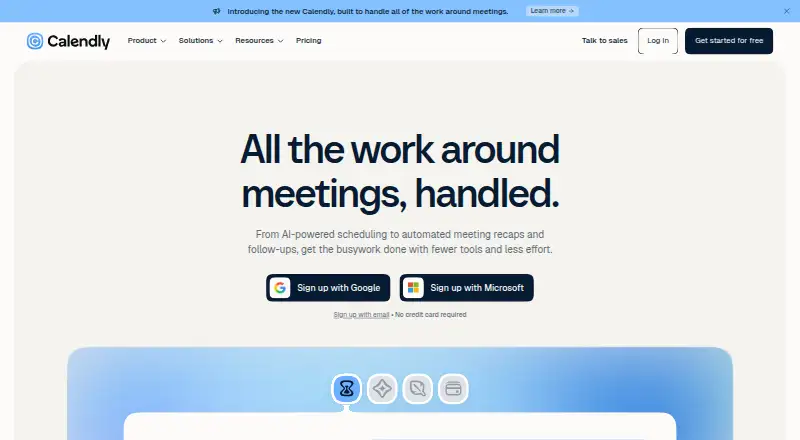
What Calendly is
Calendly is a scheduling tool for booking meetings through booking pages, with calendar sync and automated reminders. It supports one-on-one, group, collective, multi-host, round-robin, and team scheduling, and can collect payments through Stripe and PayPal. The Free plan is always free and includes one event type, one calendar connection, and one-on-one scheduling; signing up requires no credit card. Standard costs $10 per seat per month billed yearly, and Teams costs $16 per seat per month billed yearly. Both plans list up to six calendars per user. Calendly is available through a mobile app and browser extension and lists more than 150 integrations, including Google Calendar, Microsoft Teams, Outlook, Zoom, HubSpot, Mailchimp, and Zapier. Payment tools include payment links, packages, and invoices. Enterprise includes SSO, SAML, domain control, audit log compliance, a data deletion API, and dedicated account support. Calendly was founded in 2013 and is headquartered in Buford, Georgia.
Good
- Free plan requires no credit card
- Supports group and round-robin scheduling
- Collects payments through Stripe and PayPal
- Lists more than 150 integrations
- Mobile app and browser extension available
Watch out
- Free plan allows one event type
- Free plan connects one calendar
- Free plan limits scheduling to one-on-one
- Standard and Teams prices are billed yearly
Who it suits
Calendly suits individuals or teams that schedule different meeting formats and want calendar connections or payment collection. Its free plan may fit people who need only one event type, one calendar connection, and one-on-one scheduling.
Verdict
Calendly covers several scheduling formats, reminders, and payment collection. The free plan has clear event and calendar limits, while paid seat pricing is billed yearly.
Plans and prices
From Calendly's own pricing page, checked 27 Sep 2026.
| Plan | Price | What it gives you |
|---|---|---|
| Free | Free | Always free · 1 event type · 1 calendar connection · Always free |
| Standard | $10 a month | $10 per seat per month; seats required for users who connect calendars and host meetings · Up to 6 calendars per user · Billed yearly |
| Teams | $16 a month | $16 per seat per month; seats required for users who connect calendars and create Calendly links · Up to 6 calendars per user · Billed yearly |
| Enterprise | $15,000 a year | Starts at 50 seats; available in USD only · Minimum 50 seats · Starts at $15k /yr |
The facts
Each one read from Calendly's own pages, with the date it was checked.
What it does
- AI scheduling assistant
- Callie coordinates scheduling through email and can suggest times and book meetingschecked 27 Sep 2026
- Automated reminders
- Personalized email and text reminders can reduce no-showschecked 27 Sep 2026
- Booking pages
- Yeschecked 20 Sep 2026
- Booking payments
- Yeschecked 20 Sep 2026
- Calendar connections
- Standard and Teams include connecting multiple calendars; the comparison shows sixchecked 27 Sep 2026
- Calendar sync
- two-waychecked 20 Sep 2026
- Card requirement
- Signing up does not require a credit cardchecked 27 Sep 2026
- Enterprise support
- Enterprise includes dedicated account support and onboarding and implementationchecked 27 Sep 2026
- Group booking
- Yeschecked 20 Sep 2026
- Integration count
- Calendly lists more than 150 integrationschecked 27 Sep 2026
- Integration examples
- Integrations include Google Calendar, Microsoft Teams, Outlook, Zoom, HubSpot, Mailchimp, and Zapierchecked 27 Sep 2026
- Meeting notetaker
- Notetaker creates meeting recaps, action items, transcripts, and follow-up draftschecked 27 Sep 2026
- Paid from
- 10checked 20 Sep 2026
- Payment features
- Calendly supports Stripe and PayPal payments, payment links, packages, and invoiceschecked 27 Sep 2026
- Round-robin scheduling
- Teams supports round-robin meeting distributionchecked 27 Sep 2026
- Security features
- Enterprise includes SSO, SAML, domain control, audit log compliance, and data deletion APIchecked 27 Sep 2026
- Support options
- Support ranges from Help Center and Community access to email, chat, phone, and dedicated account supportchecked 27 Sep 2026
The company
- Company scale
- Calendly says 20 million professionals use its scheduling toolchecked 27 Sep 2026
- Founded
- 2013checked 23 Sep 2026
- Headquarters
- Buford, Georgia, United Stateschecked 23 Sep 2026
Money
- Free plan
- Yeschecked 20 Sep 2026
- Free plan limits
- One event type, one calendar connection, and one-on-one schedulingchecked 27 Sep 2026
- Free tier
- The Free plan is always freechecked 27 Sep 2026
Where it runs
- Mobile and browser
- Calendly is available through a mobile app and browser extensionchecked 27 Sep 2026
The full review of Calendly
Calendly is scheduling software for people and teams that need booking pages for more than one kind of meeting. It is a strong fit for varied scheduling and paid appointments; the free plan’s strict caps and yearly per-seat billing make the choice less appealing for casual use or larger teams on a tight budget.
Overview
Calendly covers one-on-one, group, collective, multi-host, round-robin, and team scheduling through client booking pages. Two-way calendar sync and automated reminders reduce the work around coordinating a meeting, while payment collection lets customers pay when booking. That breadth is useful when scheduling needs vary; someone arranging only occasional one-to-one calls may find the paid options more than they need.
Calendly also offers a mobile app and browser extension. Its AI assistant, Callie, coordinates by email, suggests times, and can book meetings. A meeting notetaker creates recaps, action items, transcripts, and follow-up drafts, giving the service utility beyond setting appointment times.
Key features
Scheduling, calendars, and integrations
Round-robin routing and collective or multi-host bookings suit teams that need to distribute or coordinate meetings across hosts. Standard and Teams support multiple calendar connections, up to six per user. That is a useful allowance for people separating calendars, but it sets a hard ceiling for users with more than six. Calendly lists more than 150 integrations, including Google Calendar, Outlook, Microsoft Teams, Zoom, HubSpot, Mailchimp, and Zapier, making it easier to fit scheduling into common work tools.
Payments and administration
Stripe and PayPal support, along with payment links, packages, and invoices, make Calendly relevant to appointment businesses that charge customers. Teams adds team groups, admin roles, advanced controls, and centrally managed events; those tools are more compelling for organizations managing booking practices across staff than for a solo operator.
Pricing
The Free plan is always free, requires no credit card to sign up, and allows one event type, one calendar connection, and one-on-one scheduling. It is a reasonable way to maintain a single basic booking option, but group formats and additional event types require a paid plan.
Standard costs $10 per seat per month, billed yearly, and supports up to six calendars per user. Seats are required for users who connect calendars and host meetings. It is the lower-cost paid step for individuals or teams needing more calendar connections, but it does not include the advanced team administration of Teams.
Teams costs $16 per seat per month, billed yearly. Seats are required for users who connect calendars and create Calendly links. The higher price buys team groups, advanced admin controls, admins, and centrally managed events, so it fits organizations standardizing scheduling across a group better than users who only need extra calendar connections.
Enterprise starts at $15,000 per year, with a 50-seat minimum, and is available in USD only. It includes SSO, SAML, domain control, audit log compliance, a data deletion API, dedicated account support, and onboarding and implementation. That scale and security package is aimed at larger organizations; a smaller team would be paying for a minimum commitment well beyond its seat count. Paid seat prices are billed yearly. A 14-day trial is offered.
Platforms
Calendly is available as a mobile app and browser extension.
Who it's for
Calendly suits professionals and teams juggling multiple meeting formats, several calendars, or paid appointments. Teams that need centralized administration can justify Teams, while larger organizations with the 50-seat minimum and enterprise security requirements may consider Enterprise. People who need only one basic event type can stay on Free; users who need more than six calendars per person should look elsewhere.
Pros and cons
- Pros: Multiple formats, including group, collective, multi-host, and round-robin scheduling, cover more than one-to-one bookings.
- Pros: Payment collection through Stripe and PayPal supports paid appointments, packages, and invoices.
- Pros: More than 150 integrations and two-way calendar sync help connect scheduling with common calendars and work tools.
- Cons: Free is limited to one event type, one calendar, and one-on-one scheduling, so it is restrictive for varied booking needs.
- Cons: Standard and Teams charge per seat and bill yearly, which can add up for teams where many users host or create links.
- Cons: Enterprise starts at 50 seats and $15,000 per year, putting it out of reach for smaller organizations.
Alternatives
For sales and lead-generation workflows rather than appointment booking, Apollo offers a free plan with 900 credits per seat per year, two sequences, API access, and one intent topic; its Basic plan costs $49 a month. Mixdesk is a freemium option for teams prioritizing conversations across connected channels and translation: its free plan allows 10 conversations, 10 connected channel accounts, and 100 translation characters, while Essential costs $49 a month. Warmly offers a free API/MCP plan with 250 credits per month and three tools, with Starter at $99 a month for 500 credits. These are alternatives for different workflows, not direct substitutes for Calendly’s booking formats.
For category-specific options, see Meeting Scheduling Software, Appointment Scheduling Software, Sales Appointment Scheduling Software, Interview Scheduling Software, and Lead Qualification Software.
Verdict
Choose Calendly if you need flexible booking formats, calendar sync, reminders, or payment collection in one scheduling service. Its free tier works for a single one-to-one event, but broader use brings yearly per-seat costs; teams that need only basic booking or cannot accept those terms should look elsewhere.
Alternatives to Calendly
- 1

Cal.com
Free planAndroidiOSWebAPI9.1Free plan - 2

Setmore
Free planAndroidiOSmacOSWindows8.9From $5 a month - 3

SchedulingKit
Free planAndroidiOSWebAPI8.8From $10 a month - 4

Calendar.com
Free planAndroidiOSWebAPI8.8From $20 a month - 5

Reservio
Free planAndroidiOSWebAPI8.8Free plan - 6

Fresha
AndroidiOSWeb8.7From $2.95 a month