Webflow CMS
Webflow CMS is a hosted, visual content management system for creating dynamic, content-driven websites.
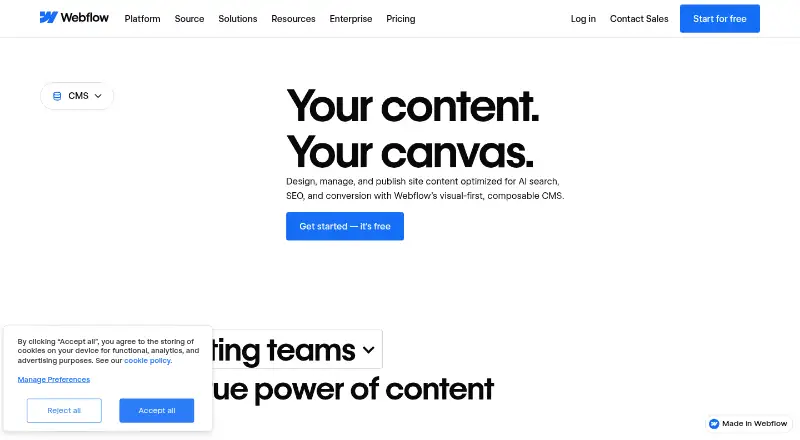
What Webflow CMS is
Webflow CMS is a hosted, visual content management system for creating dynamic, content-driven websites. Teams can manage content directly on a visual canvas and see changes rendered in real time. CMS Collections group items under a shared template, such as blog posts or office locations. Editorial tools include draft previews, publishing controls, comments, and on-canvas editing, while SEO tools include metadata and alt text. The service supports localized site experiences, and its headless CMS APIs can serve content in and out of Webflow and connect external tools. It also provides a media library, custom content types, and custom roles. The free Starter plan includes a Webflow.io domain, limited CMS, two static pages, 1 GB bandwidth, and 50 form submissions. Webflow runs in a browser rather than as a downloadable app, supports recent Chrome, Edge, Firefox, and Safari versions, and does not support Internet Explorer. Its code export can include HTML and CSS, but dynamic CMS items and pages cannot be exported.
Good
- Teams can edit content in context on a visual canvas.
- Includes draft previews, publishing controls, and comments.
- Headless CMS APIs connect external tools.
- Supports localized site experiences.
- Starter plan is available at no cost.
Watch out
- Starter limits CMS and includes only two static pages.
- Dynamic CMS items and pages cannot be exported.
- Internet Explorer is not supported.
Who it suits
Webflow CMS is aimed at marketing, design, and engineering teams, as well as agencies creating content-rich sites. Its visual editing and editorial workflow features may suit teams that manage site content together.
Verdict
Webflow CMS brings visual content editing, structured collections, and publishing workflows into a hosted service. Consider the Starter plan's limits and the export restriction if you need to move dynamic CMS content elsewhere.
Plans and prices
From Webflow CMS's own pricing page, checked 28 Sep 2026.
| Plan | Price | What it gives you |
|---|---|---|
| Starter | Free | Free plan for exploring and experimenting with Webflow; includes limited CMS, 2 static pages, 1 GB bandwidth, and 50 form submissions. · Webflow.io domain · Limited Webflow CMS · 2 static pages · 1 GB bandwidth · 50 form submissions |
| Basic | $15 a month | Custom domain · 300 static pages · 10 GB bandwidth · Unlimited form submissions · Password protection · billed yearly |
| Premium | $25 a month | For content-rich sites with robust CMS and traffic needs; includes Webflow CMS and up to 2.5 TB bandwidth. · Webflow CMS · 20,000 CMS items · 40 CMS Collections · 120 RPM content management APIs · Up to 2.5 TB/month bandwidth · billed yearly |
| Team | $2,500 a month | Annual contract required; for growing teams needing more control, with publishing workflows, enhanced security and compliance, and priority support. · Everything in Premium · Webflow Localize · AEO agents · Publishing workflows · Enhanced security & compliance · Priority support · Annual contract required |
| Enterprise | Priced on request | For organizations needing a flexible, fully customizable solution; includes granular permissions, custom roles, secure integrations, and custom configurations. · Enterprise-ready scale · Granular permissions · Custom roles · Advanced governance · Secure integrations · Dedicated account manager · Enhanced SLAs |
The facts
Each one read from Webflow CMS's own pages, with the date it was checked.
What it does
- Admin controls
- Enterprise includes granular permissions, custom roles, advanced governance, secure integrations, and custom configurations.checked 28 Sep 2026
- CMS certification
- Webflow identifies its headless CMS APIs as MACH-certified.checked 28 Sep 2026
- CMS limits
- Starter supports 50 CMS items and 20 CMS Collections; Premium supports 20,000 CMS items and 40 Collections.checked 28 Sep 2026
- Content modeling
- CMS Collections are groups of CMS items that share a common template or layout, such as blog posts or office locations.checked 28 Sep 2026
- Content workflow
- The CMS provides draft previews, granular publishing controls, edit mode, comment threads, and visual SEO controls such as metadata and alt text.checked 28 Sep 2026
- Custom content types
- Yeschecked 22 Sep 2026
- Customer perspective
- A Webflow customer says the platform removes technical complexity and supports creative iteration.checked 28 Sep 2026
- Custom user roles
- Yeschecked 22 Sep 2026
- Editorial workflows
- Yeschecked 22 Sep 2026
- Export limitation
- Webflow’s code export can export HTML and CSS, but dynamic CMS items and pages cannot be exported.checked 28 Sep 2026
- Headless CMS APIs
- MACH-certified headless CMS APIs programmatically serve content in and out of Webflow and connect external tools.checked 28 Sep 2026
- Hosting model
- Webflow is an online, hosted app designed to run in a browser rather than as a downloadable application.checked 28 Sep 2026
- Integrations
- Webflow’s integrations library includes categories such as analytics, CRM, ecommerce, forms, localization, maps, payment processing, search, and social media.checked 28 Sep 2026
- Media library
- Yeschecked 22 Sep 2026
- Multilingual content
- Yeschecked 22 Sep 2026
- Named integrations
- The integrations directory describes connections for Zapier, Google Docs, Google Workspace, Airtable, OpenStreetMap, and Pipedream.checked 28 Sep 2026
- Paid from
- 25checked 22 Sep 2026
Where it runs
- App integrations
- The curated App Marketplace includes HubSpot and Adobe Express integrations, plus native Figma connections.checked 28 Sep 2026
- Browser support
- Webflow officially supports the last three major versions of Chrome, Edge, Firefox, and Safari and does not support Internet Explorer.checked 28 Sep 2026
Money
- Billing options
- Pricing supports monthly and yearly views, with yearly pricing saving up to 40%.checked 28 Sep 2026
- Free plan
- Yeschecked 22 Sep 2026
- Free tier limits
- The free Starter plan has a Webflow.io domain, limited CMS, 2 static pages, 1 GB bandwidth, and 50 form submissions.checked 28 Sep 2026
The company
- Founded
- 2013checked 28 Sep 2026
- Headquarters
- San Francisco, California, United Stateschecked 28 Sep 2026
The full review of Webflow CMS
Webflow CMS brings a visual canvas and structured content into one hosted website workflow. It is a strong fit for marketing and design teams that want to publish without routing every change through developers, while still giving engineering teams API connections. Its appeal is the close tie between content and presentation; that same tie makes portability a serious consideration.
Overview
Webflow groups related content into Collections, with items such as blog posts or office locations sharing a layout. Teams can edit in context and see changes rendered in real time, then use draft previews, publishing controls, comments, and edit mode to manage review. This makes routine content updates more accessible to non-developers, particularly when the page design matters as much as the words.
The tradeoff is a hosted, browser-based service rather than a downloadable application. HTML and CSS export is possible, but dynamic CMS items and pages do not come along. Organizations that need to migrate their complete content system or run it elsewhere should consider that constraint before building around Webflow.
Key features
Visual editing and structured content
Collections provide reusable structures for content that follows a shared template. In-context editing and live rendering help design and editorial teams iterate together, while comments and comment threads give them a place to review changes. This is useful for content-led sites with consistent page patterns; it is less compelling for teams that want content management kept separate from site presentation.
Publishing, integrations, and localization
Draft previews and granular publishing controls support a more deliberate editorial process. Team and Enterprise add publishing workflows, single-page publishing, branch staging, and publish summaries, which are meaningful for organizations coordinating releases rather than making occasional updates. Headless APIs can serve content in and out of Webflow and connect external tools; the App Marketplace includes HubSpot and Adobe Express, with native Figma connections. Webflow also supports localized site experiences, with Localize for full-site or element translation.
SEO and security
Metadata, alt text, structured content, clean code, and SEO and AEO tools cover important publishing needs. Plans include two-factor authentication and DDoS protection; Team adds enhanced security and compliance. Enterprise adds granular permissions, custom roles, advanced governance, secure integrations, and custom configurations for organizations needing tighter administration.
Pricing
Webflow has a free Starter plan and paid plans billed in USD, with applicable taxes added at checkout. Yearly pricing saves up to 40% compared with monthly pricing views. The free tier is useful for trying the service, but its Webflow.io domain, limited CMS, two static pages, 1 GB bandwidth, and 50 form submissions make it restrictive for a live content-rich site.
| Plan | Price and fit | What it includes |
|---|---|---|
| Starter | free | Webflow.io domain, limited CMS, 2 static pages, 1 GB bandwidth, and 50 form submissions. Best for exploration, not a substantial published site. |
| Basic | $15 a month (billed yearly) | Custom domain, 300 static pages, 10 GB bandwidth, unlimited form submissions, and password protection. It suits a simpler site, but does not include Webflow CMS. |
| Premium | $25 a month (billed yearly) | Webflow CMS, 20,000 CMS items, 40 Collections, 120 RPM content management APIs, and up to 2.5 TB/month bandwidth. This is the practical starting point for content-rich sites. |
| Team | $2,500 a month (annual contract required) | Everything in Premium, plus Webflow Localize, AEO agents, publishing workflows, enhanced security and compliance, and priority support. The annual commitment and high price make it a fit for growing teams needing these controls, not a casual upgrade. |
| Enterprise | Custom pricing | Enterprise-ready scale, granular permissions, custom roles, advanced governance, secure integrations, and custom configurations for organizations with specialized requirements. |
Premium’s 20,000-item and 40-Collection caps are ample for many sites but materially below Enterprise scale, which Webflow says can accommodate hundreds of thousands of items. Basic is cheaper, but its lack of CMS makes it the wrong plan for a site whose core requirement is structured, dynamic content.
Platforms
Webflow runs in a browser as a hosted service, with web and API support rather than a downloadable application. It officially supports the latest three major versions of Chrome, Edge, Firefox, and Safari, and does not support Internet Explorer. Enterprise hosting uses Fastly CDN, global hosting, traffic-surge handling, and enterprise-level uptime SLAs.
Who it's for
Marketing and design teams benefit most when they need to manage content and its visual presentation together. Engineering teams can use the headless APIs to connect external tools, while agencies can use the same visual workflow across content-driven site work. Webflow is a weaker choice for teams whose priority is full exportability, or whose requirements exceed Premium’s CMS quotas without an Enterprise arrangement.
Pros and cons
- Pro: In-context editing with real-time rendering lets teams see content changes in the page rather than infer their effect from a separate editor.
- Pro: Collections, previews, comments, and publishing controls combine structured content with useful editorial review.
- Pro: Headless APIs and integrations can connect Webflow to external tools, and localized site experiences support multilingual publishing.
- Con: Dynamic CMS items and pages cannot be exported, limiting straightforward migration of the complete site.
- Con: Starter has a Webflow.io domain and tight page, bandwidth, form, and CMS limits; Basic adds a custom domain but still lacks the CMS.
- Con: Team requires an annual contract at $2,500 a month, putting its additional workflows and support beyond the needs of many smaller teams.
Alternatives
Choose Drupal if you want open-source software with no licensing fees and can handle self-hosting and technical setup. Prismic is another freemium API-and-web option, with a free plan aimed at personal websites or proofs of concept. Consider Umbraco CMS for its free open-source option covering authoring, media, user management, multilingual setup, and headless APIs and webhooks.
HubSpot Content Hub offers a free plan for two users and may suit readers comparing a content platform with a small free team tier. MODX is a freemium alternative available via API, web, and self-hosting. Pimcore is a freemium CMS with API, web, Linux, and self-hosted support. ExpressionEngine has a free Core plan with unlimited features for one control-panel user. Marketpath CMS offers a free Starter plan for very small, personal, or development sites.
Browse more options in Content Management Systems, Conversion Rate Optimization Software, Website Translation Software, and Law Firm Website Builders.
Verdict
Webflow CMS is a strong recommendation for teams that want to shape and publish structured website content visually, with collaboration and APIs available as needs grow. The main reason to choose it is the direct connection between content editing and the rendered page; the main reason to look elsewhere is that dynamic CMS content cannot be exported, while higher-end publishing and security controls require a costly annual Team plan or custom-priced Enterprise plan.
Getting started
- Open Webflow in a supported browser
- Create a Starter workspace or choose a paid plan
- Define CMS Collections and content items
- Build and edit pages on the visual canvas
- Configure workflows, roles, integrations, or localization as needed
- Publish through Webflow hosting
Limits worth knowing
Starter includes a Webflow.io domain, limited CMS, two static pages, 1 GB bandwidth, and 50 form submissions, with 50 CMS items and 20 Collections. Premium costs $25 a month billed yearly and raises capacity to 20,000 CMS items and 40 Collections.
Questions
Is Webflow CMS free?
Yes. Starter is free and includes a Webflow.io domain, limited CMS, two static pages, 1 GB bandwidth, and 50 form submissions.
What does Premium cost?
Premium costs $25 a month billed yearly. It includes Webflow CMS, 20,000 CMS items, 40 Collections, 120 RPM content management APIs, and up to 2.5 TB monthly bandwidth.
Which browsers support Webflow?
Webflow supports the last three major versions of Chrome, Edge, Firefox, and Safari. Internet Explorer is not supported.
Can Webflow export dynamic CMS content?
Code export can include HTML and CSS, but dynamic CMS items and pages cannot be exported.
Does Webflow support localization?
Yes. Webflow supports localized site experiences and offers Webflow Localize for full-site or element translation.
What integrations are available?
The integrations directory includes categories such as analytics, CRM, ecommerce, forms, localization, maps, payments, search, and social media, with connections including Zapier, Google Docs, Airtable, and Pipedream.
Alternatives to Webflow CMS
- 1
Enonic XP
Free planOpen sourceWebAPILinuxSelf-hosted9.0$990 usage-based - 2

CrafterCMS
Free planOpen sourceWebAPILinuxmacOS9.0Free plan - 3

Kiln
Free planOpen sourceWebAPISelf-hosted8.4From $4.99 a month - 4

django CMS
Free planWebAPILinuxSelf-hosted8.3From $500 a year - 5

Tumblr
Free planAndroidiOSWeb8.3From $69.99 a year - 6

Prismic
Free planWebAPI8.2Free plan