django CMS
django CMS is a free, open-source content management system built on the Django web framework for creating and managing websites.
What django CMS is
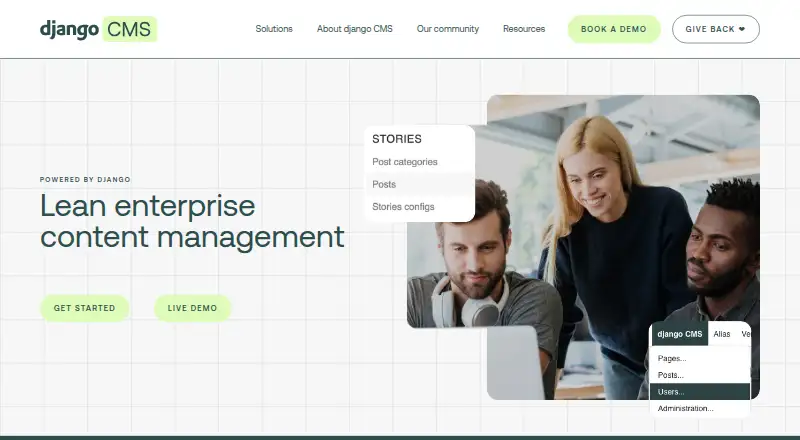
django CMS is a free, open-source content management system built on the Django web framework for creating and managing websites. Editors can update content directly on a page, while a drag-and-drop builder arranges reusable components such as text, images, videos, forms, and custom elements. It supports multilingual content management and multi-site publishing, with granular privileges and editor and publisher permissions. Existing Django applications can be integrated through application views and placeholders. Deployment approaches include traditional Django rendering, hybrid rendering with a REST API, and headless delivery through REST endpoints; headless mode and the REST API are available through the djangocms-rest add-on. The feature list includes SEO tools, a media library, custom content types, editorial workflows, and custom user roles. The core CMS has no license fees. It is self-hosted and supports web, Linux, Windows, and API contexts. Installation requires Python 3.10 or later and uses pip. The maker is based in Zurich, Switzerland, and was founded in 2007.
Good
- Free, open-source core with no license fees.
- Supports visual page editing and drag-and-drop layouts.
- Manages multilingual content and multiple sites.
- Integrates existing Django applications.
- Includes SEO tools and editorial workflows.
Watch out
- Headless mode and REST API require an add-on.
- Installation requires Python 3.10 or later.
- Analytics and third-party authentication rely on outside packages or services.
Who it suits
django CMS suits enterprises, universities, and digital agencies building content-rich websites with Django. It is also relevant to teams that need multilingual or multi-site publishing and custom application integration.
Verdict
django CMS combines page editing, reusable components, and Django application integration in a self-hosted system. Plan for the required add-ons or external packages where features are not part of the core.
Plans and prices
From django CMS's own pricing page, checked 7 Oct 2026.
| Plan | Price | What it gives you |
|---|---|---|
| django CMS | Free | Open-source CMS · no license fees |
| Supporter Association Membership | $2 a month | Individual membership · From $2 a month |
| Bronze Association Membership | $500 a year | Very small business membership · all tiers include the same benefits · $500 p.a |
| Silver Association Membership | $1,500 a year | Small business membership · all tiers include the same benefits · $1,500 p.a |
| Gold Association Membership | $3,000 a year | Large business membership · all tiers include the same benefits · $3,000 p.a |
| Platinum Association Membership | $15,000 a year | Enterprise membership · all tiers include the same benefits · $15,000 p.a |
The facts
Each one read from django CMS's own pages, with the date it was checked.
What it does
- Custom content types
- Yeschecked 22 Sep 2026
- Custom user roles
- Yeschecked 22 Sep 2026
- Deployment modes
- The documented architectures include traditional Django rendering, hybrid rendering with a REST API, and headless delivery through REST endpoints.checked 7 Oct 2026
- Django integrations
- Existing Django apps can be integrated, including through application views and placeholders.checked 7 Oct 2026
- Editing
- Editors can change content directly on the page using visual frontend editing.checked 7 Oct 2026
- Editorial workflows
- Yeschecked 22 Sep 2026
- Headless
- The feature list marks headless mode and a REST API as available through the djangocms-rest add-on.checked 7 Oct 2026
- Hosting
- The feature list says development sandboxes and automated backups are part of a hosting solution rather than built into the CMS.checked 7 Oct 2026
- Installation
- The install tutorial requires Python 3.10 or later and documents installation with pip and a command that creates a configured project.checked 7 Oct 2026
- Integrations
- django CMS can integrate custom Django applications, while add-ons provide capabilities such as rich-text editing, Bootstrap 5 components, media management, versioning, and reusable content blocks.checked 7 Oct 2026
- Intended users
- The site describes django CMS as serving digital agencies, marketers and publishers, developers and product managers, and business executives.checked 7 Oct 2026
- Languages
- It supports managing content in multiple languages from one platform.checked 7 Oct 2026
- Languages and sites
- The product supports multilingual content management and multi-site publishing.checked 7 Oct 2026
- Limits and add-ons
- Approval workflows, spell checking, and digital asset management integrations are listed as available through third-party packages or services rather than built into the core.checked 7 Oct 2026
- Media library
- Yeschecked 22 Sep 2026
- Multilingual content
- Yeschecked 22 Sep 2026
- Not built in
- The feature list marks analytics, third-party authentication, and digital asset management integrations as available through third-party packages or services.checked 7 Oct 2026
- Page building
- The page builder supports drag-and-drop layouts and reusable content components.checked 7 Oct 2026
- Permissions
- The feature list includes granular privileges, and the product page lists editor and publisher permissions.checked 7 Oct 2026
The company
- Founded
- 2007checked 28 Sep 2026
- Headquarters
- Zurich, Switzerlandchecked 28 Sep 2026
Money
- Free plan
- Yeschecked 22 Sep 2026
- License and cost
- The Association says django CMS is free and open, and that it charges no license fees.checked 7 Oct 2026
Where it runs
- Platform type
- self_hostedchecked 22 Sep 2026
The full review of django CMS
django CMS is a free, open-source CMS for teams already working with Django and building substantial, multilingual websites. It is strongest when editors need visual page control alongside custom Django applications; organizations wanting managed hosting or an all-in-one feature set should look elsewhere.
Overview
django CMS runs on the Django web framework and is operated as a self-hosted system. Editors can modify pages directly in a visual frontend, while developers connect existing Django applications through application views and placeholders. This keeps bespoke application logic and content publishing in one stack, but it makes Python, Django and deployment knowledge important. The installation tutorial requires Python 3.10 or later and uses pip to create a configured project.
A plugin architecture supplies reusable building blocks for text, images, video, forms and custom business components. Teams can deliver conventionally through Django templates, combine Django rendering with a REST API, or publish headlessly through REST endpoints. Headless mode and the REST API come through the djangocms-rest add-on, rather than the core alone.
Key features
Drag-and-drop layouts and reusable components let editors assemble pages from developer-defined parts. That speeds recurring page production and preserves consistency, although the flexibility depends on developers creating and maintaining the component set.
Multilingual content management and multi-site publishing fit organizations with several language editions or web properties. Editorial workflows, granular privileges, custom user roles, and distinct editor and publisher permissions support controlled publishing rather than giving every contributor the same access.
Built-in feature listings include SEO tools and a media library, while custom content types accommodate structured material beyond ordinary pages. Security features include granular privileges, SSL and session management, and the project has passed security audits. Security issues are requested privately by email rather than through a public forum.
Django application integration is a central advantage for teams extending a content site with domain-specific software. Rich-text editing, Bootstrap 5 components, media management, versioning and reusable content blocks are supplied by add-ons. Approval workflows, spell checking and digital-asset-management integrations likewise require third-party packages or services. Analytics and third-party authentication are also external, so budget and evaluate those dependencies before committing.
Development sandboxes and automated backups belong to a hosting solution, not the CMS itself. Community help spans technical documentation, Stack Overflow, Discord, GitHub Issues and an AI chat service; this is a community-led support model rather than a bundled vendor operations team.
Pricing
The core django CMS plan costs free and carries no license fees. It is the appropriate route for developers, agencies, universities and enterprises able to host and maintain their own installation. There is no free trial because the software itself is free.
Optional Association memberships are paid contributions rather than feature tiers: Supporter costs $2 a month for an individual; Bronze costs $500 a year for a very small business; Silver is $1,500 a year for a small business; Gold is $3,000 a year for a large business; and Platinum is $15,000 a year for an enterprise. Every business tier includes the same benefits, so the higher prices reflect membership level, not additional CMS capabilities. Hosting, add-ons and operational work remain separate considerations.
Platforms
django CMS is available through its API and web interfaces on Linux and Windows environments, with self-hosted deployment as the defining model. It is not presented as a hosted turnkey service; teams choose and operate the infrastructure around the Django application.
Who it's for
The maker targets enterprises, universities and digital agencies creating scalable, content-rich web experiences. It suits Django developers who need multilingual, multi-site publishing and the freedom to integrate custom applications. It is a poor fit for a small team seeking instant hosting, built-in analytics, bundled digital asset management or a no-code setup, because those concerns require infrastructure, add-ons or outside services.
Pros and cons
- Pros: Free, open-source licensing removes CMS license fees.
- Pros: Visual frontend editing, drag-and-drop layouts and reusable plugins give editors practical control without disconnecting the site from Django code.
- Pros: Multilingual, multi-site, workflow and granular-permission features support complex publishing organizations.
- Pros: Traditional, hybrid and headless delivery patterns allow the same content model to serve different architectures.
- Cons: Self-hosting places installation, upgrades, backups and operations on the owner; Python 3.10 or later is required for the documented setup.
- Cons: REST/headless delivery, rich text, versioning, approval workflows, analytics, authentication and digital-asset management may require add-ons or third-party services.
Alternatives
Drupal is a comparable free, open-source self-hosted CMS with a free trial and support for Linux, macOS and Windows, making it worth choosing when that broader platform coverage or Drupal ecosystem is the better match.
Plone is another free, forever-open-source self-hosted option for teams that prefer its CMS platform rather than a Django-based stack.
Webflow CMS offers a hosted web experience with a free Starter plan limited to two static pages, 1 GB bandwidth and 50 form submissions, so it is the alternative for experimenting without operating Django infrastructure.
HubSpot Content Hub provides a freemium hosted service, including a free plan for up to two users and a Starter plan from $7 per month, suited to teams prioritizing a managed web platform.
Joomla is a free GPL-licensed CMS download for self-hosted website projects.
TYPO3 CMS is free and open source for self-hosting, with an ELTS plan priced at €3,200 a year for organizations requiring that offering.
Contao is free LGPL-3.0 software, including for commercial projects, and is an alternative self-hosted CMS.
Prismic is a hosted, freemium option with a free repository plan for personal sites or proofs of concept, including one user and 4 million API calls per month.
Verdict
Choose django CMS when your organization has Django expertise and needs flexible, multilingual publishing tightly integrated with custom applications. Its zero license cost and strong editorial architecture are persuasive. Look elsewhere if you need managed hosting, operations included, or core features such as analytics and digital-asset management without assembling add-ons and external services.
Alternatives to django CMS
- 1
Enonic XP
Free planOpen sourceWebAPILinuxSelf-hosted9.0$990 usage-based - 2

CrafterCMS
Free planOpen sourceWebAPILinuxmacOS9.0Free plan - 3
Kiln
Free planOpen sourceWebAPISelf-hosted8.4From $4.99 a month - 4
Webflow CMS
Free planWebAPI8.3From $15 a month - 5

Tumblr
Free planAndroidiOSWeb8.3From $69.99 a year - 6

Prismic
Free planWebAPI8.2Free plan