Watermarkly
Watermarkly is a browser-based tool for adding text, logo, or multi-part watermarks to photo batches.
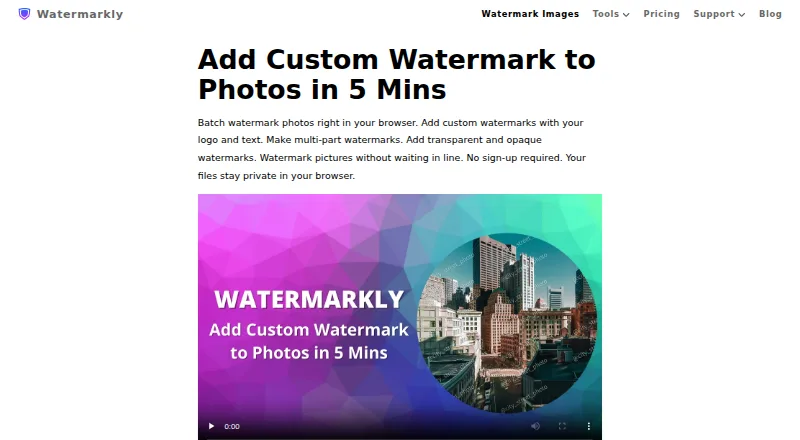
What Watermarkly is
Watermarkly is a browser-based tool for adding text, logo, or multi-part watermarks to photo batches. Its editor includes over 900 fonts, 90 colors and gradients, and 36 visual effects. Marks can be positioned manually or scaled to match image orientation and size. The site also lists tools for PDFs and videos, resizing, cropping, compression, blurring, background removal, and image conversion. Users can import images from Google Drive, Google Photos, or Dropbox, and saved watermark templates synchronize across desktop, laptop, and mobile devices. Watermarkly says photo files are processed in the browser and are not stored on or accessed from its servers. The free plan supports batch processing but adds a Watermarkly logo. 1-Year Access costs $19.95 a year, paid annually without automatic renewal; Permanent Access costs 39.95 USD as a one-time fee. Both paid plans offer full access to all tools on up to 10 devices without the logo.
Good
- Supports text, logo, and multi-part watermarks
- Offers manual or automatic watermark placement
- Imports images from Google Drive, Google Photos, and Dropbox
- Paid plans include access on up to 10 devices
Watch out
- Free batch processing adds a Watermarkly logo
- 1-Year Access does not renew automatically
- Permanent Access is a one-time 39.95 USD fee
Who it suits
Watermarkly suits people who need to brand batches of photos and adjust watermark placement or appearance. Its listed tools and device apps may also suit users working with PDFs, videos, or images across desktop and mobile.
Verdict
Watermarkly combines batch photo watermarking with a wider set of image, PDF, and video tools. The free option adds its logo; paid access removes it and covers up to 10 devices.
Plans and prices
From Watermarkly's own pricing page, checked 29 Sep 2026.
| Plan | Price | What it gives you |
|---|---|---|
| Free | Free | Free batch processing · adds a Watermarkly logo |
| 1-Year Access | $19.95 a year | Full access to all tools · up to 10 devices · no Watermarkly logo · 30-day money-back guarantee · $19.95 paid annually; doesn't renew automatically |
| Permanent Access | $39.95, paid once | Lifetime access · full access to all tools · up to 10 devices · no Watermarkly logo · 30-day money-back guarantee · One-time fee, not a subscription |
The facts
Each one read from Watermarkly's own pages, with the date it was checked.
What it does
- API
- The Blur API detects and blurs faces and license plates, costs $0.01 per request, and has a free 7-day trial through AWS Marketplace.checked 29 Sep 2026
- Cloud integrations
- Users can import images from Google Drive, Google Photos, or Dropbox.checked 29 Sep 2026
- Customization
- The photo watermark editor lists over 900 fonts, 90 colors and gradients, and 36 visual effects.checked 29 Sep 2026
- Other tools
- The site lists tools for watermarking PDFs and videos, resizing, cropping, compressing, blurring, background removal, and image conversion.checked 29 Sep 2026
- Payments
- The pricing page says it accepts major credit cards, Google Pay, Apple Pay, PayPal, and bank transfers, and that listed prices include applicable taxes.checked 29 Sep 2026
- Photo watermarking
- The browser app batch-processes photos and supports text, logo, and multi-part watermarks.checked 29 Sep 2026
- Placement
- Watermarks can be automatically scaled by image orientation and size, or positioned manually for each photo.checked 29 Sep 2026
- Privacy
- The site says photo files are processed in the browser and are not stored on or accessed from its servers.checked 29 Sep 2026
- Purchase security
- The site says communications and data transfers are encrypted and that it does not have access to card or account numbers; it names Stripe and PayPal as payment providers.checked 29 Sep 2026
- Support
- Customers can contact support by email or form, and the page says the team will get back to them shortly.checked 29 Sep 2026
- Template sync
- Saved watermark templates synchronize so users can reuse them across desktop, laptop, and mobile devices.checked 29 Sep 2026
The company
- Company location
- The site footer lists an address in Warsaw, Poland, and copyright attribution to Julia Nikitina.checked 29 Sep 2026
Where it runs
- Desktop apps
- The purchase includes Windows and Mac desktop apps for watermarking photos and videos.checked 29 Sep 2026
- Mobile apps
- The purchase includes an iOS app for watermarking photos, PDFs, and videos, and an Android app for photos and PDFs.checked 29 Sep 2026
The full review of Watermarkly
Overview
Watermarkly is a photo-watermarking service built around a browser editor, with companion apps and tools for PDFs, videos, and common image tasks. It suits people who need to brand many photos and reuse a consistent mark across devices. The free tier can handle batch work, but its Watermarkly logo makes paid access the practical choice for clean exports.
Key features
Watermarkly supports text, logo, and multi-part marks, with saved presets for repeat jobs. Its editor offers more than 900 fonts, 90 colors and gradients, and 36 visual effects, giving users substantial control over the look of a mark. Watermarks can scale automatically to image orientation and size, or be positioned manually on each photo. The manual option helps when a uniform placement would not suit every image; automatic scaling is more efficient for larger batches.
The stated maximum batch size is 50,000 images, a substantial ceiling for high-volume work. However, the free plan adds Watermarkly branding, so batch capacity alone does not make it suitable for finished client or business exports. Users can import images from Google Drive, Google Photos, and Dropbox, and saved templates sync across desktop, laptop, and mobile devices.
Beyond photos, Watermarkly lists PDF and video watermarking and tools for resizing, cropping, compressing, blurring, removing backgrounds, and converting images. The breadth is useful if one service needs to cover several routine asset tasks, though photo watermarking is the most fully described workflow. The included iOS app handles photos, PDFs, and videos; Android handles photos and PDFs; Windows and Mac desktop apps handle photos and videos.
Watermarkly says photo files are processed in the browser and are not stored on or accessed from its servers. That is a meaningful privacy assurance for photo work, but it applies specifically to photos and should not be read as a broader claim about every tool or file type.
Pricing
The Free plan costs nothing and includes batch processing, but exports add a Watermarkly logo. It is best for trying the workflow or for work where that branding is acceptable; it is a poor fit for polished, unbranded output.
1-Year Access costs $19.95 a year, billed annually. It removes the logo and includes full access to all tools on up to 10 devices, with a 30-day money-back guarantee. It does not renew automatically, which avoids recurring renewal charges but means access must be purchased again when the year ends. This is the lower-cost paid option for users who want a year of unbranded work without a subscription renewal.
Permanent Access costs $39.95, paid once as a one-time fee, not a subscription. It includes lifetime access to all tools on up to 10 devices, removes the logo, and carries the same 30-day money-back guarantee. For someone planning to use the full toolset beyond a short period, the one-time payment avoids annual repurchasing; occasional users may prefer the lower initial cost of yearly access. Listed prices include applicable taxes. The site accepts major credit cards, Google Pay, Apple Pay, PayPal, and bank transfers, and says transfers are encrypted and it cannot access card or account numbers.
The separate Blur API detects and blurs faces and license plates at $0.01 per request, with a free 7-day trial through AWS Marketplace. It is aimed at API-based blur workflows rather than ordinary photo watermarking.
Platforms
Watermarkly supports web, Windows, Mac, Linux, iOS, and Android. Its broad device coverage, together with template synchronization, suits users moving between desktop and mobile. App capabilities vary by platform: iOS includes photo, PDF, and video watermarking; Android covers photos and PDFs; Windows and Mac cover photos and videos.
Who it's for
Watermarkly is a strong fit for photographers, small teams, and other users who apply a repeatable mark to large photo batches and want cloud imports, reusable templates, and multiple device options. Its wide set of image utilities and document or video watermarking also makes it useful when those tasks belong in the same toolkit. It is less compelling for a one-off user who needs a clean export but does not want to pay, or for anyone whose needs center on one narrowly defined watermarking workflow.
Pros and cons
- Pros: The 50,000-image batch ceiling and automatic scaling can reduce repetitive work on large photo sets.
- Pros: Extensive font, color, and effect choices, plus manual placement, allow marks to be tailored rather than applied as a fixed overlay.
- Pros: Templates sync across desktop, laptop, and mobile, while imports from three major cloud services simplify access to stored images.
- Pros: One purchase covers up to 10 devices and multiple tools, with a one-time lifetime option for users who expect sustained use.
- Cons: The free plan adds Watermarkly branding, so unbranded output requires paid access.
- Cons: The included Android app does not cover video watermarking, unlike the iOS app; users choosing a mobile workflow should account for that difference.
Alternatives
For a wider category comparison, see Photo Watermarking Software.
eZy Watermark is worth considering for a lower-cost monthly Premium plan or if its free plan's template and high-resolution download features fit the job. Watermark Soft may suit users seeking monthly pricing, unlimited files per batch, and watermark-free exports. iWatermark is another freemium option across Android, iOS, Mac, and Windows.
DoWatermark offers a one-time Pro option and a free browser plan capped at three images per batch. Watermark Maker is a mobile-focused choice for text and logo marks, tiling, and social export presets. PictStamp is a free option for iOS and Mac. Overlay Studio is a free option for Android, iOS, and web, with a 25-image batch limit that supporter code can raise. uMark is another freemium option for Windows and Mac.
Verdict
Choose Watermarkly if you regularly watermark large photo batches, want detailed control over marks, and value templates that follow you across devices. Its breadth of tools and 10-device paid access make it more than a basic stamp editor. Look elsewhere if you need clean exports without paying, or if your preferred platform needs a tool the corresponding app does not cover.
Getting started
- Open https://watermarkly.com/ in a browser or use an app for a listed platform
- Import images from a device or Google Drive, Google Photos, or Dropbox
- Choose text, logo, or multi-part watermarking and set placement
- Use the free plan or choose one-year or permanent access for full tool access
Limits worth knowing
The free plan adds a Watermarkly logo. One-year and permanent access include full tool access on up to 10 devices; the one-year plan is $19.95 a year, and permanent access is a 39.95 USD one-time fee.
Questions
Is there a free plan?
Yes. The Free plan costs 0.00 USD and supports batch processing, but adds a Watermarkly logo.
What do the paid plans cost?
One-year access is $19.95 a year, billed annually and without automatic renewal. Permanent access is 39.95 USD as a one-time fee.
Which platforms does Watermarkly support?
Watermarkly lists web, Windows, Mac, Linux, iOS, and Android. Its purchase includes Windows and Mac desktop apps and iOS and Android apps.
What do the paid plans include?
Both paid options provide full access to all tools on up to 10 devices without the Watermarkly logo, plus a 30-day money-back guarantee.
Can Watermarkly import images from cloud services?
Yes. Images can be imported from Google Drive, Google Photos, or Dropbox.
Does Watermarkly offer an API?
Its Blur API detects and blurs faces and license plates. It costs $0.01 per request and has a free 7-day trial through AWS Marketplace.
Alternatives to Watermarkly
- 1

Watermark.ws
Free planAndroidiOSWebAPI7.9From $4 a month - 2

DoWatermark
Free planAndroidiOSWeb7.8$4.99 one-time - 3
eZy Watermark
Free planAndroidiOSWebmacOS7.3From $1.99 a month - 4
Watermark Maker
Free planAndroidiOS6.9$24.99 one-time - 5
Terma
Free planWebLinuxmacOSSelf-hosted6.8Free plan - 6
Visual Watermark
AndroidiOSWebLinux6.8From $19.95 a year