eZy Watermark
eZy Watermark adds text, logos, signatures, and other marks to photos and videos on Android, iOS, macOS, and the web.
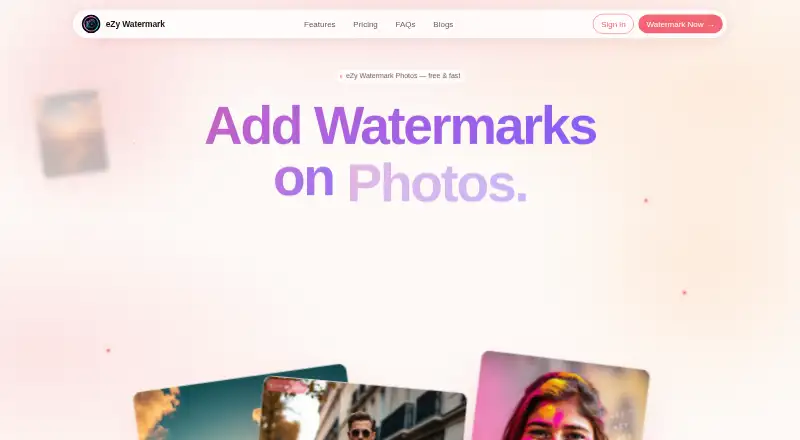
What eZy Watermark is
eZy Watermark adds text, logos, signatures, and other marks to photos and videos on Android, iOS, macOS, and the web. Users can create reusable templates and sync them across devices after signing in. The photo app supports JPG, JPEG, PNG, HEIC, and WebP, and exports preserve EXIF, ICC profiles, and color data. Video tools include image, text, QR-code, and signature watermarks, editing controls, multiple export qualities, and more than 150 fonts. The video app imports clips from Camera, Library, Instagram, Facebook, and Google Drive, and can export marked videos to social platforms. Batch processing can handle hundreds of photos at once, with unlimited batch video watermarking. The Free plan costs nothing and includes templates, over 300 fonts, exports to other apps, and high-resolution watermark downloads. Premium costs $1.99 a month and adds unlimited batch watermarking, both Photo and Video apps, cross-platform template sync, original resolutions, and no ads. The site says processing occurs locally unless optional cloud backup is enabled.
Good
- Supports photo and video watermarking.
- Batch processing handles hundreds of photos.
- Video batch watermarking is unlimited.
- Photo exports preserve EXIF and color data.
- Templates can sync across signed-in devices.
Watch out
- Template syncing requires signing in.
- Premium costs $1.99 a month.
- Cloud backup is optional; local processing is the default.
Who it suits
eZy Watermark may suit people who want to add reusable marks to photos or videos on mobile, desktop, or the web. Its batch tools and template syncing may be useful for users processing multiple items across devices.
Verdict
eZy Watermark combines photo and video tools with reusable templates and batch processing. Its free plan covers basic watermarking, while Premium adds unlimited batch work and cross-platform template sync.
Plans and prices
From eZy Watermark's own pricing page, checked 1 Oct 2026.
| Plan | Price | What it gives you |
|---|---|---|
| Free | Free | watermark templates · 300+ fonts · export to other apps · high-resolution watermark downloads · $0 /mo |
| Premium | $1.99 a month | unlimited batch watermarking · Photo and Video apps · cross-platform template sync · original resolutions · no ads · $1.99 /mo |
| Enterprise | Priced on request | everything in Premium · cloud template sync · priority updates and support · all devices · no ads or sticker purchases · Custom |
The facts
Each one read from eZy Watermark's own pages, with the date it was checked.
Where it runs
- App Store pricing
- The iOS video app lists Premium Monthly at $1.99, Premium Yearly at $9.99, Batch Watermarking at $3.99, Custom Fonts at $0.99 and ad-free package at $0.99.checked 1 Oct 2026
What it does
- Batch processing
- The product can watermark hundreds of photos in one batch and supports unlimited batch video watermarking.checked 1 Oct 2026
- Image formats
- The photo app supports JPG, JPEG, PNG, HEIC and WebP images.checked 1 Oct 2026
- Integrations
- The video app exports watermarked videos to social-media platforms.checked 1 Oct 2026
- Local processing
- The official site says watermarking happens locally in the browser or mobile app and originals are not uploaded unless optional cloud backup is enabled.checked 1 Oct 2026
- Metadata preservation
- Exports preserve EXIF, ICC profiles and color data.checked 1 Oct 2026
- Mobile availability
- eZy Watermark Photos and eZy Watermark Videos are available on iOS and Android.checked 1 Oct 2026
- Privacy
- The privacy policy says the mobile application does not collect personal information or automatic device data and does not share information with third parties.checked 1 Oct 2026
- Purpose
- eZy Watermark adds text, logo, signature and other watermarks to photos and videos.checked 1 Oct 2026
- Security
- The privacy policy says physical, electronic and procedural safeguards limit access to information processed and maintained.checked 1 Oct 2026
- Support
- The product lists [email protected] as its support contact.checked 1 Oct 2026
- Templates
- Users can create reusable watermark templates and sync templates across devices after signing in.checked 1 Oct 2026
- Video imports
- The video app imports from Camera, Library, Instagram, Facebook and Google Drive.checked 1 Oct 2026
- Video tools
- The video app supports image, text, QR-code and signature watermarks, editing controls, multiple export qualities and 150+ fonts.checked 1 Oct 2026
The company
- Headquarters
- Islamabad, Pakistanchecked 23 Sep 2026
The full review of eZy Watermark
Overview
eZy Watermark is a photo and video watermarking app for people who need repeatable branding across everyday edits and large batches. It suits creators who want reusable templates and local processing without committing to a paid plan. Its broad toolset is appealing, though Premium is needed for unlimited batch work and cross-platform template sync.
Key features
eZy handles text, logo and signature marks on photos, and adds image and QR-code watermarks for video. The photo app accepts JPG, JPEG, PNG, HEIC and WebP, and preserves EXIF, ICC profiles and color data on export. That makes it a stronger fit for image workflows where metadata and color information matter than a basic overlay tool.
Batch processing is a central advantage: photos can be processed in batches of hundreds, while video batch watermarking is unlimited. This can save substantial repetitive work, but the free plan does not include unlimited batch processing. The video app also offers editing controls, multiple export qualities and more than 150 fonts, with imports from Camera, Library, Instagram, Facebook and Google Drive and export to social platforms.
Reusable templates help keep recurring marks consistent. Templates sync across devices after sign-in; Premium specifically includes cross-platform sync, while Enterprise offers cloud template sync. The difference matters for users who need a shared, persistent template workflow rather than simply reusing designs on one device.
The company says watermarking runs locally in the browser or mobile app, and originals are not uploaded unless optional cloud backup is enabled. Its privacy policy says the mobile app collects neither personal information nor automatic device data and does not share information with third parties. It also describes physical, electronic and procedural safeguards for information it processes and maintains. These are meaningful privacy assurances for users handling original photos, though cloud backup is an opt-in exception.
Pricing
The Free plan costs nothing and includes watermark templates, 300+ fonts, export to other apps and high-resolution watermark downloads. It is a practical starting point for occasional watermarking, but lacks Premium's unlimited batch watermarking and cross-platform template sync.
Premium costs $1.99 a month, billed $1.99 /mo. It adds unlimited batch watermarking, both Photo and Video apps, cross-platform template sync, original resolutions and no ads. It is the clearest fit for regular users who process many videos or want the fuller multi-device workflow. The iOS video app also lists Premium Yearly at $9.99, as well as separate in-app purchases for Batch Watermarking at $3.99, Custom Fonts at $0.99 and an ad-free package at $0.99.
Enterprise has custom pricing and includes everything in Premium, cloud template sync, priority updates and support, all devices, and no ads or sticker purchases. It is aimed at users needing those broader service and device terms; no seat count or other team collaboration terms are given. The separate iOS purchase options are not described as subscriptions or as equivalents to the plan features, so buyers should distinguish them from the monthly plan.
Platforms
eZy Watermark is available on Android, iOS, macOS and the web. The separate eZy Watermark Photos and eZy Watermark Videos apps are available on iOS and Android. This spread suits users switching between mobile and browser or desktop work, while Premium's cross-platform template sync is relevant when those devices share a workflow.
Who it's for
Choose eZy Watermark if you routinely brand batches of photos or videos, need templates for consistent marks, or want video-specific controls and import options alongside photo formats that retain metadata on export. The free plan makes sense for modest needs; Premium is more compelling when batch volume or cross-device reuse becomes routine. It is less compelling for organizations seeking defined team seats or collaboration controls, and for users who only need a small, occasional batch.
Pros and cons
- Pros: Hundreds of photos per batch and unlimited batch video watermarking support larger workloads.
- Pros: Photo exports preserve EXIF, ICC profiles and color data, while the photo app supports five common image formats.
- Pros: Local processing by default and the stated mobile privacy practices may suit users cautious about uploading originals.
- Cons: Unlimited batch work and cross-platform template sync require Premium, limiting the free plan for frequent or multi-device users.
- Cons: Enterprise pricing is custom, and no seat or collaboration model is described, making it harder to assess for teams.
Alternatives
Browse Photo Watermarking Software for more options. Watermarkly is worth considering if broad operating-system coverage and a free batch option matter more than avoiding a product logo on free output; its free plan adds a Watermarkly logo, and its 1-Year Access costs $19.95 a year without renewal.
DoWatermark may suit lighter browser-based work: its free plan handles three images per batch, offers text and logo marks and saved presets, and does not upload files. Overlay Studio is a free alternative with a 25-image batch limit, raised by a supporter code, and no export paywall. PictStamp is another free option for iOS and macOS.
Watermark Maker is an alternative for mobile users wanting text and logo marks, tiling, social export presets and small batches in its ad-supported free plan. Visual Watermark may fit users who want a one-year, 10-device option: its 1-Year Access costs $19.95 a year and does not renew automatically. iWatermark is another freemium choice across iOS, Android, macOS and Windows. Watermark Soft is worth comparing for Linux and Windows users seeking photo and video tools with unlimited files per batch; its Monthly plan costs $7 a month.
Verdict
eZy Watermark is a strong choice for creators who want photo and video watermarking, substantial batch capacity and reusable designs across devices. Its local-processing approach and photo metadata preservation add practical value, while Premium is modestly priced for users who need unlimited batch work. Look elsewhere if your priority is a documented team-seat model, or if a small capped batch is all you need and another free option fits that workflow.
Getting started
- Visit the eZy Watermark website or get its Photos or Videos app on iOS or Android.
- Choose the free plan or Premium at $1.99 per month.
- Create a watermark using text, a logo, signature, or another supported mark.
- Sign in if you want templates synced across devices.
- Import photos or videos and export the watermarked files.
Limits worth knowing
The free plan includes templates, 300+ fonts, exports to other apps, and high-resolution watermark downloads. Unlimited batch watermarking, original resolutions, cross-platform template sync, and no ads are listed with Premium at $1.99 per month.
Questions
Is eZy Watermark free?
Yes. The Free plan is $0 per month and includes watermark templates, 300+ fonts, exports to other apps, and high-resolution watermark downloads.
What does Premium cost?
Premium is listed at $1.99 per month. It adds unlimited batch watermarking, Photo and Video apps, cross-platform template sync, original resolutions, and no ads.
Which platforms are supported?
The product is listed for Android, iOS, macOS, and web. The Photos and Videos apps are available on iOS and Android.
Does it support batch watermarking?
Yes. It can process hundreds of photos in one batch and supports unlimited batch video watermarking.
Are photos and videos uploaded for processing?
The site says processing occurs locally in the browser or mobile app. Originals are not uploaded unless optional cloud backup is enabled.
Can templates sync across devices?
Yes. Users can sync templates across devices after signing in; cross-platform template sync is included with Premium.
Alternatives to eZy Watermark
- 1

Watermark.ws
Free planAndroidiOSWebAPI7.9From $4 a month - 2

DoWatermark
Free planAndroidiOSWeb7.8$4.99 one-time - 3
Watermarkly
Free planAndroidiOSWebLinux7.3From $19.95 a year - 4
Watermark Maker
Free planAndroidiOS6.9$24.99 one-time - 5
Terma
Free planWebLinuxmacOSSelf-hosted6.8Free plan - 6
Visual Watermark
AndroidiOSWebLinux6.8From $19.95 a year