Visual Watermark
Visual Watermark provides tools to add marks to photos, videos and PDF files.
What Visual Watermark is
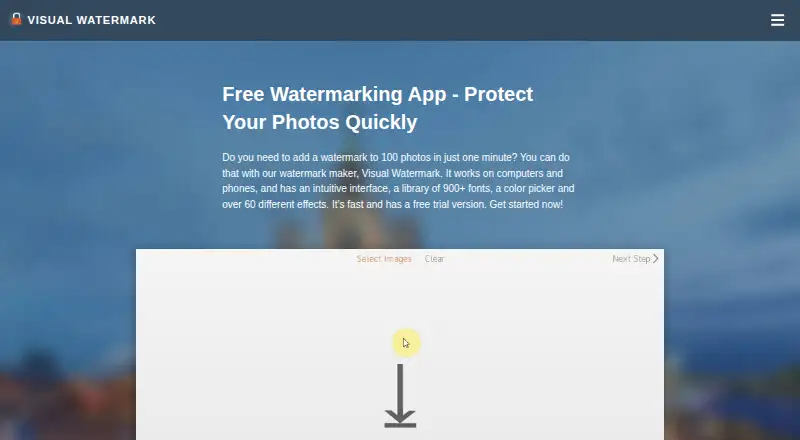
Visual Watermark provides tools to add marks to photos, videos and PDF files. Its photo app can process multiple images at once and supports JPEG, PNG, TIFF, GIF and BMP. Make text or logo watermarks, adjust their appearance, and choose from built-in fonts, logos and effects. You can resize and rename photos, add copyright metadata, and preserve EXIF and IPTC data in JPEG files. Save templates for reuse; templates can also sync between team members. The desktop photo software processes images on your device and says it does not send or store them on its servers. Mac users can import from Photos and iPhoto, and the app supports Adobe TypeKit and Monotype fonts. A free plan and 30-day desktop trial are listed, though trial-protected photos receive extra trial branding. One-year access costs $19.95 a year; permanent access costs $39.95, paid once. Both cover 10 devices. Listed platforms include Windows, Mac, Android, iOS, Linux, Chromebooks and web.
Good
- Batch processing supports five image formats.
- Creates customizable text and logo watermarks.
- Preserves EXIF and IPTC data in JPEGs.
- Desktop processing keeps images on the device.
- Templates can sync between team members.
Watch out
- Desktop trial adds branding to protected photos.
- One-year access costs $19.95 a year.
- Permanent access costs $39.95, paid once.
Who it suits
Visual Watermark suits beginners, amateur photographers and professionals, including photographers who sell images. It is also relevant to people who need to mark videos or PDF files.
Verdict
Visual Watermark combines batch photo marking with tools for videos and PDFs. Its trial adds branding to protected photos, while paid access is available for a year or permanently.
Plans and prices
From Visual Watermark's own pricing page, checked 4 Oct 2026.
| Plan | Price | What it gives you |
|---|---|---|
| 1-Year Access | $19.95 a year | Access for 1 year · For 10 devices · Watermark photos, videos & PDF · Windows, Mac, Android, iOS and Chromebooks · $ 19.95 paid annually; doesn't renew automatically |
| Permanent Access | $39.95, paid once | Lifetime access · For 10 devices · Watermark photos, videos & PDF · Windows, Mac, Android, iOS and Chromebooks · One-time fee, not a subscription |
The facts
Each one read from Visual Watermark's own pages, with the date it was checked.
What it does
- Batch photo watermarking
- The photo app can watermark multiple images in one batch and supports JPEG, PNG, TIFF, GIF and BMP.checked 4 Oct 2026
- Integrations
- The photo app supports fonts from Adobe TypeKit and Monotype, and can import images from Photos and iPhoto on Mac.checked 4 Oct 2026
- Payment security
- The purchase page says its payment processing uses PCI DSS Level 1 certification and SSL encryption, and that sensitive card data is not stored.checked 4 Oct 2026
- Photo editing
- The photo app can resize and rename images, add copyright metadata, and preserve EXIF and IPTC data in JPEG files.checked 4 Oct 2026
- Privacy
- The desktop photo software processes images on the user's device and says images are not sent to or stored on its servers.checked 4 Oct 2026
- Product
- Visual Watermark offers tools for watermarking photos, videos and PDF files.checked 4 Oct 2026
- Refund
- Paid purchases come with a 30-day money-back guarantee.checked 4 Oct 2026
- Support
- The site lists [email protected] as its support contact.checked 4 Oct 2026
- Templates
- Users can save watermark templates and reuse them; the site also says templates can sync between team members.checked 4 Oct 2026
- Watermark design
- Users can create text or logo watermarks, customize their appearance, and choose from built-in fonts, logos and effects.checked 4 Oct 2026
- Who it is for
- The maker describes the app as suitable for beginners, amateurs and professionals, including photographers who sell images.checked 4 Oct 2026
The company
- Headquarters
- Warsaw, Polandchecked 28 Sep 2026
Money
- Trial limitation
- During the 30-day desktop trial, protected photos receive additional trial branding.checked 4 Oct 2026
Alternatives to Visual Watermark
- 1

Watermark.ws
Free planAndroidiOSWebAPI7.9From $4 a month - 2

DoWatermark
Free planAndroidiOSWeb7.8$4.99 one-time - 3
eZy Watermark
Free planAndroidiOSWebmacOS7.3From $1.99 a month - 4
Watermarkly
Free planAndroidiOSWebLinux7.3From $19.95 a year - 5
Watermark Maker
Free planAndroidiOS6.9$24.99 one-time - 6
Terma
Free planWebLinuxmacOSSelf-hosted6.8Free plan