
Watermark.ws
Watermark.ws is a browser-based editor for watermarking and editing photos, videos, PDFs, and Word documents.
What Watermark.ws is
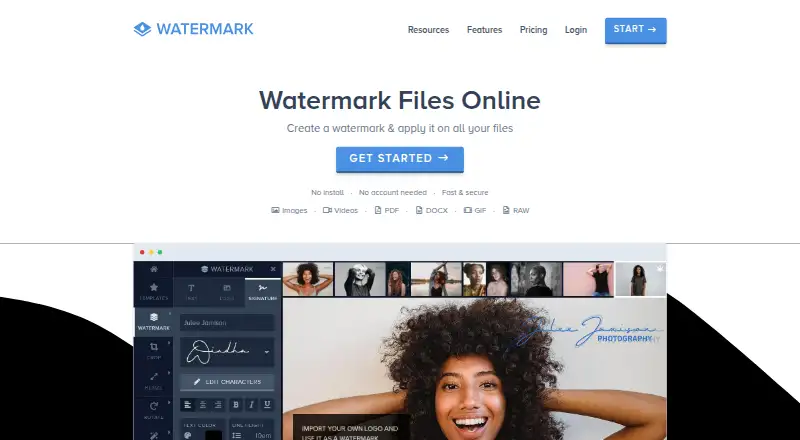
Watermark.ws is a browser-based editor for watermarking and editing photos, videos, PDFs, and Word documents. Users can create text or logo marks, including signature logos, and tile a watermark across a photo. Editing tools include crop, resize, rotate, filters, borders, and other photo effects. Supported formats include common image and video types, RAW images, animated GIFs, PDFs, DOCX, and PSD; videos up to 2 GB are supported. Batch work applies watermarks and other edits to multiple files in one step. Premium supports multiple photos at a time, while Ultimate supports multiple videos and full-length video editing. Users can import files from Facebook, Instagram, Dropbox, and Google Drive, then export processed files to other apps. The editor works in modern browsers and on mobile browsers without installation, and the service says processing happens on its servers. Metadata is preserved unless otherwise specified. Basic is free; Premium costs $4 a month billed yearly, and Ultimate costs $8 a month billed yearly.
Good
- Edits photos, videos, PDFs, and Word documents.
- Supports text, logo, and signature watermarks.
- Imports from Facebook, Instagram, Dropbox, and Google Drive.
- Works in modern and mobile browsers without installation.
- Basic plan is free.
Watch out
- Basic edits one photo at a time.
- Basic includes 1 GB storage and slow processing.
- Premium and Ultimate are billed yearly.
- Supported videos are limited to 2 GB.
Who it suits
Watermark.ws may suit people who want to watermark or edit files in a browser, including photographers and videographers. Its plans distinguish between batch photo work and multiple-video editing.
Verdict
Watermark.ws pairs watermarking with file editing and browser-based batch workflows. The free plan is limited to one photo at a time, while video batch editing requires Ultimate.
Plans and prices
From Watermark.ws's own pricing page, checked 14 Oct 2026.
| Plan | Price | What it gives you |
|---|---|---|
| Basic | Free | one photo at a time · unlimited document pages · 1 GB storage · slow processing |
| Premium | $4 a month | multiple photos · 10 GB storage · fastest processing · unlimited document pages · Billed Yearly ($48) Save 60% |
| Ultimate | $8 a month | multiple and full-length videos · 1000 GB storage · fastest processing · Billed Yearly ($96) Save 60% |
| API usage credit | — | $0.002 image process/request · $0.0005 image read/request · $0.02 video process/minute after first purchase · $0.004 PDF process/page · Prepaid credit |
The facts
Each one read from Watermark.ws's own pages, with the date it was checked.
What it does
- API input limitation
- The API currently requires files to be reachable at public URLs rather than uploaded directly from a computer.checked 14 Oct 2026
- API processing
- The API accepts a public file URL plus operations and returns a result link or signed webhook for image, video and PDF jobs.checked 14 Oct 2026
- API reliability controls
- API requests support Idempotency-Key retries and signed webhooks.checked 14 Oct 2026
- API retention
- API results remain behind a signed link for seven days and are then deleted.checked 14 Oct 2026
- Batch processing
- The editor applies watermark settings to many photos or videos while allowing per-file positioning changes.checked 14 Oct 2026
- Batch work
- The service can apply a watermark and other edits to multiple files in one step, with Premium supporting multiple photos and Ultimate supporting multiple videos at a time.checked 7 Oct 2026
- Cancellation and refunds
- Annual cancellations carry a $25 fee and the terms generally deny refunds after the service has been used.checked 14 Oct 2026
- Cloud integrations
- Import integrations listed include Facebook, Instagram, Dropbox and Google Drive; export examples include Google Drive and Facebook.checked 14 Oct 2026
- Developer tooling
- Developer materials include an OpenAPI 3.1 specification, machine-readable Markdown and llms.txt documentation, a command-line tool and a PHP SDK.checked 14 Oct 2026
- Editing
- The editor includes crop, resize, rotate, filters, borders, and other photo effects.checked 7 Oct 2026
- Editing tools
- Built-in editing includes crop, rotate, resize, brightness adjustments, borders and filters.checked 14 Oct 2026
- Import and export
- The service imports files from local devices and social or cloud apps and can export finished files to cloud or social platforms.checked 14 Oct 2026
- Integrations
- The site says users can import files from Facebook, Instagram, Dropbox, and Google Drive and export processed files to other apps.checked 7 Oct 2026
- Intended users
- The pricing page positions Premium for photographers and Ultimate for videographers.checked 7 Oct 2026
- Licence and hosting
- Reviewed official pages describe a hosted cloud service and do not state an open-source licence or self-hosting option.checked 14 Oct 2026
- Limit: feature expectations
- Trustpilot review summaries mention requests for an official mobile app, own-font support and broader simultaneous editing.checked 14 Oct 2026
- Metadata
- The file support page says metadata is preserved during editing unless otherwise specified.checked 7 Oct 2026
Where it runs
- Browser access
- Watermark.ws runs in modern browsers without a download or installation.checked 14 Oct 2026
- Browser and mobile access
- The product runs in modern browsers, has a mobile editor, and requires no download or installation.checked 7 Oct 2026
The company
- Company
- Much Media Inc identifies itself as a Canadian web-development firm headquartered in LaSalle, Ontario.checked 14 Oct 2026
- Company and founding
- The maker identifies Much Media Inc as Watermark.ws's operator and says Watermark.ws was established in 2014.checked 7 Oct 2026
- Company location shown to customers
- Watermark.ws pages identify the maker as Much Media Inc and say the service is made in Canada.checked 14 Oct 2026
- Founded
- Much Media Inc states that the Watermark.ws project was established in 2014.checked 14 Oct 2026
Money
- Limit: unexpected billing
- A Trustpilot reviewer alleged a subscription canceled in 2023 continued charging for three years and requested a refund.checked 14 Oct 2026
Alternatives to Watermark.ws
- 1

DoWatermark
Free planAndroidiOSWeb7.8$4.99 one-time - 2
eZy Watermark
Free planAndroidiOSWebmacOS7.3From $1.99 a month - 3
Watermarkly
Free planAndroidiOSWebLinux7.3From $19.95 a year - 4
Watermark Maker
Free planAndroidiOS6.9$24.99 one-time - 5
Terma
Free planWebLinuxmacOSSelf-hosted6.8Free plan - 6
Visual Watermark
AndroidiOSWebLinux6.8From $19.95 a year