
Tiki Wiki CMS Groupware
Tiki Wiki CMS Groupware is free, open source web-based software that combines wiki, content management, and groupware features for individuals, groups, and o…
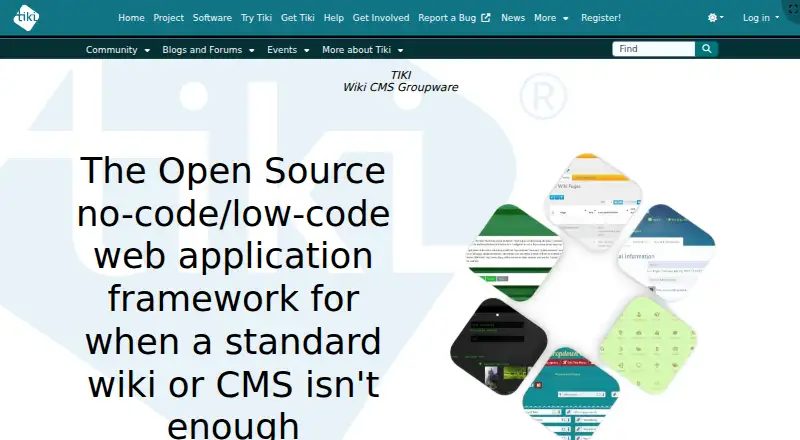
What Tiki Wiki CMS Groupware is
Tiki Wiki CMS Groupware is free, open source web-based software that combines wiki, content management, and groupware features for individuals, groups, and organizations. Users can create wiki pages with wiki syntax, HTML, a WYSIWYG editor, or Markdown, and manage revisions, categories, tags, page structures, and detailed permissions. Other built-in tools include articles, blogs, forums, file galleries, trackers, newsletters, surveys, calendars, and chat. Trackers collect structured data through forms and can produce reports or other displays; file galleries support sharing, prior versions, WebDAV access, and search within files. Tiki lists editorial workflows, custom roles and content types, multilingual content, SEO tools, and a media library. Its interface has translations at varying levels of completeness for 54 languages. The software can be self-hosted on Linux, macOS, or Windows, and is available as a release archive or through third-party installation methods. Managed hosting is also offered through TikiHosting.com. Security controls include HTTPS session protection and uploaded-file validation; the project advises keeping installations updated, checking permissions, using strong passwords, and making backups. Free support resources include documentation, forums, mailing lists, FAQs, live chat, and monthly roundtables.
Good
- Combines wiki, CMS, and groupware features.
- Supports multiple page editing formats.
- Includes trackers and file galleries.
- Offers detailed permissions and custom roles.
- Free support resources include forums and documentation.
Watch out
- Self-hosted platform type requires an installation.
- BigBlueButton integration requires an accessible server and shared secret.
- Translation completeness varies across 54 languages.
Who it suits
Tiki may suit individuals, groups, and organizations that want to combine content management with collaboration tools. It is a fit for teams prepared to self-host or use the listed managed hosting option.
Verdict
Tiki brings a wide range of content and collaboration tools into one system, with detailed permissions and multiple deployment options. Teams considering self-hosting should account for installation upkeep and the project’s security guidance.
Plans and prices
From Tiki Wiki CMS Groupware's own pricing page, checked 8 Oct 2026.
| Plan | Price | What it gives you |
|---|---|---|
| Tiki Wiki CMS Groupware | Free | Free / Libre Open Source software; self-hosted installation |
The facts
Each one read from Tiki Wiki CMS Groupware's own pages, with the date it was checked.
What it does
- All-in-one features
- Tiki combines wiki pages, trackers, file galleries, articles, blogs, forums, and calendars in an integrated system.checked 8 Oct 2026
- BigBlueButton requirement
- Using Tiki's BigBlueButton integration requires an accessible BigBlueButton server and its shared secret.checked 8 Oct 2026
- Built-in features
- Tiki includes features such as articles, forums, blogs, file galleries, trackers, newsletters, surveys, calendars, and chat.checked 8 Oct 2026
- Content management
- Tiki combines wiki, CMS, and groupware features in one web-based system.checked 8 Oct 2026
- Custom content types
- Yeschecked 22 Sep 2026
- Custom user roles
- Yeschecked 22 Sep 2026
- Deployment
- Tiki can be downloaded as a release archive or obtained through third-party methods, including one-click installers; managed hosting is also offered through TikiHosting.com.checked 8 Oct 2026
- Editorial workflows
- Yeschecked 22 Sep 2026
- File management
- File galleries store and share files, retain previous versions, and support WebDAV access and search within files.checked 8 Oct 2026
- History
- Tiki's history page says its first public release was in October 2002 by Luis Argerich.checked 8 Oct 2026
- Integrations
- The feature overview describes social network integration for Facebook, Twitter, and LinkedIn, plus a wiki plugin for BigBlueButton.checked 8 Oct 2026
- Intended users
- Tiki's stated mission emphasizes individuals, groups, and organizations that benefit from online collaboration.checked 8 Oct 2026
- Languages
- Tiki says its interface has translations, at varying levels of completeness, for 54 languages.checked 8 Oct 2026
- Media library
- Yeschecked 22 Sep 2026
- Multilingual content
- Yeschecked 22 Sep 2026
- Page editing
- Wiki pages support wiki syntax, HTML, a WYSIWYG editor, and Markdown, with revision history and fine-grained permissions.checked 8 Oct 2026
- Permissions
- Tiki says it has around 180 access and action permissions assignable to groups, with scope from the whole site down to individual objects.checked 8 Oct 2026
- Product
- Tiki describes itself as an open source no-code/low-code web application framework for cases where a standard wiki or CMS is not enough.checked 8 Oct 2026
- Project history
- Tiki has been actively developed since 2002 and reports more than 300 source-code contributors.checked 8 Oct 2026
- Purpose
- Tiki is free and open source groupware intended to support online collaboration by individuals, groups, and organizations.checked 8 Oct 2026
The company
- Founded
- 2002checked 28 Sep 2026
Money
- Free plan
- Yeschecked 22 Sep 2026
Where it runs
- Platforms
- Tiki states that it runs wherever PHP runs, including Linux, Mac, and Windows.checked 8 Oct 2026
- Platform type
- self_hostedchecked 22 Sep 2026
The full review of Tiki Wiki CMS Groupware
Tiki is a self-hosted web application that combines wiki, CMS, and groupware tools. It is best suited to groups that need structured content and detailed access controls alongside shared pages. Choose it for breadth and flexibility; look elsewhere if you want to avoid maintaining a web installation.
Overview
Tiki brings wiki pages together with articles, blogs, forums, file galleries, trackers, newsletters, surveys, calendars, and chat. Having these capabilities in one system can reduce the need to assemble separate tools for publishing and collaboration. The breadth also raises the configuration burden: teams should be ready to decide which features to enable and how they fit their workflows.
Pages support structures, categories, tags, and revision history, with editing through wiki syntax, HTML, a WYSIWYG editor, or Markdown. Around 180 access and action permissions can be assigned to groups, with control extending from the whole site down to individual objects. That granularity is valuable where different people need different access, but it makes careful permission design and testing essential.
Tiki has been actively developed since 2002 and reports more than 300 source-code contributors. It describes itself as a no-code/low-code web application framework for cases where a standard wiki or CMS falls short. That makes it a candidate for teams wanting to shape a broader shared system, rather than a simple place to publish pages.
Key features
Trackers collect structured data through forms and can turn it into reports and other content displays. This suits groups that want records and structured information alongside documentation, without separating those materials into another system.
File galleries store and share files, preserve previous versions, and support WebDAV access and search within files. These options are useful when a team needs files to remain connected to its collaborative workspace, though they do not remove the need to manage the installation itself.
Tiki documents integrations with BigBlueButton for web conferencing and external authentication such as LDAP and LinkedIn. The BigBlueButton connection requires an accessible server and its shared secret, so it is not a turnkey conferencing service.
The interface has translations at varying levels of completeness for 54 languages. That reach can help multilingual groups, but uneven translation completeness may affect the experience in a particular language. Responsive Bootstrap layouts adapt the same HTML content to different screen sizes.
Security options include HTTPS session protection, uploaded-file validation, checks against common passwords, CAPTCHA, moderation, and configurable security headers. Tiki also advises administrators to keep installations updated, test permissions, use strong password practices, and maintain backups. Security therefore depends not only on built-in controls but also on ongoing administrative work.
Pricing
Tiki Wiki CMS Groupware costs nothing. The plan is free/libre open-source software for self-hosted installation, with no seat or storage quota stated. There is no paid feature tier described; paid help is available through Tiki Service Providers.
Teams can download a release archive or use third-party methods such as one-click installers, and managed hosting is offered through TikiHosting.com. Self-hosting avoids a software charge but puts installation upkeep, updates, and backups on the organization. Free support resources include documentation, forums, mailing lists, FAQs, live chat, and monthly roundtable meetings.
Platforms
Tiki is available for Linux, macOS, Windows, and the web, with self-hosted deployment. Its responsive layouts support viewing across screen sizes, while the web application model means administration and upkeep remain part of the deployment choice.
Who it's for
Tiki suits individuals, groups, and organizations that want wiki publishing, structured data, file sharing, and collaboration features in one system. It is particularly relevant when detailed object-level permissions or configurable content types matter. A group seeking only a lightweight wiki, or one without capacity to maintain a deployment, should consider a narrower hosted tool instead.
Pros and cons
Pros
- Broad built-in scope: wiki pages, trackers, file galleries, forums, calendars, and other collaboration tools live in the same system.
- Fine-grained access: roughly 180 permissions can be assigned to groups, including at the level of individual objects.
- Flexible content and editing: custom content types, structured trackers, and multiple page-editing options suit varied publishing needs.
- No software fee: the self-hosted open-source plan costs nothing.
Cons
- Operational responsibility: self-hosters must keep the installation updated, test permissions, and back up their data.
- Configuration can be demanding: a wide feature set and detailed permissions require administrators to make deliberate choices.
- Some integrations need infrastructure: BigBlueButton requires an accessible server and shared secret.
- Translation coverage varies: support for 54 languages does not mean every interface translation is equally complete.
Alternatives
For a lighter free wiki project, consider TiddlyWiki, which supports Android and iOS as well as desktop and web platforms. Confluence is a better fit for teams wanting a hosted option with a stated free tier: its free plan is capped at 10 users, 2 GB of file storage, and three active whiteboards per user. For a free, self-hosted wiki, Foswiki is community supported.
PmWiki is another free self-hosted option and requires PHP; paid technical support and development are offered. Choose ikiwiki for a free project with no paid plans stated. MediaWiki is free, self-hosted software under GNU GPL version 2 or later, while MoinMoin is free software licensed under the GNU GPL. TWiki is also free GPL software, with Perl CGI source code, templates, and documentation available.
Readers comparing tools by category can also browse Wiki Software, Knowledge Management Software, Content Management Systems, Knowledge base software, and Community Platforms.
Verdict
Choose Tiki if your group wants one adaptable system for wiki content, structured records, files, and collaboration, and has the capacity to operate it. Its combination of breadth and detailed permissions is the strongest reason to pick it. Look elsewhere if you need a simpler, managed experience or cannot take responsibility for updates and backups.
Getting started
- Open tiki.org
- Download a Tiki release archive or use a supported third-party installation method
- Install Tiki on Linux, macOS, or Windows for self-hosting
- Use TikiHosting.com if you prefer managed hosting
- Configure collaboration features, permissions, and content areas
- Connect BigBlueButton or external authentication when required
Questions
Is Tiki free?
Yes. Tiki is free and open source, with a listed free plan priced at 0.00 USD.
Which platforms does Tiki support?
Tiki is self-hosted and supports Linux, macOS, Windows, and web access.
Who makes Tiki?
The maker is Tiki Wiki CMS Groupware, registered in Ontario, Canada, and founded in 2002.
Does Tiki support integrations?
Yes. It documents BigBlueButton integration and supports external authentication such as LDAP and LinkedIn.
What collaboration tools are included?
Built-in features include wiki pages, articles, forums, blogs, file galleries, trackers, newsletters, surveys, calendars, and chat.
Alternatives to Tiki Wiki CMS Groupware
- 1
Enonic XP
Free planOpen sourceWebAPILinuxSelf-hosted9.0$990 usage-based - 2

CrafterCMS
Free planOpen sourceWebAPILinuxmacOS9.0Free plan - 3

Kiln
Free planOpen sourceWebAPISelf-hosted8.4From $4.99 a month - 4
Webflow CMS
Free planWebAPI8.3From $15 a month - 5

django CMS
Free planWebAPILinuxSelf-hosted8.3From $500 a year - 6

Tumblr
Free planAndroidiOSWeb8.3From $69.99 a year