Foswiki
Foswiki is an open, programmable collaboration platform for teams that share knowledge and edit pages in a browser.
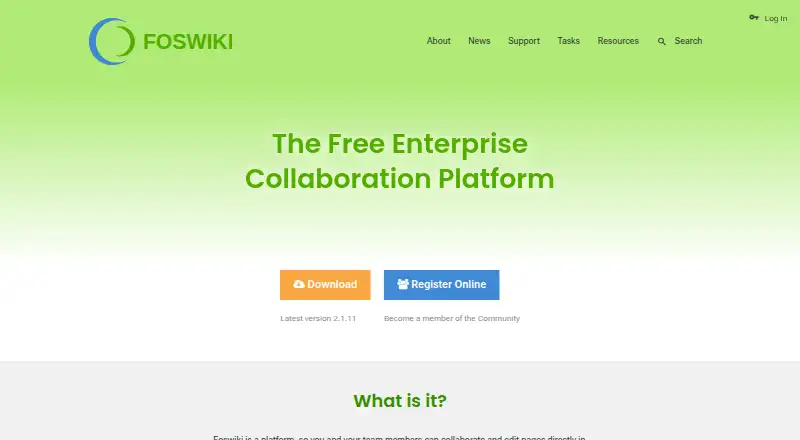
What Foswiki is
Foswiki is an open, programmable collaboration platform for teams that share knowledge and edit pages in a browser. It can support document repositories, collaborative authoring, content and project management, blogs, and tracking tools. Teams can also build applications such as status boards, to-do lists, inventory systems, employee handbooks, and bug trackers. Pages can contain structured data for advanced search, and users can edit them with a WYSIWYG editor, topic markup, or HTML. Foswiki keeps revision history for pages and attachments, with flexible access controls to protect pages. It supports enterprise LDAP and web APIs such as Google Maps, and its plugin architecture has hundreds of extensions for added features and third-party application integration. The feature list identifies protection against Cross-Site Request Forgery. Foswiki is Free Software under the GNU/GPL, with community support. It runs on Linux, Mac OS X, and Windows, and can also run from a USB stick or as a VMware or VirtualBox appliance. Interfaces are localized in 20 languages. Installation is manual and assumes basic server administration knowledge; server prerequisites include Perl and required modules.
Good
- Free Software under the GNU/GPL.
- Revision history covers pages and attachments.
- Flexible access controls can protect pages.
- Interfaces are localized in 20 languages.
- Hundreds of extensions are available.
Watch out
- Manual installation assumes server administration knowledge.
- Perl and required modules are prerequisites.
- Some extension dependencies may need manual installation.
Who it suits
Foswiki suits teams seeking a self-hosted or programmable space for knowledge sharing, collaborative pages, or custom wiki applications. It may appeal to users comfortable with manual installation and server administration.
Verdict
Foswiki offers a free, extensible collaboration platform with page history and access controls. Its manual setup and server prerequisites are important considerations for teams without server administration experience.
Plans and prices
From Foswiki's own pricing page, checked 7 Oct 2026.
| Plan | Price | What it gives you |
|---|---|---|
| Foswiki | Free | Community supported · Self-hosted |
The facts
Each one read from Foswiki's own pages, with the date it was checked.
What it does
- Access and history
- The product supports flexible access controls and revision history for documents and attachments.checked 7 Oct 2026
- Access controls
- Pages can be protected with flexible access controls.checked 7 Oct 2026
- Deployment
- The feature page says Foswiki is available as a software appliance for VMware or VirtualBox.checked 7 Oct 2026
- Deployment requirements
- The installation guide describes manual installation and assumes basic server administration knowledge; Foswiki requires server prerequisites including Perl and required Perl modules.checked 7 Oct 2026
- Editing
- Pages can be edited with a WYSIWYG editor, topic markup, or HTML.checked 7 Oct 2026
- Editing and languages
- The feature page lists a WYSIWYG text editor and localized interfaces in 20 languages.checked 7 Oct 2026
- Extension limitation
- Foswiki documentation says CPAN and other external package dependencies for extensions are not resolved automatically and may need to be installed manually.checked 7 Oct 2026
- Extensions
- Foswiki has an open plugin architecture, with hundreds of extensions described as supporting additional features and third-party application integration.checked 7 Oct 2026
- History
- Foswiki keeps revision history for pages and attachments.checked 7 Oct 2026
- Integrations
- Foswiki supports enterprise LDAP and can combine with web APIs such as Google Maps.checked 7 Oct 2026
- Intended uses
- The introduction lists document repositories, collaborative authoring, content management, project management, blogs, and tracking tools among Foswiki's uses.checked 7 Oct 2026
- License
- Foswiki is developed as Free Software under the GNU/GPL.checked 7 Oct 2026
- Localization
- The feature page says Foswiki has localized interfaces in 20 languages.checked 7 Oct 2026
- Product
- Foswiki is an open source collaboration platform where teams can edit pages in a web browser.checked 7 Oct 2026
- Purpose
- Foswiki is an open, programmable collaboration platform for sharing knowledge and editing pages collaboratively.checked 7 Oct 2026
- Security
- The feature page identifies protection against Cross-Site Request Forgery as a security feature.checked 7 Oct 2026
- SSO support
- Yeschecked 19 Sep 2026
- Structured data
- Users can store data in pages and use advanced search to extract it.checked 7 Oct 2026
- Support
- The project documentation points users to online support resources and an IRC channel for help.checked 7 Oct 2026
- Supported operating systems
- The feature page says Foswiki runs on Linux, Mac OS X, and Windows, and can run standalone from a USB stick.checked 7 Oct 2026
- Version history
- Yeschecked 19 Sep 2026
Where it runs
- Applications
- Foswiki can be used to create applications such as status boards, to-do lists, inventory systems, employee handbooks, and bug trackers.checked 7 Oct 2026
- Platforms
- The feature page says Foswiki runs on Linux, Mac OS X, and Windows, including standalone use from a USB stick, and can be deployed as a VMware or VirtualBox appliance.checked 7 Oct 2026
Money
- Free plan
- Yeschecked 19 Sep 2026
The full review of Foswiki
Foswiki is a self-hosted collaboration wiki that teams can adapt for structured knowledge and custom applications. It is best for organizations with server administration skills and a need for granular control. Its breadth and free license are strong advantages; manual setup and extension upkeep make it a poor fit for teams seeking a managed service.
Overview
Foswiki gives teams a browser-based space for collaborative authoring, document repositories, content management, project work, blogs, and tracking tools. Pages can hold structured data that users retrieve with advanced search, supporting applications such as status boards, to-do lists, inventory systems, employee handbooks, and bug trackers. That adaptability is valuable when a team wants to shape its own workflows, but it also means the team must take responsibility for configuring and maintaining them.
As Free Software under the GNU/GPL, Foswiki offers an open, programmable alternative to a fixed collaboration product. Flexible page permissions, revision history, and a broad extension ecosystem give administrators room to tailor the workspace. The trade-off is operational: installation is manual, assumes basic server administration, and requires Perl and its required modules.
Key features
Authoring and structured pages
Users can edit pages with a WYSIWYG editor, topic markup, or HTML. The visual editor lowers the barrier for routine contributions, while markup and HTML give more control to contributors comfortable working directly with page content. Structured data and advanced search can turn pages into useful records rather than leaving information as prose alone.
History, permissions, and integrations
Foswiki retains revision history for pages and attachments, making it possible to follow changes across both written content and files. Flexible access controls let teams protect pages, with granular permissions and single sign-on support. Enterprise LDAP support and the ability to combine Foswiki with web APIs such as Google Maps broaden its use in organizational settings.
Extensions and security
An open plugin architecture and hundreds of extensions can add features and third-party application integrations. That breadth is a real advantage for teams building a tailored workspace, but extension installation can involve extra work: CPAN and other external package dependencies are not resolved automatically and may need manual installation. The feature set identifies Cross-Site Request Forgery protection as a security measure.
Pricing
Foswiki costs free under its community-supported, self-hosted plan. The free plan includes the platform without a stated per-seat fee, so it can suit teams that want to run a wiki without a recurring software charge. The cost shifts to the organization’s server and administration effort; this is not a hosted service that removes deployment responsibilities.
There are no higher-priced Foswiki plans or paid tiers to compare. Teams choosing the free plan take on manual installation and ongoing maintenance, including the server prerequisites and any external dependencies needed by extensions.
Platforms
Foswiki supports web access and self-hosted deployment, with platforms listed for Linux, macOS, and Windows as well as API support. Its feature page also describes standalone operation from a USB stick and software appliances for VMware or VirtualBox. The localized interface is available in 20 languages. These deployment options offer flexibility, but do not remove the need to administer the underlying installation.
Who it's for
Foswiki is a strong candidate for organizations that want knowledge sharing, collaborative editing, and custom wiki applications under their own control. Teams with an administrator who can manage Perl prerequisites, permissions, and extension dependencies can make good use of its flexibility. It is less suitable for teams without server administration experience or those that want a ready-to-use, vendor-managed collaboration service.
Pros and cons
- Pro: Flexible content and applications. Structured page data, advanced search, and a wide range of potential wiki applications let teams adapt Foswiki to their work.
- Pro: Control over content. Page and attachment history, flexible access controls, and single sign-on support address important needs in shared organizational spaces.
- Pro: Open and free. The GNU/GPL software and free self-hosted plan avoid a stated per-seat subscription charge.
- Con: Administration is part of the deal. Manual installation, Perl requirements, and basic server administration knowledge rule it out for teams looking for a turnkey setup.
- Con: Extensions can add maintenance work. External dependencies may need to be installed manually, so a large plugin ecosystem does not mean every addition is effortless.
- Con: Help is community-oriented. Project documentation points users to online resources and an IRC channel rather than describing a paid support tier.
Alternatives
TiddlyWiki is another free and open-source option, with platforms including Android and iOS as well as desktop and self-hosted environments; consider it if mobile platform coverage is a priority.
Confluence is a freemium alternative with a free plan for up to 10 users, 2 GB of file storage, and three active whiteboards per user. Choose it if a defined free user and storage allowance better suits your team than administering Foswiki yourself.
Tiki Wiki CMS Groupware is a free, self-hosted option for teams looking for wiki and CMS groupware in a similar deployment model.
PmWiki is free, open source, and self-hosted, with PHP as a requirement; it is an alternative for teams prepared to run a wiki on that stack.
ikiwiki is a free option for Linux, macOS, self-hosted, and web environments.
MediaWiki is free software under GNU GPL version 2 or later and supports API, Linux, macOS, self-hosted, web, and Windows platforms.
MoinMoin is another free GNU GPL option, with API, Linux, macOS, self-hosted, web, and Windows platforms.
TWiki is free GPL software for Linux, macOS, self-hosted, web, and Windows environments.
Browse more options in Wiki Software, Knowledge Management Software, and Knowledge base software.
Verdict
Choose Foswiki if your organization wants a free, programmable collaboration platform with structured pages, revision history, and fine-grained access, and has people able to run it. Its strongest reason to choose it is the control it gives teams to build knowledge tools around their own needs. Look elsewhere if you need hosting and setup handled for you: Foswiki’s manual installation and extension dependencies make technical ownership unavoidable.
Getting started
- Open the Foswiki website
- Choose Linux, Mac OS X, Windows, web, API, or self-hosted deployment
- Install the required Perl environment and Perl modules
- Perform the manual installation with basic server administration
- Configure access controls, LDAP, and any required extensions
Questions
Is Foswiki free?
Yes. The Foswiki plan costs nothing under the GNU/GPL and is community supported and self-hosted.
Which operating systems does Foswiki support?
It supports Linux, Mac OS X, and Windows, along with web, API, and self-hosted use.
Can Foswiki use single sign-on?
Yes. Foswiki supports single sign-on and enterprise LDAP.
Does Foswiki keep document history?
Yes. Revision history is maintained for pages and attachments.
Can Foswiki connect to other services?
It supports web APIs such as Google Maps and offers hundreds of plugin extensions for third-party integration.
Alternatives to Foswiki
- 1

Confluence
Free planAndroidiOSWebSelf-hosted8.2From $5.42 a month - 2
Wikidot
Free planOpen sourceWebAPILinuxmacOS8.1From $49.90 a year - 3
TiddlyWiki
Free planAndroidiOSWebLinux7.4Free plan - 4
Avidemux
Free planOpen sourceWebLinuxmacOSWindows7.3Free plan - 5

BookStack
Free planWebAPILinuxSelf-hosted7.2From £450 a year - 6
PmWiki
Free planWebLinuxmacOSSelf-hosted7.2€60 one-time