
Rollbar
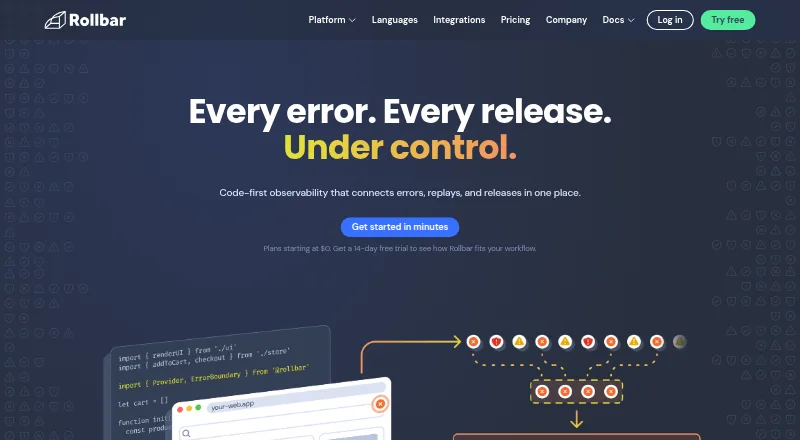
Rollbar is a code-first observability platform connecting error monitoring, session replays, and release information.
What Rollbar is
Rollbar is a code-first observability platform connecting error monitoring, session replays, and release information. It shows when errors occur, groups similar issues, and provides context and source-control integration to help identify causes. Session Replay pairs browser activity with related errors so teams can examine how frontend issues unfolded. Rollbar Resolve reviews code and can open a pull request proposing a fix for approval. Listed SDK and framework support includes JavaScript, iOS, Android, Go, Java, .NET, Node.js, PHP, Python, React, and Ruby. Integrations include GitHub, GitLab, Jira, PagerDuty, OpsGenie, Microsoft Teams, Slack-related alert workflows, and an MCP server. Rollbar states that it is SOC 2 and ISO 27001 certified. The Free plan includes 5,000 occurrences and 1,000 sessions per month; the plan comparison lists a maximum of 30 days of data retention for that plan. The pricing note lists paid plans from $9/mo and a 14-day trial, though individual plan entries do not state prices. Advanced lists up to 180 days of retention, while Enterprise offers custom volume and data retention.
Good
- Groups similar errors automatically.
- Session Replay pairs browser activity with related errors.
- Resolve can propose fixes through pull requests.
- Free plan includes 5,000 occurrences and 1,000 sessions monthly.
Watch out
- Free plan has a 30-day maximum retention listed.
- Individual Essentials and Advanced prices are not provided.
- Enterprise pricing is custom.
Who it suits
Rollbar suits software teams investigating errors alongside browser sessions and releases. Its listed language and framework support spans web, mobile, and backend development.
Verdict
Rollbar connects error investigation with replays and release information, with a free tier and paid options. Review the free plan’s volume and retention limits, and confirm pricing for plans without listed prices.
Plans and prices
From Rollbar's own pricing page, checked 29 Sep 2026.
| Plan | Price | What it gives you |
|---|---|---|
| Advanced | — | 10K–50M occurrences/month · 1K–10M replays/month · 8K–10M credits/month · up to 180 days data retention · monthly; page shows “–” for price |
| Enterprise | Priced on request | For enterprise teams requiring more than 80M events · custom volume and data retention · priority support and SLAs · Custom monthly |
| Essentials | — | 10K–50M occurrences/month · 1K–10M replays/month · 4K–10M credits/month · up to 90 days data retention · monthly; page shows “–” for price |
| Free | — | 5K occurrences + 1K sessions · 30 days maximum data retention · real-time feed and alerts · intelligent error grouping · monthly |
The facts
Each one read from Rollbar's own pages, with the date it was checked.
What it does
- AI agent
- Rollbar Resolve reviews code, identifies what is breaking, and opens a pull request with a proposed fix for approval.checked 29 Sep 2026
- Enterprise
- The Enterprise plan is described for teams requiring more than 80 million events and includes high volume, fully custom data retention, and enterprise-level security controls.checked 29 Sep 2026
- Error monitoring
- Rollbar shows when errors occur, groups similar issues automatically, and provides context and source control integration to help identify causes.checked 29 Sep 2026
- Integrations
- The integrations page lists GitHub, GitLab, Jira, Slack-related alert workflows, PagerDuty, OpsGenie, Microsoft Teams, and an MCP server.checked 29 Sep 2026
- Product
- Rollbar describes itself as a code-first observability platform connecting errors, replays, and releases.checked 29 Sep 2026
- Security
- Rollbar's homepage states that it is SOC 2 and ISO 27001 certified.checked 29 Sep 2026
- Session replay
- Session Replay lets users watch browser activity alongside related errors to investigate how frontend issues unfolded.checked 29 Sep 2026
- Support
- The pricing comparison lists email and chat support, priority support, direct Slack channels, and custom SLAs among plan support options.checked 29 Sep 2026
- Supported languages
- The maker lists SDKs and framework support including JavaScript, iOS, Android, Go, Java, .NET, Node.js, PHP, Python, React, and Ruby.checked 29 Sep 2026
- Usage limits
- The Free plan includes 5,000 occurrences and 1,000 sessions per month, while the plan comparison lists 30 days maximum data retention.checked 29 Sep 2026
The company
- Company
- Rollbar says it began with a focus on improving reactive error monitoring and describes its product as code-first observability.checked 29 Sep 2026
- Founded
- 2012checked 23 Sep 2026
- Headquarters
- San Francisco, California, United Stateschecked 23 Sep 2026
Money
- Plan security controls
- The pricing comparison lists two-factor authentication, disk-based encryption at rest, GDPR compliance, and SSO options; it lists SCIM provisioning for Advanced.checked 29 Sep 2026
The full review of Rollbar
Rollbar is a cloud observability platform for connecting software errors with browser replays and releases. It is best suited to development teams that need to investigate frontend and application failures in code context. Its combination of error grouping, session replay, and proposed fixes is compelling, though teams should weigh usage caps and retention against their needs.
Overview
Rollbar brings reactive error monitoring together with tools for understanding how an issue unfolded and what changed around its release. It shows when errors occur, groups similar issues, and adds context and source control integration to help trace causes. The cloud product also supports frontend monitoring, release tracking, and source maps.
The company is based in San Francisco and began in 2012 with a focus on improving reactive error monitoring. Rollbar describes its current approach as code-first observability. Compare it with other options in our Error Monitoring Software directory.
Key features
Error investigation
Automatic grouping helps teams concentrate on recurring issues instead of sorting every occurrence separately. Context and source control integration make the monitoring more useful to developers tracing a cause, while release tracking and source-map support add relevant code and deployment context. Rollbar is a practical fit for teams whose priority is diagnosing errors; it is less compelling if their main need lies outside error investigation.
Session Replay
Session Replay lets teams watch browser activity alongside related errors. That pairing can make frontend failures easier to understand than an error record alone, especially when the sequence of user activity matters. Its stated scope is browser activity, so it should not be treated as a general replay solution for every platform.
Resolve and integrations
Rollbar Resolve reviews code, identifies what is breaking, and opens a pull request with a proposed fix for approval. That can shorten the path from diagnosis to a reviewable change, but the proposed code still requires approval. Integrations include GitHub, GitLab, Jira, Slack alert workflows, PagerDuty, OpsGenie, Microsoft Teams, and an MCP server, giving teams several ways to connect investigation with their existing workflows.
Language and security coverage
SDKs and framework support include JavaScript, iOS, Android, Go, Java, .NET, Node.js, PHP, Python, React, and Ruby. Rollbar states that it is SOC 2 and ISO 27001 certified. Plan comparisons include two-factor authentication, encryption at rest, GDPR compliance, and SSO options; SCIM provisioning is associated with Advanced. The range is useful for mixed-language teams, while security controls and support options should be matched to the chosen plan.
Pricing
Rollbar uses a freemium model, with a free plan and a 14-day trial. Paid plans start at $9/mo. Essentials and Advanced are billed monthly with custom pricing; Enterprise has custom monthly pricing.
| Plan | Included usage and retention | Best fit |
|---|---|---|
| Free | 5,000 occurrences and 1,000 sessions per month; up to 30 days of data retention; real-time feed, alerts, and intelligent error grouping. | Individuals or teams assessing the workflow, or monitoring a modest volume. The occurrence and session caps make it important to check expected monthly traffic. |
| Essentials | 10K–50M occurrences, 1K–10M replays, and 4K–10M credits per month; up to 90 days of retention. | Teams needing more volume and longer retention than Free. It provides less retention than Advanced. |
| Advanced | 10K–50M occurrences, 1K–10M replays, and 8K–10M credits per month; up to 180 days of retention. | Teams that need longer retention or the higher listed credit range. SCIM provisioning is an added fit for organizations that need it. |
| Enterprise | Custom volume and retention for teams requiring more than 80 million events; priority support and SLAs. | Large teams whose event volume exceeds the other plan ranges or that need custom retention and enterprise-level controls. |
The free plan offers a useful way to start, but its 5,000-occurrence and 1,000-session monthly ceilings and 30-day retention can constrain sustained production use. Essentials and Advanced increase usage ranges and retention, though their custom pricing means teams must confirm cost before choosing between them. Support options across plans include email and chat, priority support, direct Slack channels, and custom SLAs; Enterprise explicitly includes priority support and SLAs.
Platforms
Rollbar supports Android, iOS, web, and API platforms, with cloud deployment. Its language and framework coverage spans mobile, backend, and web development, making it relevant to teams monitoring more than one application layer.
Who it's for
Rollbar suits engineering teams that want error monitoring tied to code context, releases, and browser-session evidence, particularly those working across its supported languages and platforms. The free tier is a sensible starting point for low volumes. Teams with higher traffic, longer investigation windows, or enterprise security and support requirements should compare paid-plan terms carefully. It is a weaker fit for buyers who cannot accept monthly usage ceilings or need a published, fixed price to budget in advance.
Pros and cons
- Connected investigation: Error grouping, source control context, release tracking, source maps, and browser replay bring several useful clues together around an issue.
- Broad development coverage: Support for web, mobile, API, and multiple languages makes it relevant to mixed-stack teams.
- Free entry point: Real-time feed, alerts, and intelligent grouping are included, but 5,000 occurrences and 1,000 sessions monthly set a clear ceiling.
- Retention varies by plan: Essentials allows up to 90 days and Advanced up to 180, while the Free plan tops out at 30 days; the longer windows come with custom pricing.
- Fix proposals require review: Resolve can open a proposed-fix pull request, but approval remains part of the workflow.
Alternatives
- BugSnag is worth comparing for teams wanting a free plan with one user, 7.5K events and 1M spans per month, plus support for more than 50 platforms.
- Airbrake gives a clear paid entry point: Dev + errors costs $17 a month billed annually and includes 25,000 errors for one user.
- Mihari is an option for personal projects seeking a free web plan with monitors, heartbeats, a status page, and retained logs.
- GlitchTip is another freemium option, with web, API, and self-hosted platforms.
- Sankofa Catch is a freemium alternative for web, iOS, and Android.
- Measure is worth considering for teams that prioritize open-source software and self-hosted support.
- Embrace User Session Insights offers a free plan with up to 1 million sessions per year, five users, and three days of event retention; it may suit teams whose main concern is session insights.
- trycatch is another freemium web option.
Verdict
Choose Rollbar if your team wants to connect grouped errors to browser replays, release context, and code-oriented investigation, with an entry-level free tier and a path to higher-volume plans. Its strongest case is the joined-up diagnostic workflow; its main drawback is that free usage is capped and paid-plan prices require confirmation. Look elsewhere if fixed, transparent plan pricing is essential or your expected volume outgrows the free limits.
Alternatives to Rollbar
- 1
Netdata
Free planOpen sourceAndroidiOSWebAPI8.7From $4.50 a month - 2
Grafana Cloud Application Observability
Free planAndroidiOSWebAPI8.4From $0.03 a month - 3

Uptrace
Free planOpen sourceWebAPILinuxmacOS8.4From $39 a month - 4
Coroot
Free planOpen sourceWebAPILinuxSelf-hosted8.2From $1 a month - 5

Middleware
Free planAndroidiOSWebAPI8.2$0.30 usage-based - 6

Embrace
Free planAndroidiOSWebAPI8.1$0.80 usage-based