
Removal.AI
Removal.AI removes image backgrounds and can create white, customized, or transparent backgrounds in 3 seconds or less.
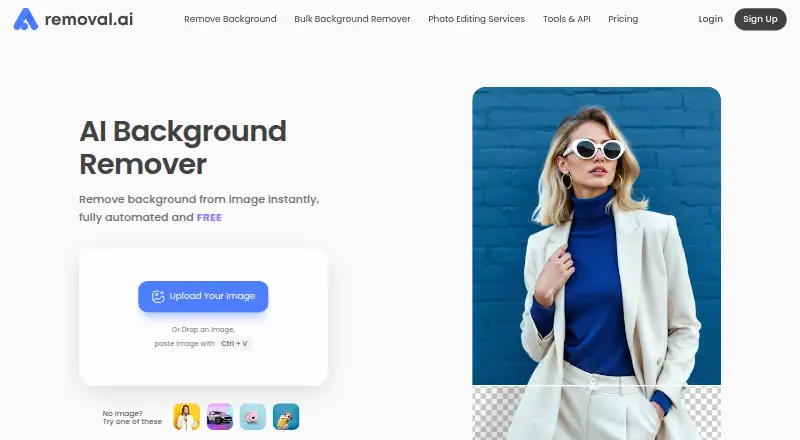
What Removal.AI is
Removal.AI removes image backgrounds and can create white, customized, or transparent backgrounds in 3 seconds or less. It is available on the web, macOS, Windows, and through an API. The online editor can change backgrounds, add text and effects, and manually edit the foreground with a background eraser. Bulk Upload handles up to 100 images at once and uses half the credits per image; the service also describes processing over 1,000 images in a single upload. The API accepts image uploads or URLs and returns a file URL or Base64 output, with resolutions up to 25 megapixels. New API users receive 10 free preview credits per month by default. The free plan is free and limited to 0.25 megapixels and personal use. JPG and PNG uploads can be up to 12 MB; images above 36 megapixels are resized to the stated maximum resolution. Subscriptions have a 14-day money-back guarantee restricted to 50 downloads.
Good
- Creates transparent, white, or customized backgrounds
- Bulk Upload supports up to 100 images
- API accepts uploads or image URLs
- Desktop app supports whole-folder processing
Watch out
- Free plan is limited to personal use
- Free plan output is limited to 0.25 megapixels
- Support is currently available in English only
Who it suits
Removal.AI suits individuals, photographers, marketers, developers, ecommerce users, and enterprises needing background removal or image-processing workflows. Its API and desktop apps provide options beyond the online editor.
Verdict
Removal.AI offers background removal through an editor, desktop apps, and an API, with bulk-processing options. Check the free plan's resolution and personal-use limits against your needs.
Plans and prices
From Removal.AI's own pricing page, checked 1 Oct 2026.
| Plan | Price | What it gives you |
|---|---|---|
| Monthly — 100 credits | $5.99 a month | 100 credits · unused credits roll over up to 5x monthly budget · monthly |
| Monthly — 450 credits | $25.99 a month | 450 credits · unused credits roll over up to 5x monthly budget · monthly |
| Monthly — 1150 credits | $63.99 a month | 1150 credits · unused credits roll over up to 5x monthly budget · monthly |
| Monthly — 2800 credits | $120.90 a month | 2800 credits · unused credits roll over up to 5x monthly budget · monthly |
| Free | Free | 0.25 megapixels · personal use |
| Lifetime — 3 credits | $1.89, paid once | 3 credits · credits available within 3 years · Pay Only Once |
| Lifetime — 25 credits | $8.99, paid once | 25 credits · credits available within 3 years · Pay Only Once |
| Lifetime — 150 credits | $45.99, paid once | 150 credits · credits available within 3 years · Pay Only Once |
| Lifetime — 350 credits | $95.99, paid once | 350 credits · credits available within 3 years · Pay Only Once |
| Lifetime — 800 credits | $189.99, paid once | 800 credits · credits available within 3 years · Pay Only Once |
| Monthly — 9500 credits | $359.90 a month | 9500 credits · Credits valid as long as subscribed |
| High-Volume Solutions | — | 10,000+ images/month |
| Unlimited API access | — | Unlimited image processing · Customized solutions |
The facts
Each one read from Removal.AI's own pages, with the date it was checked.
What it does
- API access
- Yeschecked 23 Sep 2026
- API allowance
- New API users have 10 free preview credits per month by default.checked 1 Oct 2026
- API integration
- The API accepts direct uploads or image URLs, returns a file URL or Base64 output, and supports resolutions up to 25 megapixels.checked 1 Oct 2026
- API languages
- The API documentation provides examples for Python, PHP, C#, JavaScript, and Nodejs.checked 1 Oct 2026
- API rate limit
- The API documentation says the theoretical processing rate is up to 500 images per minute, depending on resolution and internet speed.checked 1 Oct 2026
- Batch processing
- Yeschecked 23 Sep 2026
- Bulk processing
- The service says it can process over 1,000 images in a single upload.checked 1 Oct 2026
- Bulk upload
- Bulk Upload supports up to 100 images in one upload and uses half the credits per image.checked 1 Oct 2026
- Commercial use
- Nochecked 23 Sep 2026
- Core function
- Removal.AI automatically removes image backgrounds and can produce white, customized, or transparent backgrounds in 3 seconds or less.checked 1 Oct 2026
- Editing tools
- Its online editor can change backgrounds, add text and effects, and manually edit the foreground with a background eraser.checked 1 Oct 2026
- Input limits
- The pricing page says JPG or PNG uploads can be up to 12 MB and images above 36 megapixels are resized to that maximum resolution.checked 1 Oct 2026
- Integrations
- Removal.AI offers a Figma plugin for adding background removal to Figma workflows.checked 1 Oct 2026
- Maximum output resolution
- 25checked 23 Sep 2026
- Monthly image allowance
- 3checked 23 Sep 2026
- Refund policy
- Subscriptions have a 14-day money-back guarantee restricted to 50 downloads.checked 1 Oct 2026
- Replacement backgrounds
- Yeschecked 23 Sep 2026
- Security
- The homepage claims 100% GDPR-compliant file storage and a 99% uptime guarantee.checked 1 Oct 2026
- Support
- Removal.AI says support is currently available in English only, and its contact page says messages receive a response within 24 hours.checked 1 Oct 2026
- Target users
- The product identifies individuals, photographers, marketers, developers, ecommerce users, and enterprises as user groups.checked 1 Oct 2026
Where it runs
- Desktop app
- The desktop app is downloadable for macOS and Windows, supports whole-folder processing, background colors, pause/resume, ecommerce optimization, and automatic cropping.checked 1 Oct 2026
Money
- Free plan
- Yeschecked 23 Sep 2026
The full review of Removal.AI
Overview
Removal.AI removes image backgrounds and offers an editor, desktop software, bulk tools, and an API. It is a strong fit for sellers, creatives, and developers with repeat cutout work. The range of workflows is its main advantage; the free plan is sharply limited for finished or commercial images.
Key features
Automatic removal can produce transparent, white, or customized backgrounds in three seconds or less. The web editor adds background changes, text, effects, and a manual background eraser, so users can refine an image without leaving the service. That is useful for routine edits, though it is not a substitute for a broader image editor when more extensive changes are needed.
Bulk Upload handles up to 100 images per upload and uses half the credits per image. Removal.AI also says it can process over 1,000 images in a single upload. The desktop apps for macOS and Windows process whole folders and include background colors, pause and resume, ecommerce optimization, and automatic cropping. These tools favor recurring catalog work over occasional one-off edits.
The API accepts direct uploads or image URLs and returns a file URL or Base64 output, with support up to 25 megapixels. Documentation includes examples for Python, PHP, C#, JavaScript, and Nodejs. New API users receive 10 free preview credits per month by default; the stated theoretical rate of up to 500 images per minute depends on resolution and internet speed. A Figma plugin also brings background removal into Figma workflows.
JPG and PNG uploads can be up to 12 MB; images above 36 megapixels are resized to that maximum resolution. Removal.AI claims GDPR-compliant file storage and a 99% uptime guarantee. Support is English-only, with a stated response time of 24 hours.
Pricing
The free plan costs nothing and allows 0.25 megapixels for personal use. The low resolution and noncommercial restriction make it suitable for small personal edits or evaluation, not business output. The general pricing note says paid plans start at $1.89.
Lifetime credit packs are one-time payments, with credits usable for three years: 3 credits cost $1.89 a month, 25 cost $8.99 a month, 150 cost $45.99 a month, 350 cost $95.99 a month, and 800 cost $189.99 a month. These suit users who prefer a fixed credit balance over a recurring subscription, but the smaller packs leave little room for regular batch work.
Monthly plans cost $5.99 a month for 100 credits, $25.99 a month for 450, $63.99 a month for 1150, or $120.90 a month for 2800. Unused credits roll over up to five times the monthly budget, which gives consistent users room to manage uneven workloads. Bulk Upload's half-credit-per-image rate can stretch those quotas. Subscriptions include a 14-day money-back guarantee, restricted to 50 downloads.
Platforms
Removal.AI supports web, macOS, Windows, and API workflows. The desktop apps add folder processing; the API is the better fit for integrating cutouts into software or automated pipelines.
Who it's for
Photographers, marketers, ecommerce sellers, and individuals can use the editor or desktop apps for manual and batch work. Developers have an API with multiple language examples, while enterprises can draw on the service's bulk and integration options. Anyone needing commercial use should choose a paid option rather than rely on the personal-use free plan.
Pros and cons
- Pros: Bulk Upload supports up to 100 images and uses half the credits per image, making it more efficient for repeated batches.
- Pros: The API supports file URLs or Base64 output and up to 25-megapixel resolution, giving developers flexible integration options.
- Pros: Desktop apps process whole folders and include pause/resume and automatic cropping, useful for recurring catalog jobs.
- Cons: Free output is capped at 0.25 megapixels and personal use, so it does not cover commercial work or higher-resolution deliverables.
- Cons: Uploads are limited to 12 MB, and images above 36 megapixels are resized, which may constrain large-source workflows.
- Cons: Support is English-only, a drawback for users who need help in another language.
Alternatives
Compare other options in Image Background Removal Software and AI Background Removers. Choose Cutout.Pro if you want a freemium option spanning mobile, desktop, web, and API platforms; its listed 80-credit subscription is $5 a month. Slazzer offers a free personal-use and evaluation plan with two credits, and may suit a small trial. unbagrnd is a free option with no usage limits. AI Ease is another freemium choice, available on Android, iOS, and web. Artguru Background Remover is a paid option with a free plan and trial. Erase.bg offers a free starter plan with three credits and three personal-use downloads. Pixelcut is a freemium option on Android, iOS, web, and API, with limited background removal on its free plan. Magic Studio Background Remover offers a free plan for one image at a time.
Verdict
Removal.AI is a sound choice for ecommerce sellers and developers who need repeatable background removal across batches, desktop folders, or an API. Its flexible workflows and bulk credit savings are the main reasons to choose it. Look elsewhere if you need high-resolution commercial work at no cost, broader platform coverage, or support in a language other than English.
Getting started
- Open Removal.AI on the web or download its macOS or Windows app
- Upload a JPG or PNG image up to 12 MB
- Choose an automatic background result or use the online editor
- For multiple files, use Bulk Upload or whole-folder processing
- For integrations, send an image upload or URL through the API
- Select the Free plan or purchase a lifetime credit pack or monthly plan
Limits worth knowing
The Free plan allows 0.25-megapixel outputs for personal use. JPG and PNG uploads can be up to 12 MB, and images above 36 megapixels are resized to the maximum resolution.
Questions
Is there a free plan?
Yes. Free costs nothing and is limited to 0.25 megapixels and personal use.
What is the lowest listed paid option?
The Lifetime — 3 credits plan is listed at $1.89 a month and is billed once; its credits can be used within three years.
Which platforms are supported?
Removal.AI is available on the web, macOS, Windows, and through an API.
Does it provide API access?
Yes. The API accepts direct uploads or image URLs, returns a file URL or Base64 output, and supports up to 25 megapixels.
Can it process batches of images?
Yes. The service describes processing over 1,000 images in one upload, while Bulk Upload supports up to 100 images and uses half the credits per image.
Is commercial use included in the Free plan?
No. The Free plan is for personal use.
Alternatives to Removal.AI
- 1

Pixelcut
Free planAndroidiOSWebAPI9.1From $8 a month - 2

Photoroom
Free planAndroidiOSWebAPI9.1From $7.50 a month - 3
Cutout.Pro
Free planAndroidiOSWebAPI9.0From $5 a month - 4

BackgroundRemover
Free planOpen sourceWebAPILinuxmacOS9.0From $108 a year - 5

Erase.bg
Free planAndroidiOSWebAPI8.9Free plan - 6

Artguru Background Remover
Free planAndroidiOSWebAPI8.5From $39.99 a year