
Slazzer
Slazzer removes image backgrounds automatically, including around complex edges.
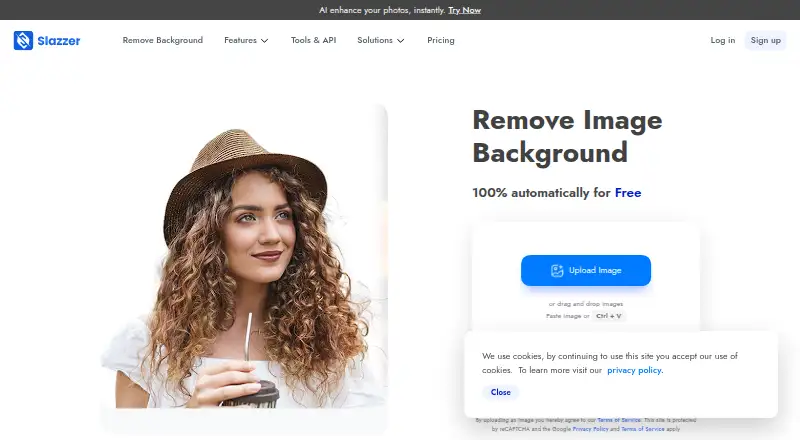
What Slazzer is
Slazzer removes image backgrounds automatically, including around complex edges. It supports replacement backgrounds and batch processing, so it can handle both single edits and groups of images. Uploads accept JPG, JPEG, and PNG files up to 12 megabytes; exports are available in PNG, JPG, JPEG, and WEBP. The maximum output resolution is 6250. Apps are available for Windows, Mac, and Linux, alongside mobile and design-tool integrations. Plugins or extensions are available for Photoshop, Figma, and Sketch. A REST API can add background removal to websites and apps, processing up to 500 images per minute, with higher limits available on request. The free plan is for personal use and evaluation and includes 2 credits. Website previews up to 0.25 megapixels are unlimited and free, while previews through Apps and API cost 0.20 credit. Subscription plans offer monthly credit amounts from 100 to 50,000; subscription credits can roll over up to six times the monthly budget. Purchased top-up credits remain available for two years. Subscriptions can be upgraded, downgraded, or cancelled at any time, and commercial use is supported.
Good
- Automatically removes backgrounds, including complex edges
- Supports replacement backgrounds and batch processing
- REST API supports up to 500 images per minute
- Exports PNG, JPG, JPEG, and WEBP
- Commercial use is supported
Watch out
- Free plan is limited to personal use and evaluation
- Free plan includes 2 credits
- Apps and API previews cost 0.20 credit each
Who it suits
Slazzer suits people who need to remove or replace image backgrounds, including those processing batches or integrating the task into a website or app. Its desktop apps and design-tool integrations also suit users working on Windows, Mac, Linux, Photoshop, Figma, or Sketch.
Verdict
Choose Slazzer for automatic background removal with batch processing, desktop apps, design-tool extensions, or an API. The free plan is limited to personal use and evaluation with 2 credits, so ongoing work may call for a subscription or credit top-ups.
Plans and prices
From Slazzer's own pricing page, checked 28 Sep 2026.
| Plan | Price | What it gives you |
|---|---|---|
| Free plan | Free | Free forever; personal use and evaluation · 2 free credits |
| Subscription — 100 credits | — | 100 credits per month |
| Subscription — 300 credits | — | 300 credits per month |
| Subscription — 1,000 credits | — | 1,000 credits per month |
| Subscription — 1,800 credits | — | 1,800 credits per month |
| Subscription — 5,000 credits | — | 5,000 credits per month |
| Subscription — 10,000 credits | — | 10,000 credits per month |
| Subscription — 20,000 credits | — | 20,000 credits per month |
| Subscription — 50,000 credits | — | 50,000 credits per month |
| Top-up — 10 credits | — | 10 credits |
| Top-up — 50 credits | — | 50 credits |
| Top-up — 200 credits | — | 200 credits |
| 5000 credits subscription | — | Flat 20% off · billed monthly |
| 500-credit top up | — | Flat 20% off · one-time purchase |
| 10000 credits subscription | — | billed monthly |
| 8000-credit top up | — | Credits available for use anytime within two years from the date of purchase · one-time purchase |
| Enterprise plan | Priced on request | 100K+ images per year |
| 50-credit top up | — | Credits available for use anytime within two years from the date of purchase · one-time purchase |
| 1000 credits subscription | — | Flat 20% off · billed monthly |
| 100 credits subscription | — | For non-commercial use only · billed monthly |
| 10-credit top up | — | Credits available for use anytime within two years from the date of purchase · one-time purchase |
| 12000-credit top up | — | Credits available for use anytime within two years from the date of purchase · one-time purchase |
| 1800 credits subscription | — | Flat 20% off · billed monthly |
| 20000 credits subscription | — | billed monthly |
The facts
Each one read from Slazzer's own pages, with the date it was checked.
What it does
- API access
- Yeschecked 23 Sep 2026
- API integration
- The REST API integrates background removal into websites and apps.checked 28 Sep 2026
- API processing
- The API can process up to 500 images per minute, with higher limits on request.checked 28 Sep 2026
- Background removal
- The service automatically removes image backgrounds and handles complex edges.checked 28 Sep 2026
- Batch processing
- The desktop application supports dragging and dropping thousands of images at once.checked 28 Sep 2026
- Commercial use
- Commercial use requires a top-up plan or a monthly subscription with at least 300 credits.checked 28 Sep 2026
- Credit rollover
- Subscription credits can roll over up to six times the monthly budget.checked 28 Sep 2026
- Enterprise support
- Enterprise plans include support, multiple API keys, custom training, and an account manager.checked 28 Sep 2026
- Export formats
- PNG,JPG,JPEG,WEBPchecked 23 Sep 2026
- Maximum output resolution
- 6250checked 23 Sep 2026
- Monthly image allowance
- 100checked 23 Sep 2026
- Replacement backgrounds
- Yeschecked 23 Sep 2026
- Supported formats
- Uploads support JPG, JPEG, and PNG files up to 12 megabytes.checked 28 Sep 2026
- Top-up expiry
- Top-up credits remain available for two years after purchase.checked 28 Sep 2026
Money
- Free credits
- The free plan includes 2 free credits.checked 28 Sep 2026
- Free plan
- Yeschecked 23 Sep 2026
- Free previews
- Website previews up to 0.25 megapixels are unlimited and free.checked 28 Sep 2026
- Plan changes
- Subscriptions can be upgraded, downgraded, or cancelled at any time.checked 28 Sep 2026
- Preview cost
- Preview images cost 0.20 credit through Apps and API.checked 28 Sep 2026
Where it runs
- Supported apps
- Plugins or extensions are available for Photoshop, Figma, and Sketch.checked 28 Sep 2026
- Supported platforms
- Apps are available for Windows, Mac, and Linux, plus mobile and design-tool integrations.checked 28 Sep 2026
The full review of Slazzer
Overview
Slazzer automatically removes image backgrounds, with options for batch work, replacement backgrounds and integration into other software. It suits users who want a desktop or design-tool workflow, or developers who need background removal in an app or website. Its range of access options is a strength; the free allowance is small, and subscription prices are custom pricing.
Key features
Automatic removal includes handling complex edges, and replacement backgrounds let users move beyond a transparent cutout. Batch processing is useful for repeated image work, though the stated monthly image allowance is 100; higher-volume users will need to choose a larger credit subscription or ask about enterprise plans.
Exports are available as PNG, JPG, JPEG and WEBP, with maximum output resolution of 6250. Uploads accept JPG, JPEG and PNG files up to 12 MB. Commercial use is supported, making Slazzer applicable to business work as well as personal editing.
Website previews up to 0.25 megapixels are unlimited and free. Previews through apps and the API cost 0.20 credit, so users who want to evaluate many images without spending credits should use the website preview. The free plan includes two credits for personal use and evaluation, which is a limited starting balance rather than a lasting production allowance.
Windows, Mac and Linux apps, plus Photoshop, Figma and Sketch integrations, give designers several ways to fit Slazzer into an existing workflow. The REST API embeds background removal in websites and apps and can process up to 500 images per minute, with higher limits available on request. Enterprise plans include support, multiple API keys, custom training and an account manager.
Pricing
The free plan costs nothing and is free forever. It is restricted to personal use and evaluation, with two credits; the unlimited free website previews are capped at 0.25 megapixels, while app and API previews consume 0.20 credit each. This makes it suitable for a small evaluation, not dependable ongoing work.
Subscriptions offer 100, 300, 1,000, 1,800, 5,000, 10,000, 20,000 or 50,000 credits per month, all with custom pricing. The lower quotas suit lighter recurring workloads, while larger quotas are the more relevant options for regular batch processing or API use. Subscription credits can roll over up to six times the monthly budget, and plans can be upgraded, downgraded or cancelled at any time.
Top-ups are offered in 10, 50 and 200 credits, also with custom pricing. They suit occasional extra processing without changing a subscription; purchased top-up credits remain available for two years. No paid subscription price is given, so compare the custom pricing against your expected credit use before committing.
Platforms
Slazzer supports Windows, Mac and Linux, as well as mobile platforms and design-tool integrations. Photoshop, Figma and Sketch have plugins or extensions. Its REST API is the strongest fit for developers embedding the feature, while the desktop and design integrations serve people editing images directly.
Who it's for
Slazzer is a sensible fit for designers and businesses that need automatic cutouts, batch processing or commercial use across desktop, design tools or an API. It is less compelling for occasional personal edits that must remain free: two credits limit processed work, even though small website previews do not cost credits. Developers with sustained volume should weigh the API’s stated throughput against custom subscription or enterprise pricing.
Pros and cons
- Pros: Batch processing, replacement backgrounds and complex-edge handling cover more than a basic single-image cutout.
- Pros: Desktop apps, design-tool extensions and a REST API support different workflows, including commercial use.
- Pros: Free website previews and two evaluation credits provide a way to assess the service before paying.
- Cons: The free plan is for personal use and evaluation, and its two-credit allowance is too small for sustained work.
- Cons: Subscription and top-up prices are custom pricing, so readers cannot compare a stated price against their budget here.
- Cons: App and API previews consume credits, unlike free website previews up to 0.25 megapixels.
Alternatives
Choose Cutout.Pro instead if a stated entry subscription matters: its 80-credit monthly plan costs $5 a month, and it supports Android, iOS, web and desktop platforms alongside an API. Pixelcut is worth considering for a mobile or web workflow; its free tier includes limited background removal, limited upscale and exports without a watermark.
LocalBG offers a free plan and trial with unlimited processing, but only one image at a time and without bulk processing, resizing or compression; choose it if that single-image approach fits. unbagrnd is a free, MIT-licensed alternative for readers seeking a tool with no paid tiers stated.
BackgroundRemover is open source and can be installed locally for free with pip or from source code, which suits readers who prefer a locally installed project. EraseBG offers a free option with no usage limits, full-resolution downloads and no account or watermark.
Don's Tools Background Remover may suit batch work in a browser, with batches of up to 150 images. RemoveBackgrounds.ai is another free option, with browser batches of up to 30 images.
For more choices, browse AI Background Removers, Image Background Removal Software and Green Screen Software.
Verdict
Choose Slazzer if you need background removal that can scale from desktop or design-tool editing to batch jobs and API integration, and you can budget for custom-priced credits. Its flexible workflows and commercial-use support are the main reasons to choose it; the two-credit free plan and undisclosed paid prices are good reasons to look elsewhere if you need an affordable, predictable service for ongoing work.
Getting started
- Visit https://www.slazzer.com/.
- Choose the website, an app for Windows, Mac, or Linux, or a listed design-tool integration.
- Upload a JPG, JPEG, or PNG image up to 12 megabytes.
- Use the free plan's 2 credits for personal use or evaluation.
- For website or app integration, use the REST API.
Limits worth knowing
The free plan includes 2 credits and is for personal use and evaluation. Website previews up to 0.25 megapixels are unlimited and free, but previews through Apps and API cost 0.20 credit; subscription credits roll over up to six times the monthly budget.
Questions
Is Slazzer free?
Yes. The free plan costs nothing, is free forever, and includes 2 credits for personal use and evaluation.
What does a preview cost?
Website previews up to 0.25 megapixels are unlimited and free. Previews through Apps and API cost 0.20 credit.
Which platforms are supported?
Apps are available for Windows, Mac, and Linux, with mobile and design-tool integrations. Plugins or extensions are available for Photoshop, Figma, and Sketch.
What image formats can I upload and export?
Uploads accept JPG, JPEG, and PNG files up to 12 megabytes. Export formats include PNG, JPG, JPEG, and WEBP.
Can I use Slazzer commercially?
Yes, commercial use is supported.
What does the API do?
The REST API integrates background removal into websites and apps. It can process up to 500 images per minute, with higher limits available on request.
Alternatives to Slazzer
- 1

Pixelcut
Free planAndroidiOSWebAPI9.1From $8 a month - 2

Photoroom
Free planAndroidiOSWebAPI9.1From $7.50 a month - 3
Cutout.Pro
Free planAndroidiOSWebAPI9.0From $5 a month - 4

BackgroundRemover
Free planOpen sourceWebAPILinuxmacOS9.0From $108 a year - 5

Erase.bg
Free planAndroidiOSWebAPI8.9Free plan - 6

Artguru Background Remover
Free planAndroidiOSWebAPI8.5From $39.99 a year