
unbagrnd
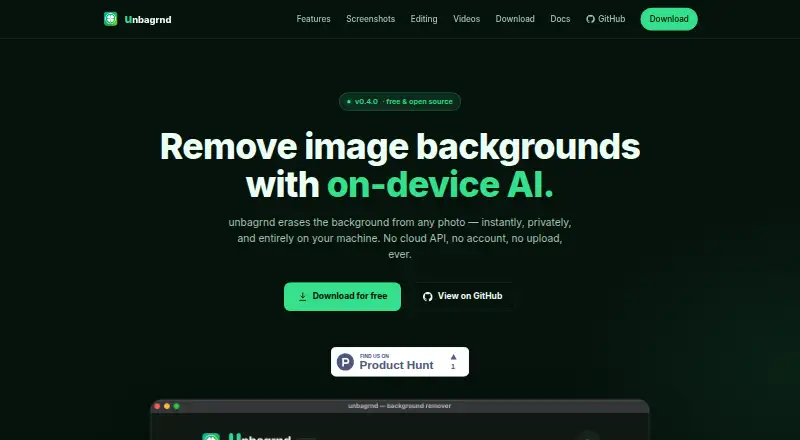
unbagrnd removes photo backgrounds using AI, with local processing in its desktop app through ONNX Runtime.
What unbagrnd is
unbagrnd removes photo backgrounds using AI, with local processing in its desktop app through ONNX Runtime. The maker says images, filenames, and metadata are not sent anywhere; the only network request is a one-time model download, with no analytics, update checks, or telemetry. Users can choose from several models with different speed and accuracy tradeoffs; the default is described as 43 MB. Editing tools include brush erase and restore with undo and redo, edge shift and smoothing, background color and shadow styling, and alpha matte export. The app is intended for single photos or folders of images, including cutout refinement and background styling. A Docker-based REST API is available for self-hosting and processes images inside the user's container. Its documented defaults include a 20 MB per-image limit, dimensions up to 8192 pixels, batches of up to 10 images, and 60 requests per API key per minute. The API uses plain HTTP, so a reverse proxy is recommended when exposing it publicly. unbagrnd is free and MIT-licensed, with Android, Linux, macOS, Windows, API, and self-hosted platforms listed.
Good
- Desktop processing runs locally through ONNX Runtime.
- Offers multiple models with speed and accuracy tradeoffs.
- Includes erase, restore, edge, and background controls.
- Supports alpha matte export.
- Self-hosted API processes images inside the user's container.
Watch out
- Public API deployment needs a reverse proxy for TLS.
- macOS app is not notarized.
- Windows installer is not code-signed.
- Android APK is not on the Play Store.
Who it suits
It suits people who want to remove or refine photo backgrounds locally, including when processing a folder of images. Its self-hosted API may suit users who want image processing inside their own container.
Verdict
unbagrnd combines local desktop background removal with editing tools and a self-hosted API. Note the platform-specific installation caveats and the recommendation to put a reverse proxy in front of the API when exposing it publicly.
Plans and prices
From unbagrnd's own pricing page, checked 12 Oct 2026.
| Plan | Price | What it gives you |
|---|---|---|
| Free | Free | No paid tiers or usage limits stated · MIT-licensed |
The facts
Each one read from unbagrnd's own pages, with the date it was checked.
What it does
- API access
- Yeschecked 20 Sep 2026
- API limits
- The documented defaults include a 20 MB per-image upload limit, 8192-pixel width and height limits, batches of up to 10 images, and 60 requests per API key per minute.checked 12 Oct 2026
- API security
- The API docs describe separate API and admin key headers, store only API-key metadata in SQLite, and say uploaded images are processed in memory, discarded, and not logged.checked 12 Oct 2026
- Batch processing
- Batch mode can apply a shared background and shadow, use filename templates, cancel or retry files, and export results as a ZIP on desktop.checked 12 Oct 2026
- Deployment caveat
- The API itself speaks plain HTTP; the maker recommends placing a reverse proxy in front for TLS when exposing it publicly.checked 12 Oct 2026
- Editing
- The app offers brush erase and restore with undo and redo, edge shift and smoothing controls, background color and shadow styling, and alpha matte export.checked 12 Oct 2026
- Install caveats
- The maker says the macOS app is not notarized, the Windows installer is not code-signed, and the Android APK is not on the Play Store.checked 12 Oct 2026
- Intended use
- The site presents the app for processing single photos or folders of images, including refining cutouts and styling backgrounds.checked 12 Oct 2026
- Local processing
- The desktop app runs background removal locally through ONNX Runtime, and says images, filenames, and metadata are not sent anywhere.checked 12 Oct 2026
- Models
- Users can choose among several background-removal models, trading off speed and accuracy; the default is described as 43 MB.checked 12 Oct 2026
- Network use
- The site says the app’s only network request is a one-time model download and that it has no analytics, update checks, or telemetry.checked 12 Oct 2026
- Purpose
- unbagrnd removes photo backgrounds using on-device AI.checked 12 Oct 2026
- Self-hosted API
- The maker provides a Docker-based self-hosted REST API that processes images inside the user’s own container.checked 12 Oct 2026
- Support and license
- The maker invites users to file an issue or send a pull request on GitHub and identifies the project as MIT-licensed.checked 12 Oct 2026
Money
- Free plan
- Yeschecked 20 Sep 2026
Where it runs
- Platforms
- The maker lists native builds for macOS Apple Silicon, Windows 10/11 x64, Linux x86_64, and Android arm64.checked 12 Oct 2026
The full review of unbagrnd
unbagrnd is a free background-removal tool that combines a local desktop workflow with a Docker-based API. It is best for privacy-conscious creators, developers, and small teams willing to install software or operate a container. Its strongest case is keeping image data under your control; the costs are platform installation friction and some API deployment responsibility.
Overview
The application handles individual photos and folders, then lets you refine the resulting cutouts and style their backgrounds. Desktop processing runs on the device, while the self-hosted option keeps API work inside your own container. That makes unbagrnd a practical choice when sending source images to a hosted service is unacceptable or when you need an automatable internal endpoint.
Key features
ONNX Runtime performs background removal locally. The maker says images, filenames, and metadata are not sent anywhere; the only network activity is a one-time model download, with no analytics, update checks, or telemetry. After that download, the desktop workflow suits privacy-sensitive and intermittently connected work, although initial setup still needs network access.
Several selectable models let you favor speed or accuracy, with the default model described as 43 MB. Folder batch processing is useful for repeated catalog or content jobs rather than one-off edits. Brush erase and restore, undo and redo, edge shift, and smoothing provide meaningful control over imperfect boundaries. Background color and shadow styling, together with alpha matte export, make the result more usable without immediately moving to another editor.
The Docker REST API processes uploads inside your container. Its documented defaults permit files up to 20 MB, dimensions up to 8192 pixels in width and height, batches of 10 images, and 60 requests per API key per minute. Separate API and admin key headers reduce the chance of treating administrative credentials like ordinary client keys. SQLite stores API-key metadata, while uploaded images are processed in memory, discarded, and not logged. The API speaks plain HTTP, so a public deployment should sit behind a reverse proxy that provides TLS; that is an operational requirement, not an optional polish point.
Pricing
The Free plan costs nothing and is the entire offering. There are no paid tiers or stated usage limits, and the project is MIT-licensed. That combination suits personal use, internal tools, and teams able to manage their own infrastructure, but it provides no paid support or higher hosted quota to fall back on. API capacity is governed by the documented per-image, dimension, batch, and per-key defaults rather than a subscription allowance.
Platforms
unbagrnd supports Android, Linux, macOS, Windows, and a self-hosted API. Installation caveats matter: the macOS app is not notarized, the Windows installer is not code-signed, and the Android APK is not distributed through Google Play. Users should be prepared for OS warnings and manual installation. GitHub issues and pull requests are the stated support route.
Who it's for
Choose unbagrnd if local processing, no telemetry, and control of the API environment outweigh turnkey cloud convenience. It fits photographers, sellers, and content teams processing folders, as well as developers integrating background removal into a private service. It is less suitable for users who require a signed, store-distributed mobile or desktop install, or who do not want to maintain reverse-proxy and container security.
Pros and cons
Pros
- Local privacy: desktop images and metadata remain on-device, with no analytics or telemetry.
- Useful refinement tools: brush correction, edge controls, styling, and alpha matte export cover more than a basic one-click cutout.
- Self-hosted automation: Docker deployment and batch API requests support private workflows.
- No stated usage ceiling: the free MIT-licensed project has no paid tiers or published quotas beyond API defaults.
Cons
- Installation warnings: unsigned or non-notarized apps and an APK outside Google Play demand extra trust and care.
- API exposure work: plain HTTP means public deployments need a reverse proxy for TLS.
- Fixed API defaults: 20 MB files, 8192-pixel dimensions, 10-image batches, and 60 requests per key per minute may constrain heavier pipelines.
Alternatives
For a broader directory of options, see AI Background Removers.
Cutout.Pro is the better choice when you want Android, iOS, web, and desktop coverage with a freemium subscription beginning at $5 a month for 80 credits.
Slazzer suits users who prefer a hosted freemium service with a free-forever personal/evaluation allowance of two credits and a 100-credit monthly subscription option.
Pixelcut is aimed at mobile and web users wanting limited background removal and upscale features, with free exports without a watermark.
LocalBG is worth considering for local and self-hosted use when unlimited single-image processing and a free trial matter more than bulk processing.
BackgroundRemover is an open-source, free local installation available through pip or source code.
EraseBG is a fit for users wanting no usage limits, full-resolution downloads, and no account or watermark across its supported platforms.
Don's Tools Background Remover offers browser-based batches of up to 150 JPG, PNG, or WebP images.
RemoveBackgrounds.ai provides free Android, iOS, and web tools, including batches of up to 30 images.
Verdict
unbagrnd is the right recommendation for privacy-first users and developers who want capable cutout editing without sending images to a third party. Choose it for local control, a genuinely useful refinement set, and a free self-hosted API; look elsewhere if signed installers, app-store delivery, or managed cloud infrastructure are priorities.
Alternatives to unbagrnd
- 1

Pixelcut
Free planAndroidiOSWebAPI9.1From $8 a month - 2

Photoroom
Free planAndroidiOSWebAPI9.1From $7.50 a month - 3
Cutout.Pro
Free planAndroidiOSWebAPI9.0From $5 a month - 4

BackgroundRemover
Free planOpen sourceWebAPILinuxmacOS9.0From $108 a year - 5

Erase.bg
Free planAndroidiOSWebAPI8.9Free plan - 6

Artguru Background Remover
Free planAndroidiOSWebAPI8.5From $39.99 a year