
Magic Studio Background Remover
Magic Studio Background Remover automatically removes image backgrounds and lets users download a result with or without a colored background.
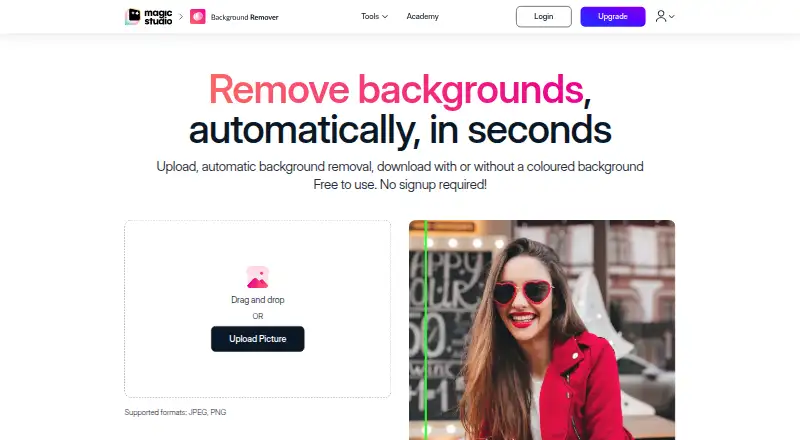
What Magic Studio Background Remover is
Magic Studio Background Remover automatically removes image backgrounds and lets users download a result with or without a colored background. Users can refine the selected subject by marking points to keep, then choose a white, black, or custom-colored background and preview it before downloading. Supported uploads include JPG, JPEG, PNG, HEIC, WEBP, and TIFF, and the page says image resolution is not limited. The tool is presented for e-commerce, photography, fashion, auto listings, animals, furniture, jewellery, and graphics. Batch editing is supported, and the maker promotes editing 50 pictures at once, though the free tier handles one picture at a time. Free use requires no signup, but downloads have low resolution and include ads and a Magic Studio logo. The tool is available on the web, with linked Android and iOS apps. The PRO plan lists unlimited AI generations, high-resolution downloads, no watermark, and bulk editing for select tools; its price is not displayed. Uploaded images and outputs are generally stored temporarily for processing and may be used to improve machine models.
Good
- Supports JPG, JPEG, PNG, HEIC, WEBP, and TIFF
- Allows subject refinement before downloading
- Offers white, black, or custom background colors
- Batch editing is supported
Watch out
- Free tier processes one picture at a time
- Free downloads are low resolution
- Free downloads include ads and a Magic Studio logo
- PRO price is not displayed
Who it suits
It suits people who need to remove or replace backgrounds for product listings, photography, fashion, or other listed visual uses. The free option may suit single-image tasks where low-resolution downloads, ads, and a logo are acceptable.
Verdict
Magic Studio Background Remover offers subject refinement, colored backgrounds, and batch editing, with web and mobile access. The free tier is limited to one picture at a time and adds ads, a logo, and low-resolution downloads.
Plans and prices
From Magic Studio Background Remover's own pricing page, checked 5 Oct 2026.
| Plan | Price | What it gives you |
|---|---|---|
| PRO | — | Unlimited AI generations · High resolution downloads · No watermark · Bulk editing for select tools · /month; price not displayed on page |
| FREE | Free | 40 AI Generations · LIMITED Resolution Downloads · Download with Watermark · 1 image at a time only · 0 /month |
The facts
Each one read from Magic Studio Background Remover's own pages, with the date it was checked.
What it does
- Background colors
- Users can add a white, black, or custom-colored background and preview the color before downloading.checked 5 Oct 2026
- Background removal
- The tool automatically removes image backgrounds and lets users download the result with or without a colored background.checked 5 Oct 2026
- Batch editing
- The page promotes editing 50 pictures at once and removing backgrounds from multiple pictures.checked 5 Oct 2026
- Deletion requests
- Users may email support to request deletion of personal data and uploaded graphical input; the policy says the company aims to respond within seven business days and remnants may remain for up to 90 days.checked 5 Oct 2026
- Input formats
- The page lists JPG, JPEG, PNG, HEIC, WEBP, and TIFF as supported upload formats and says uploaded image resolution is not limited.checked 5 Oct 2026
- Privacy and image processing
- The privacy policy says uploaded images and outputs are generally stored temporarily for processing, may be used to improve machine models, and are not stored, shared, or otherwise accessible to other parties or systems except as reasonably needed to provide the service.checked 5 Oct 2026
- Security and payments
- The privacy policy says the company cannot guarantee absolute data security and that payment card details are handled by third-party processors that adhere to PCI-DSS.checked 5 Oct 2026
- Subject refinement
- Users can refine the AI-selected subject by selecting points on the subject or subjects they want to keep.checked 5 Oct 2026
- Support
- The product page directs users to [email protected] for assistance or feedback.checked 5 Oct 2026
- Use cases
- The maker lists e-commerce, photography, fashion, auto listings, animals, furniture, jewellery, and graphics as use cases.checked 5 Oct 2026
The company
- Company
- The site identifies aarzoo, Inc. as the operator of MagicStudio.com and shows a 2020–2026 copyright notice.checked 5 Oct 2026
Money
- Free access
- The background remover page says it is free to use and requires no signup; its free tier lists ads, a Magic Studio logo, low-resolution downloads, and one picture at a time.checked 5 Oct 2026
- Free plan
- Yeschecked 20 Sep 2026
Where it runs
- Mobile apps
- The maker links to Magic Studio apps in the Apple App Store and Google Play Store, and the pricing page lists iOS and Android access.checked 5 Oct 2026
Alternatives to Magic Studio Background Remover
- 1

Photoroom
Free planAndroidiOSWebAPI8.3From $7.50 a month - 2

Pixelcut
Free planAndroidiOSWebAPI8.3From $8 a month - 3
Cutout.Pro
Free planAndroidiOSWebAPI8.2From $5 a month - 4

Erase.bg
Free planAndroidiOSWebAPI8.2Free plan - 5

Artguru Background Remover
Free planAndroidiOSWebAPI8.1From $39.99 a year - 6

BG0
Free planOpen sourceAndroidiOSWebAPI7.8Free plan